


Online homework
Online homework that collects and grades itself
Give any quiz, worksheet, lesson or video lesson as homework. Students open it with a code or find it in their class, and you see who has handed in and how they did.
- Code, link, QR code or class
- Deadlines, late work and attempts
- Free for teachers
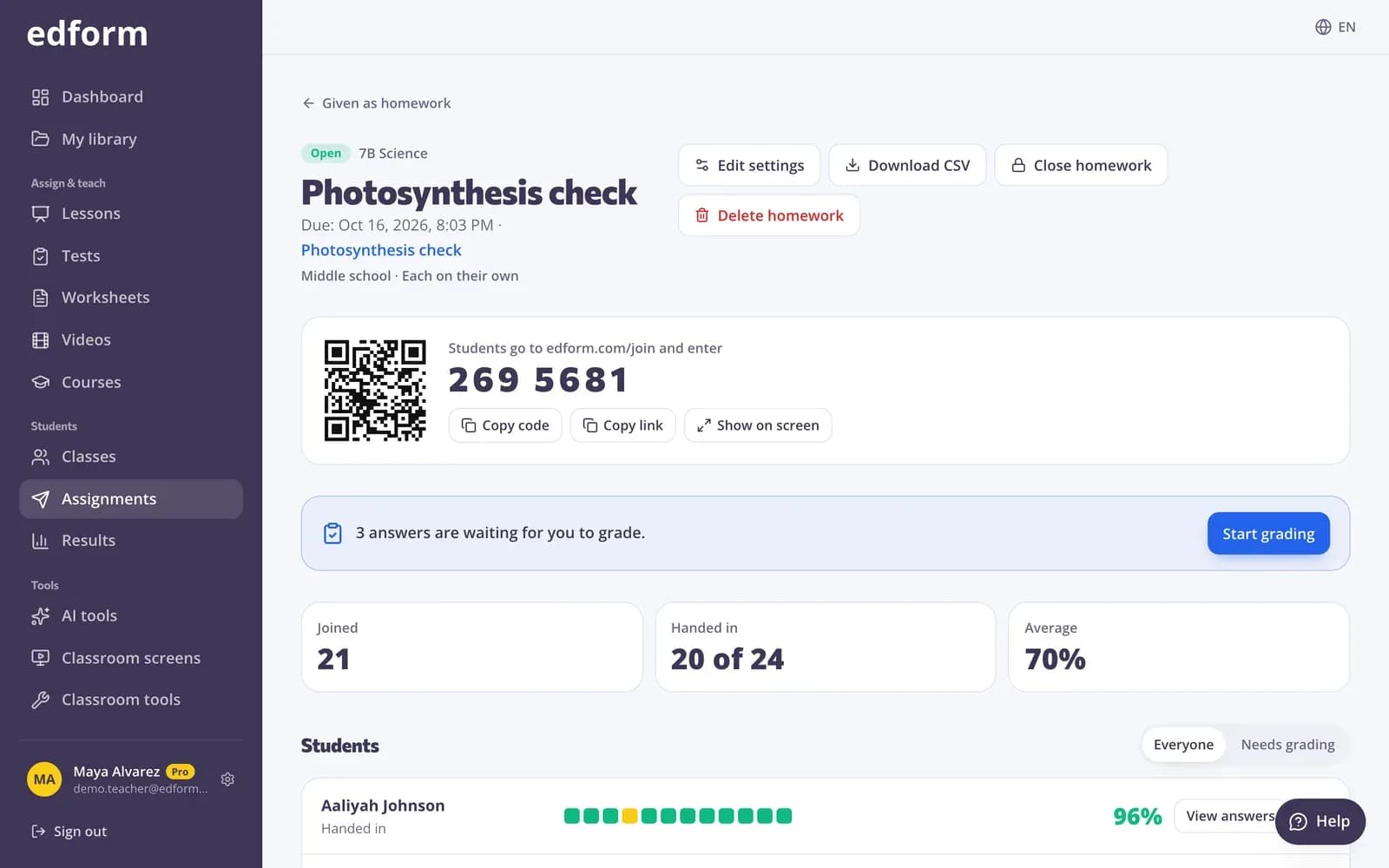
How does online homework work in Edform?
Online homework in Edform starts from anything you made: a quiz, an interactive worksheet, a lesson or a video lesson. You choose who can do it — anyone with the code, signed-in students or one of your classes — set a deadline, decide whether late work counts and how many attempts students get. Students open it with a 7-digit code, a link or a QR code, or find it on their My homework page. Their answers save as they go, closed questions are graded when they hand in, and the report shows who has started, finished or not begun.
Edform at a glance
- Price
- Free for teachers: Basic is free forever, with no credit card, and includes every feature.
- AI tools
- AI teacher tools with 5 AI points a month on Basic and 300 a month on Pro.
- Students
- Students join with a code. They need no email address and no account.
- Grading
- Quizzes and worksheets are graded automatically, with results per student and per question.
- Devices
- Runs in the browser on laptops, tablets, phones and interactive boards. Nothing to install.
- Languages
- Available in 32 languages.
- Works with
- Google Classroom, Microsoft Teams, ClassLink and learning platforms that support LTI 1.3.
- Library
- A free library of ready-made quizzes, worksheets and lessons that teachers can copy and edit.
How to give online homework
- 1
Choose Give as homework
Open a quiz, worksheet or lesson and choose Give as homework.
- 2
Set who, when and how
Pick who can do it, the deadline, late work, attempts and when students see their results. Then press Give homework.
- 3
Share and follow up
Share the code, link or QR code, or let students find it in their class. Check the report as hand-ins arrive.
Try it yourself
No sign-up needed — try it as a student
This is the real Edform player. Answer the questions and see how they're checked.
Students know what's due
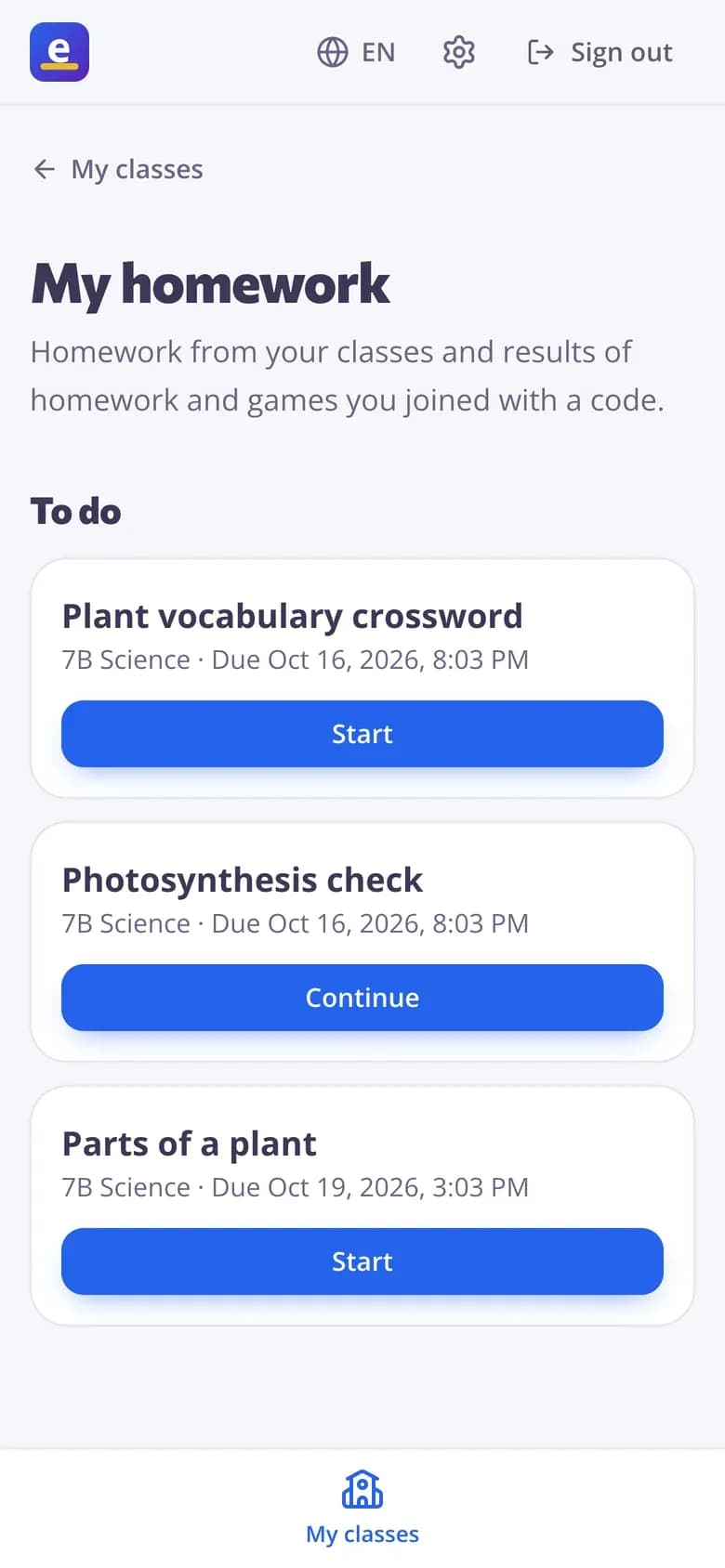
Signed-in students see everything from their classes on My homework: what's due and when, what's done with their best score once you show results, and what has closed.
- To do, by deadline
- Done, with their best score
- Codes they joined, in one place
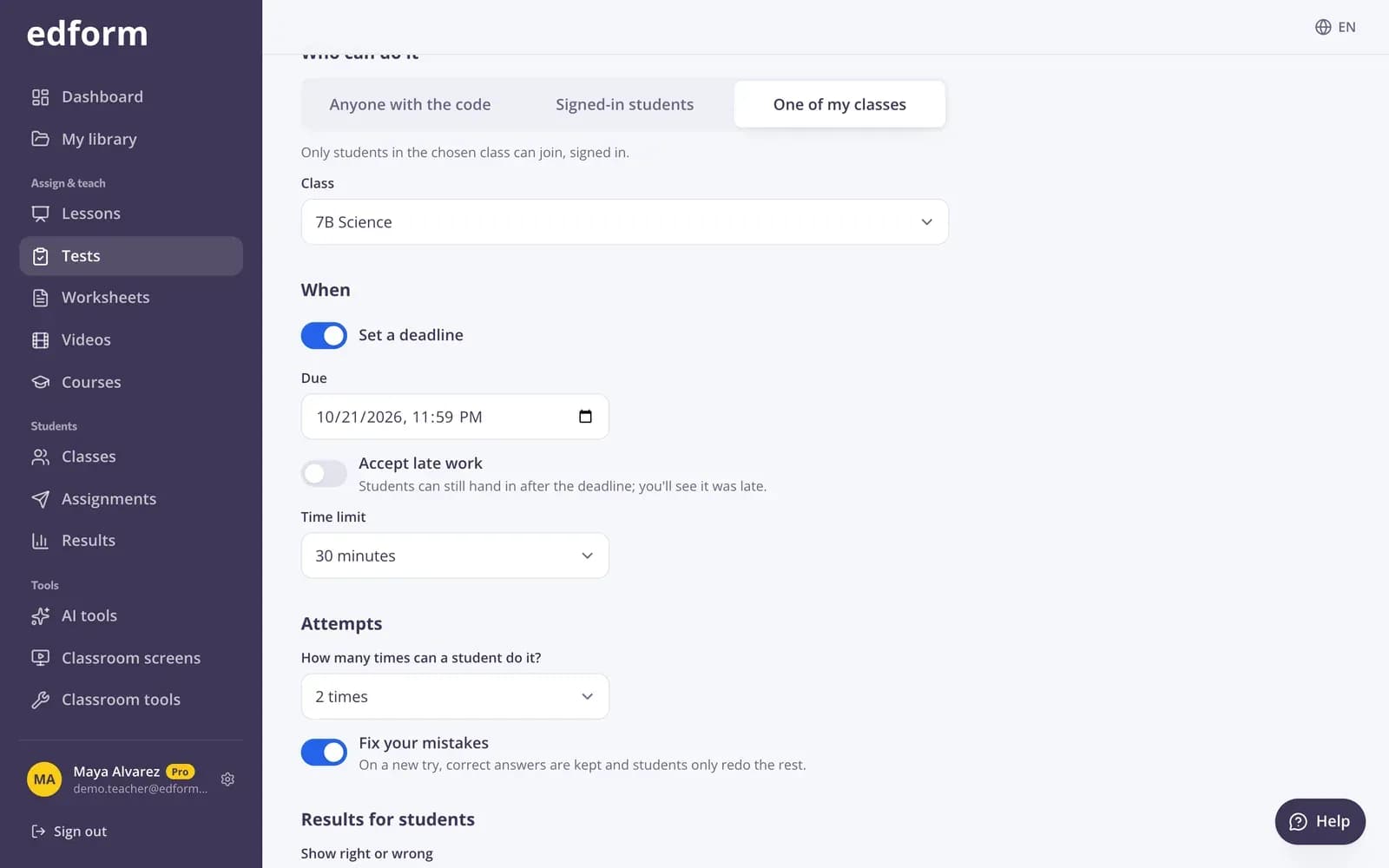
Settings you can still change
Move the deadline, accept late work, add attempts or change when results show — even after students have started. The questions stay the same for everyone.
- Change the deadline
- Close and reopen
- Close automatically on a date
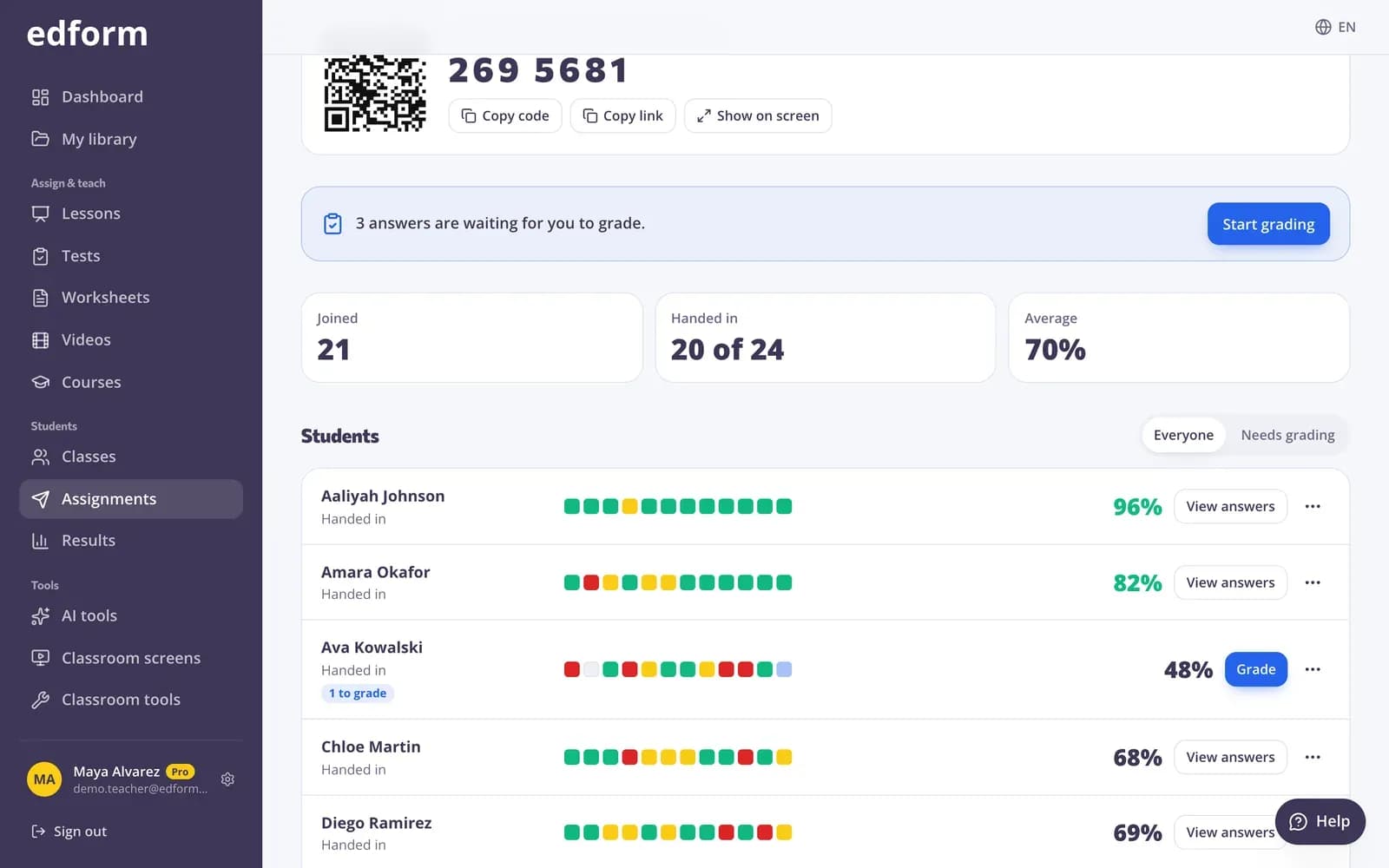
Results without collecting a single sheet
See who has handed in, their scores and the class average, with every answer one click away.
- 12 of 25 handed in at a glance
- Not started list for your class
- Download as CSV
Homework the way teachers set it
Deadlines and late work
Set when it's due, accept late work if you like, and see which hand-ins were late.
Code, link or QR code
A 7-digit code to type, a link to share or a QR code to scan. Show it big on your screen.
Fix your mistakes
Allow more attempts, keep correct answers and let students redo only the rest.
Results when you decide
Right after each question, after handing in, after the deadline or never.
For your classes
Give it to a class and students find it on My homework without a code.
Close and reopen
Close homework when you're done, reopen it for latecomers, or close it automatically.
Teachers use it for
- 01
Weekly practice
A short quiz every week, graded before you've had your coffee.
- 02
Flipped lessons
A video lesson with questions to watch before class.
- 03
Worksheets from your files
Your own PDF worksheets as homework that marks itself.
- 04
Finishing a live game
Turn an unfinished game into homework with a deadline.
Explore more
- Google ClassroomImport classes and share homework to Classroom
- Quiz makerAuto-graded quizzes, tests and homework
- Interactive worksheetsTurn any PDF into an online worksheet
- Online examsTimed tests with shuffled questions and one attempt
- Join with a codeStudents type a code — no account needed
- Flipped classroomVideo and lessons at home, practice and games in class
- Distance learningHomework, video and live lessons for students learning from home
Frequently asked questions
Do students need an account for homework?
Not if you choose Anyone with the code: students type their name and start. Choose signed-in students or one of your classes when results should be saved to student accounts.
What can I give as homework?
Quizzes, interactive worksheets, lessons and video lessons, with the same settings and the same report.
Can I change the deadline after giving homework?
Yes. Edit the settings to change the deadline, late work, attempts, close date or results. For one student, set a personal deadline from their row in the report.
What if a student's internet drops?
Answers save one by one. The student opens the homework again and carries on where they stopped.
Can students see their mistakes?
If you allow it. Choose when they see right or wrong and when they see the correct answers.
Can I post homework to Google Classroom?
Yes. Next to the homework code, press Share to Classroom: Google Classroom's share window opens with the title, the link and the join code filled in, so you pick the class and post. Students open it from their Classroom stream.
Google Classroom is a trademark of Google LLC. Microsoft and Microsoft Teams are trademarks of the Microsoft group of companies.
Give your first online homework
Free for teachers. Share a code tonight, see the results tomorrow morning.
- Free for teachers
- No credit card
- Works on any device