Reading comprehension
Reading comprehension, from passage to report
Get a passage at the right level, add questions from recall to opinion, grade written answers with a rubric and see which questions the class found hard.
- Passages at the right level
- Questions at four thinking levels
- Free for teachers
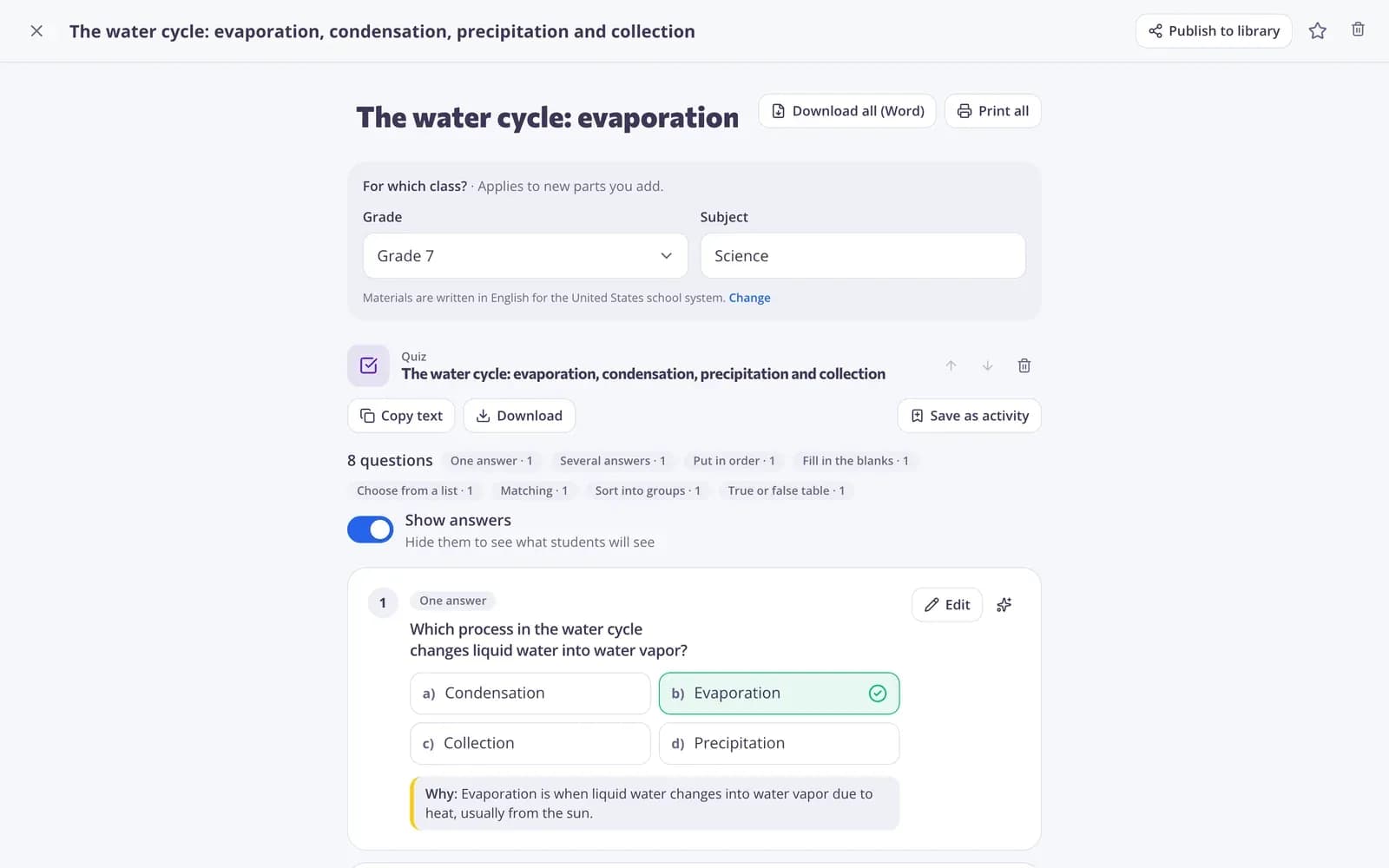
How do you check reading comprehension with Edform?
A good comprehension check starts with a text at the right level and asks more than recall. In Edform, AI tools write an age-appropriate passage on your topic, level a text you already have, and draft questions at four thinking levels — from facts to opinion — with sample answers. Turn the questions into an auto-graded quiz, add an open question for a written response and grade it with a rubric, or upload a printed passage as an interactive worksheet. Questions can be read aloud for students who need it, and per-question analysis shows where understanding broke down.
How to run a comprehension check
- 1
Choose the text
Paste a text, upload a file or let AI write a passage. Level it for your readers if needed.
- 2
Add questions
Draft questions with AI, keep the best ones in a quiz and add an open question for a written answer.
- 3
Grade and review
Choice and short answers are marked for you; grade written answers with a rubric and check the per-question analysis.
Try it yourself
No sign-up needed — try it as a student
This is the real Edform player. Answer the questions and see how they're checked.
Use your own printed texts
Upload a PDF of a reading and add answer fields on top: text boxes, tick boxes and drag-and-drop gaps.
- Any PDF or picture
- Short answers graded
- Long answers for writing
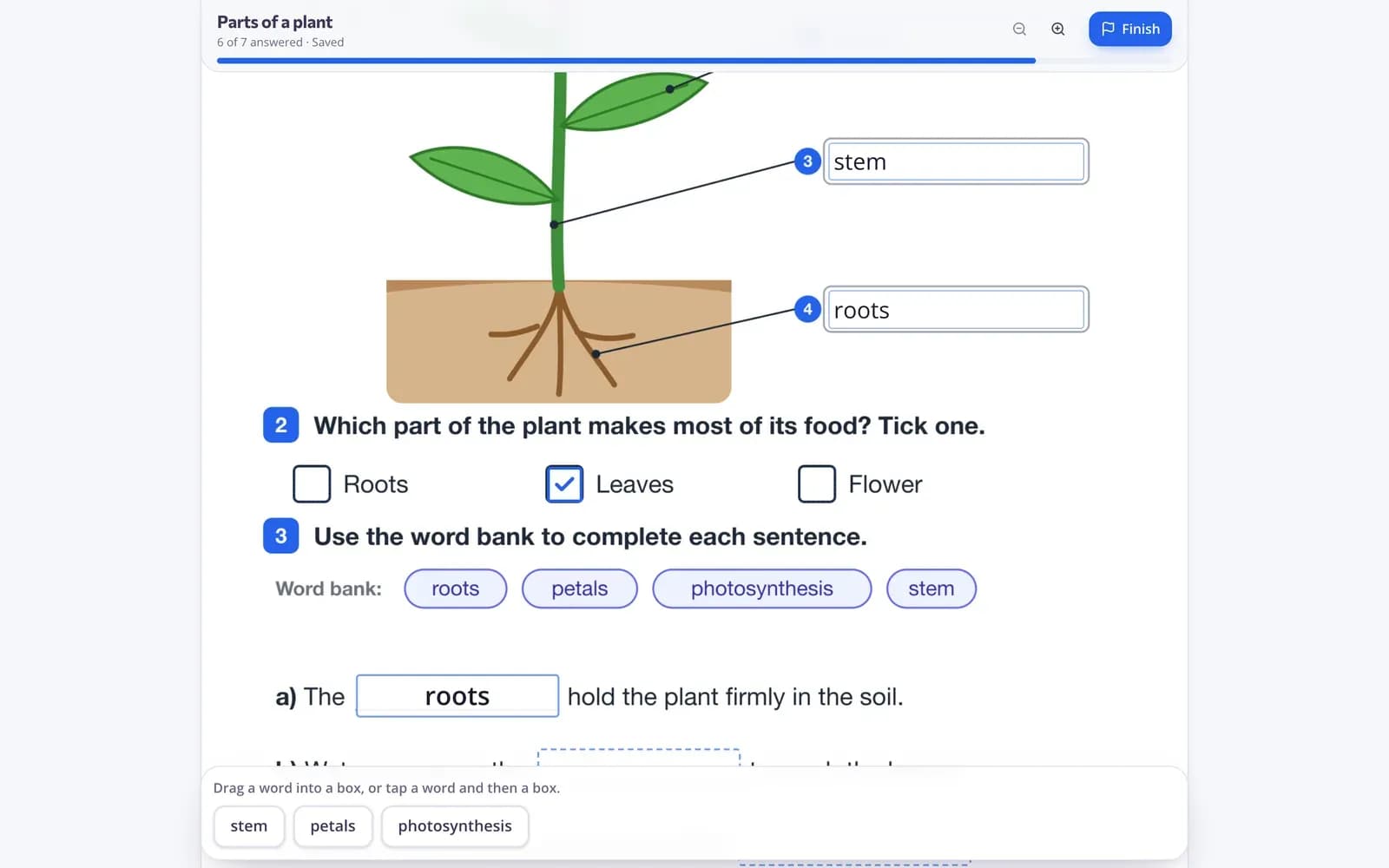
Grade written answers with a rubric
Open answers come with your rubric as a checklist and a sample answer, so grading is quick and consistent.
- Rubric checklist
- Sample answer
- Written feedback
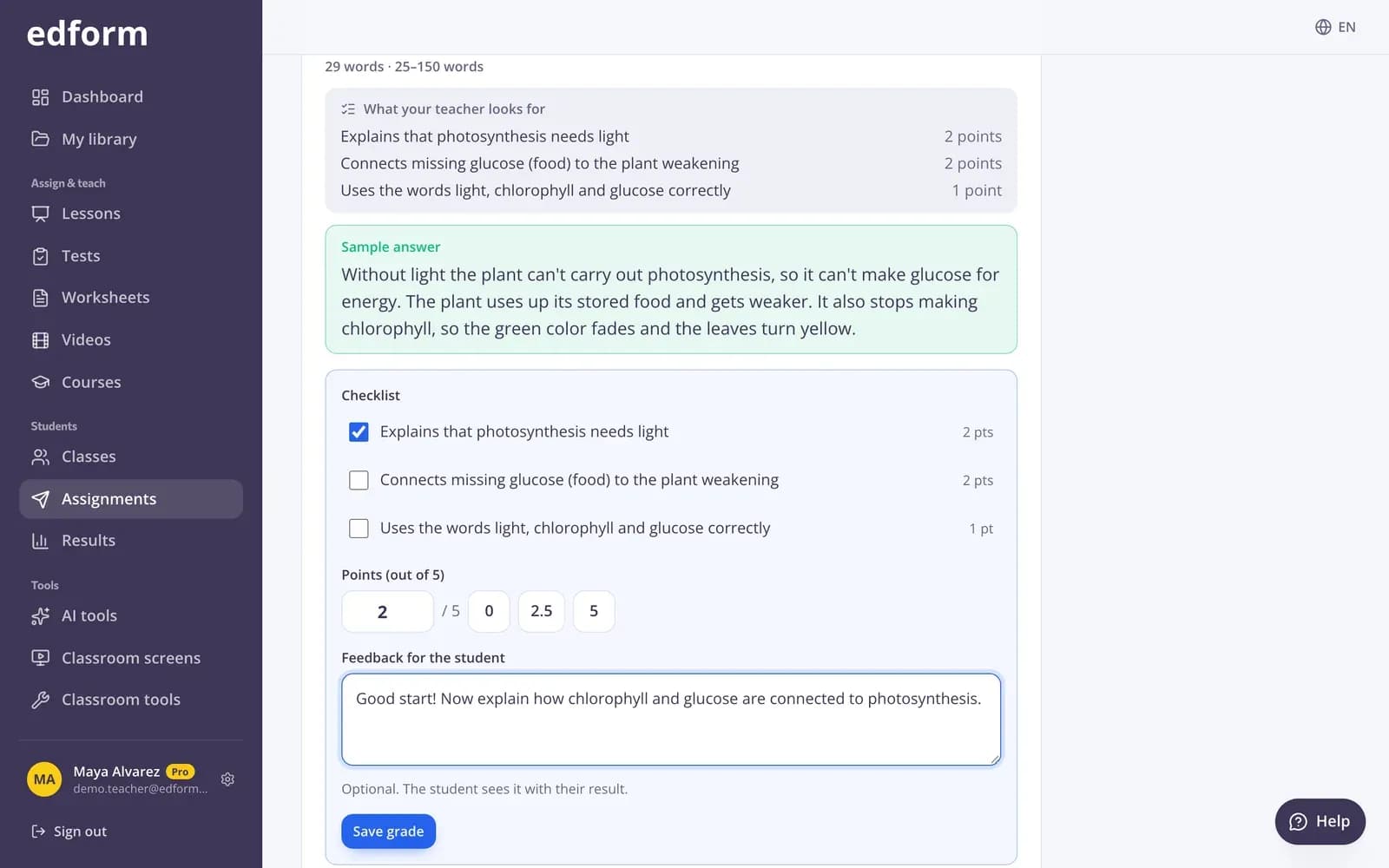
See where understanding broke down
Per-question analysis shows which questions most students missed and which options they chose.
- Percent correct per question
- Options students chose
- Per-student scores
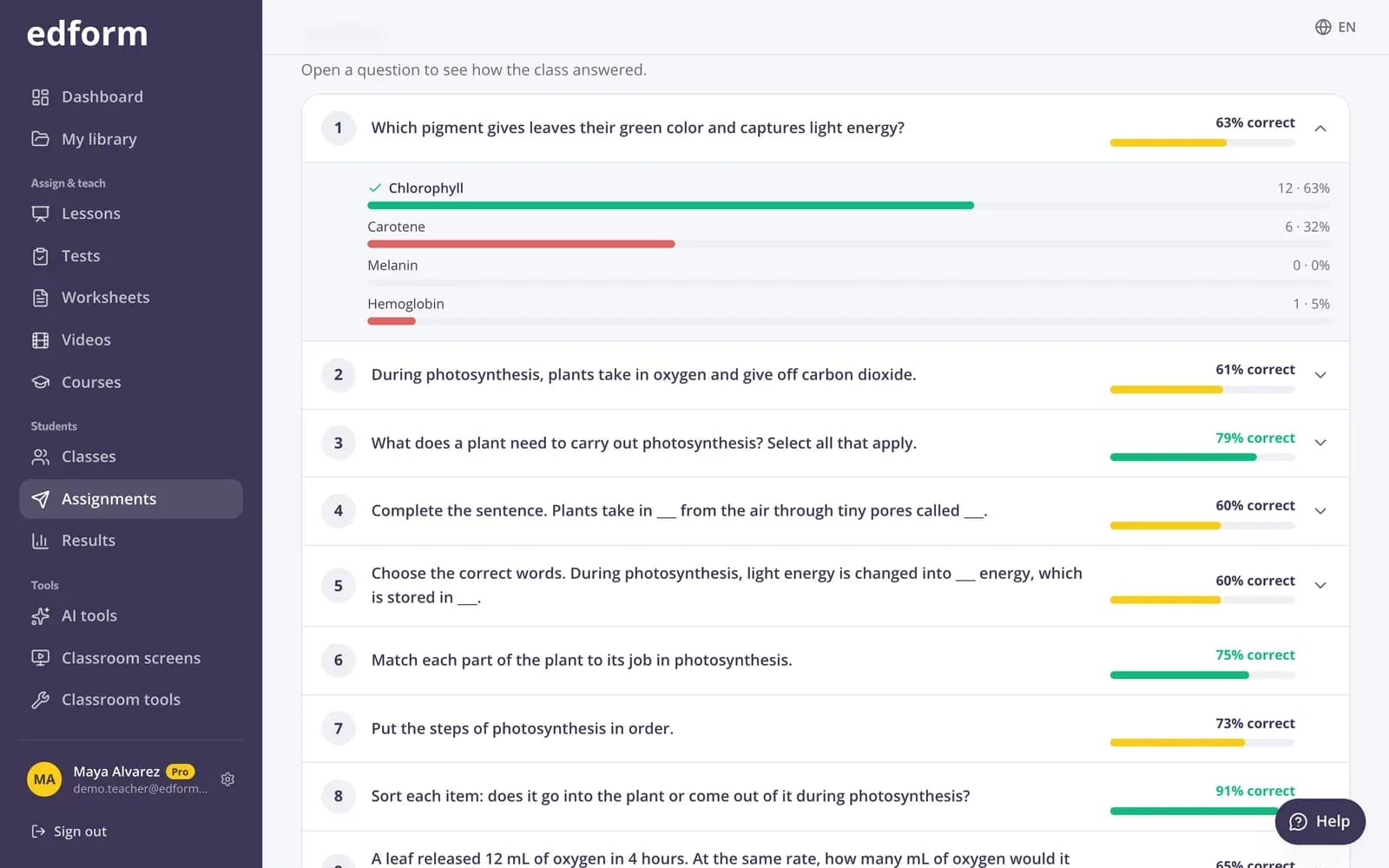
Tools for reading comprehension
Reading passages
AI writes an original, age-appropriate text on your topic. Uses AI points.
Questions about a text
Questions at four thinking levels, from facts to opinion, with sample answers.
Text leveler
Rewrite any text for a lower or higher reading level.
Rubric grading
Checklist, points and feedback for written answers.
Read aloud
A speaker button reads questions and answers for students who need it.
Reading speed test
Time a student reading aloud and get words per minute.
Teachers use it for
- 01
Weekly reading check
One passage, eight questions, results by Friday.
- 02
Mixed reading levels
The same text levelled for different groups.
- 03
Content-area reading
Science or history texts with comprehension questions.
- 04
Test preparation
Practice with passages and question types like the real test.
Explore more
- Reading passageAn original, age-appropriate informational text for students to read in class.
- Questions about a textReading questions at four thinking levels, from facts to opinion, with sample answers.
- Text levelerRewrites any text for a chosen reading level, including plain language for students with SEN.
- ELA teachersReading texts, writing feedback and word games
- Rubric gradingGrade open answers with a checklist and feedback
- Reading speed testA stopwatch that counts words per minute — type the count or tap the last word read.
Frequently asked questions
Can AI write a passage for my grade?
Yes. Choose the topic, grade and length; the reading passage tool writes an original text you can edit. AI tools use AI points: 5 a month on Basic, 300 on Pro.
Can I use a text I already have?
Yes. Paste it, upload a file or a photo, or upload a printed reading as an interactive worksheet.
How do I make auto-graded questions about a text?
Give the text to the AI quiz tool and save the result as a quiz, or write your own multiple choice, fill-in-the-blank and short-answer questions.
How are written answers graded?
With an open-ended question and a rubric: you tick the criteria, add points and feedback, and the score goes into the report.
Can questions be read aloud?
Yes. Turn on Read questions aloud when you give the work, and a speaker button reads each question and its answers.
Is it free?
Yes. Quizzes, worksheets, grading and reports are on the free Basic plan; only AI usage has limits.
Make your next comprehension check
Free for teachers. Passage, questions and grading in one place.
- Free for teachers
- No credit card
- Works on any device