English language arts
Reading, writing and vocabulary in one place
Draft reading passages with questions, level them for your class, grade essays with a rubric and turn vocabulary into games — without juggling five different sites.
- Texts and questions in minutes
- Rubrics for open answers
- Free for teachers
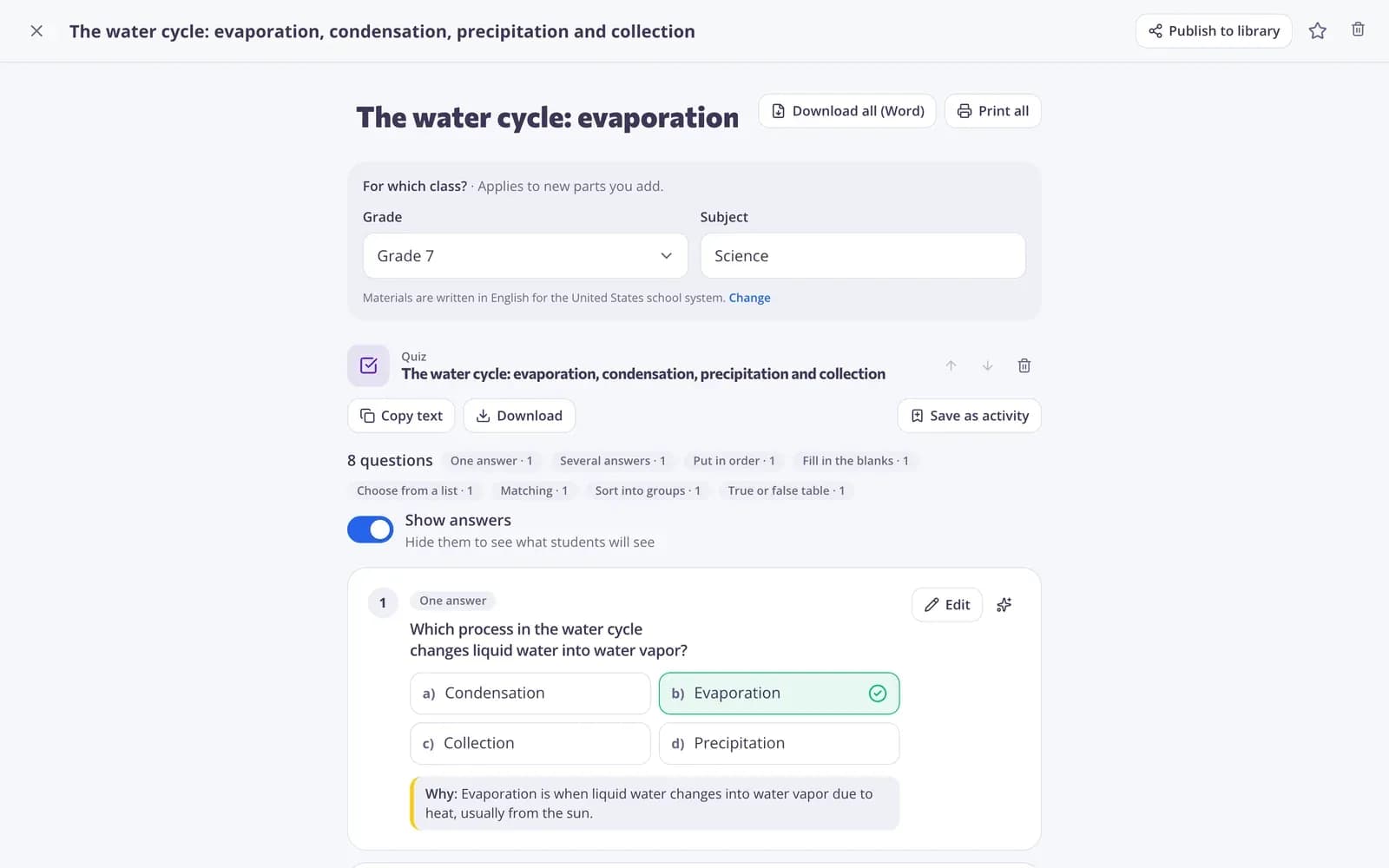
What does Edform offer ELA teachers?
Edform brings the everyday work of an English language arts teacher together. AI tools write reading passages at the level you choose, add comprehension questions to any text, level a text for struggling readers, give feedback on student writing and draft rubrics. Interactive worksheets turn your PDFs into online work with typed answers. Open-ended questions are graded with a rubric checklist, sample answer and feedback, while vocabulary becomes guess the word, anagram, crossword and matching games. Every result lands in reports and the class gradebook.
How to run a reading lesson with Edform
- 1
Get the text
Paste a text or let AI write a passage on your topic, then level it for your readers.
- 2
Add questions
Generate comprehension questions, save them as a quiz and add an open question for a written response.
- 3
Grade and give feedback
Choice questions mark themselves; grade written answers with your rubric and send feedback.
Try it yourself
No sign-up needed — try it as a student
This is the real Edform player. Answer the questions and see how they're checked.
Grade writing with a rubric
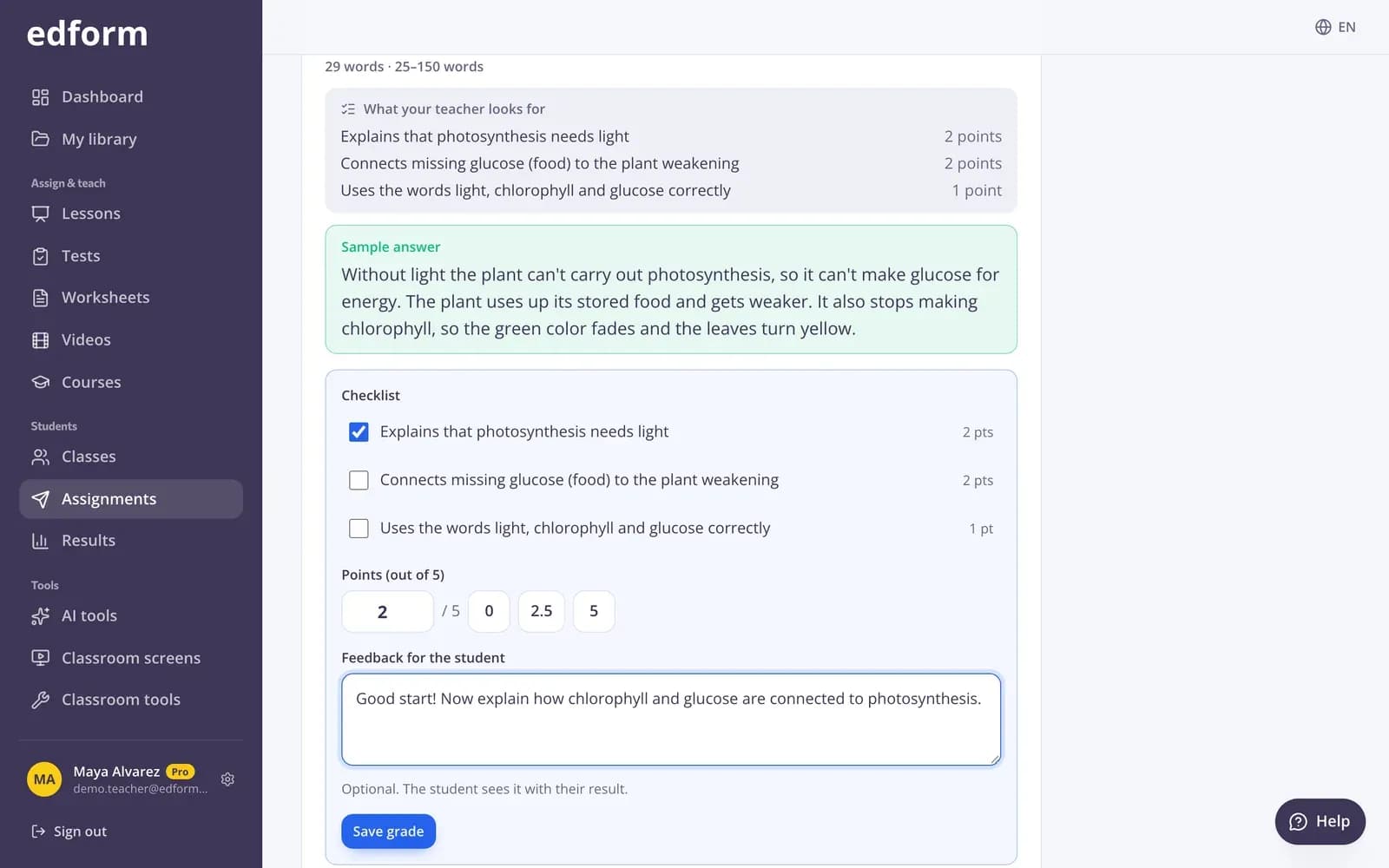
Open answers come with your rubric as a checklist and a sample answer next to the student's text. Add points and feedback, then move to the next student.
- Rubric checklist
- Sample answer side by side
- Written feedback
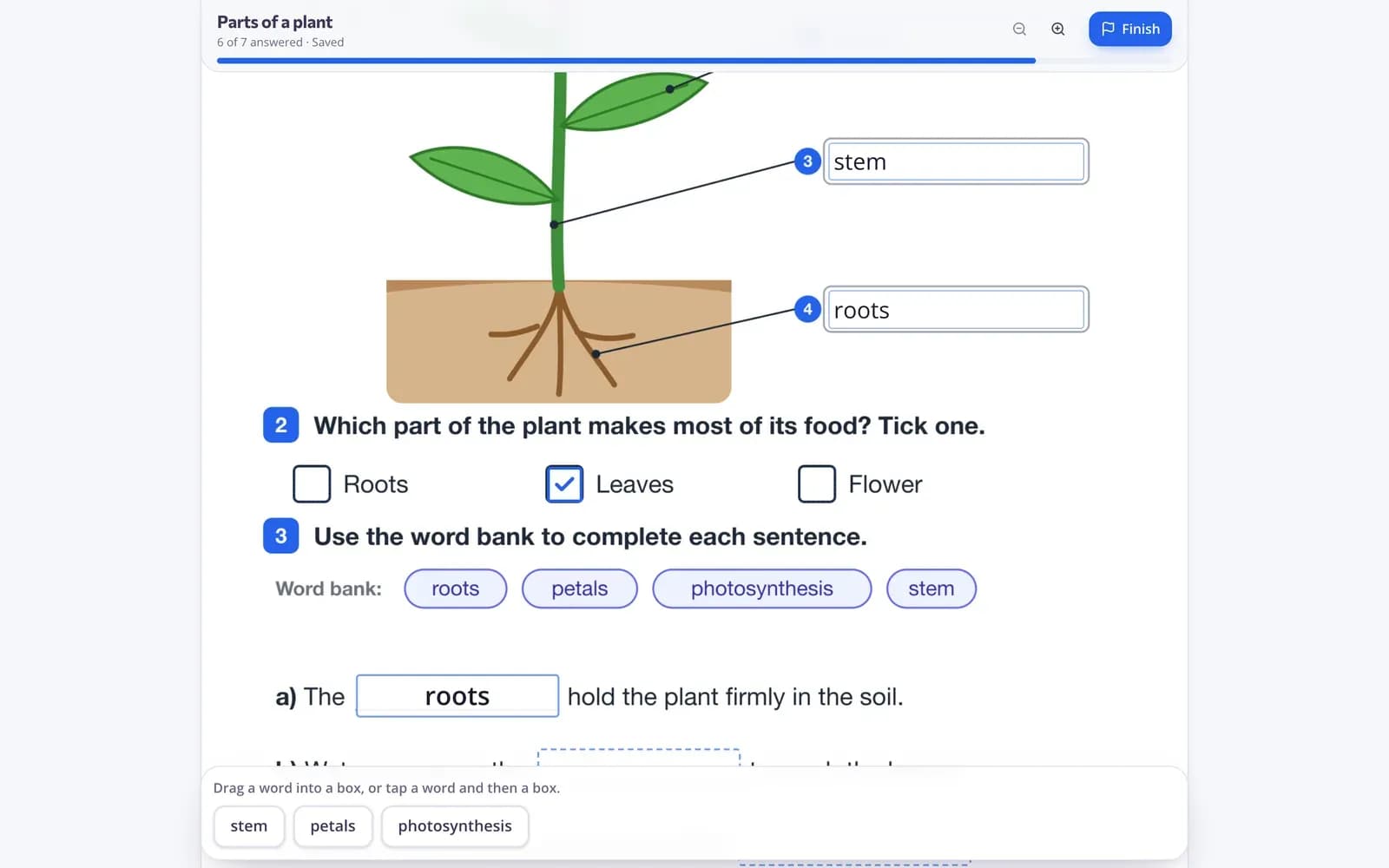
Worksheets students type into
Upload a PDF worksheet and add text boxes, tick boxes and drag-and-drop gaps. Students fill it in online and short answers are graded.
- Any PDF or image
- Long answers for writing
- Auto-graded short answers
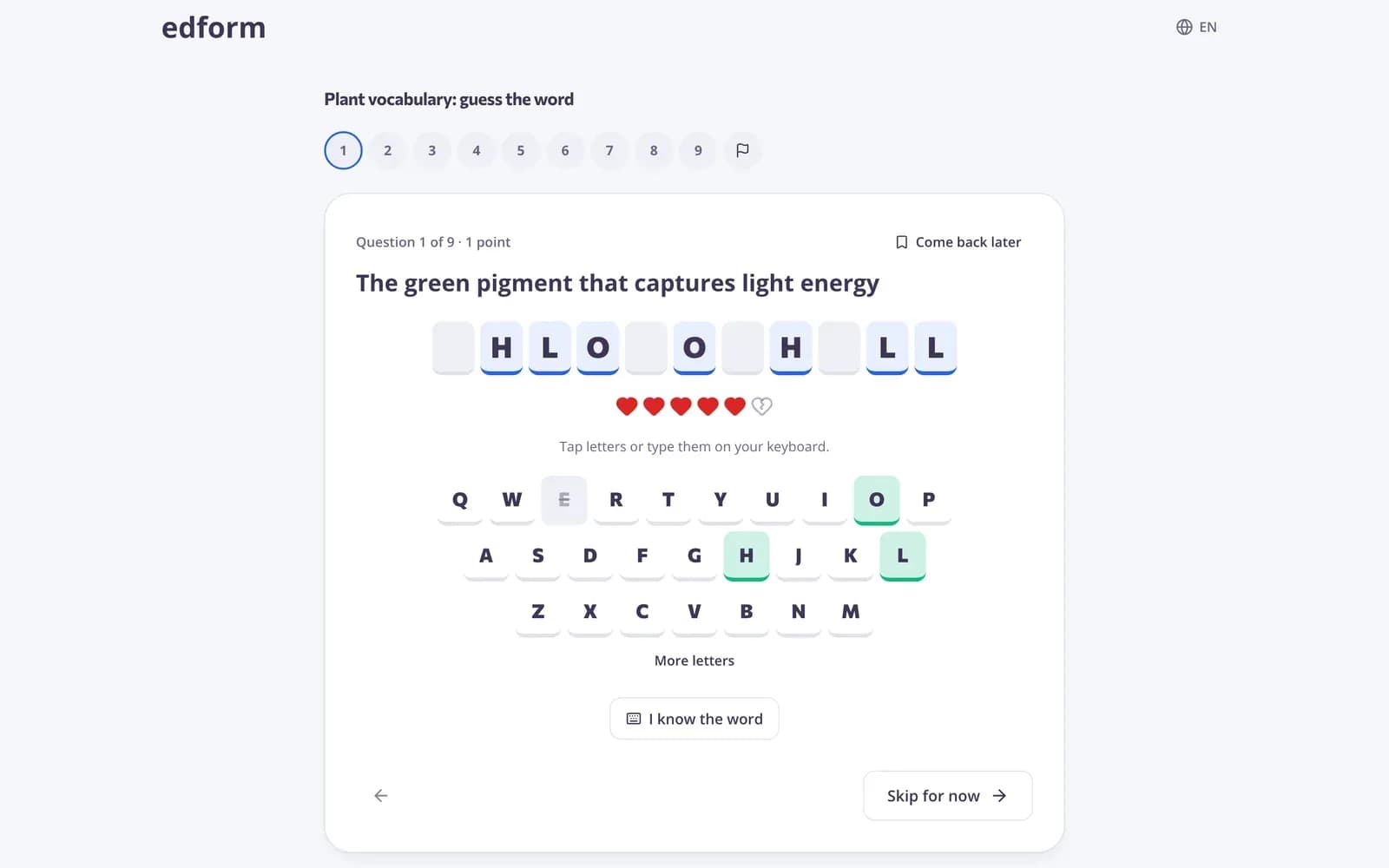
Vocabulary they remember
Turn a word list into guess the word, anagram, missing letters or a crossword. Students have to produce every letter.
- Spelling games
- Matching games for meanings
- Printable puzzles
Tools for English language arts
Reading passages
AI writes a text on any topic at the level you choose. Uses AI points.
Text leveler
Rewrite any text for younger or struggling readers.
Writing feedback
AI suggestions on a student's draft that you can edit before sharing.
Rubric grading
Grade open answers with a checklist, points and comments.
Word games
Spelling and vocabulary practice from any word list.
Reading speed
A free classroom tool to time reading and count words per minute.
ELA teachers use Edform for
- 01
Close reading
A passage with questions that check understanding line by line.
- 02
Writing tasks
An open question graded with your rubric.
- 03
Weekly vocabulary
A different word game each day from the same list.
- 04
Grammar practice
Fill-in-the-blank and drop-down questions marked for you.
Explore more
- Reading passageAn original, age-appropriate informational text for students to read in class.
- Questions about a textReading questions at four thinking levels, from facts to opinion, with sample answers.
- Feedback on student writingKind, specific feedback on an essay: strengths, what to improve and a next step.
- Rubric gradingGrade open answers with a checklist and feedback
- Word gamesGuess the word, anagram, crossword and word search from a quiz
- Reading speed testA stopwatch that counts words per minute — type the count or tap the last word read.
Step-by-step guides
- AI toolsCreate lesson plans, quizzes, slides and more with AI, then improve and use them.
- Grade open answersGrade written answers with points, a checklist and feedback, or change an automatic score.
- Interactive worksheetsUpload a PDF or photo, add answer boxes and let the worksheet mark itself.
- Game modesTurn any test into an arcade, word game, board or escape room.
Frequently asked questions
Can AI write reading passages at my students' level?
Yes. Choose the topic, grade and length, and edit the result. You can also level a text you already have. AI tools use AI points: 5 a month on Basic, 300 on Pro.
How do I grade essays and written answers?
Use an open-ended question with a rubric. You grade each answer with the rubric checklist, points and written feedback; the score updates the report and gradebook.
Can I use my own worksheets?
Yes. Upload a PDF or picture, add answer fields on top and assign it online. Short answers are graded automatically.
Which question types suit ELA?
Multiple choice, fill in the blanks, drop-downs, ordering, matching, categorizing, short answer and open-ended answers with a rubric.
Can students practise spelling?
Yes. Guess the word, anagram and missing letters make students produce every letter of the word.
Is it free?
Yes. Every feature is on the free Basic plan; only AI usage has limits.
Plan your next ELA lesson
Free for teachers. Texts, questions and grading in one place.
- Free for teachers
- No credit card
- Works on any device