


Science
Science lessons students work through, not just watch
Stop a video at the moment that matters and ask a question, let students label your diagrams on screen, and draft lab instructions and 5E lessons with AI.
- Questions inside science videos
- Label diagrams on your own worksheets
- Free for teachers
What is Edform for science teachers?
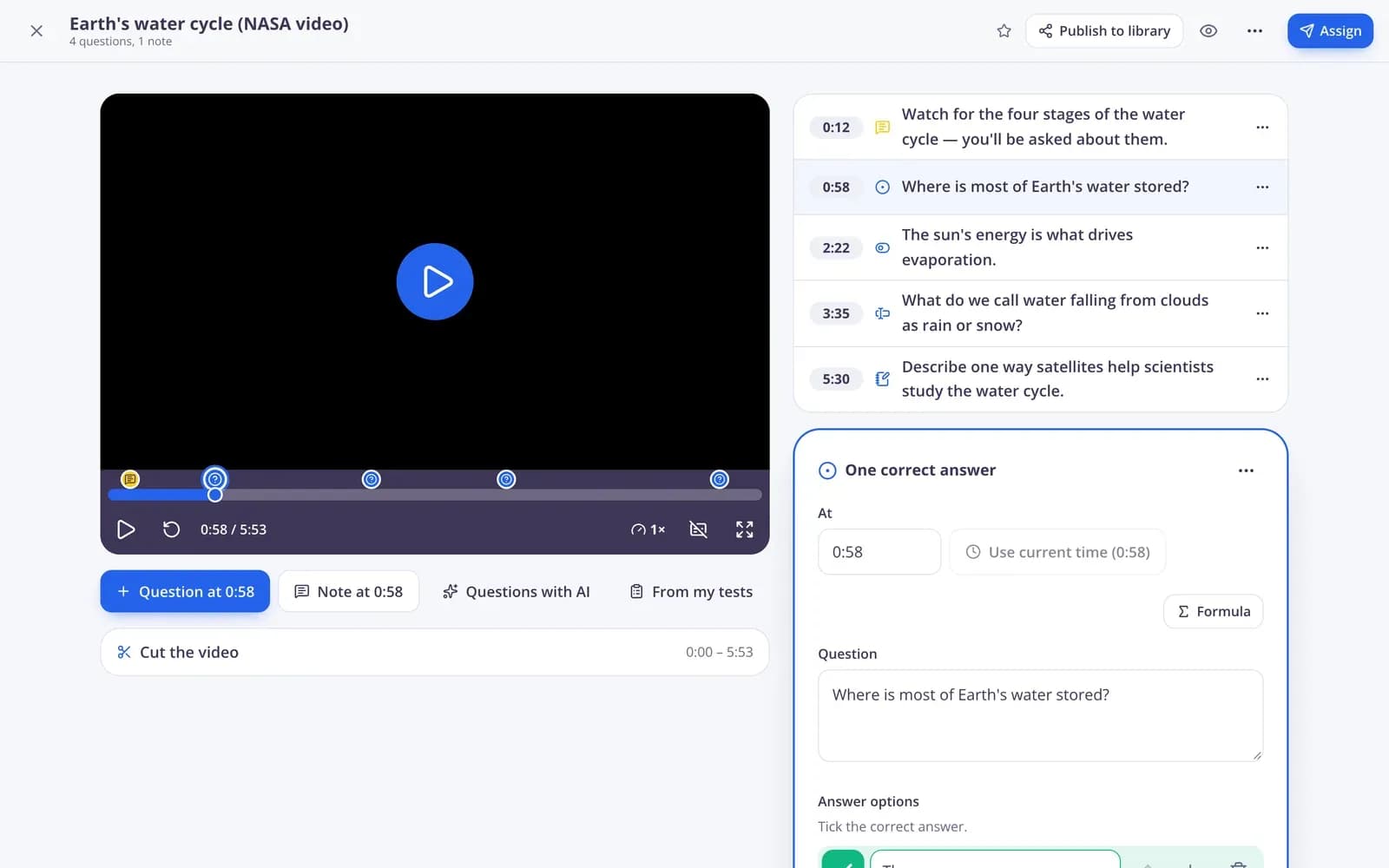
Edform is a free platform with interactive science resources for teachers. Find a video from educational channels, cut it and pin questions to the moments that matter; the video pauses until students answer. Upload a diagram or worksheet and add drag-and-drop labels with a word bank, answer boxes or matching lines. Ordering and sorting questions check process steps and classifications. AI tools draft lab instructions, 5E lesson plans and sample answers, and slide lessons let the class answer on their devices while you teach.
Edform at a glance
- Price
- Free for teachers: Basic is free forever, with no credit card, and includes every feature.
- AI tools
- AI teacher tools with 5 AI points a month on Basic and 300 a month on Pro.
- Students
- Students join with a code. They need no email address and no account.
- Grading
- Quizzes and worksheets are graded automatically, with results per student and per question.
- Devices
- Runs in the browser on laptops, tablets, phones and interactive boards. Nothing to install.
- Languages
- Available in 32 languages.
- Works with
- Google Classroom, Microsoft Teams, ClassLink and learning platforms that support LTI 1.3.
- Library
- A free library of ready-made quizzes, worksheets and lessons that teachers can copy and edit.
How to build an interactive science lesson
- 1
Pick your material
Search YouTube for a video, upload a diagram or worksheet, or start a slide lesson.
- 2
Add the questions
Pin questions to moments in the video, add drop zones to the diagram, or let AI suggest questions from the video's captions.
- 3
Teach and check understanding
Watch together in class or give it as homework, then look at the questions most students missed.
Try it yourself
No sign-up needed — try it as a student
This is the real Edform player. Answer the questions and see how they're checked.
Label any diagram
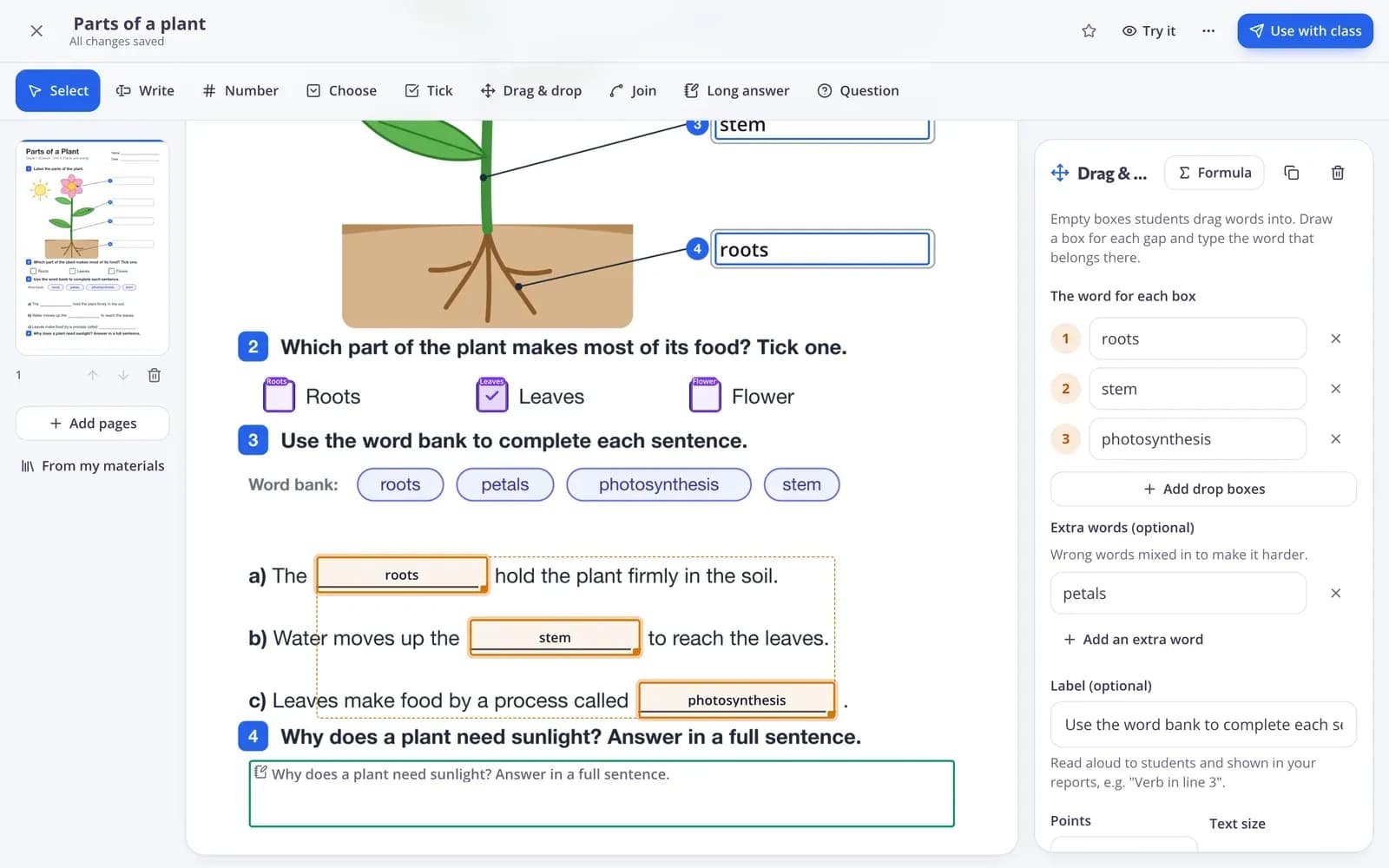
Upload a picture of a cell, a circuit or the water cycle and add drop zones with a word bank. Students drag the labels into place and Edform checks them.
- Drag-and-drop labels with extra words
- Answer boxes and tick boxes on the page
- Print a student copy and an answer key
Lab instructions and lesson plans from AI
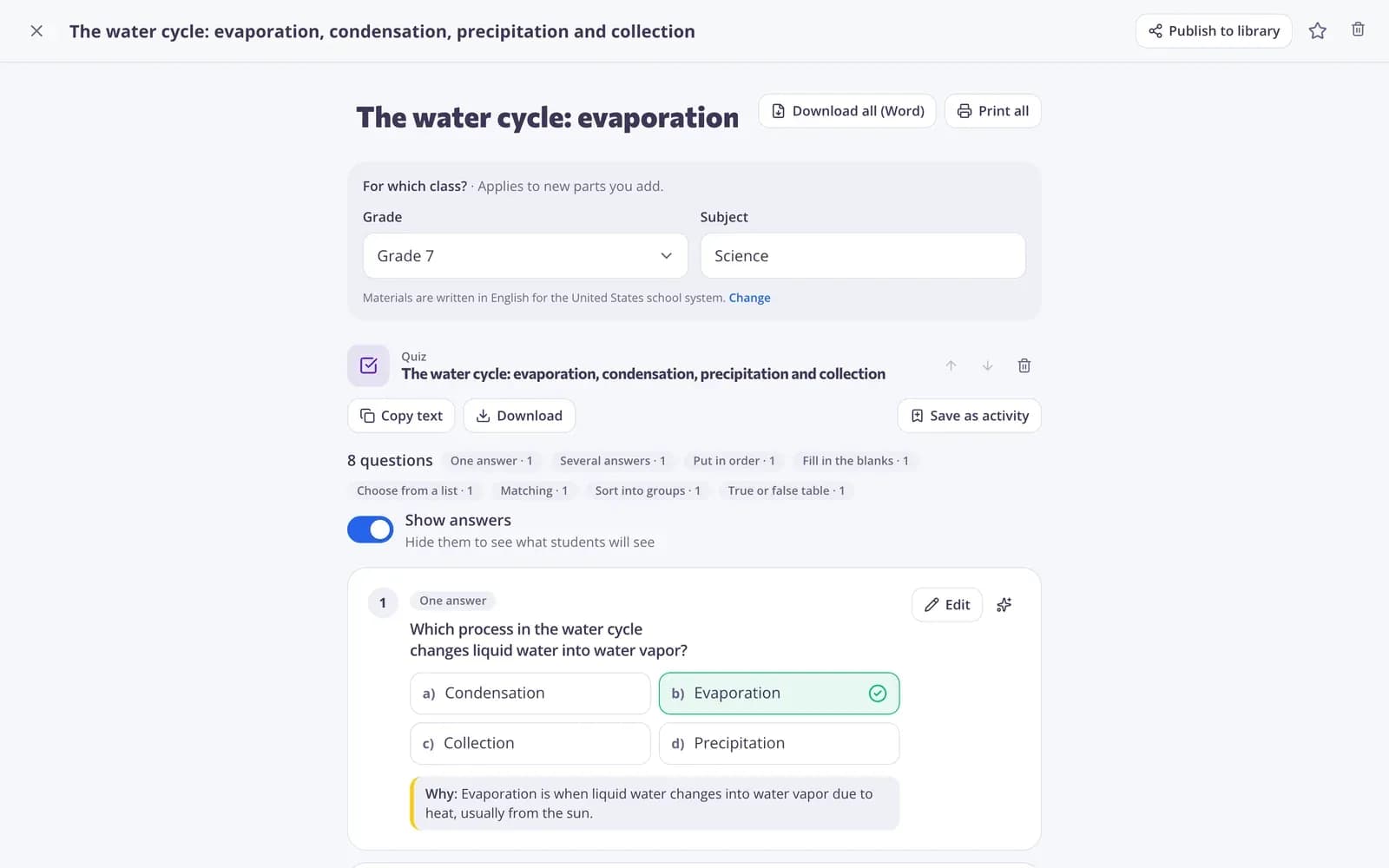
Describe the experiment and grade and get student instructions with an aim, equipment, safety rules, a procedure and a results table. Plan the unit with 5E lesson plans.
- Lab and practical instructions
- 5E lesson plans
- Strong and weak sample answers
Lessons with questions on every device
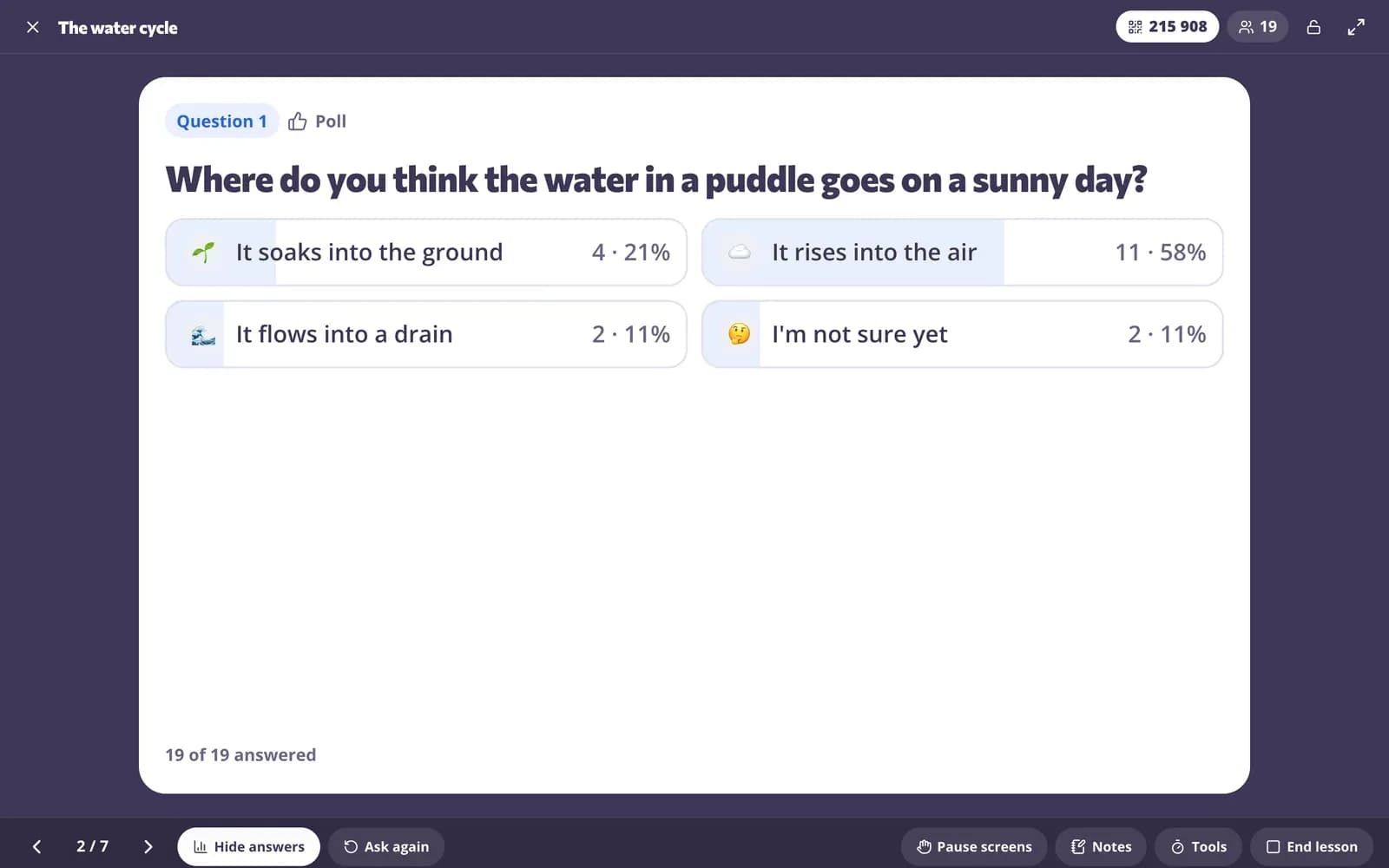
Show slides, then ask a question. Students answer on their devices, and you reveal the answer once everyone has responded.
- See responses as they arrive
- Reveal the answer or ask again
- Pause students' screens
Tools for science class
Interactive science videos
Questions and notes pinned to moments, with no skipping ahead and watch progress in the report.
Diagram labeling
Drag-and-drop labels, answer boxes and matching lines on your own pictures and PDFs.
Process steps and sorting
Ordering questions for cycles and procedures, sorting questions for classification.
Lab instructions with AI
Safe, age-appropriate lab and home investigations with a results table.
Live lessons
Slides and questions students answer on their devices while you teach.
AI questions from captions
Questions written from a video's captions and placed at the right moment.
Science teachers use Edform for
- 01
Introducing a phenomenon
A short video that stops to ask students what they predict will happen.
- 02
Lab days
Printed lab instructions and a classroom screen with a timer and the procedure.
- 03
Key vocabulary
Science terms practised as flashcards, matching and word games.
- 04
Unit review
Diagrams, process steps and short answers in one review before the test.
Explore more
- Video lessonsQuestions inside any video
- Interactive worksheetsTurn any PDF into an online worksheet
- Interactive lessonsSlides with live questions and polls
- Lab or practical workStudent instructions for a lab or practical activity, with safety rules and a results table.
- 5E lesson planAn inquiry lesson in five phases: Engage, Explore, Explain, Elaborate, Evaluate.
- Science lab screenTimers and steps for lab work on the board
Step-by-step guides
- Video lessonsAdd questions and notes to any video and see who watched and how they answered.
- Interactive worksheetsUpload a PDF or photo, add answer boxes and let the worksheet mark itself.
- Interactive lessonsBuild slides with questions in between and teach them live on students' devices.
- Question typesEvery question type in Edform, when to use it and how it is marked.
Frequently asked questions
Can students label diagrams?
Yes. Upload the diagram as a picture or PDF in the worksheet editor, add drop zones and a word bank, and students drag the labels into place. Extra words make it harder.
Can AI write questions for a science video?
Yes. For YouTube videos with captions, “Questions with AI” writes questions and pins each one after the part of the video it's about. You can edit or move every question.
Can I use my own videos?
Yes. Upload a video file, link to Vimeo, or record your screen or camera in the browser for up to 15 minutes.
Can students skip to the questions?
Not if you turn on “No skipping ahead”. Students can't jump past the part they haven't watched, but they can always go back.
Can I align science lessons with NGSS?
Yes, when your school system is set to the United States. The standards alignment checker maps a lesson or task to NGSS, including the Science and Engineering Practices, shows the gaps and suggests what to add. Unit plans can follow the standards you list.
Does it work for biology, chemistry, physics and earth science?
Yes. Label a cell, a circuit or the rock cycle, put the steps of a process in order, sort organisms or materials into groups and use number answers with units for calculations. AI tools write questions and lab instructions for any topic and grade.
Can I show a simulation on the board?
Yes. The classroom screen can embed a website, such as an online simulation, next to a timer and your instructions, so the class explores it together.
Is it free?
Yes. Every feature is free for teachers.
Make your next science video interactive
Free for teachers. Students join with a code, with no accounts needed.
- Free for teachers
- No credit card
- Works on any device