Retrieval practice
Retrieval practice, a few minutes at a time
Get students to pull what they learned out of memory: short low-stakes quizzes, flashcards and games, with feedback straight away and old questions mixed back in.
- Low-stakes and quick
- Instant feedback and retries
- Free for teachers
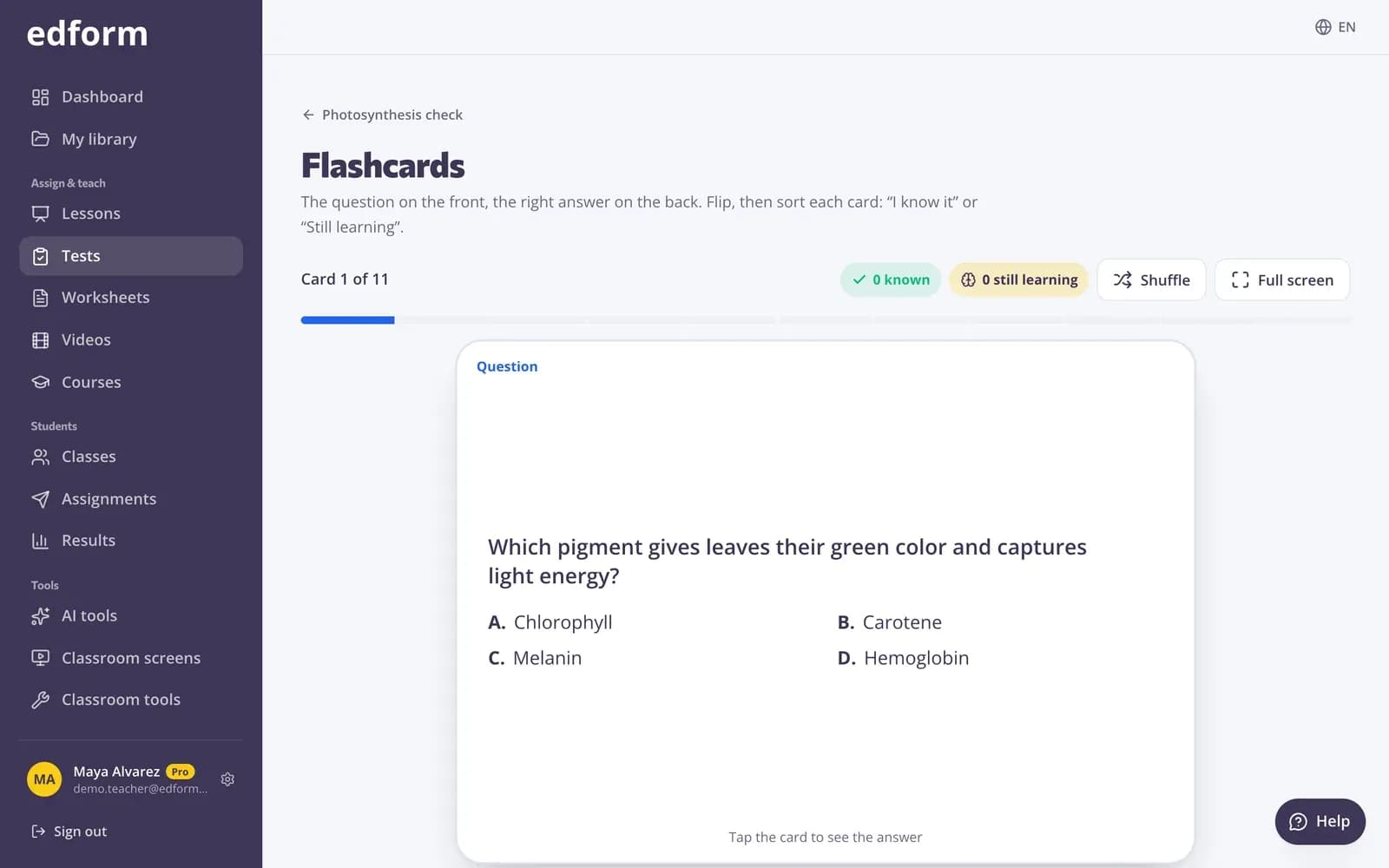
What is retrieval practice?
Retrieval practice means asking students to recall what they learned instead of rereading it: a quick quiz, a brain dump, flashcards. Each recall makes the memory stronger, especially when it's spaced out and low-stakes. Edform gives you the pieces: practice links where students see right or wrong as they go and can try again as often as they like, homework with Fix your mistakes, flashcards and game modes from the same questions, and Questions I already made to mix last month's questions into today's quiz. The report shows which questions the class still can't recall.
How to run retrieval practice with Edform
- 1
Keep it short
Make a 5–10 question quiz on today's and earlier topics. Use Questions I already made to bring older questions back.
- 2
Make it low-stakes
Share a practice link, or give homework with several attempts and Fix your mistakes, so students get feedback rather than a grade.
- 3
Come back to it
Next week replay the same questions as flashcards or a game, and check which ones the class still misses.
Try it yourself
Play a game made from a quiz
Same questions, different games. Pick one and play.
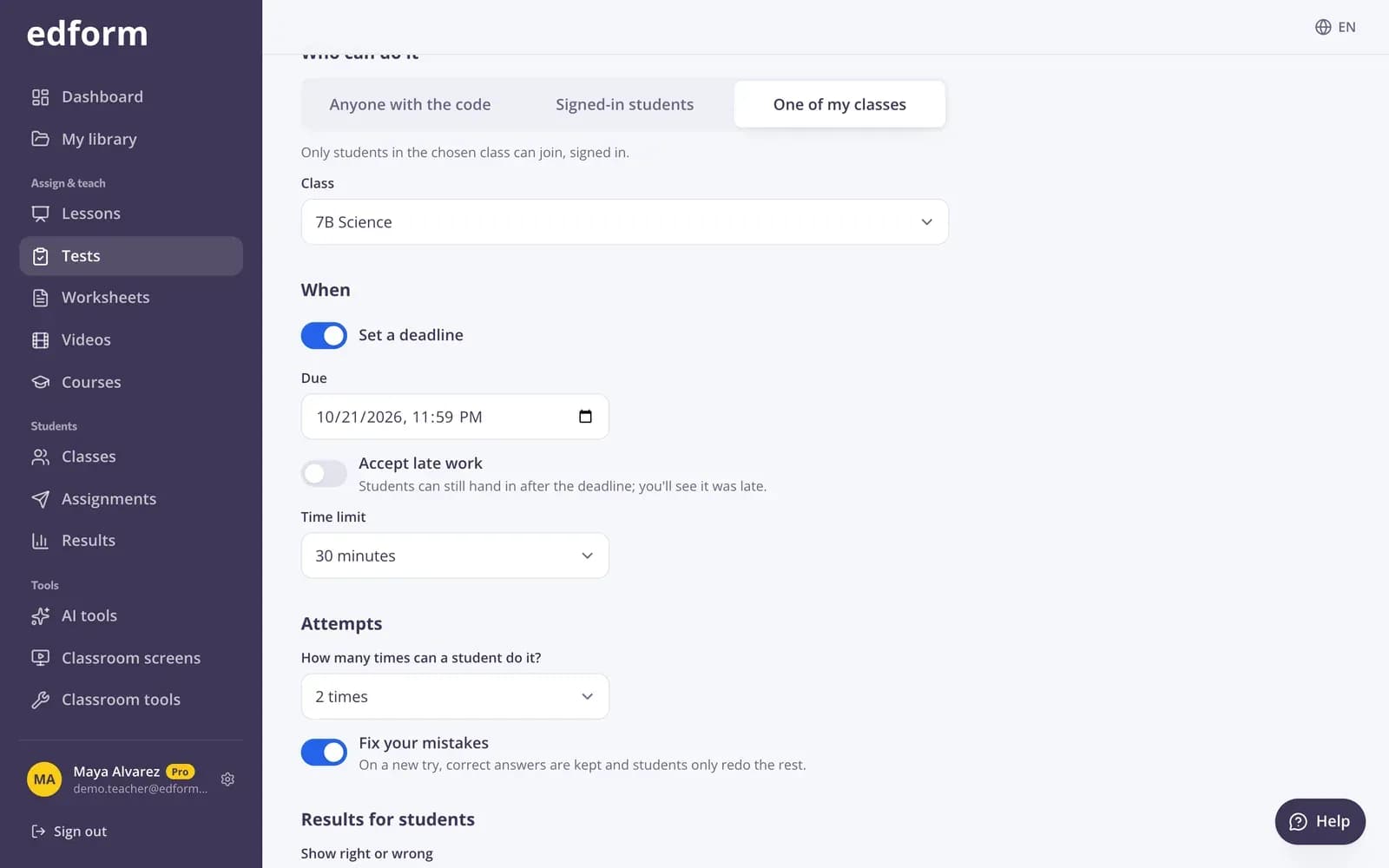
Feedback, then another try
Set the number of attempts and turn on Fix your mistakes: on a new try, correct answers are kept and students only redo the rest.
- Attempts you choose
- Fix your mistakes
- Shuffled questions and options
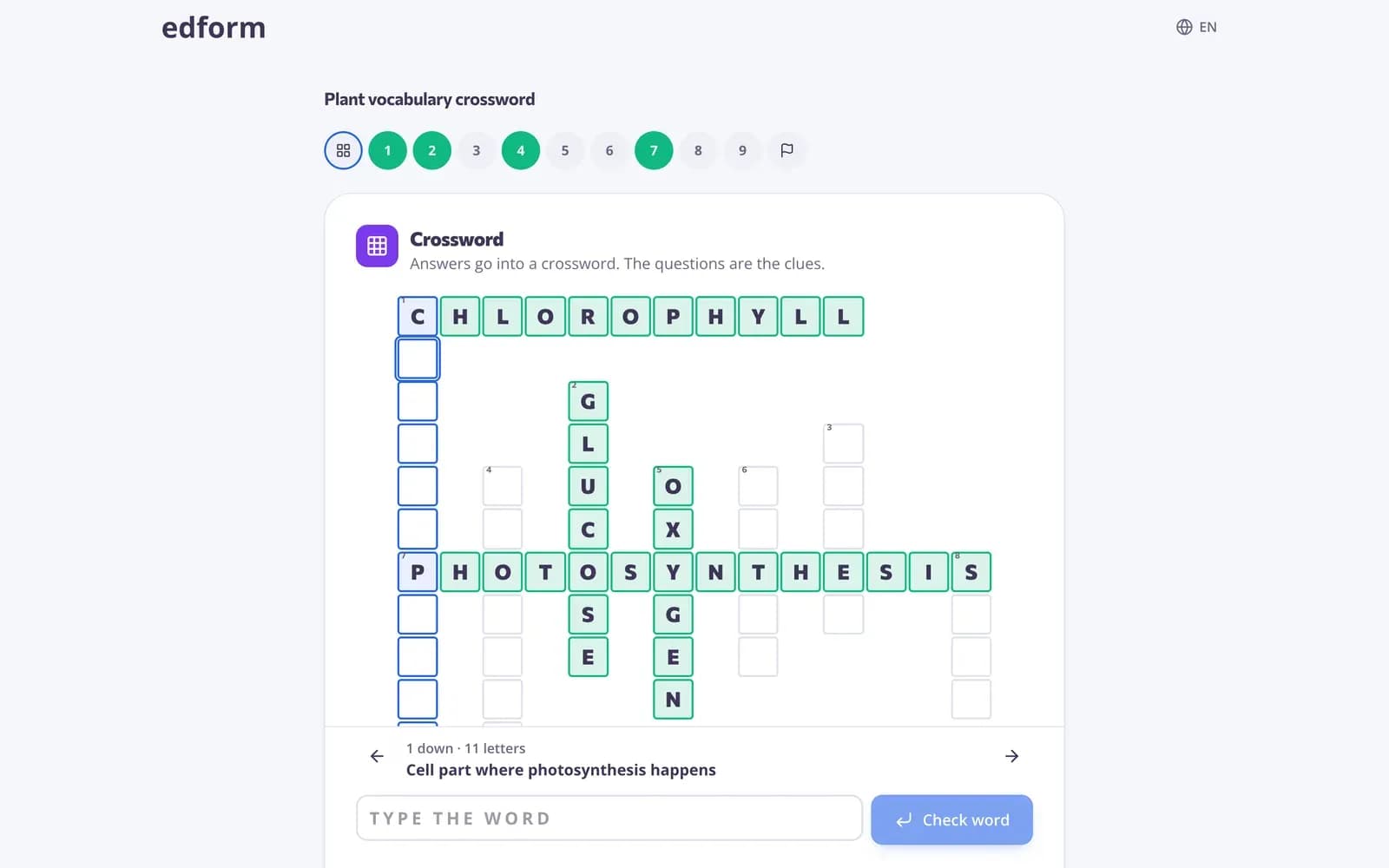
Same questions, new format
Recall works better when it's varied. Play the same quiz as a crossword, matching game or arcade game without making anything new.
- Word games and matching games
- Flashcards for the whole class
- Every answer graded
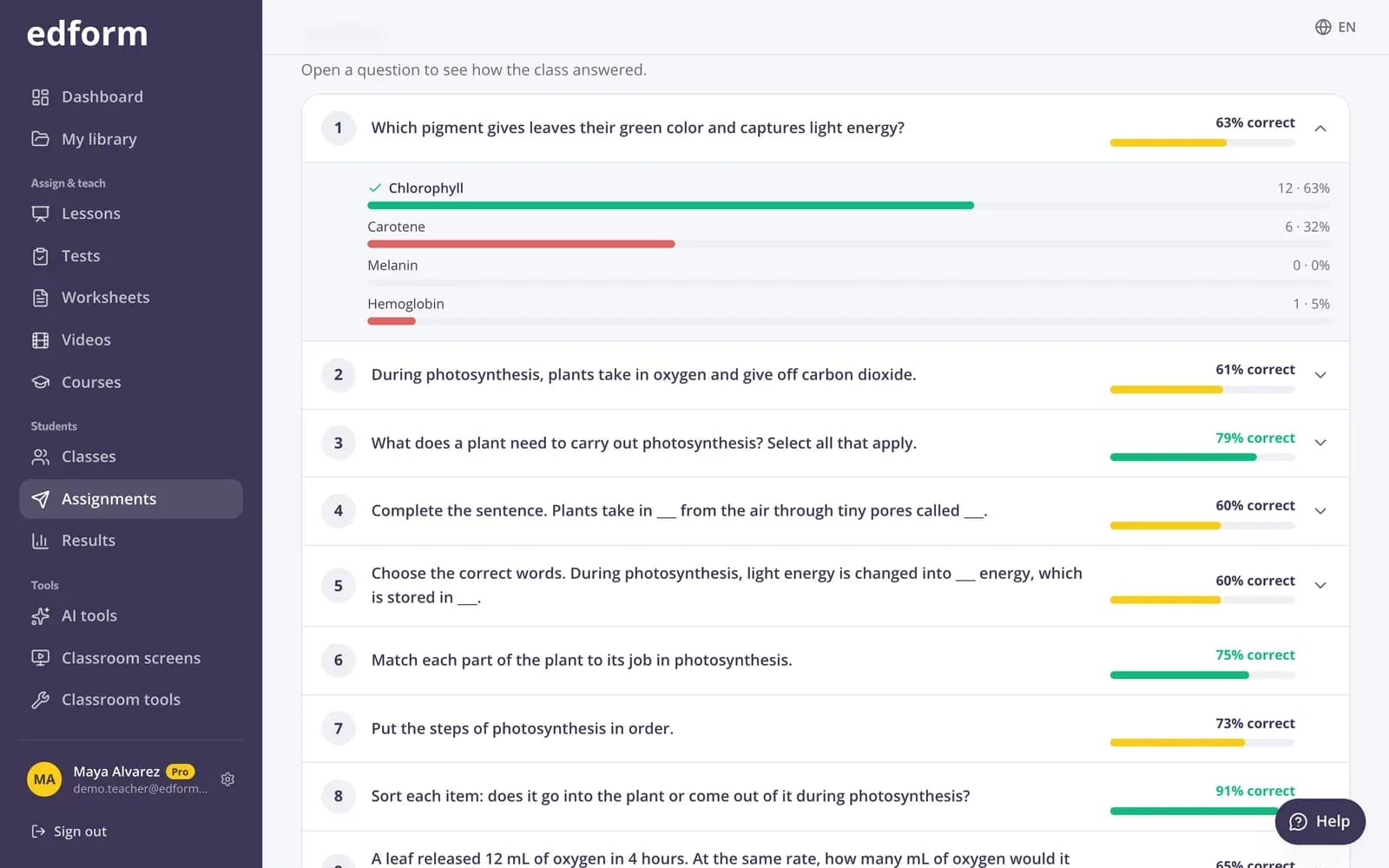
See what hasn't stuck
Per-question analysis shows which answers students chose, so you know what to bring back next time.
- Percent correct per question
- Which options students chose
- Per-student scores
Tools for retrieval practice
Practice links
Students see right or wrong as they go and can try again as often as they like.
Flashcards
Any quiz becomes flashcards to flip through together.
Game modes
27 ways to answer the same questions, from guess the word to an escape room.
Mix old questions in
Questions I already made adds copies of earlier quizzes, worksheets, lessons or videos.
Exit tickets
One quick question at the end of the lesson, answered on students' devices.
Spiral review with AI
Let AI draft a mixed review of earlier math topics, then edit it. Uses AI points.
Ideas to try
- 01
Do-now quiz
Three questions on last week's lesson while you take the register.
- 02
Weekly mixed review
One quiz every Friday with questions from the whole unit.
- 03
Before a test
A practice link students can retry until they're confident.
- 04
Vocabulary recall
Word games where students have to produce every letter.
Explore more
- FlashcardsTurn any quiz into flashcards for class review
- Game modes27 ways to play the same questions
- Online homeworkGive homework with a code and a deadline
- Exit ticketsDigital exit tickets students answer in a minute
- Math spiral reviewMixed math practice that revisits earlier topics, with an answer key.
- Test prepPractice tests, flashcards and review games before exams
Step-by-step guides
- Assign homeworkGive a test as homework with a code, link or QR code and set the deadline.
- Printables and flashcardsPrint worksheets and puzzles, and revise with flashcards and pairs.
- Game modesTurn any test into an arcade, word game, board or escape room.
- Homework reportsSee every student's score, each answer and how the class did on each question.
Frequently asked questions
Does retrieval practice have to be graded?
No, and it works best when it isn't high-stakes. Use a practice link, or homework with several attempts, and treat the score as feedback.
How do I mix older questions into a new quiz?
In the test builder choose Questions I already made next to Add a question and pick any of your tests, worksheets, lessons or videos. Copies of its questions are added.
How often should students do retrieval practice?
Little and often: a few minutes in most lessons, coming back to each topic after a few days and again after a few weeks.
What's the difference between a practice link and homework?
A practice link shows right or wrong as students go and allows endless tries. Homework has a deadline, the attempts you set and your choice of when answers are shown.
Can I see which topics students forgot?
Yes. Every report shows percent correct per question, and the class gradebook shows each student's results over time.
Is it free?
Yes. Quizzes, practice links, flashcards and games are on the free Basic plan. AI tools use AI points: 5 a month on Basic, 300 on Pro.
Start a retrieval practice routine
Free for teachers. Five questions a day add up.
- Free for teachers
- No credit card
- Works on any device