


Live quiz game
A live quiz game with a timer, a leaderboard and a podium
Put one question at a time on the big screen and let the class race the clock. Fast right answers score the most, a leaderboard follows every question and the top three finish on the podium.
- Join with a 6-digit code or QR code
- Points for speed and answers in a row
- Free for teachers
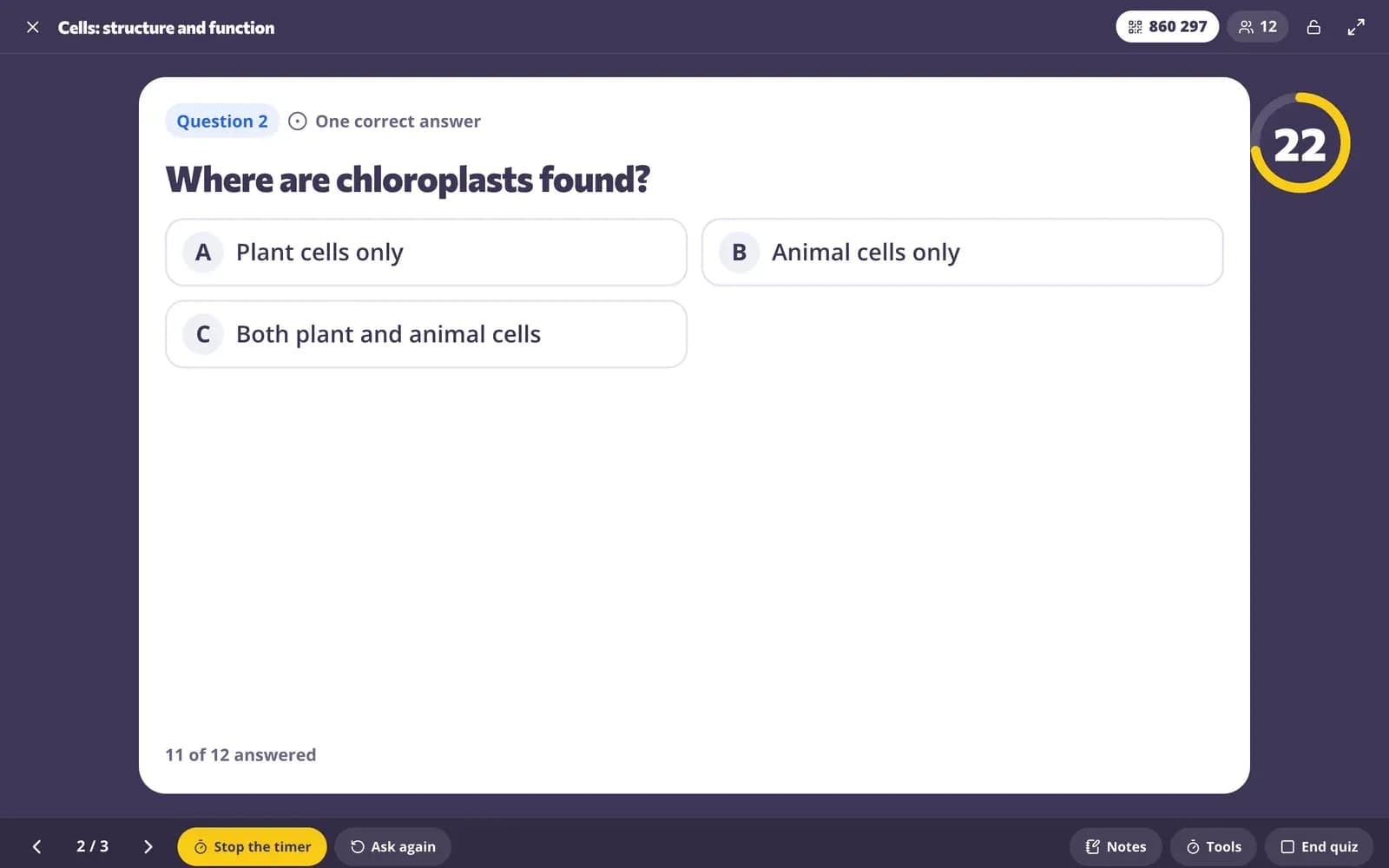
What is the Edform live quiz game?
Edform's live quiz game turns your questions into a quiz show for the whole class. You put the game on the projector and students join from their phones, tablets or laptops with a 6-digit code or a QR code — no accounts needed. Everyone sees the same question at the same time and answers before the timer runs out. A right answer earns up to 1,000 points, more the faster it comes, and right answers in a row add a bonus. After each question the right answer and a leaderboard appear, and the game ends on a podium. It works with any quiz, worksheet, lesson or video lesson, and every answer is graded and saved in a report.
Edform at a glance
- Price
- Free for teachers: Basic is free forever, with no credit card, and includes every feature.
- AI tools
- AI teacher tools with 5 AI points a month on Basic and 300 a month on Pro.
- Students
- Students join with a code. They need no email address and no account.
- Grading
- Quizzes and worksheets are graded automatically, with results per student and per question.
- Devices
- Runs in the browser on laptops, tablets, phones and interactive boards. Nothing to install.
- Languages
- Available in 32 languages.
- Works with
- Google Classroom, Microsoft Teams, ClassLink and learning platforms that support LTI 1.3.
- Library
- A free library of ready-made quizzes, worksheets and lessons that teachers can copy and edit.
How to run a live quiz game
- 1
Choose Live quiz game
On the page with all the ways to use a quiz, worksheet, lesson or video, pick Live quiz game and the time for each question, from 10 to 120 seconds.
- 2
Students join
They type the code on the join page or scan the QR code, then type their name. Names appear on your screen; press Start the quiz when everyone is in.
- 3
Play question by question
The answer is revealed when time is up or everyone has answered. Show the leaderboard, go to the next question and finish on the podium.
Try it yourself
Play a game made from a quiz
Same questions, different games. Pick one and play.
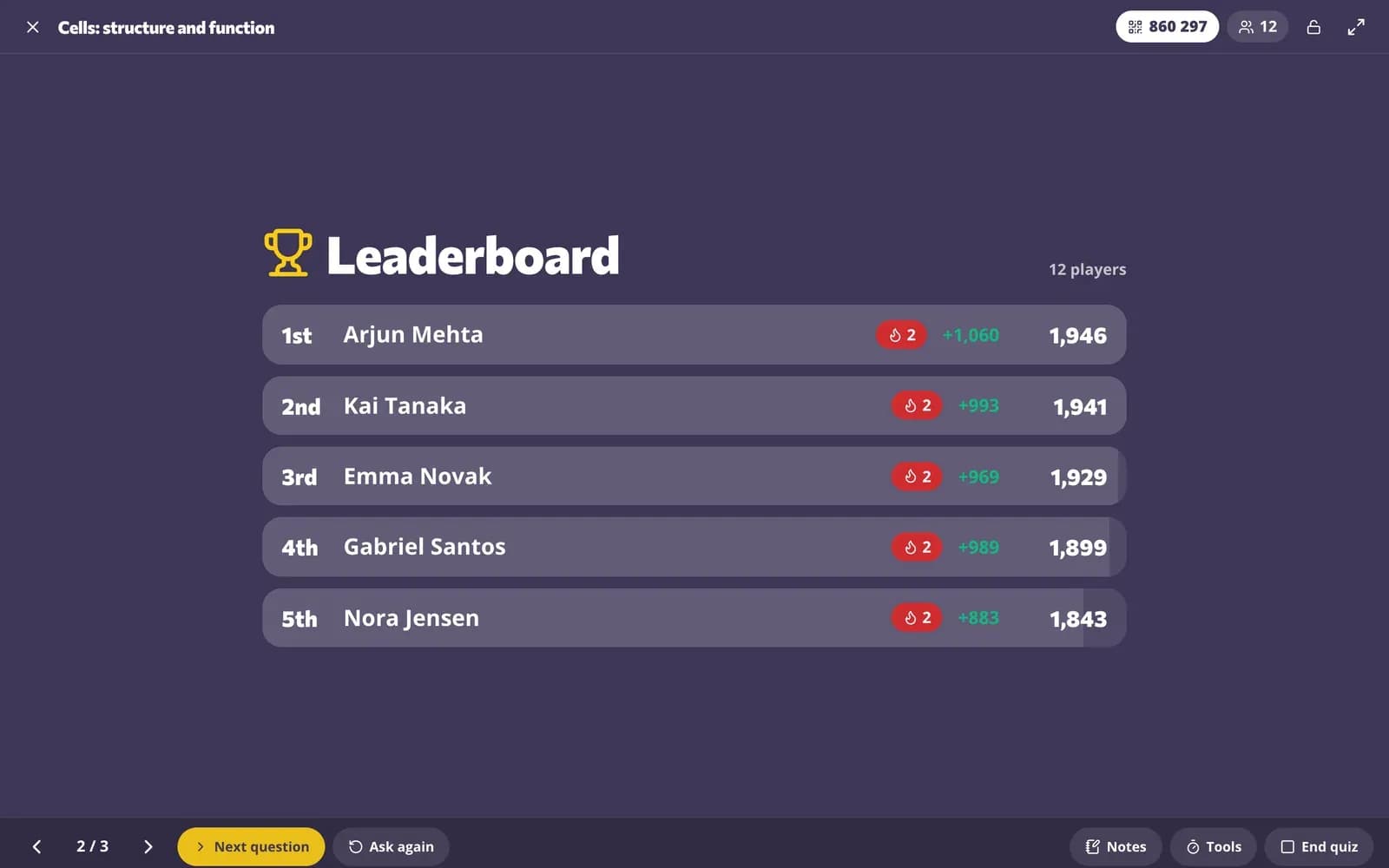
A leaderboard after every question
When the timer ends, the right answer and the class's answers appear on the big screen. One click shows the leaderboard with everyone's points and what they just won; after the last question the top three step onto the podium.
- Right answer revealed automatically
- Top 5 after each question
- Podium for the final results
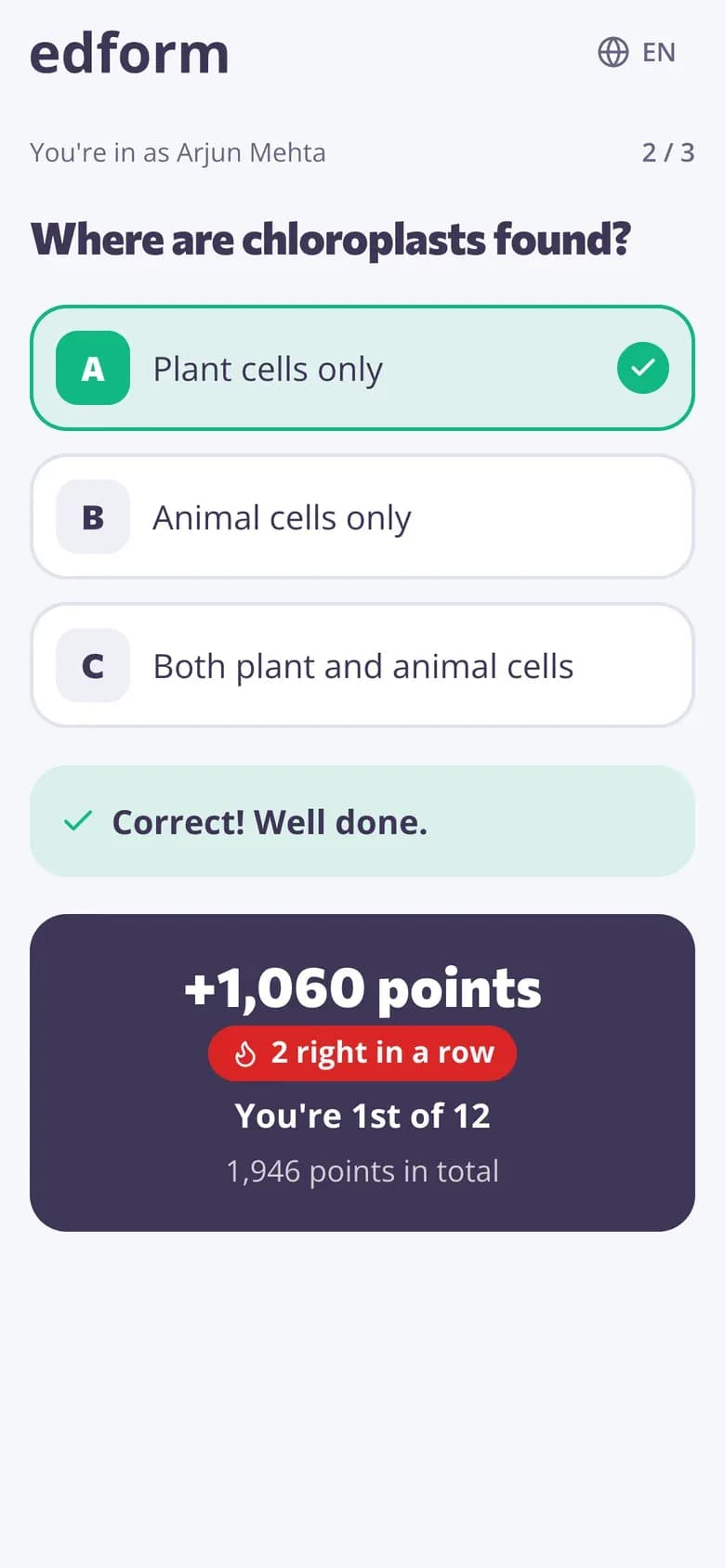
Every student plays on their own device
Students see the question and a countdown bar. One tap on a multiple-choice answer sends it and locks it in. After each question their device shows the points they won, their streak and their place in the class.
- One tap for multiple choice
- Answers locked in once sent
- Points, streak and place on every device
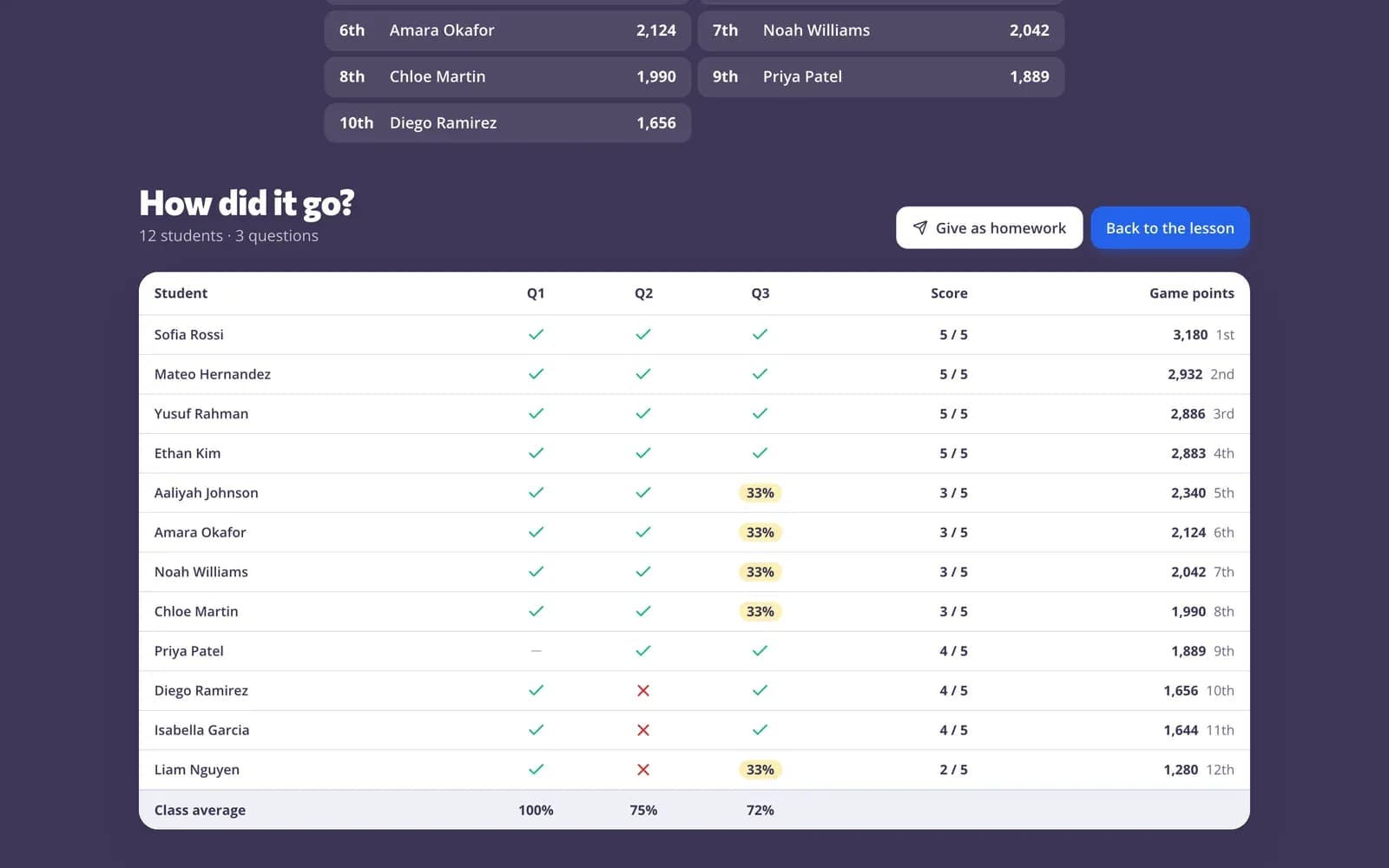
A report, not just a winner
When you end the game, the report shows each student's answer to every question, their score and their game points with their place. Give the same questions as homework with one click.
- Answers per student and per question
- Game points and place
- Give as homework afterwards
Everything a quiz game needs
A timer on every question
Pick 10, 20, 30, 60 or 120 seconds per question. Answers close when time is up.
Points for speed
A right answer earns up to 1,000 points: the faster, the more. Partly right answers earn part of it.
Streak bonus
Right answers in a row add 100 bonus points each, up to 500.
Fair answers
A student's first answer is final, and answers sent after the timer don't count.
Any quiz, worksheet, lesson or video
Worksheet boxes become question cards, lesson slides stay between the questions, and a video plays as its questions.
Graded like any quiz
Every answer is graded the usual way and saved in the report next to the game points.
Teachers use it for
- 01
Lesson warm-ups
Five quick questions on last lesson's topic with a 20-second timer.
- 02
Review before a test
A whole unit as a quiz show, so students see what they still need to learn.
- 03
End of the week
A Friday quiz game that still checks what everyone learned.
- 04
Big groups
Assemblies, clubs and open days where everyone joins with one code.
Explore more
- Classroom gamesLive quiz, race, team and arcade review games
- Team quiz gameOne screen, no student devices, 2–6 teams
- Game modes27 ways to play the same questions
- Join with a codeStudents type a code — no account needed
- Game-based learningGames built from your questions that still count
- Bell ringersWarm-up activities ready on the board when students walk in
- True or false gameTrue or false questions on the classroom screen: the class decides, then you reveal the answer and why.
Frequently asked questions
Do students need an account to play?
No. With “Anyone” students type the code and their name. Choose “Signed in” or “One class” if only your students should join.
How are the points worked out?
A right answer earns between 500 and 1,000 points: 1,000 when it's sent at once, 500 just before the buzzer. Partly right answers earn their share. From the second right answer in a row, each adds a 100-point bonus, up to 500. Wrong or missing answers earn nothing and end the streak.
How much time do students get for each question?
You choose 10, 20, 30, 60 or 120 seconds when you start, and every question gets the same time. The answer appears as soon as everyone has answered, and you can stop the timer early.
Can students change their answer?
No. In the quiz game the first answer is final, and answers sent after the time is up aren't accepted.
Can I play a worksheet, lesson or video lesson as a quiz game?
Yes. Each box on a worksheet becomes its own question card, a lesson shows its slides between the questions, and a video lesson plays its questions without the clip.
What's the difference from the live race?
In the live quiz game everyone answers the same question at the same time and you set the pace. In the live race each student answers at their own pace while your screen shows the class moving through a scene. Both start from the same page.
What if my students don't have devices?
Use the team game: it runs on your screen only, teams answer out loud and you give the points.
Can AI write the quiz for the game?
Yes. The AI quiz generator drafts questions with answers from a topic, a text, a file or a YouTube video. Save them as a quiz, check them and start the live quiz game.
Run your first live quiz game today
Free for teachers. Students join with a code — no accounts, no apps to install.
- Free for teachers
- No credit card
- Works on any device