


Middle school
Keep middle schoolers playing and practising
Turn the questions you already teach into live races, team challenges and arcade-style games, then follow up with homework that grades itself and shows you who needs help.
- 27 game modes from any quiz
- Team races with a live ranking
- Free for teachers
What is Edform for middle school teachers?
Edform gives you free middle school teaching resources that turn your questions into games grades 6–8 want to play and homework they actually finish. One quiz can be a live race where students play at their own pace while your screen shows the ranking, a team race with 2 to 8 teams, or one of 27 game modes such as escape room, maze run or TV quiz. Every game ends in a graded answer, so practice feeds straight into your reports, and the same questions can go home as homework with a deadline and a retake.
Edform at a glance
- Price
- Free for teachers: Basic is free forever, with no credit card, and includes every feature.
- AI tools
- AI teacher tools with 5 AI points a month on Basic and 300 a month on Pro.
- Students
- Students join with a code. They need no email address and no account.
- Grading
- Quizzes and worksheets are graded automatically, with results per student and per question.
- Devices
- Runs in the browser on laptops, tablets, phones and interactive boards. Nothing to install.
- Languages
- Available in 32 languages.
- Works with
- Google Classroom, Microsoft Teams, ClassLink and learning platforms that support LTI 1.3.
- Library
- A free library of ready-made quizzes, worksheets and lessons that teachers can copy and edit.
How to use Edform in middle school
- 1
Write or find questions
Type them, let AI write a first draft or copy a quiz from the community library.
- 2
Start a live game
Students join with a code, play on their own or in teams, and your screen shows the ranking.
- 3
Follow up with homework
Send the same questions home with a deadline and a retake that keeps the right answers.
Try it yourself
No sign-up needed — try it as a student
This is the real Edform player. Answer the questions and see how they're checked.
Live games on your screen
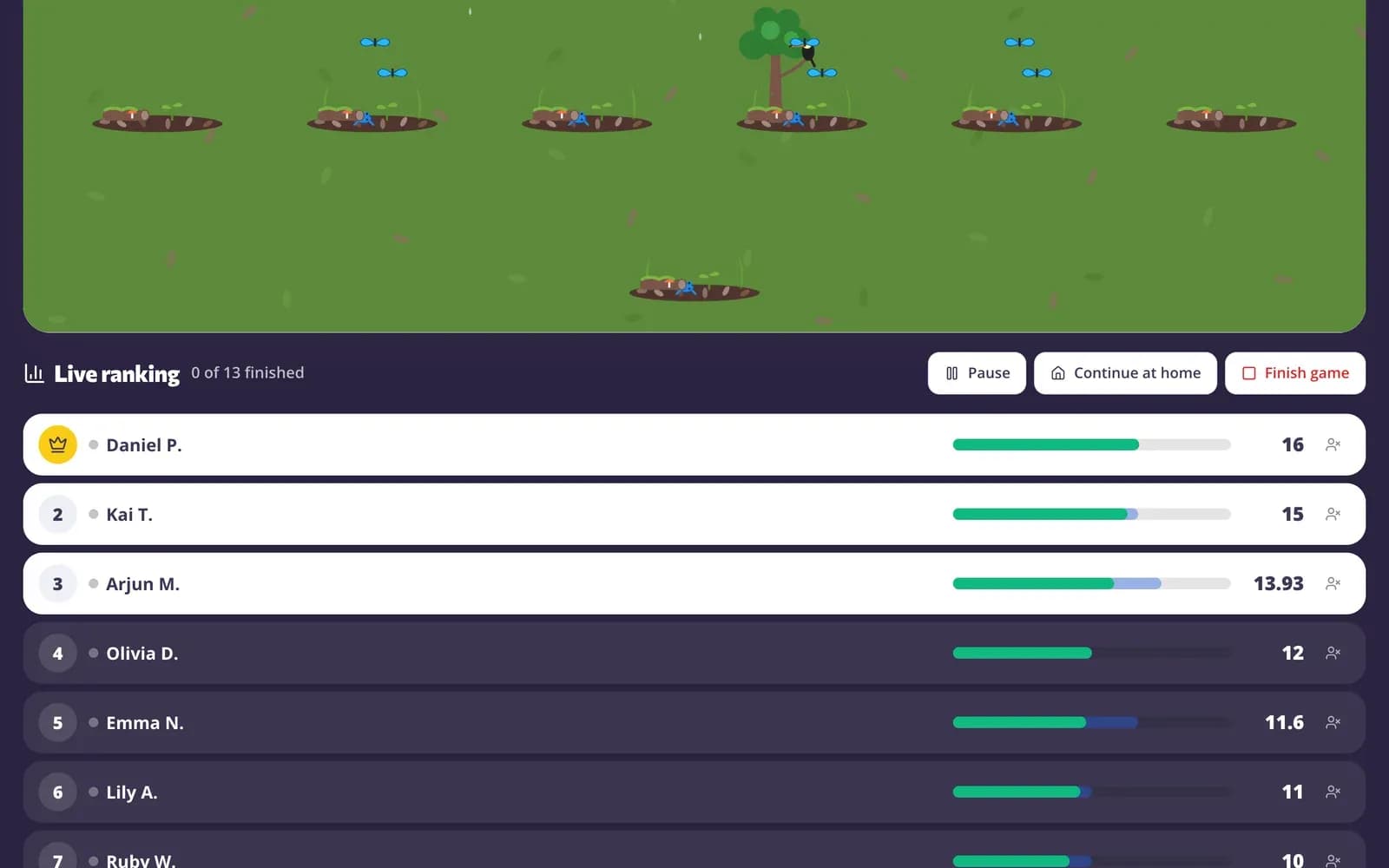
Students join by code, QR code or link and play at their own pace while your screen shows the live ranking and a podium at the end. Pause the game or close it to new players at any time.
- On their own or in 2–8 teams
- Pause, close to new players, remove a player
- “Continue at home” turns it into homework
Homework with clear rules
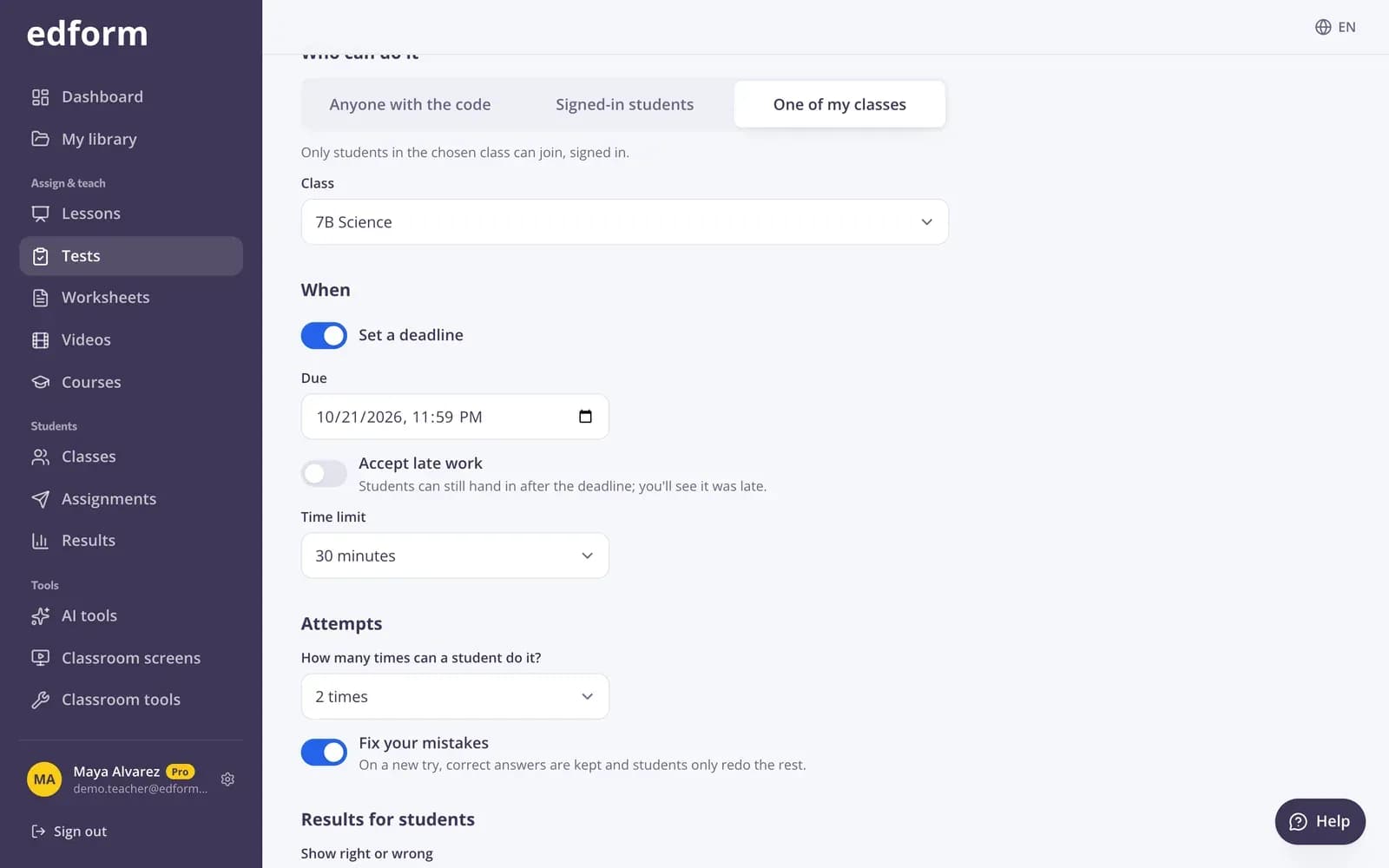
Set a deadline, decide whether late work is accepted, how many attempts students get and when they see the correct answers.
- Deadlines and late work
- Shuffled questions and answer options
- A count of how often students left the tab
Reports that show the gaps
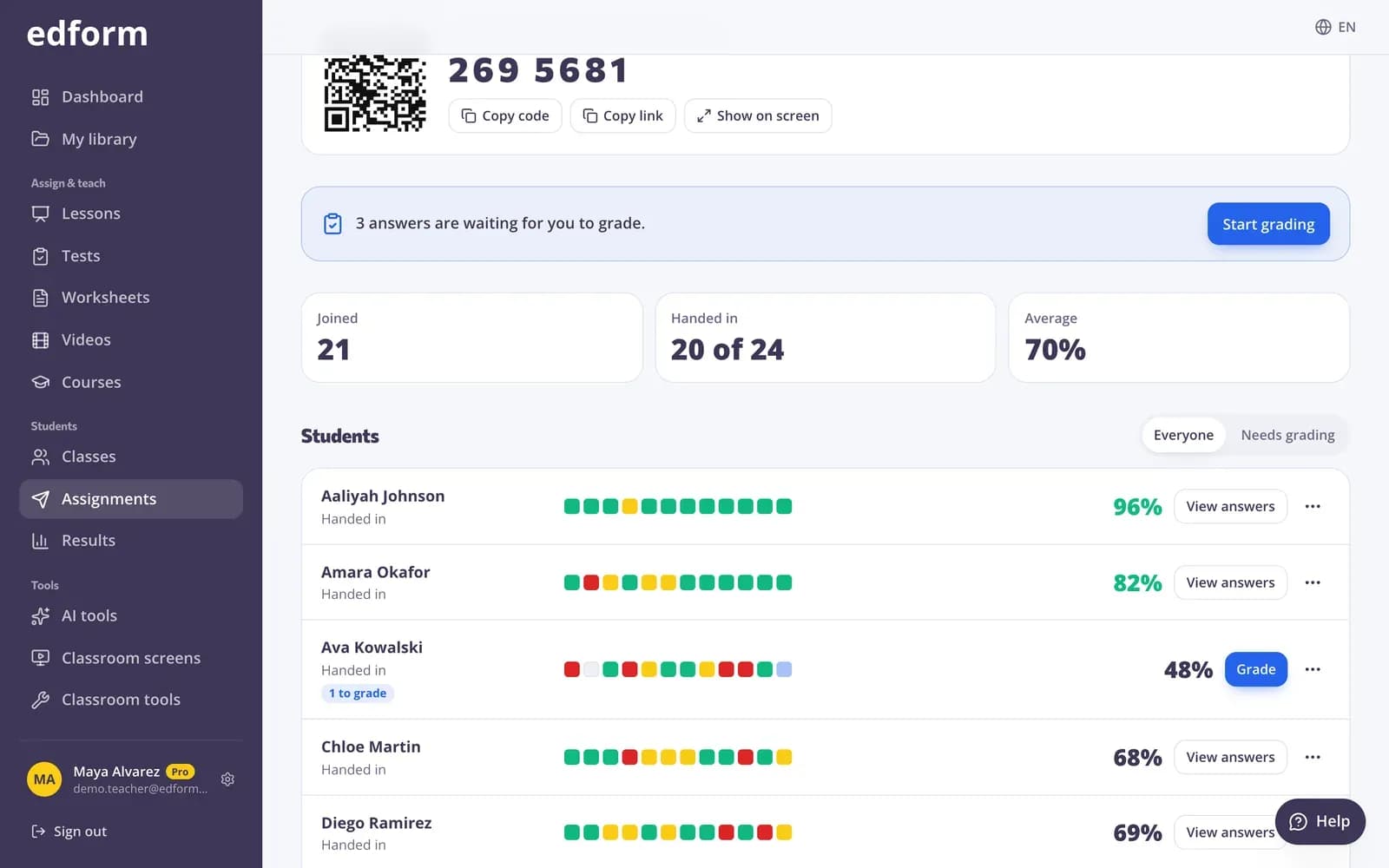
See every student's score and the percentage correct for each question, so you know which topic to revisit before the test.
- Scores per student and per question
- Who hasn't started yet
- CSV export
Built to keep grades 6–8 engaged
27 game modes
Word games, arcade games and adventures like an escape room, a quiz board and a board game.
Rankings and podiums
A live ranking during the game and a podium at the end.
Team play
Teams balanced automatically or chosen by students, with a team ranking and a team race scene.
Homework and retakes
Deadlines, attempts and “Fix your mistakes” retakes that keep the right answers.
Fair play
Shuffled questions and options, and a count of how often a student left the quiz tab.
Google sign-in
Students sign in with their Google accounts, or with a username from their teacher.
Middle school teachers use Edform for
- 01
Review before a test
A team race on Thursday, a practice quiz at home and a final check on Friday.
- 02
Vocabulary practice
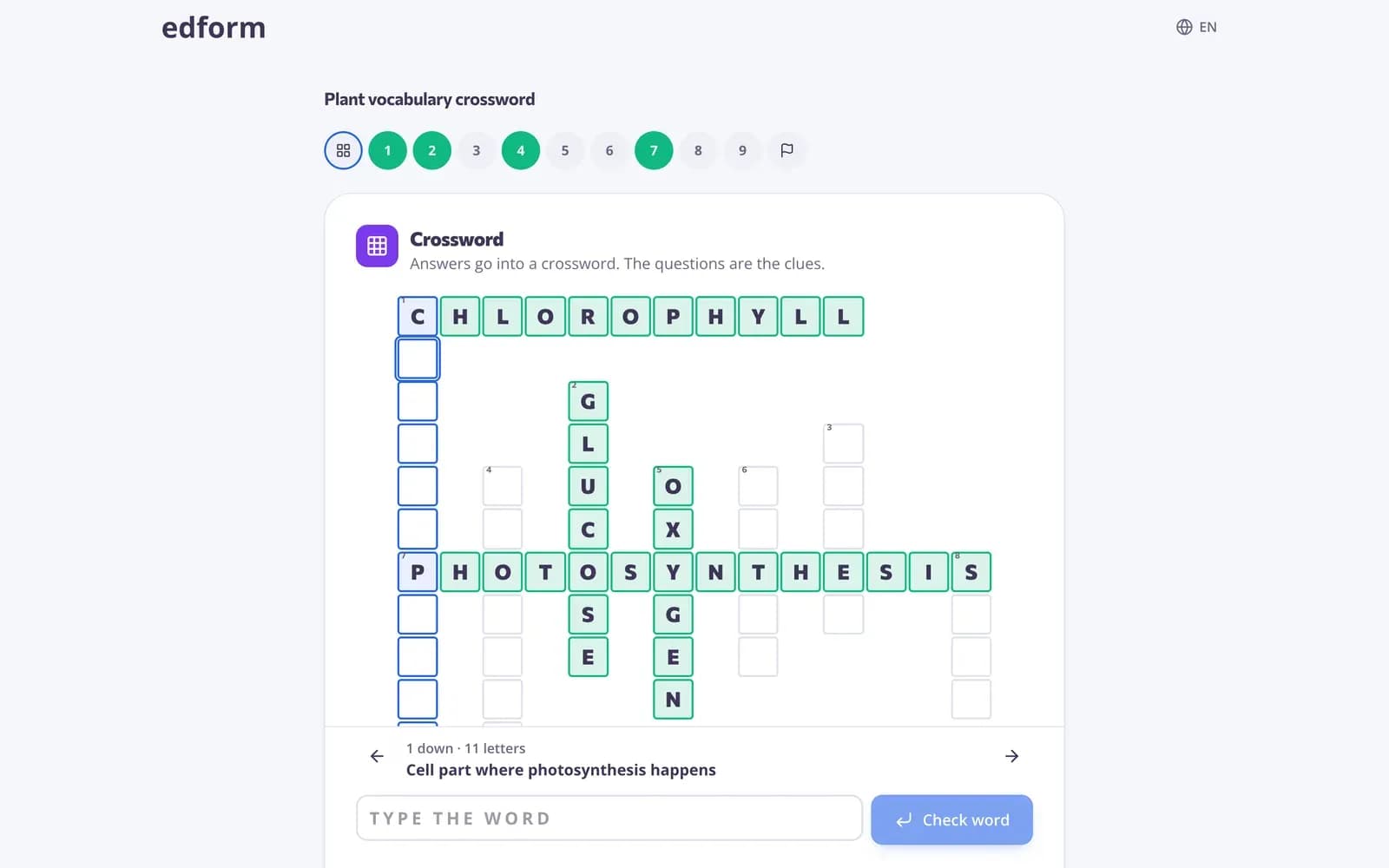
Crossword, anagram and missing-letter games from the unit's key terms.
- 03
Warm-ups
Three quick questions at the start of class to bring back last lesson's topic.
- 04
Homework students finish
Play a game mode at home instead of a plain worksheet; the results still count.
Explore more
- Classroom gamesLive quiz, race, team and arcade review games
- Live quiz gameA timed quiz show with points, a leaderboard and a podium
- Game modes27 ways to play the same questions
- Online homeworkGive homework with a code and a deadline
- Bell ringersWarm-up activities ready on the board when students walk in
Frequently asked questions
Do students need accounts to play?
No. Students join with a code and a name. If you prefer, limit an activity to your class so results are saved to their accounts.
What's the difference between a live game and the team game?
In a live game every student plays on a device and your screen shows the ranking. In the team game the class plays on one screen in teams, taking turns, with no student devices.
Are game modes graded?
Yes. Every game mode ends in a normal graded answer, so results appear in the same report as homework.
Can I see if students leave the quiz?
Yes. Edform counts how many times a student switched away from the quiz tab, so you can follow up.
Does it work on Chromebooks?
Yes. Edform runs in the browser on Chromebooks, laptops, tablets and phones. Nothing to install.
Can I use videos in my lessons?
Yes. Pick a YouTube video, cut it to the part you need and pin questions to the right moments. The video stops at each question, and the report shows how much each student watched and how they answered.
Does it work for ELA, math, science and social studies?
Yes. Every subject uses the same 13 question types. AI tools write reading passages with questions and level a text for your readers, number questions accept fractions and decimals, students label diagrams on your worksheets, and AI debate topics get discussions going.
Where can I find ready-made activities?
In the community library: quizzes, worksheets, lessons and classroom screens published by other teachers. Press “Use this” to copy one into your account and change anything you like.
Is it free?
Yes. Every feature is free for teachers.
Plan your next review game in minutes
Free for teachers. Students join with a code on any device.
- Free for teachers
- No credit card
- Works on any device