


Bell ringers
Bell ringers that run themselves
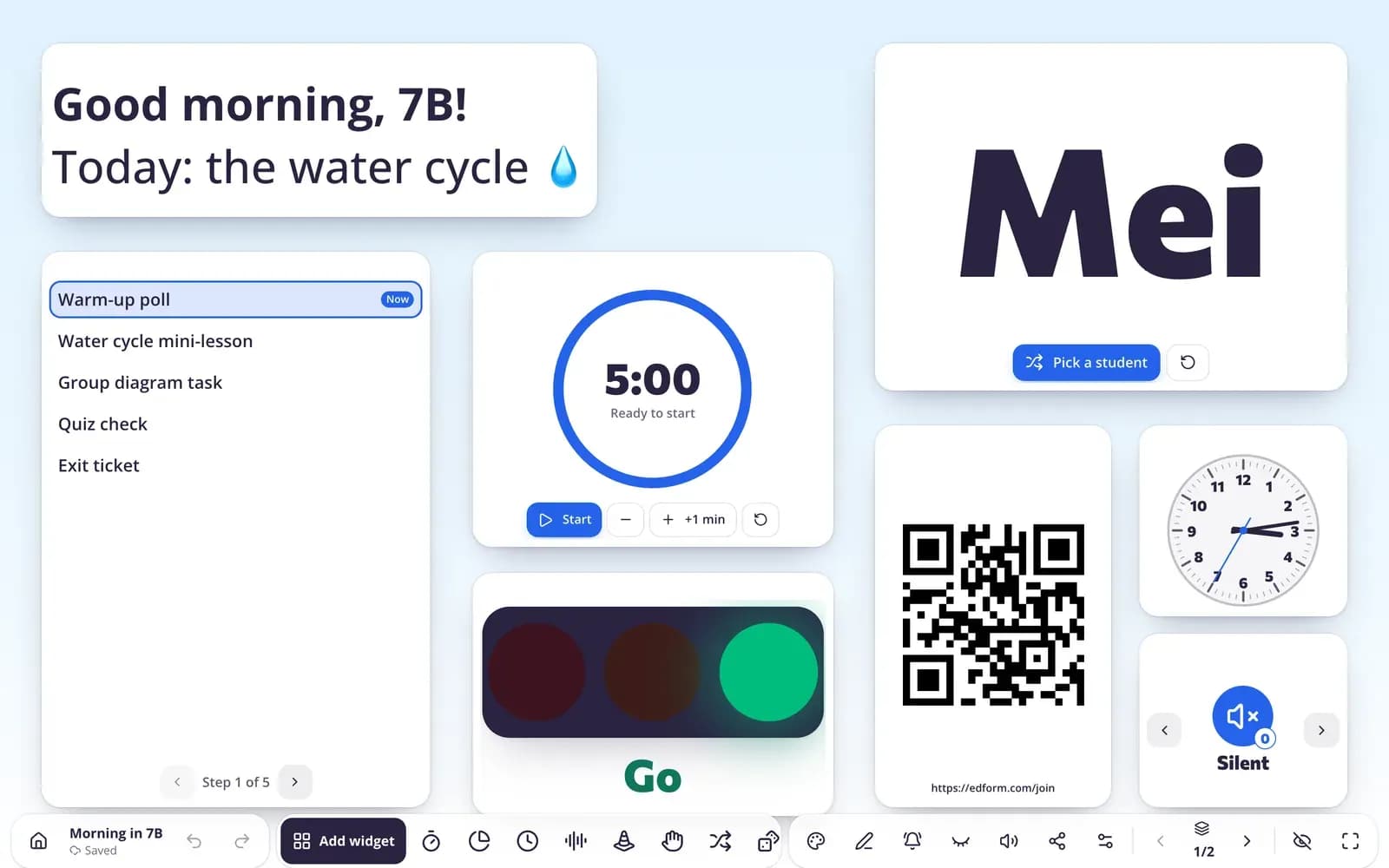
Have a warm-up on the board the moment students walk in: the day's agenda, a timer and a question they can answer on paper, out loud or on their devices.
- Start-of-class screen ready when you open it
- Quick questions answered by QR code
- Free for teachers
What is a bell ringer?
A bell ringer, also called a warm-up or do-now, is a short task students start as soon as they enter the room, so the lesson begins on time and attention turns to the subject. Edform helps you prepare them quickly. Mark a screen set to open first when you start class, with the agenda, a timer and a warm-up question, or begin from warm-up templates for each age group. Students can answer on their devices by QR code, and AI tools suggest lesson hooks, spiral review and emoji rebuses when you need fresh ideas.
Edform at a glance
- Price
- Free for teachers: Basic is free forever, with no credit card, and includes every feature.
- AI tools
- AI teacher tools with 5 AI points a month on Basic and 300 a month on Pro.
- Students
- Students join with a code. They need no email address and no account.
- Grading
- Quizzes and worksheets are graded automatically, with results per student and per question.
- Devices
- Runs in the browser on laptops, tablets, phones and interactive boards. Nothing to install.
- Languages
- Available in 32 languages.
- Works with
- Google Classroom, Microsoft Teams, ClassLink and learning platforms that support LTI 1.3.
- Library
- A free library of ready-made quizzes, worksheets and lessons that teachers can copy and edit.
How to set up bell ringers in Edform
- 1
Prepare the warm-up
Use a warm-up template, or ask AI for a lesson hook or spiral review on yesterday's topic.
- 2
Put it on the board
Add a timer, the agenda and the question to a screen set and turn on “Open first when I start class”.
- 3
Collect the answers
Count raised hands in the room, or show a QR code so every student answers on a device.
Try it yourself
Run your room from the board
These are the real classroom widgets. Click around — nothing is saved.
Fresh ideas from AI
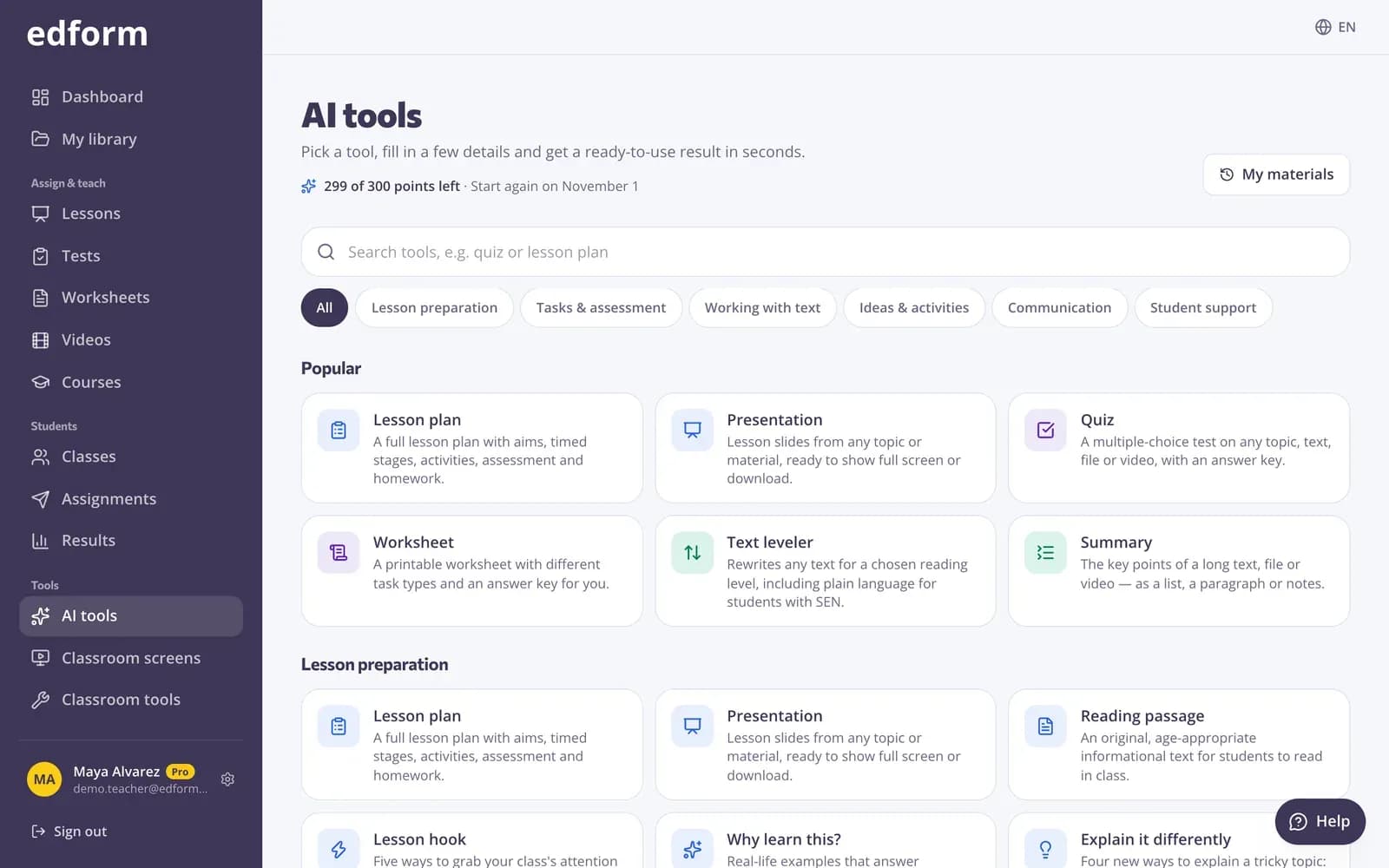
Running out of warm-ups? AI tools suggest ways to grab attention, mixed review of earlier topics, emoji rebuses and tongue twisters for your grade and subject.
- Lesson hooks
- Math spiral review
- Emoji rebuses and tongue twisters
Quick questions on any device
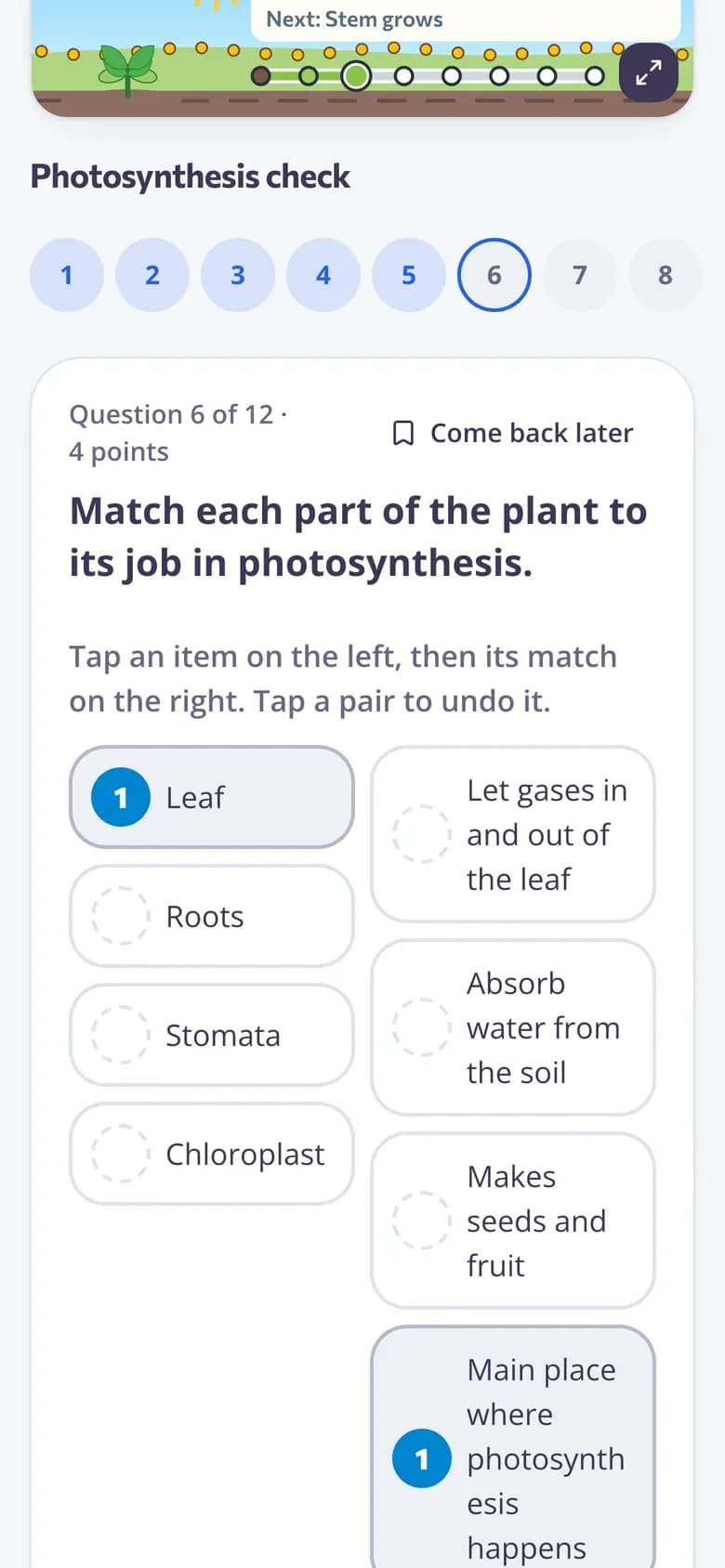
Give three questions as a short quiz with a code. Students answer as they settle in, and you see who remembered yesterday's lesson.
- Graded automatically
- Feedback after each question
- Results in seconds
Everything for the first five minutes
Start-of-class screen
One screen set opens straight away when you go to your screens.
Timer on the board
A countdown or visual timer so students know how long they have.
Polls and word clouds
Answers in the room or on students' devices.
AI warm-up ideas
Hooks, spiral review, rebuses and check-in questions in seconds.
Three-question quizzes
A quick graded check that shows who remembers yesterday's lesson.
Templates for every age
Warm-up and word-of-the-day screens from Pre-K to grade 12.
Teachers use bell ringers to
- 01
Review yesterday
One or two questions on the last lesson's key idea.
- 02
Spark curiosity
A puzzling question or picture that leads into today's topic.
- 03
Check in
A quick poll on how students feel before the lesson starts.
- 04
Build vocabulary
A word of the day students use in a sentence.
Explore more
- Warm-up screenStart every lesson with a do-now board
- Lesson hookFive ways to grab your class's attention in the first few minutes of a lesson.
- Math spiral reviewMixed math practice that revisits earlier topics, with an answer key.
- Classroom timerA big countdown timer and stopwatch for the projector, with a sound when time is up.
- Live polls & word cloudsStudents answer on their devices, results on your screen
- Exit ticketsDigital exit tickets students answer in a minute
Frequently asked questions
How long should a bell ringer take?
Three to five minutes is typical: long enough to settle the class and recall what matters, short enough to leave time for the lesson.
Should bell ringers be graded?
Usually not, but you can. A short quiz grades itself and shows who remembers the last lesson; a poll or word cloud stays ungraded.
Can I reuse the same screen every day?
Yes. Turn on “Open first when I start class” for one screen set. Change the question each day and keep the timer and agenda in place.
Where can I find bell ringer ideas?
Start from the warm-up and word-of-the-day templates, ask an AI tool for a lesson hook or spiral review, or copy activities from the community library.
Do students need devices?
No. Students can answer on paper or out loud, and polls can count raised hands in the room. Devices let every student answer individually.
What are some bell ringer ideas?
Math: two spiral review problems from earlier units. ELA: fix the mistakes in a sentence, or use the word of the day in a sentence. Science: a poll where students predict what today's demo will show. Social studies: a picture on the board with one question about it. Any subject: an emoji rebus, a word cloud on yesterday's topic or a quick mood check-in.
How do I make bell ringers part of the routine?
Keep the start the same every day: the warm-up is on the board before students walk in, the timer starts as the bell rings, and the task links to what you're teaching. Vary the type of task across the week, and collect answers with a short quiz now and then so students know it counts.
Is it free?
Yes. Every feature is free for teachers.
Start tomorrow's class on time
Free for teachers. Your warm-up screen is ready when you are.
- Free for teachers
- No credit card
- Works on any device