


Special education
Support every learner without extra paperwork
Adjust time, deadlines and attempts for one student without changing the class, turn on read-aloud, and let AI draft IEP goals, social stories and leveled texts you can edit.
- Extra time and deadlines per student
- Read-aloud of questions and answers
- Free for teachers
What is Edform for special education?
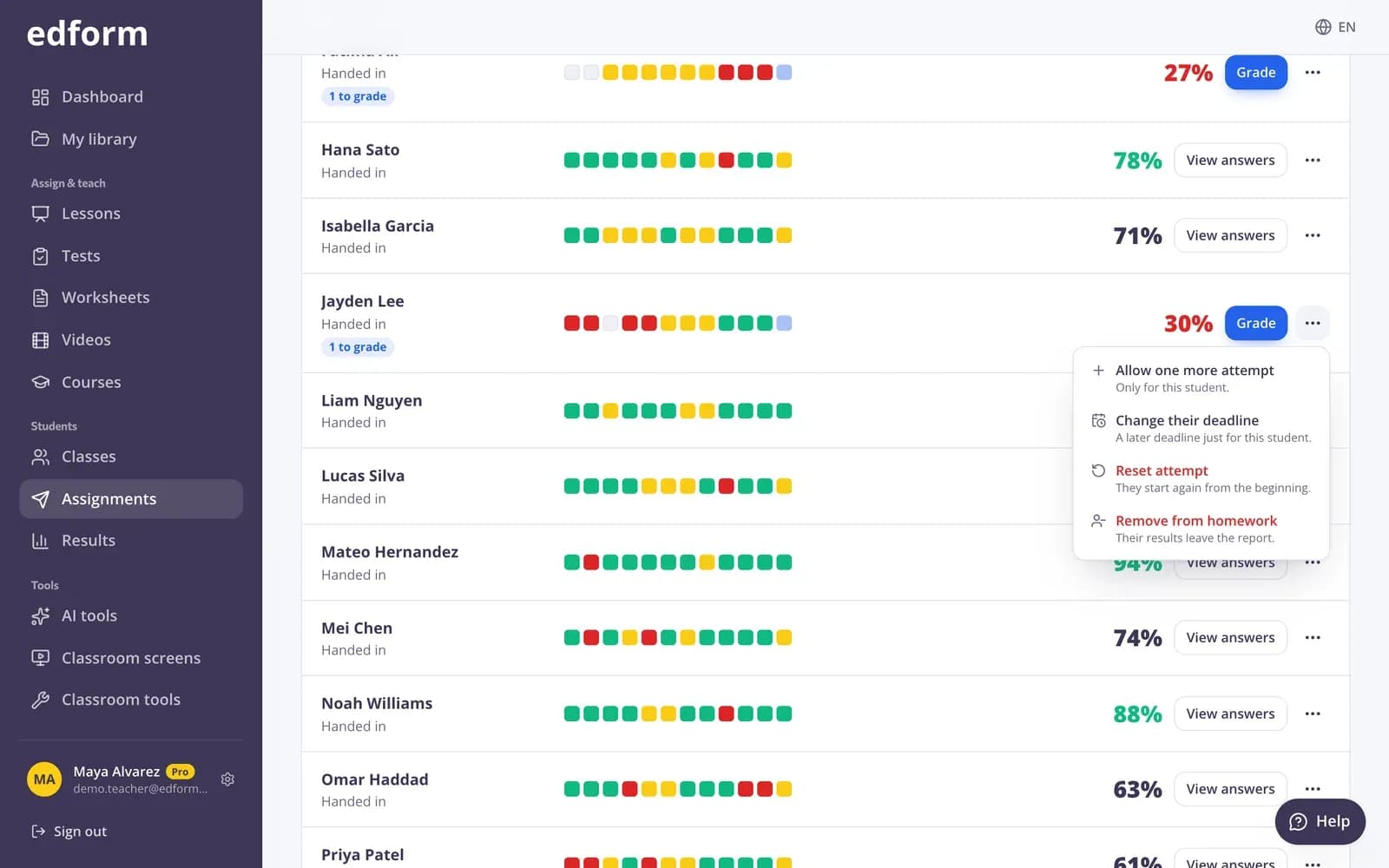
Edform is a free teaching platform with practical special education teacher resources for inclusive classrooms. From any homework, give one student extra time, a later deadline or one more attempt while the class keeps the usual settings. Turn on read-aloud so a speaker button reads each question and its answers, use the calm young-learner player, or let a small group share one device. AI tools draft IEP goals, present levels, accommodations, social stories, behavior plans and texts rewritten for a reading level, all as editable drafts for your professional judgment.
Edform at a glance
- Price
- Free for teachers: Basic is free forever, with no credit card, and includes every feature.
- AI tools
- AI teacher tools with 5 AI points a month on Basic and 300 a month on Pro.
- Students
- Students join with a code. They need no email address and no account.
- Grading
- Quizzes and worksheets are graded automatically, with results per student and per question.
- Devices
- Runs in the browser on laptops, tablets, phones and interactive boards. Nothing to install.
- Languages
- Available in 32 languages.
- Works with
- Google Classroom, Microsoft Teams, ClassLink and learning platforms that support LTI 1.3.
- Library
- A free library of ready-made quizzes, worksheets and lessons that teachers can copy and edit.
How to adapt an activity in Edform
- 1
Prepare the activity
Write questions or level a text with AI, so everyone works on the same topic at a level that fits.
- 2
Set up the student screen
Turn on read-aloud, choose the player style that suits your group and decide on hints and feedback.
- 3
Adjust for individual students
From the results, give extra time, a personal deadline or one more attempt to the students who need it.
Try it yourself
No sign-up needed — try it as a student
This is the real Edform player. Answer the questions and see how they're checked.
Read-aloud and a calm player
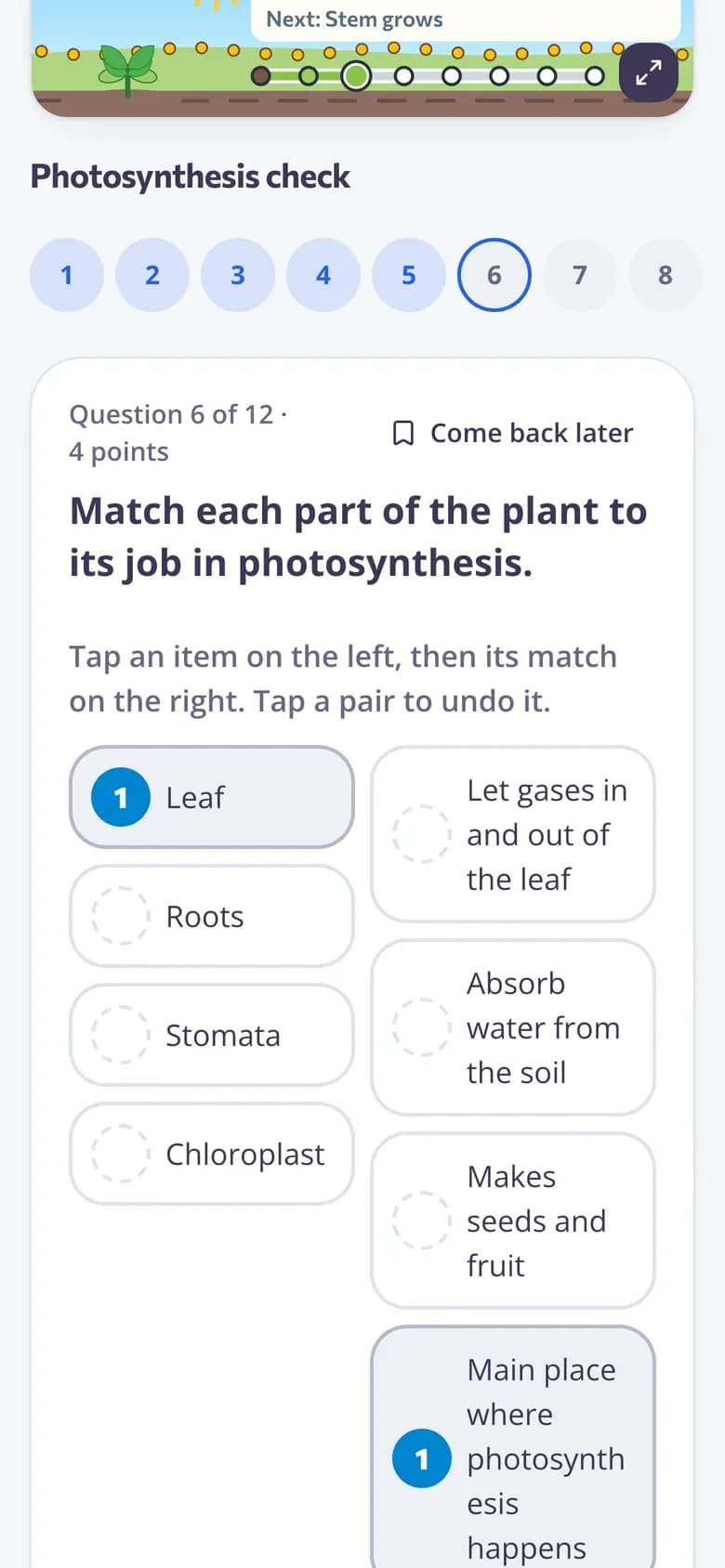
One question per screen with big buttons. A speaker button reads the question and its answers, and hints and explanations appear when you allow them.
- Read-aloud in the activity's language
- One question at a time
- Answers save as students go
AI drafts for the paperwork
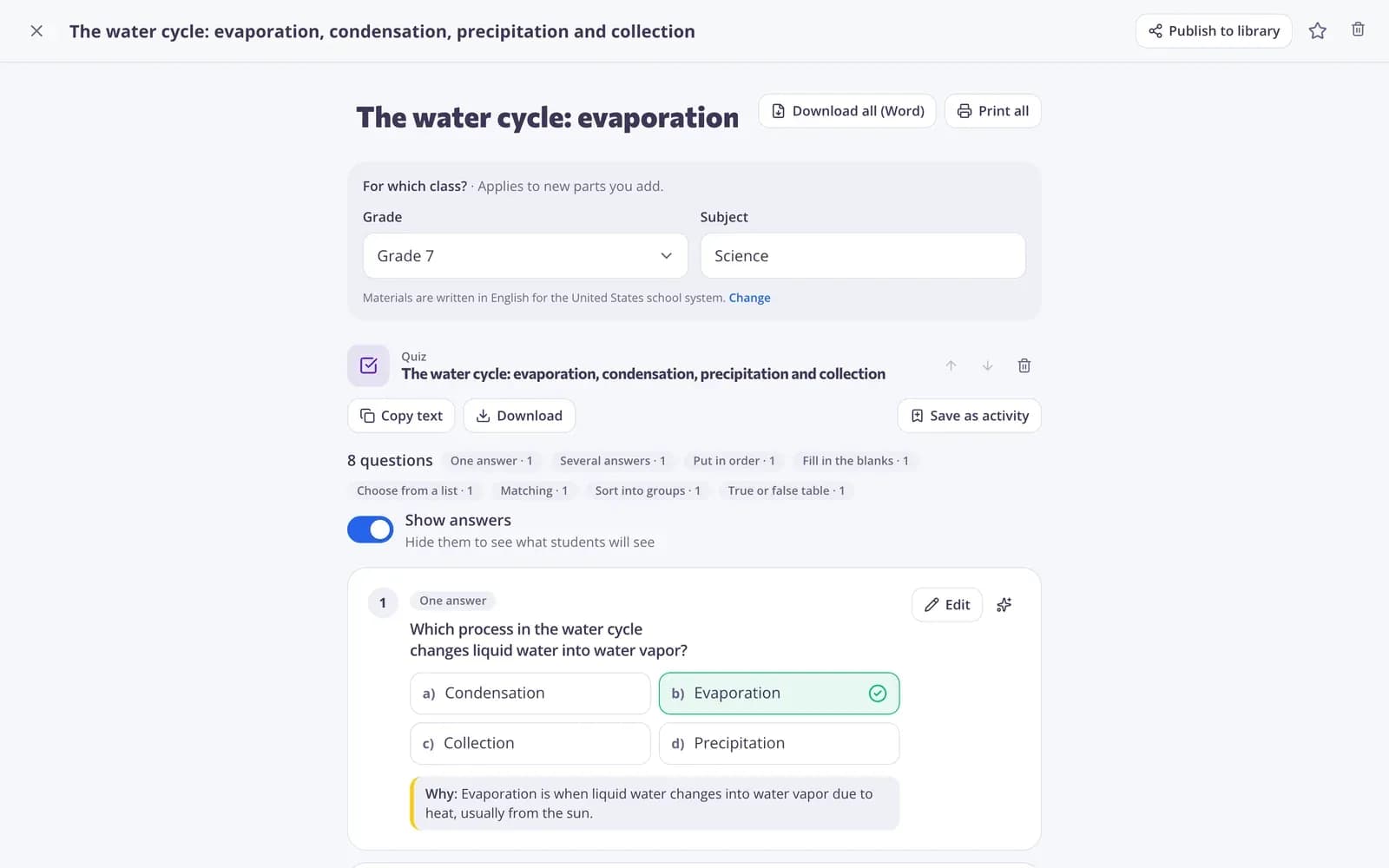
Describe the student's needs in plain words and get a first draft of IEP goals, present levels, accommodations or a behavior support plan. Review it, edit it and export it to Word.
- IEP goals and present levels
- Accommodation suggestions
- Social stories and behavior plans
Visual routines on the board
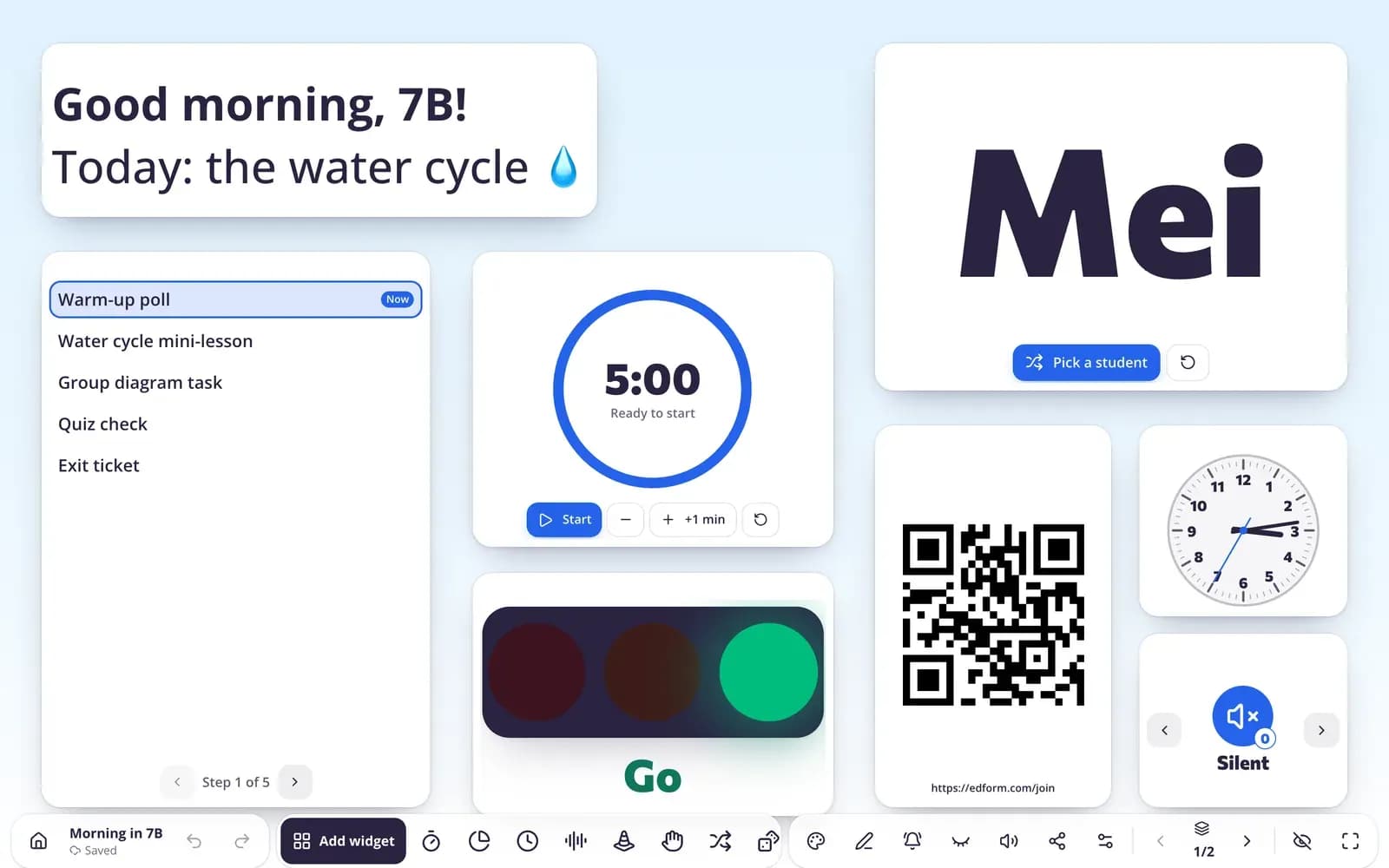
Visual timers, work symbols, a traffic light and a day plan help students know what is happening now and what comes next.
- Visual timer: pie, bar or hourglass
- Work symbols and voice levels
- Easy-to-read fonts
Support built into everyday tools
Extra time per student
Add time to one student's next attempt without changing the time limit for the class.
Read-aloud
A speaker button reads each question and its answers aloud.
Personal deadlines and attempts
A later deadline or one more attempt for the students who need it.
IEP and behavior drafts
IEP goals, present levels, accommodations and behavior plans as editable first drafts.
Leveled texts
Rewrite any text for a reading level or in plain language, or make a decodable text for one phonics pattern.
Groups on one device
A pair or small group works together and the result belongs to the whole group.
Special education teachers use Edform for
- 01
Inclusive classrooms
The same quiz for the class, with extra time for the students who need it.
- 02
Small-group instruction
A group shares one tablet and works through questions with read-aloud.
- 03
Preparing for change
A social story and a visual timer before a trip, a fire drill or a new routine.
- 04
IEP meetings
A first draft of present levels and goals to refine before the meeting.
Explore more
- IEP goalsDraft measurable SMART goals and objectives for a student's individual plan.
- Accommodations for students with SENIdeas for accommodations and modifications in lessons, assignments and assessment.
- Social storyA short story that helps a child with SEN prepare for a new or difficult situation.
- Text levelerRewrites any text for a chosen reading level, including plain language for students with SEN.
- DifferentiationExtra time, deadlines and attempts per student
- Traffic light & work signsA big traffic light and work-mode signs (silent work, partner talk…) for the board.
Step-by-step guides
- Student accommodationsRead-aloud, extra time, extra attempts and personal deadlines for students who need them.
- Assign homeworkGive a test as homework with a code, link or QR code and set the deadline.
- AI toolsCreate lesson plans, quizzes, slides and more with AI, then improve and use them.
- Classroom screensBuild projector screens with timers, name pickers, instructions and polls.
Frequently asked questions
Can I give one student extra time without changing the class settings?
Yes. Open the homework results, open the student's actions and choose “Extra time”. It's added to the time limit of that student's next attempt. You can also change their deadline or allow one more attempt.
Does Edform read questions aloud?
Yes. Turn on “Read questions aloud” when you give the activity, and a speaker button reads the question and its answers in the activity's language.
Can AI write IEP goals?
AI tools write first drafts of IEP goals, present levels and accommodations from what you describe. Always review and edit them, and leave out names and other details that identify the student.
Can students work with a partner or an aide on one device?
Yes. Choose “Groups on one device”: the group types a group name and their names, and the result belongs to the whole group.
Can AI help me scaffold or differentiate an assignment?
Yes. AI tools rework a task into clear steps with models and sentence starters, build a choice board, explain a topic four different ways and suggest accommodations. The goal stays the same; the support changes.
Is there help with behavior support?
AI tools draft a positive behavior intervention plan with triggers, replacement behaviors and responses, and restorative reflection sheets. On the board, a traffic light, visual timers and work symbols make expectations visible.
Where can I find ready-made materials?
The community library has quizzes, worksheets, lessons and classroom screens published by other teachers. Press “Use this” to copy one, then turn on read-aloud or simplify the text for your students.
Is it free?
Yes. Every feature is free for teachers.
Make your next activity work for every learner
Free for teachers. Adjust time, deadlines and read-aloud in a few clicks.
- Free for teachers
- No credit card
- Works on any device