


Classroom games
Review games your class will beg for
Play any quiz as a timed quiz game with a leaderboard, a live race, a team game on the board or an arcade game students play at their own pace. Same questions, a different game every day — and nothing to set up twice.
- 27 game modes from one quiz
- Play with devices or on one screen
- Free for teachers
What are Edform classroom games?
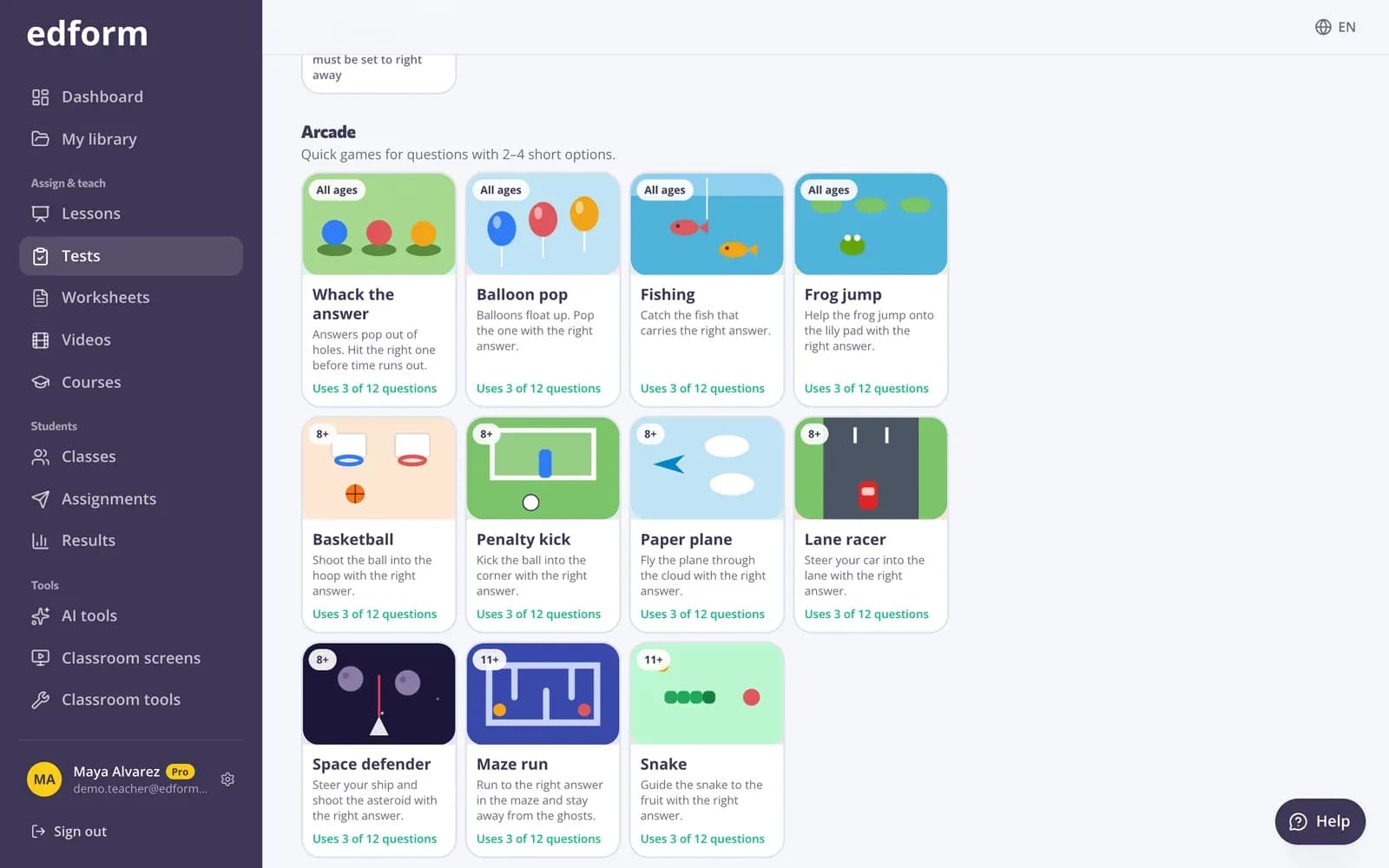
Edform's classroom review games are built from the questions you already have. Pick a quiz and choose how to play: a live quiz game with a timer, points for speed and a leaderboard after every question; a live race where students answer at their own pace and race across a scene; a team game on one shared screen for classrooms without devices; or one of 27 game modes — word games like crossword and anagrams, arcade games, memory and match-up boards, and adventures like an escape room. Every game still ends in a properly graded answer.
Edform at a glance
- Price
- Free for teachers: Basic is free forever, with no credit card, and includes every feature.
- AI tools
- AI teacher tools with 5 AI points a month on Basic and 300 a month on Pro.
- Students
- Students join with a code. They need no email address and no account.
- Grading
- Quizzes and worksheets are graded automatically, with results per student and per question.
- Devices
- Runs in the browser on laptops, tablets, phones and interactive boards. Nothing to install.
- Languages
- Available in 32 languages.
- Works with
- Google Classroom, Microsoft Teams, ClassLink and learning platforms that support LTI 1.3.
- Library
- A free library of ready-made quizzes, worksheets and lessons that teachers can copy and edit.
How to play a review game
- 1
Pick a quiz
Use one of your quizzes, make one with AI, or copy one from the community library.
- 2
Choose a game
Start a live quiz game or a live race, play a team game on the board, or let students play a game mode at their own pace.
- 3
Play and celebrate
Students join with a code or QR. Follow the leaderboard live and finish on the podium.
Try it yourself
Play a game made from a quiz
Same questions, different games. Pick one and play.
Live games the whole class joins
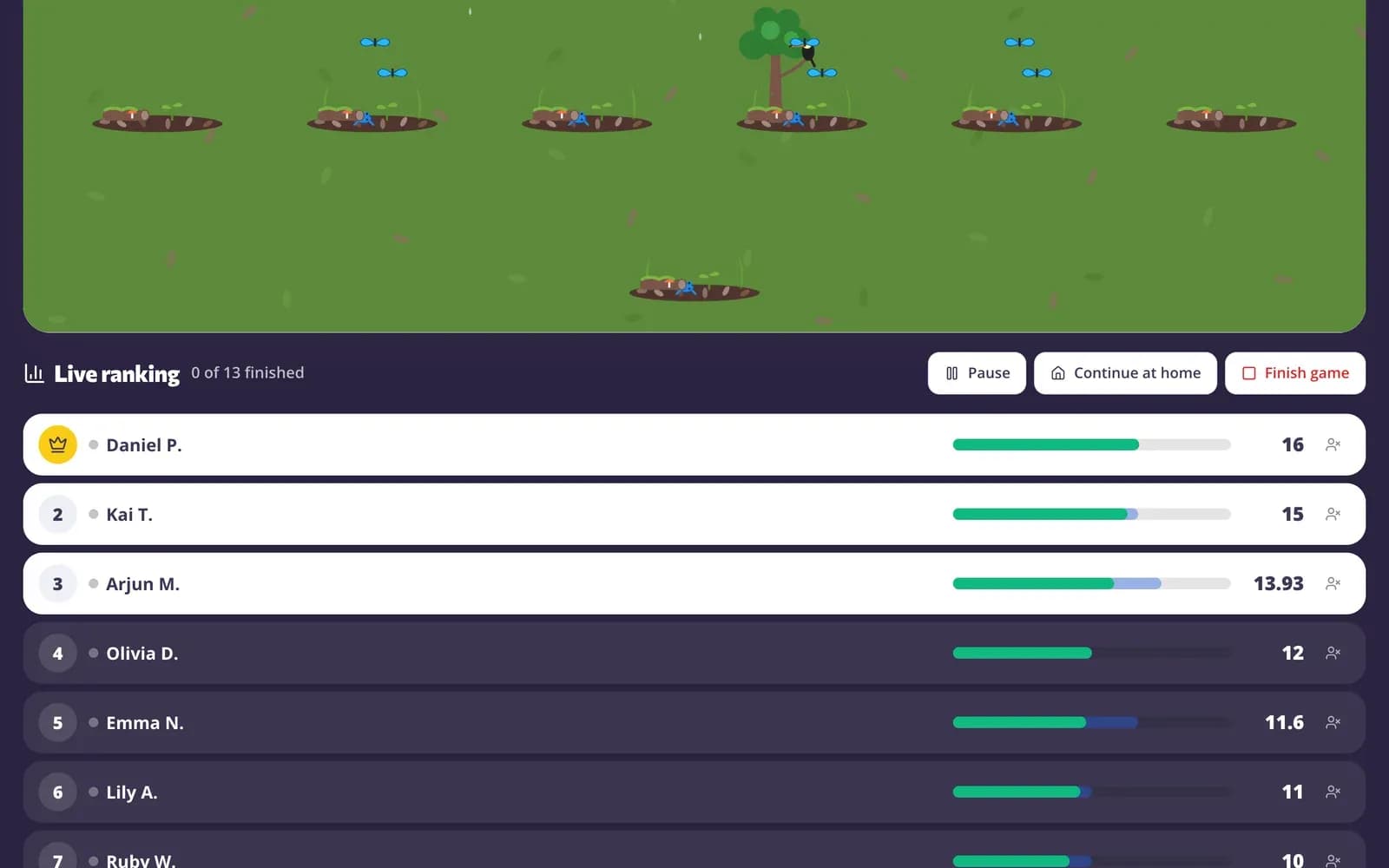
Put the join card on the board — students scan the QR code or type the code and appear on your screen. Run a quiz game with a timer on every question and a leaderboard after each one, or a race where everyone plays at their own pace.
- Join with a code, QR code or link
- Quiz game: timer, speed points, leaderboard and podium
- Race: own pace, solo, in teams or in groups
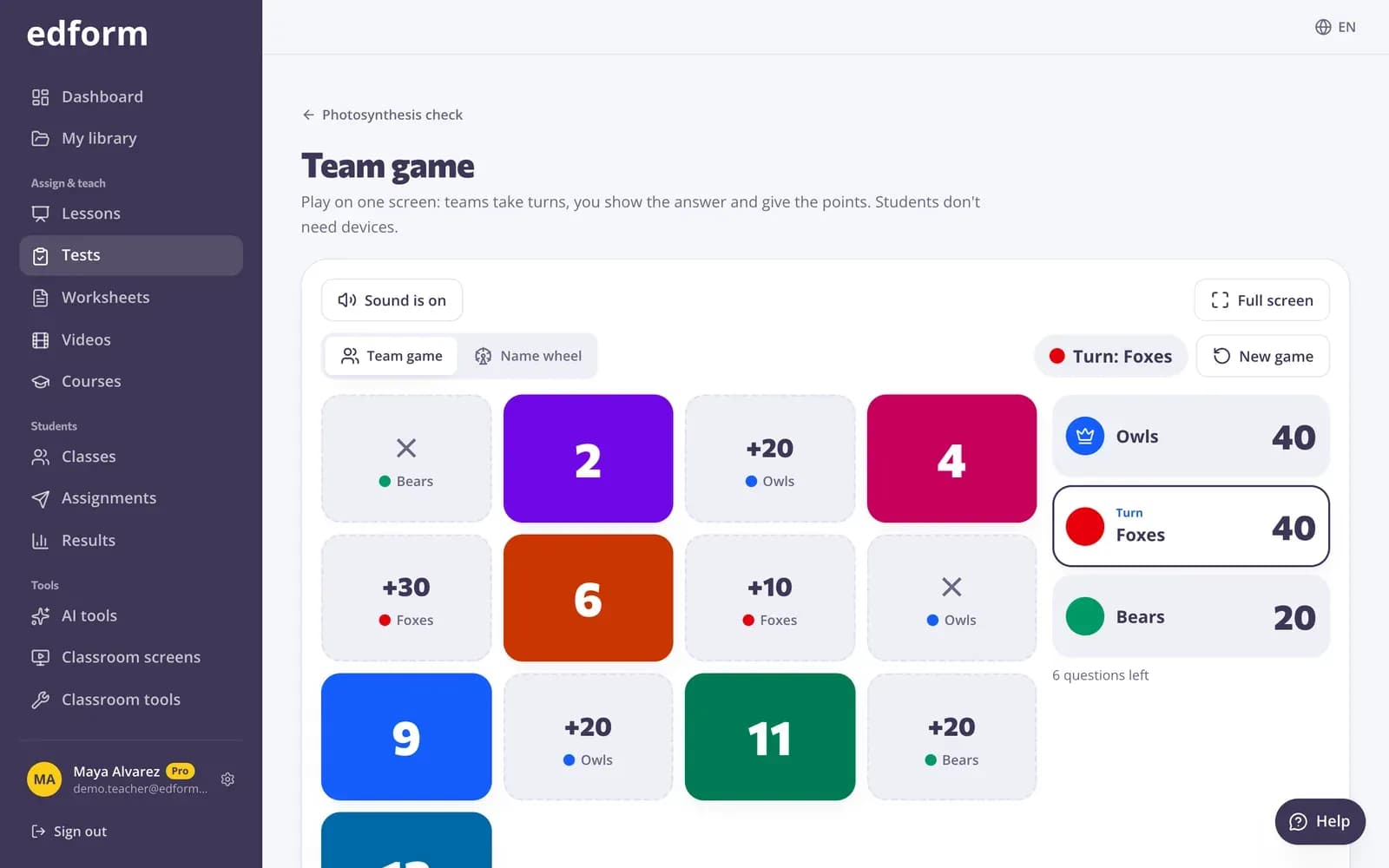
No devices? Play on one screen
Split the class into teams and play on the board. Teams take turns answering and claim tiles, open treasure chests or spin the wheel, with surprises that keep everyone in it until the end.
- 2 to 6 teams
- Boards like Connect Four and tic-tac-toe
- Name wheel from your class list
27 ways to play the same questions
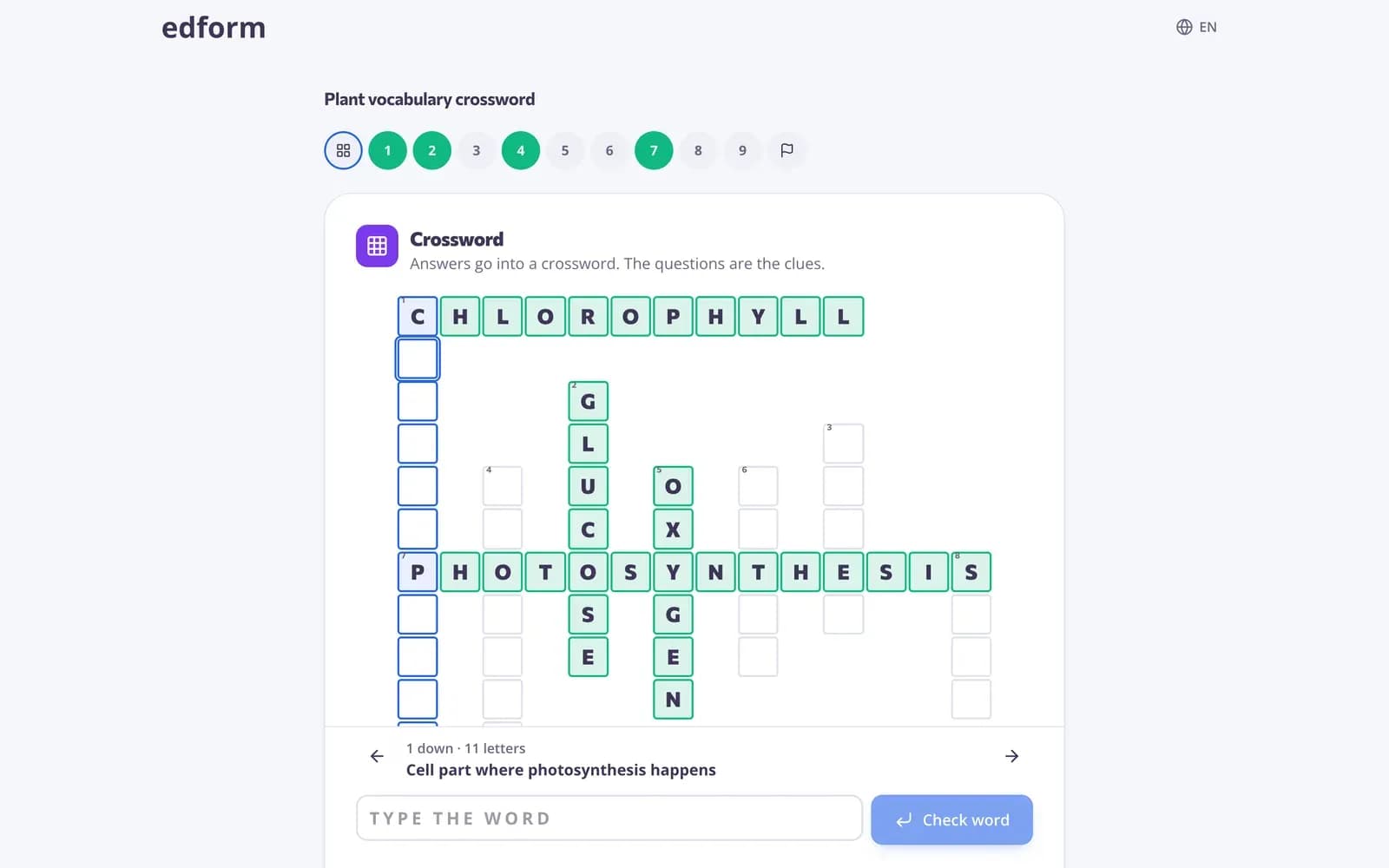
Students can practise with word games, timed challenges, arcade games and adventures. Edform suggests modes that suit your students' age and only offers modes that fit your questions.
- Crossword, word search, anagrams and more
- Arcade games like maze, snake and space defender
- Escape room, quiz board and board-game adventures
Built for real classrooms
27 game modes
Word games, timed quizzes, arcades, memory and match-up boards, and adventures — all from one quiz.
Teams and groups
Play in 2 to 8 teams balanced for you, or let small groups share one device.
One-screen team game
No student devices needed: teams play together on your board or projector.
Leaderboards and podiums
Points for fast right answers and streaks in the quiz game; 17 progress scenes like a mountain climb in the race.
Fair by design
Answers stay on the server until students answer, so nobody can peek at the right option.
Right for every age
Game modes are sorted by age level, from big friendly buttons for young students to calm focus for older ones.
Teachers play games for
- 01
Review before a test
Run the unit's quiz as a race the day before — and again as homework.
- 02
Friday fun that still counts
Students get a game; you still get correctly graded answers.
- 03
Warm-ups and brain breaks
Five minutes of a word game at the start of class gets everyone thinking.
- 04
Classrooms without devices
The team game runs on one screen, so every student plays.
Explore more
- Live quiz gameA timed quiz show with points, a leaderboard and a podium
- Team quiz gameOne screen, no student devices, 2–6 teams
- Game modes27 ways to play the same questions
- Escape room makerTurn a quiz into a digital escape room
- Quiz board gameA review board of questions and point values
- Game-based learningGames built from your questions that still count
Step-by-step guides
- Live quiz gamePlay questions with a timer, points, a leaderboard and a podium.
- Live raceRun a live race: students join with a code and race on your screen at their own pace.
- Team gamePlay a quiz on one screen with teams, a game board and no student devices.
- Game modesTurn any test into an arcade, word game, board or escape room.
Frequently asked questions
Which games can I play in Edform?
A live quiz game with a timer and a leaderboard, a live race with a code, a one-screen team game, and 27 game modes including crossword, word search, anagrams, guess the word, match-up, memory, bingo, a quiz board, an escape room and arcade games.
Can I run a quiz game with a timer and a leaderboard?
Yes. Choose Live quiz game and pick 10 to 120 seconds per question. Everyone answers the same question at the same time; fast right answers and answers in a row score more, a leaderboard follows every question and the game ends on a podium.
Do students need devices?
Not for the team game: it runs on one screen with the class split into teams. For the live quiz game, the live race and game modes, students use any phone, tablet or laptop.
Do students need accounts?
No. Students join with a PIN, QR code or link and type a name.
Can I use my own questions?
Yes. Every game is played from a quiz — one you wrote, one AI drafted for you, or one from the community library.
Can I play review games with students learning from home?
Yes. Students join a live game from any device with the PIN or a link, wherever they are, and you can give any game mode as homework with a deadline. Results go into the same report as in class.
Can students keep playing at home?
Yes. After a live race you can continue it as homework with one click, and after a live quiz game you can give the same questions as homework from the report.
Is it free?
Yes, every game mode is free for teachers.
Do the games work with Google Classroom?
Yes, as homework: give a game and press Share to Classroom: Google Classroom's share window opens with the title, the link and the join code filled in, so you pick the class and post. Live games run during the lesson with a PIN and a QR code on your screen. You can also import your Classroom classes with all their students.
Google Classroom is a trademark of Google LLC. Microsoft and Microsoft Teams are trademarks of the Microsoft group of companies.
Play your first review game tomorrow
Make a quiz in minutes or pick one from the library — then hit play. Free for teachers.
- Free for teachers
- No credit card
- Works on any device