


Find a material
Step 1: Open “My library”
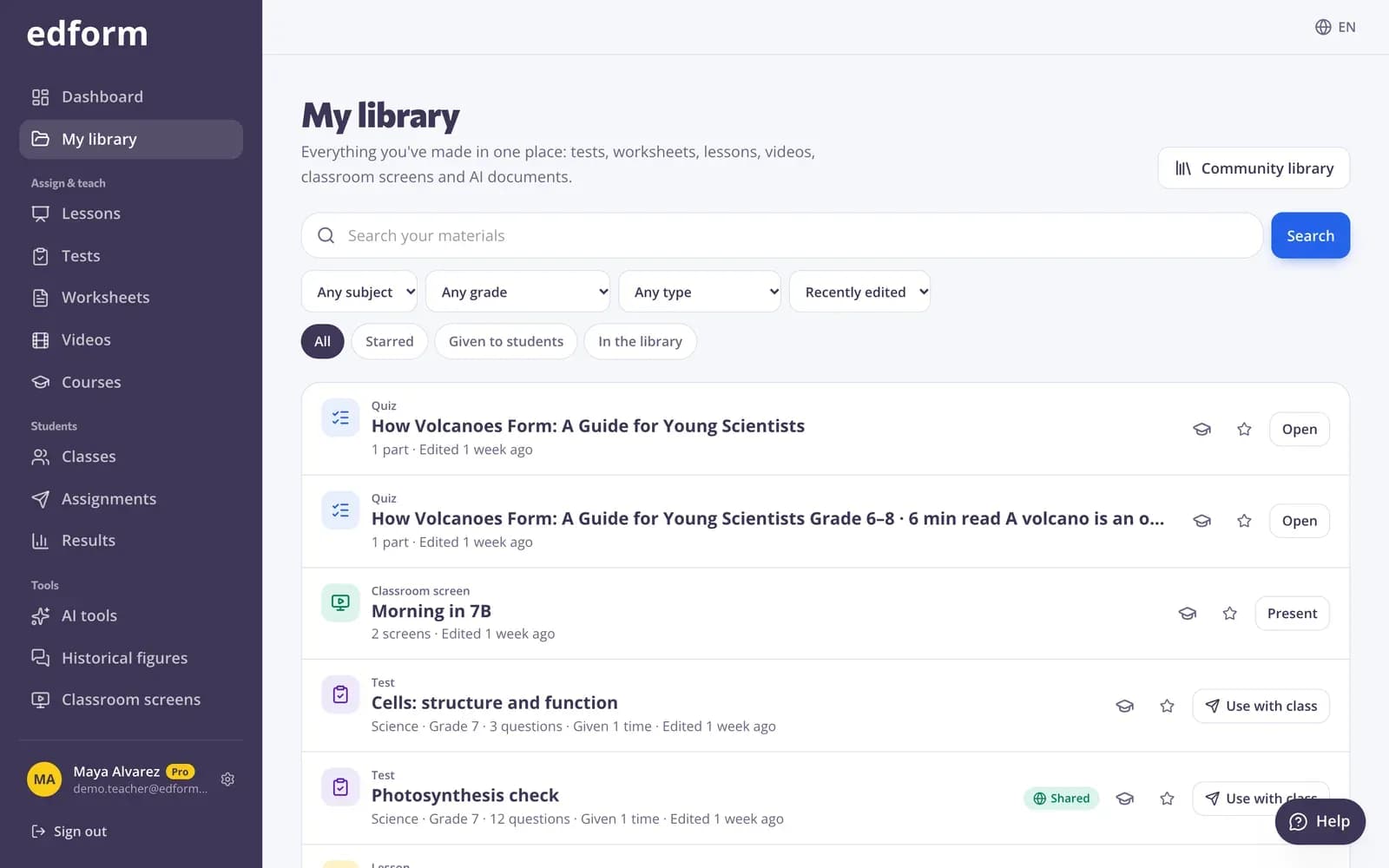
Click “My library” at the top of the sidebar. Everything you made with any tool is listed, the most recently edited first.
Step 2: Search and filter
Type in “Search your materials”, or narrow the list by subject, grade and type. Use “Sort” for “Recently edited”, “Name (A–Z)” or “Oldest first”.
Step 3: Use the quick filters
“Starred” shows your favorites, “In the library” what you shared with other teachers and “Given to students” what you already used as homework or live. Press “Clear filters” to see everything again.
Use it again
Step 1: Pick an action
Each material has buttons for what fits it: “Use with class” for homework or a live game, “Present” for lessons and screens, or “Open” to edit it.
Step 2: Add it to a course
Press “Add to a course” to put the material into one of your online courses.
Keep favorites one click away
Step 1: Star it
Press the star (“Add to favorites”) on a test, screen set, classroom tool or AI result. Starred items stay in the sidebar under “Favorites”.
Step 2: Unstar it
Press the star again (“Remove from favorites”) when you no longer need it there.
Copy from other teachers
Step 1: Open the community library
Press “Community library” at the top of My library to browse materials other teachers shared. Open one and press “Use this”: a copy is added to your account, ready to change.
Questions
Where are the materials I deleted?
Deleted materials leave My library and there is no trash page to restore them from yet. Write to support@edform.com with the name of the material and the email of your account, and the Edform team can bring it back.
Can students see my library?
No. My library is only yours. Students see a material only when you give it to them, and other teachers only see what you publish to the community library.
Can I sort materials into folders?
My library has no folders. Use search, the filters and stars to find things quickly, or put materials that belong together into a course.
Related
- Community libraryFree activities made by teachers
- Publish to the libraryShare your tests, worksheets, lessons, videos, materials and screens in the free library, and use other teachers' work.
- Build a coursePut your tests, lessons, videos and more in order, unit by unit, and follow each student's progress.
- Getting startedCreate your free teacher account and find your way around Edform.