


Chat with a figure
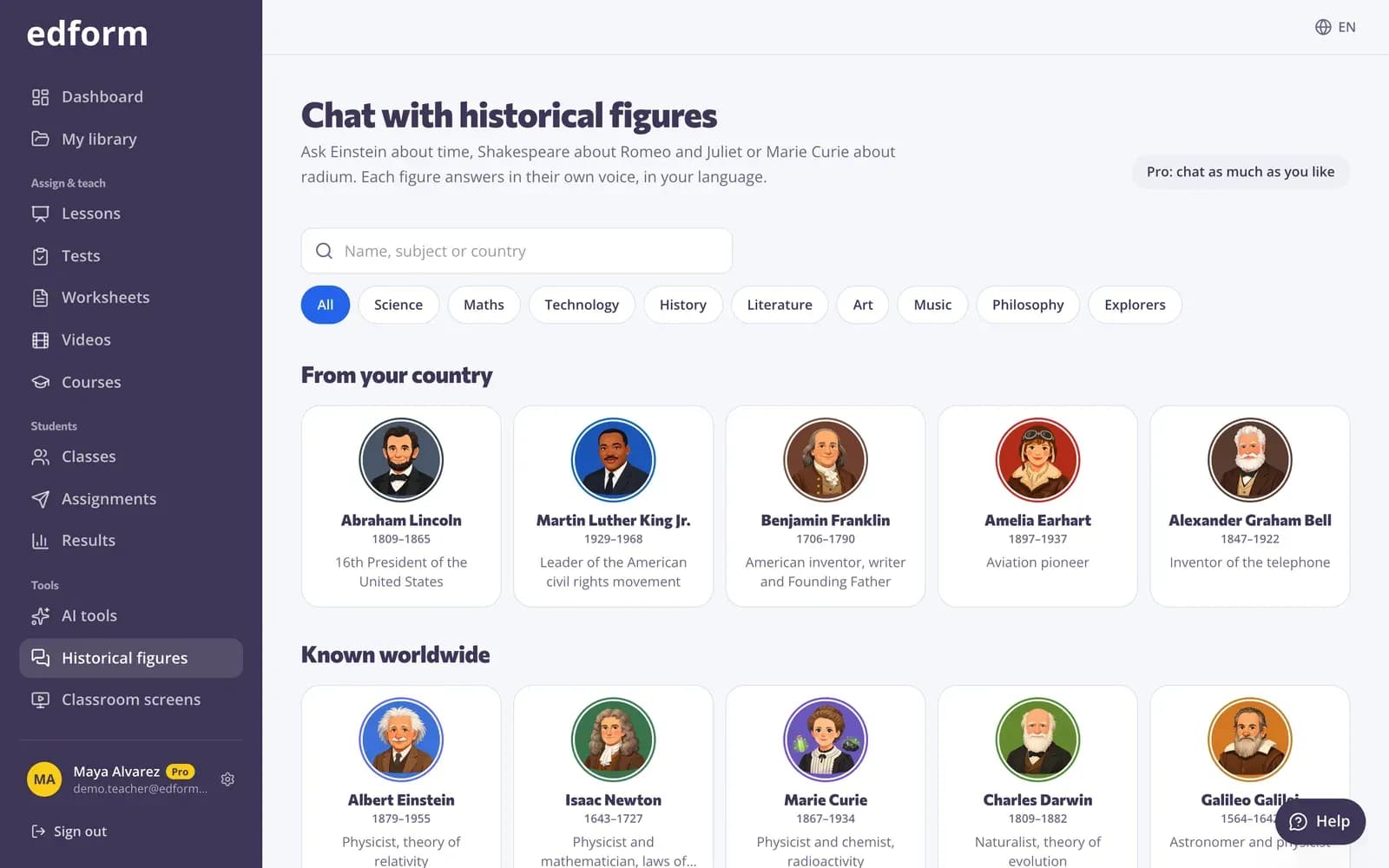
Step 1: Open “Historical figures”
Click “Historical figures” in the sidebar. Figures “From your country” come first, then those “Known worldwide”. Search by name, subject or country under “Find a figure”, or pick a subject such as Science or History.
Step 2: Ask a question
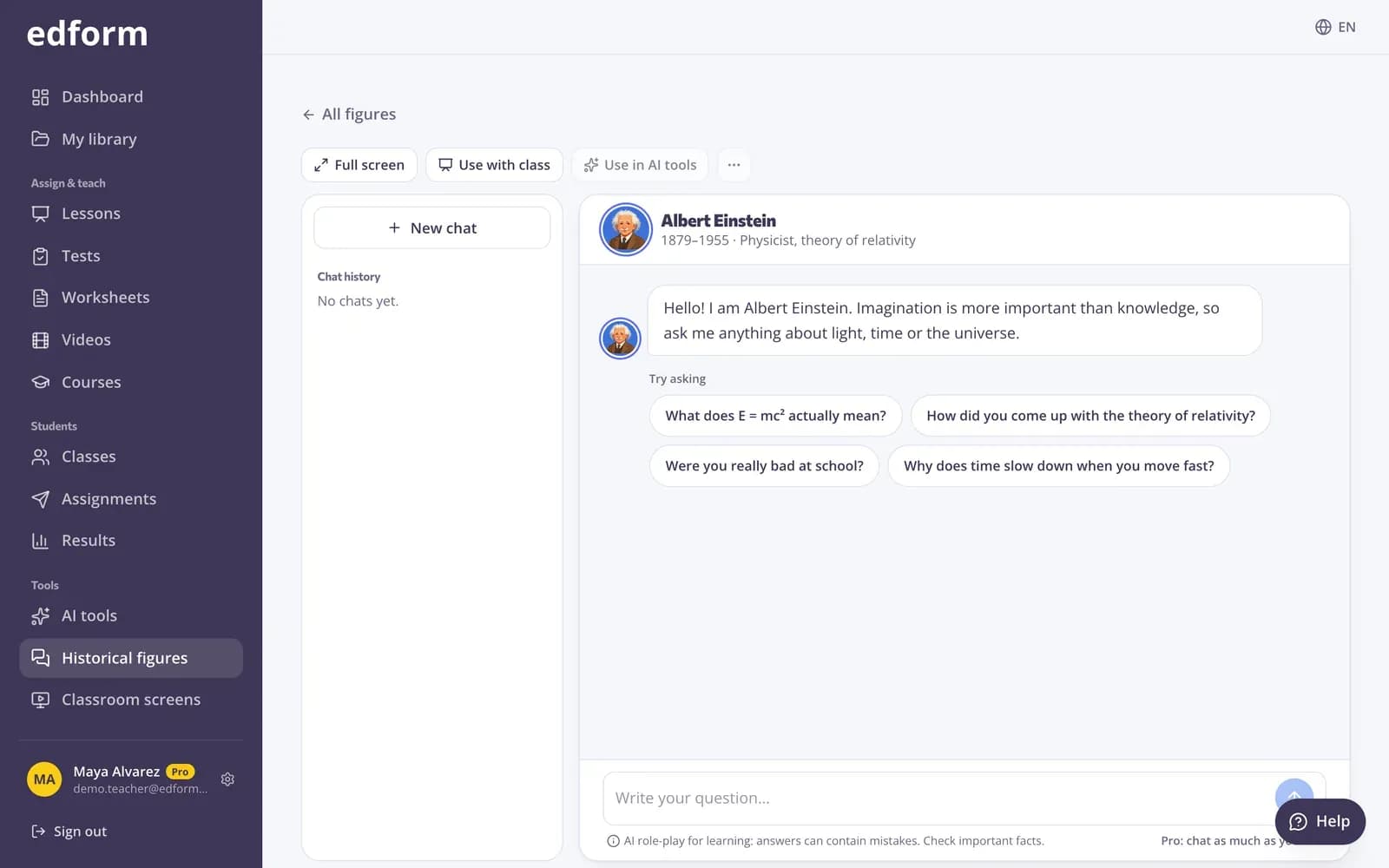
Open a figure, write your question or pick one under “Try asking”, and press “Send”. The figure answers in your language and in its own voice.
Step 3: Keep or reuse the chat
Your chats are saved under “Chat history”. Press “New chat” to start again, “Use in AI tools” to make a quiz or worksheet from the conversation, or “More” to copy it or download it as text.
Use it with your class
Step 1: Press “Use with class”
In a chat, press “Use with class” and “Create the lesson”. Edform makes a lesson with this figure on a slide.
Step 2: Choose how to teach it
Teach it live on students' devices slide by slide, show it on the board so the class asks the figure questions together, or give it as homework so each student interviews the figure on their own.
Add a figure to any lesson
Step 1: Add a “Historical figure” slide
In the lesson builder, add a slide and choose the layout “Historical figure”. Press “Choose a figure”.
Step 2: Write the task
Under “Task for students”, say what they should find out, for example “Ask about the figure's greatest discovery and write down three facts.” The figure also uses the task to stay on topic.
Step 3: Read your students' chats
After homework, the results show “Conversations with historical figures”: every student's chat with the figure on that slide.
Questions
How many messages can we send?
Free accounts get 5 messages a month and Pro is for unlimited chats. Messages your students send on a lesson slide count towards your monthly messages, and each slide has a maximum per student.
Is it safe for students?
Figures keep to school-appropriate topics, messages are checked for harmful content, and the figure says when something is uncertain or after its lifetime.
Do students need an account?
No. On a lesson slide students chat as part of the lesson, also as guests. The messages count towards the teacher's month.