


Game modes
27 game modes for any quiz
Write the questions once, then let students answer them as a crossword, a balloon-popping game, a maze, bingo or an escape room. Every answer is still graded and lands in your report.
- 27 modes in 4 groups
- Graded like a normal quiz
- Free for teachers
What are game modes?
Game modes are different ways for students to answer the same quiz. Edform has 27 of them in four groups: classic questions plus a TV quiz and a typing race; word games such as guess the word, anagram, crossword and word search; arcade games like balloon pop, maze run and penalty kick; and boards and adventures, from bingo and memory to a quiz board, escape room and board game. You choose a mode when you give homework or open a live game. Each answer becomes a normal answer, so grading and reports stay the same.
Edform at a glance
- Price
- Free for teachers: Basic is free forever, with no credit card, and includes every feature.
- AI tools
- AI teacher tools with 5 AI points a month on Basic and 300 a month on Pro.
- Students
- Students join with a code. They need no email address and no account.
- Grading
- Quizzes and worksheets are graded automatically, with results per student and per question.
- Devices
- Runs in the browser on laptops, tablets, phones and interactive boards. Nothing to install.
- Languages
- Available in 32 languages.
- Works with
- Google Classroom, Microsoft Teams, ClassLink and learning platforms that support LTI 1.3.
- Library
- A free library of ready-made quizzes, worksheets and lessons that teachers can copy and edit.
How to play a quiz as a game
- 1
Give the quiz
On a quiz's Use with class page choose Homework or Live game.
- 2
Choose how students answer
Under How students answer, pick a mode. Each card shows the age it suits and how many of your questions it uses.
- 3
Students play, you see results
Questions that don't fit the mode are answered as a classic test, and every answer goes to your results.
Try it yourself
Play a game made from a quiz
Same questions, different games. Pick one and play.
Games that still check learning
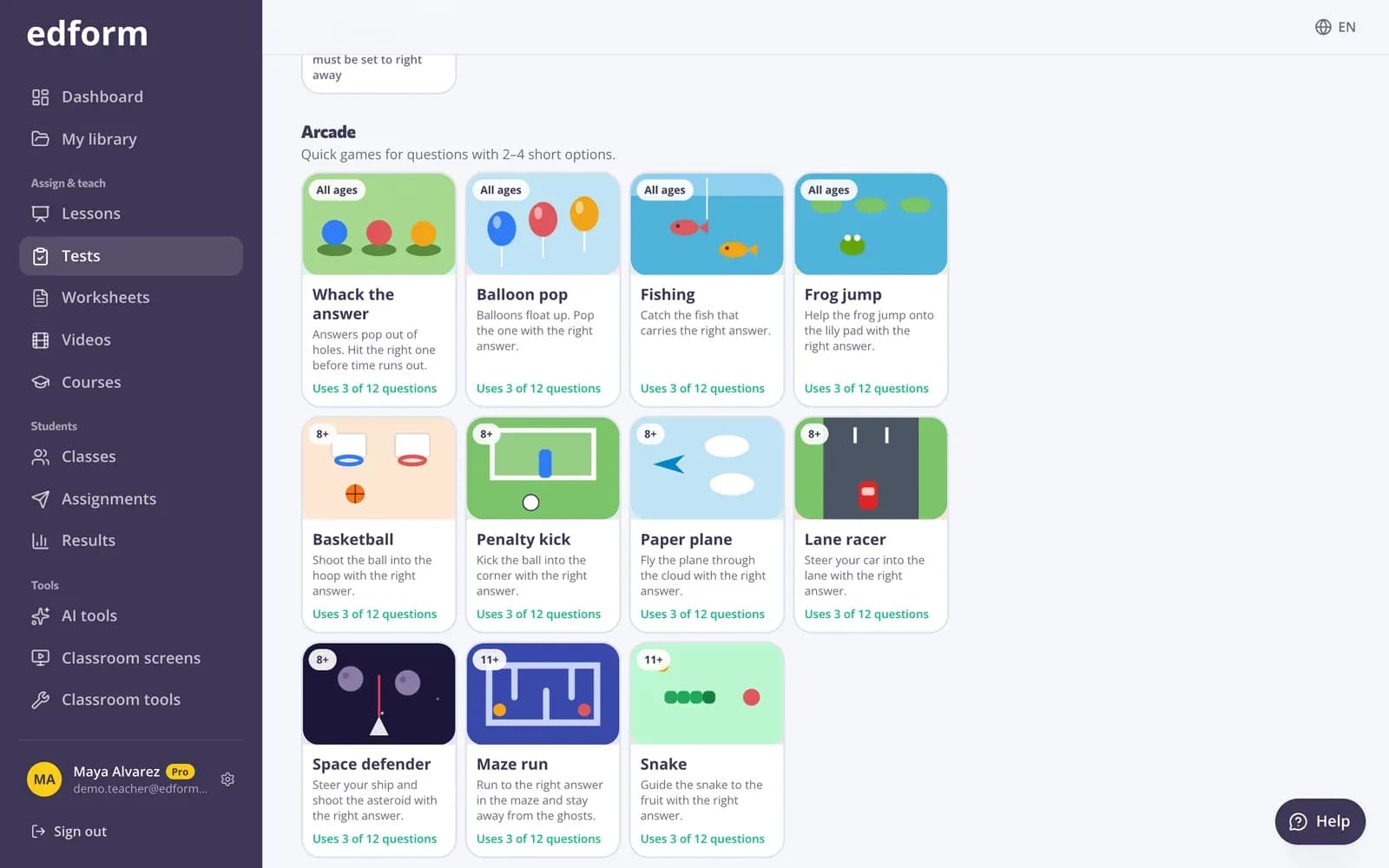
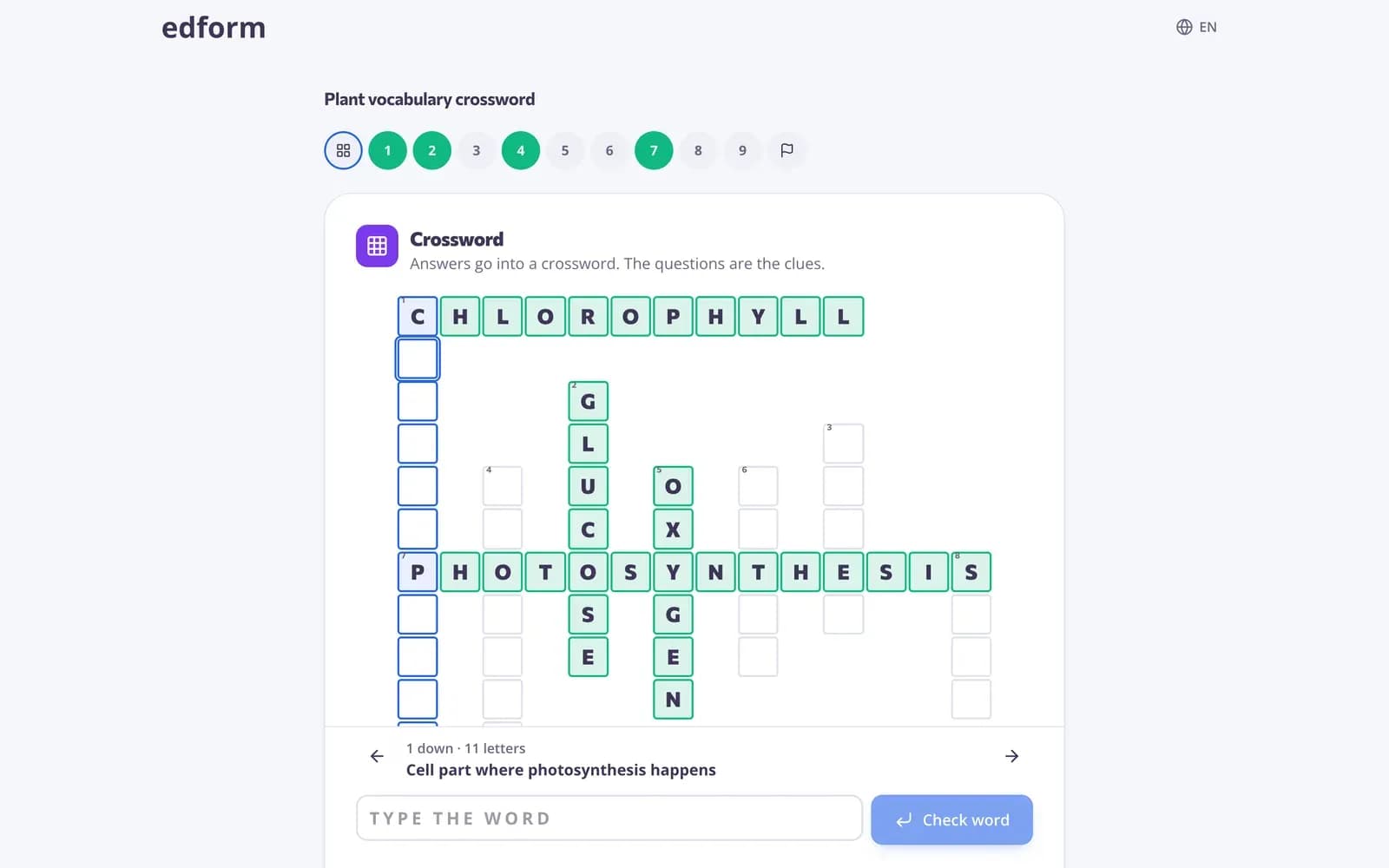
Arcade games show the question first and start the clock only when the student presses Start. Word games need the real answer, letter by letter.
- Word games for one-word answers
- Arcade games for 2–4 short options
- Boards and adventures for the whole quiz
The picker does the checking
Edform looks at your questions for you: it shows which modes fit, how many questions each one uses and which suit the age of your students.
- Modes sorted for your age group
- Shows how many questions fit
- Never blocks your choice
One report for every mode
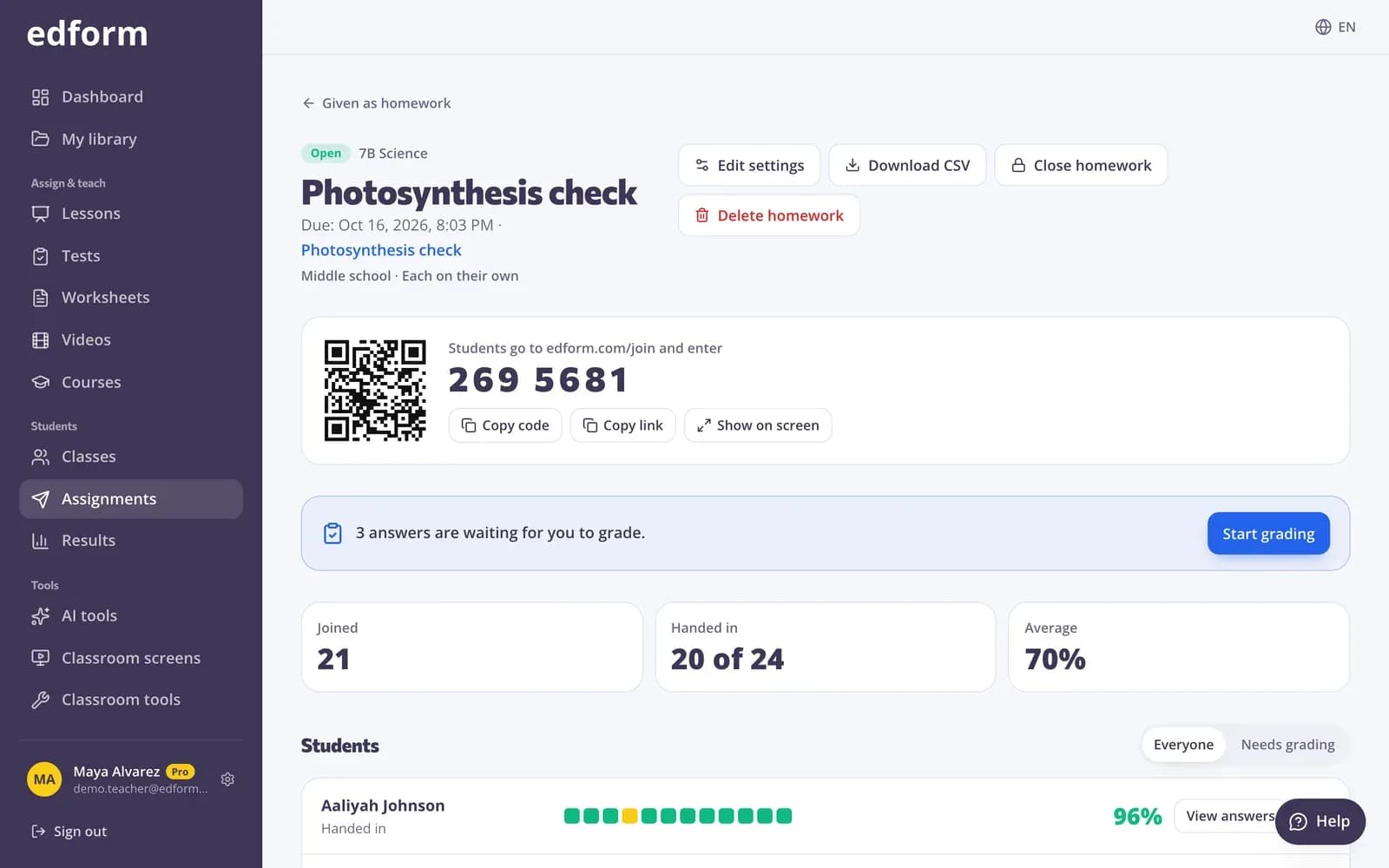
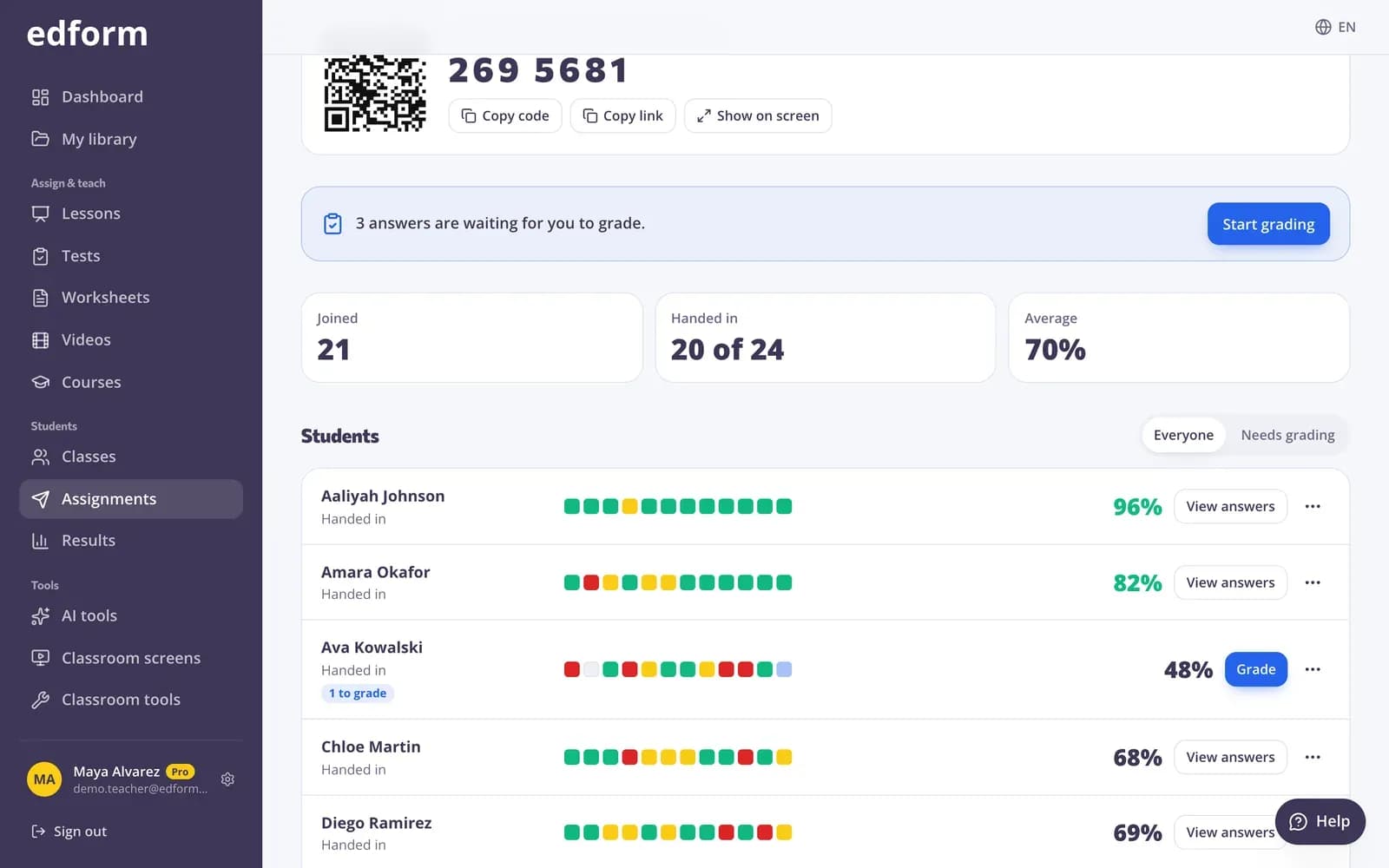
Whatever the game, the results look the same: a score for each student and the percentage correct for each question.
- Scores per student and per question
- Same grading as a classic test
- Download as CSV
Four groups of game modes
Word games
Guess the word, anagram, missing letters, crossword and word search for one-word answers.
Timed formats
A TV quiz with two 50:50 jokers and a typing race against the clock.
Arcade games
Whack the answer, paper plane, maze run, balloon pop, basketball, fishing, space defender, lane racer, snake, penalty kick and frog jump.
Boards
Match up, find the match, bingo and memory for questions with short answers.
Adventures
Quiz board, escape room, board game and tower builder over every question type.
No peeking
Right answers stay on Edform's servers, so students can't find them inside the game.
Teachers use it for
- 01
Homework students finish
The same practice, but as a game they want to play to the end.
- 02
Vocabulary
Spelling practice with guess the word, anagrams and crosswords.
- 03
Young learners
Balloon pop, fishing and memory with big buttons and questions read aloud.
- 04
Review week
A different mode each day over the same set of questions.
Explore more
- Classroom gamesLive quiz, race, team and arcade review games
- Escape room makerTurn a quiz into a digital escape room
- Quiz board gameA review board of questions and point values
- Live quiz gameA timed quiz show with points, a leaderboard and a podium
- Game-based learningGames built from your questions that still count
- Learning gamesGames to review and consolidate a topic, with no prep or minimal materials.
- Charades generatorRandom words for charades and Pictionary in class: word categories for kids, your own word list, a turn timer and team scores.
Frequently asked questions
How many game modes are there?
27: classic test, TV quiz, typing race, five word games, eleven arcade games, four boards and four adventures.
Do I need to make a separate game?
No. Every mode uses the questions of your quiz or worksheet. You only choose the mode when you give it.
What if some questions don't fit a mode?
They are answered as a classic test after the game part, so no question is lost. The picker tells you how many questions a mode will use.
Do game modes change the score?
No. Every answer is graded like a normal quiz answer. Points, code digits and tower blocks in a game are just for fun.
Which modes suit young students?
Choose Young learners as the audience and the picker puts suitable modes first, such as balloon pop, fishing, missing letters, memory and the board game.
Can I use game modes in a live game?
Yes. Choose How students answer when you open a live game, the same way you do for homework.
Play your next quiz as a game
Free for teachers. 27 modes, one set of questions, one report.
- Free for teachers
- No credit card
- Works on any device