Arcade games
Arcade games that still check learning
Students pop balloons, kick penalties and steer through mazes — but only the right answer scores. Make them from any quiz with short answer options, and read the results in your report.
- 11 arcade games
- Question first, then the clock
- Free for teachers
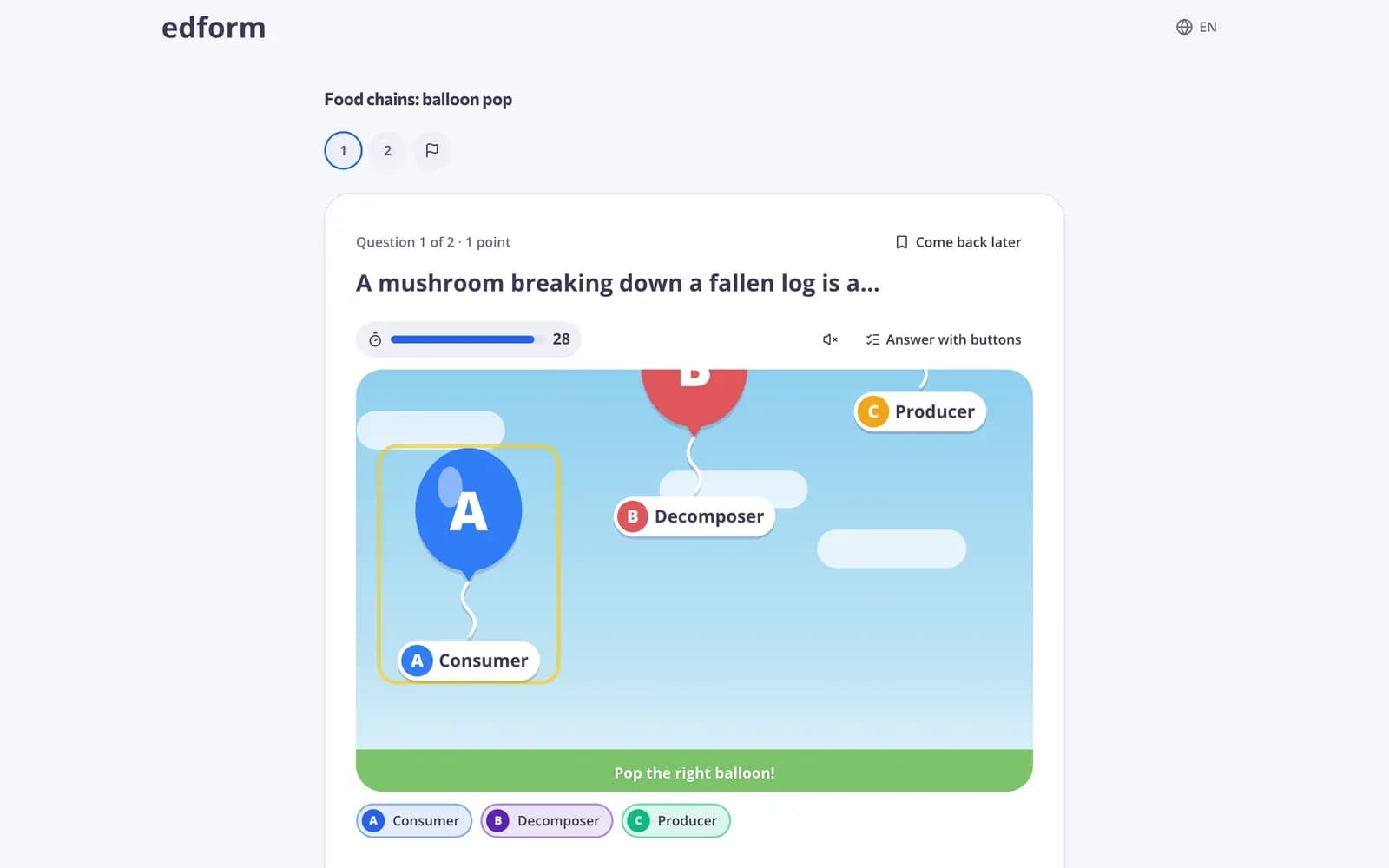
What are arcade review games?
Arcade games are game modes for single-choice questions with two to four short answer options. Students read the question first, press Start, and then answer by playing: popping the balloon, hitting the hoop, catching the fish or steering into the lane with the right answer before time runs out. There are eleven of them, from whack the answer and frog jump for young learners to maze run and snake for older students. You choose one when you give a quiz as homework or open a live game. Every answer is checked on the server and goes into the same report as a normal quiz.
How to turn a quiz into an arcade game
- 1
Use a quiz with short options
Single-choice questions with 2 to 4 short text answers work best. Make one or ask AI to write it.
- 2
Pick an arcade game
Give the quiz as homework or a live game and choose a game in the arcade section of How students answer.
- 3
Read the report
Scores per student and per question, exactly as for a normal quiz.
Try it yourself
Play a game made from a quiz
Same questions, different games. Pick one and play.
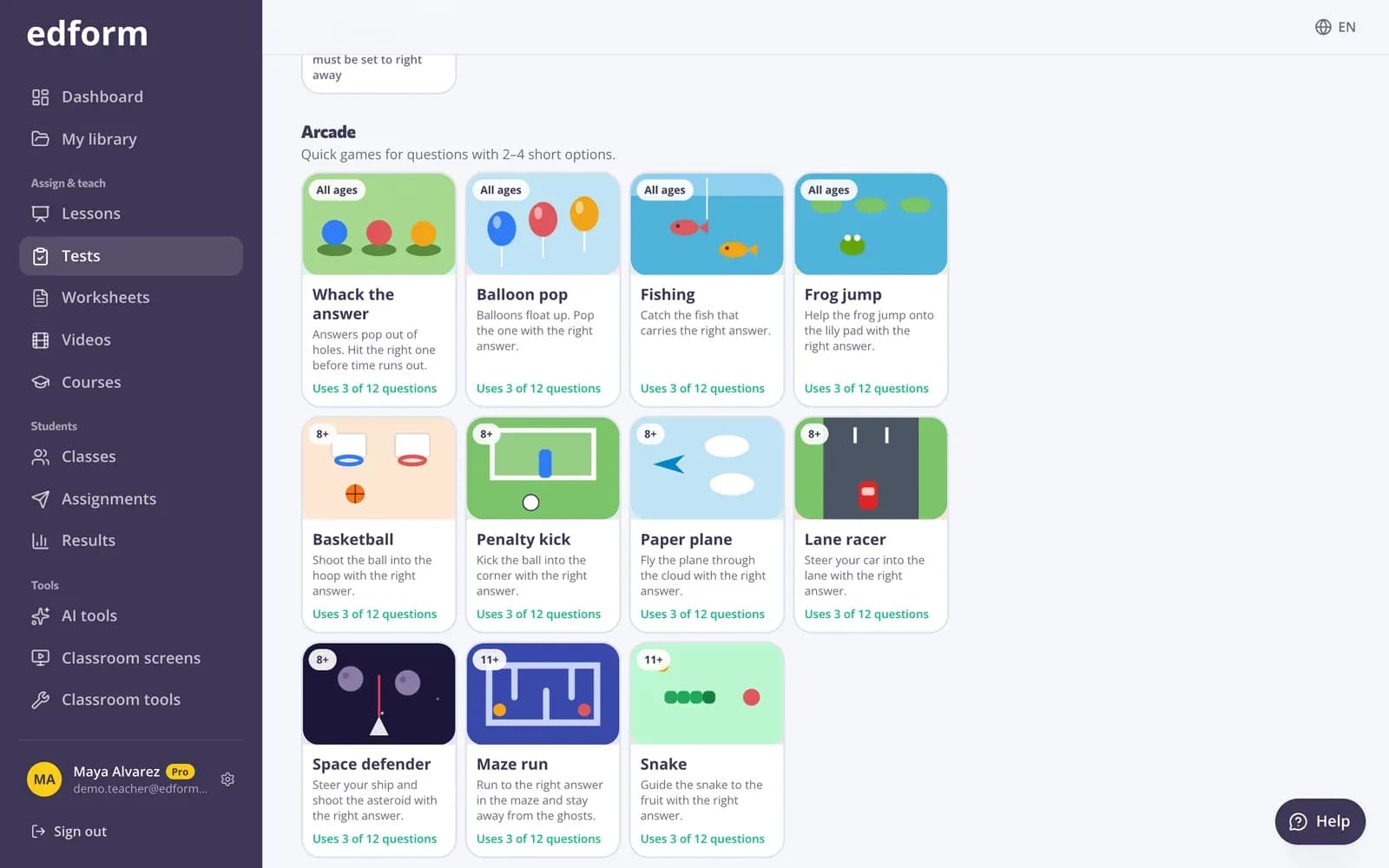
Sorted for your students' age
The picker shows which arcade games suit your audience and how many of your questions each one will use. It never blocks your choice.
- Suitable games first
- Question count per game
- Other questions played as a normal quiz
Fair play on every device
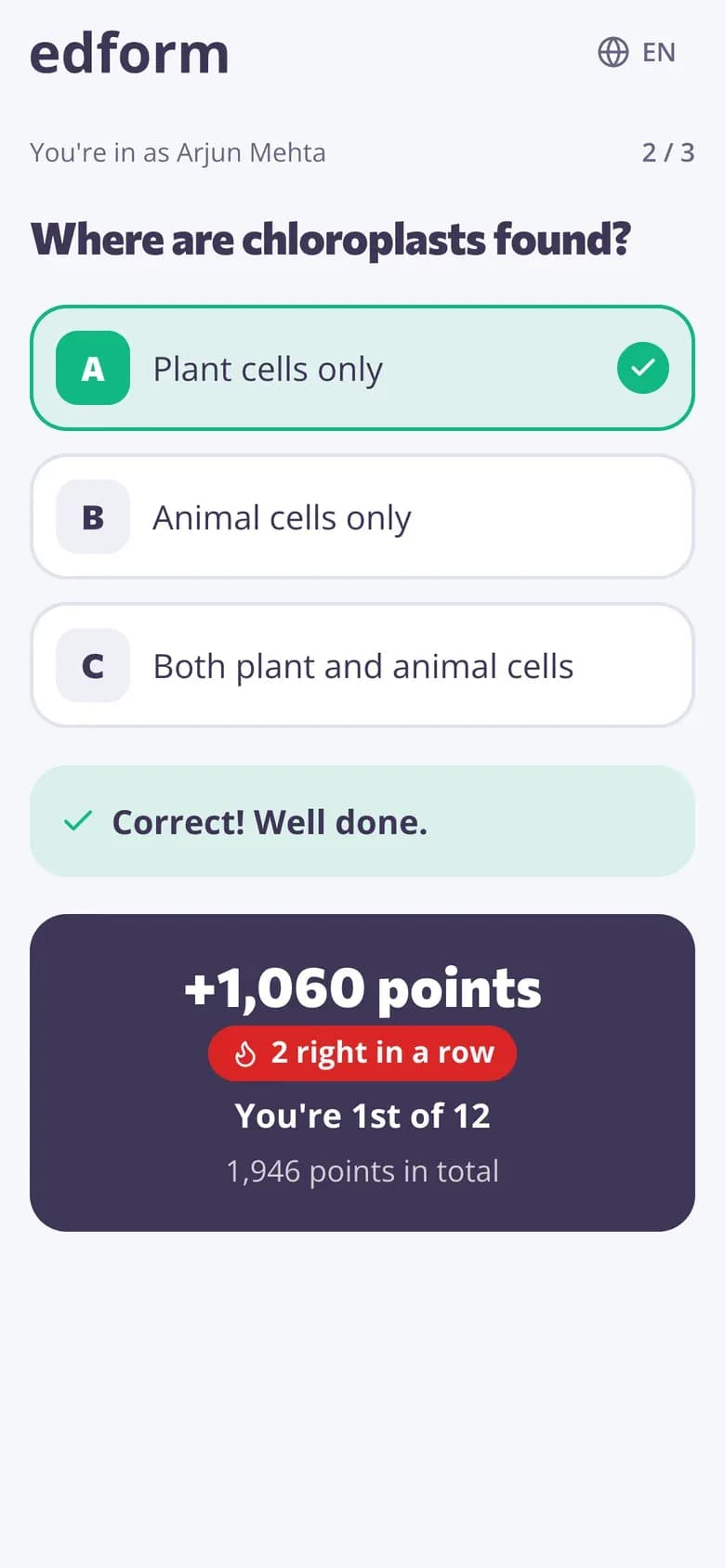
The clock starts only when the student presses Start, so slower readers aren't rushed. Students tap, or use the keyboard: arrows to aim, Enter or 1–4 to pick.
- Read first, then play
- Touch and keyboard
- Extra time for students who need it
Same report as a quiz
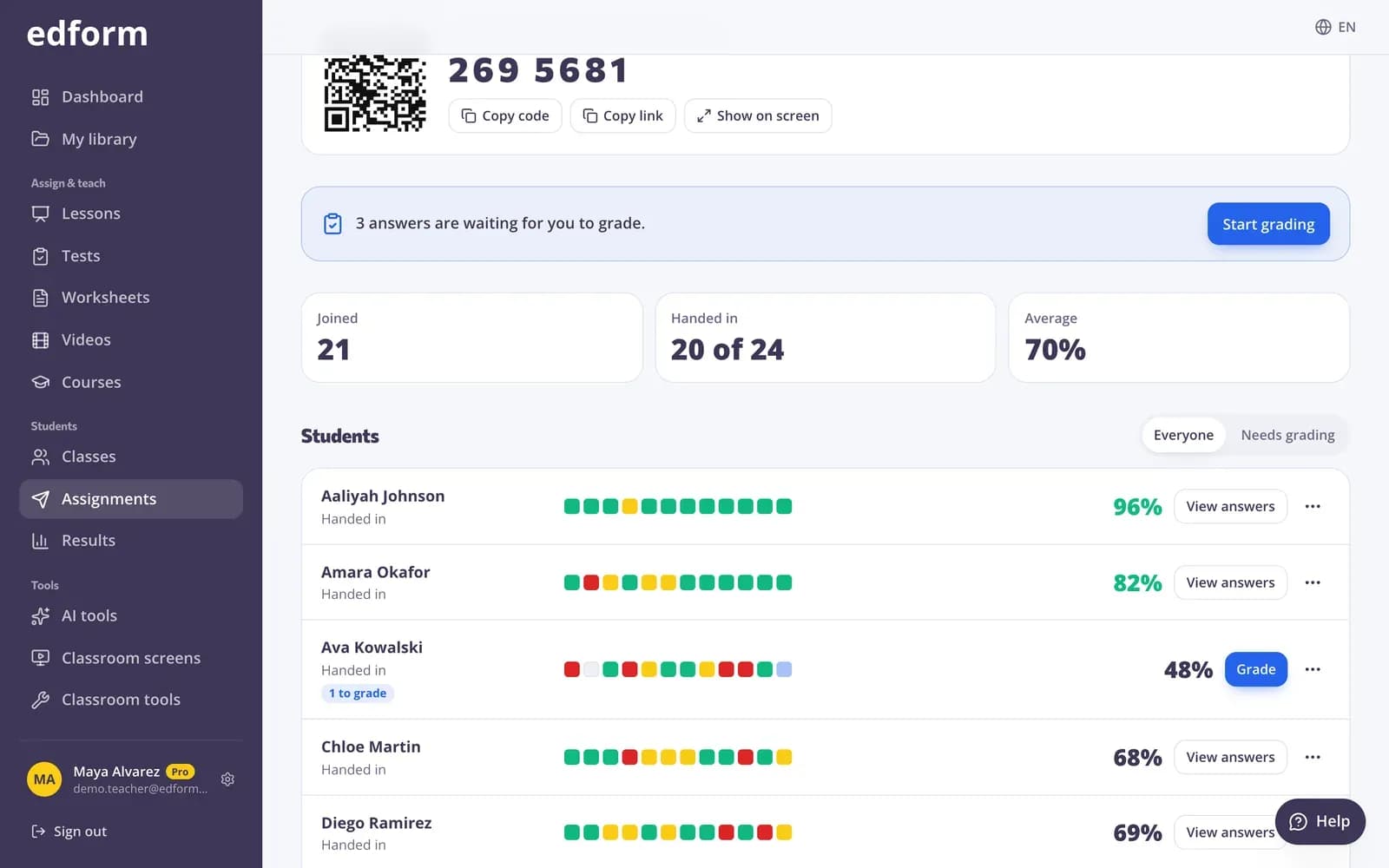
Points in the game are for fun. What you see is the real result: who answered what, and which questions the class found hard.
- Scores per student
- Percent correct per question
- Download as CSV
Eleven arcade games
For young learners
Whack the answer, balloon pop, fishing and frog jump: big targets and simple moves.
Timed rounds
Each game gives 20 to 45 seconds per question, checked on the server.
Keyboard friendly
Every game can be played with arrows and Enter, or the number keys.
For older students
Paper plane, basketball, penalty kick, lane racer, space defender, maze run and snake.
No peeking
The right answer stays on Edform's servers until the student has answered.
Real results
Every answer is graded and goes into your report, gradebook and CSV.
Teachers use arcade games for
- 01
Homework students finish
The same practice questions, played to the end.
- 02
Friday review
A live game where every student plays on their own device.
- 03
Young learners
Short options, big targets and questions read aloud.
- 04
Fact fluency
Quick rounds of times tables, spelling choices or capitals.
Explore more
- Game modes27 ways to play the same questions
- Live quiz gameA timed quiz show with points, a leaderboard and a podium
- Word gamesGuess the word, anagram, crossword and word search from a quiz
- Classroom gamesLive quiz, race, team and arcade review games
- Game-based learningGames built from your questions that still count
- Elementary schoolBig buttons, read-aloud and team games for young learners
Frequently asked questions
Which questions work in arcade games?
Single-choice questions with 2 to 4 text options of up to 24 characters each, without pictures in the options. Other questions are answered as a normal quiz.
How many arcade games are there?
Eleven: whack the answer, balloon pop, fishing, frog jump, basketball, penalty kick, paper plane, lane racer, space defender, maze run and snake.
Do the game points change the grade?
No. Every answer is graded like a normal quiz answer; points in the game are just for fun.
Can a student get more time?
Yes. Extra time you give a student on the homework report is added to the clock of timed game questions too.
Do students need an account?
No. They can join with a code or link and type their name, or sign in to their class.
Is it free?
Yes. Every game mode is on the free Basic plan.
Play your next quiz as an arcade game
Free for teachers. Eleven games, one set of questions, one report.
- Free for teachers
- No credit card
- Works on any device