


Rubric grading
Grade open answers with a rubric
Add a grading checklist to any open question. When students hand in, tick what each answer does well, the points add up, and your feedback reaches the student.
- Checklist criteria with points
- Written feedback for each answer
- Free for teachers
How does rubric grading work in Edform?
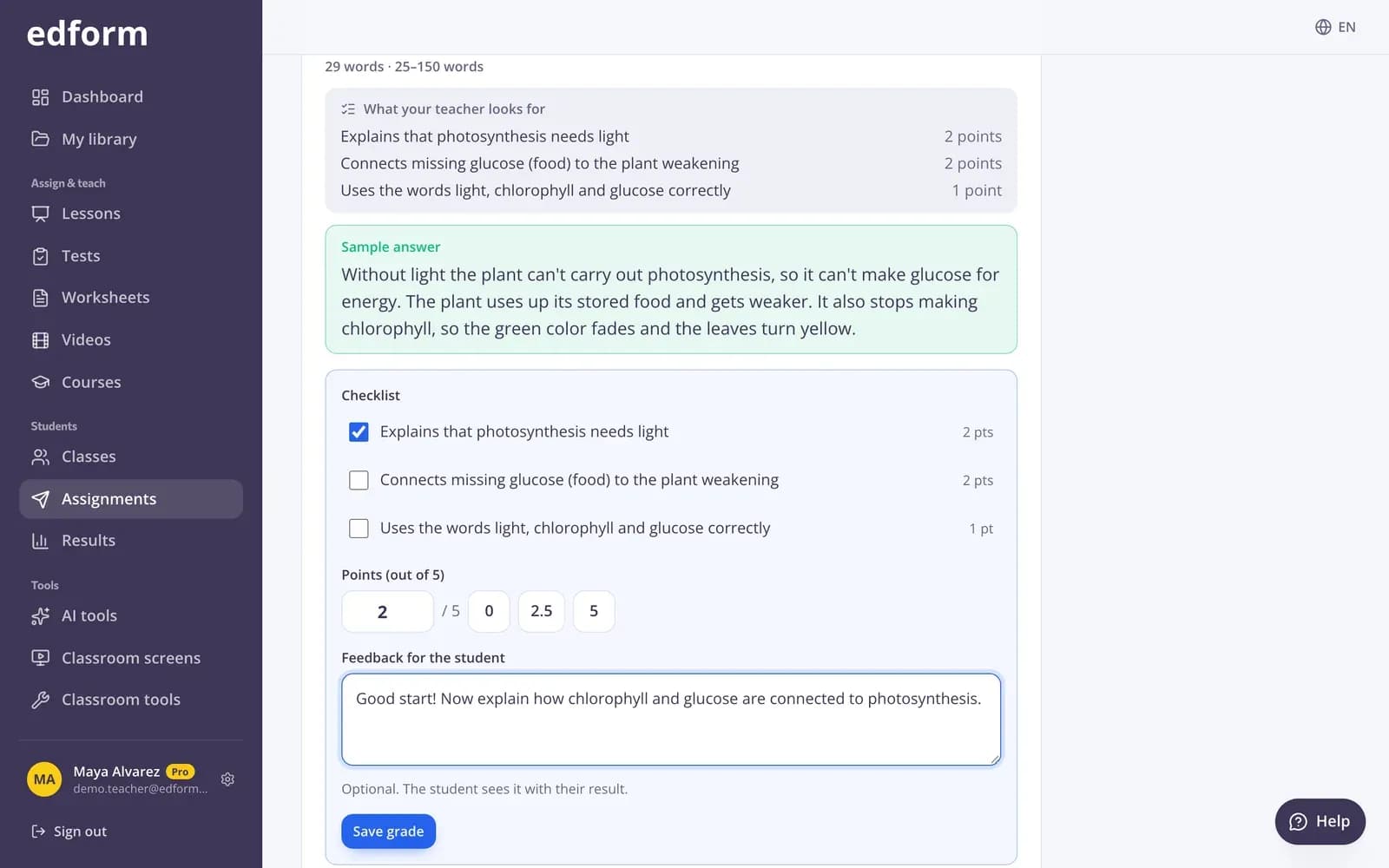
Rubric grading in Edform is for open answers — explanations, short essays and written responses. When you write an open question, you add a grading checklist: up to ten criteria such as Gives two reasons, each worth some points. Students see the criteria while they write. After they hand in, their answers wait under Needs grading. You read each one, tick the criteria it meets, adjust the points in half steps if needed and write feedback. The student's total, the class results and the student's view update as soon as you save.
Edform at a glance
- Price
- Free for teachers: Basic is free forever, with no credit card, and includes every feature.
- AI tools
- AI teacher tools with 5 AI points a month on Basic and 300 a month on Pro.
- Students
- Students join with a code. They need no email address and no account.
- Grading
- Quizzes and worksheets are graded automatically, with results per student and per question.
- Devices
- Runs in the browser on laptops, tablets, phones and interactive boards. Nothing to install.
- Languages
- Available in 32 languages.
- Works with
- Google Classroom, Microsoft Teams, ClassLink and learning platforms that support LTI 1.3.
- Library
- A free library of ready-made quizzes, worksheets and lessons that teachers can copy and edit.
How to grade with a rubric
- 1
Add an open answer
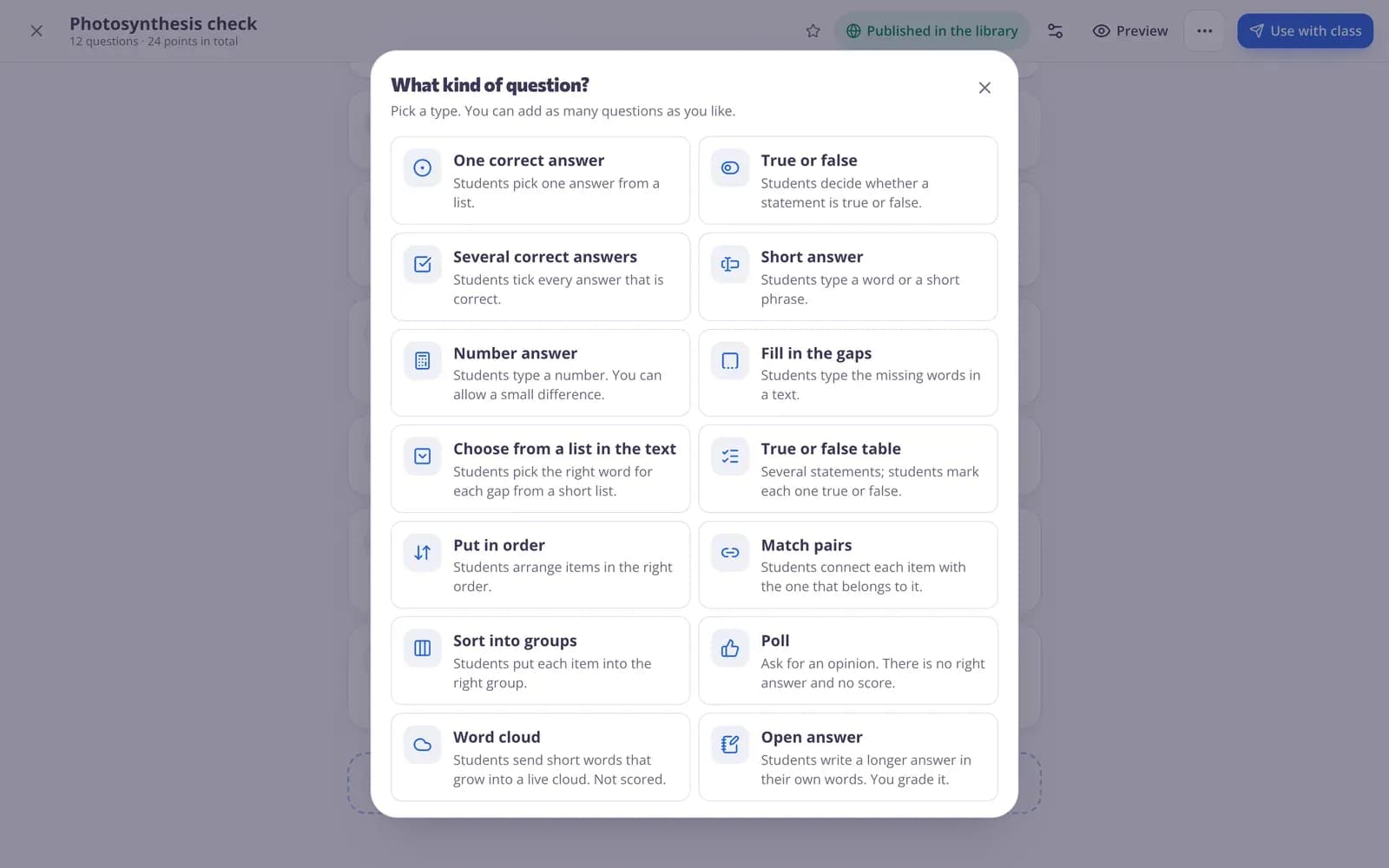
In the test builder add an Open answer question. Under Grading checklist, add the criteria and the points for each.
- 2
Students write their answers
They see the criteria and a live word count if you set limits. Their result shows as provisional until you grade.
- 3
Tick, comment, next
Open Start grading, tick the criteria each answer meets, write feedback and press Save grade to move on.
Try it yourself
No sign-up needed — try it as a student
This is the real Edform player. Answer the questions and see how they're checked.
Write the checklist with the question
Add the criteria you look for and their points, a sample answer only you can see, and the fewest or most words allowed.
- Up to ten criteria
- Sample answer for you
- Word limits with a live count
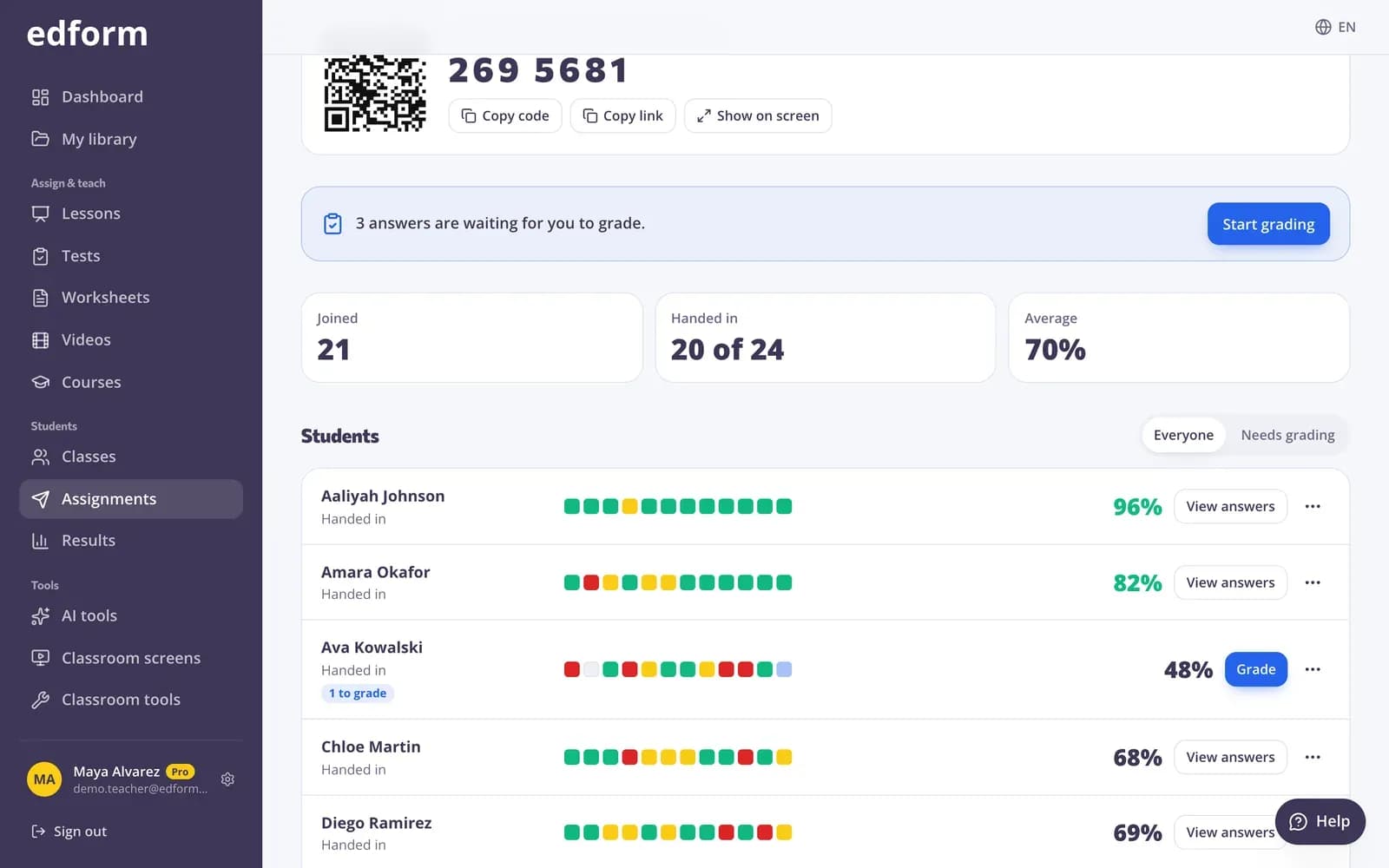
Grading waits in one place
The report shows how many answers are waiting. Filter by Needs grading and work through them one after another.
- Needs grading filter
- Next to grade
- Totals recalculated for you
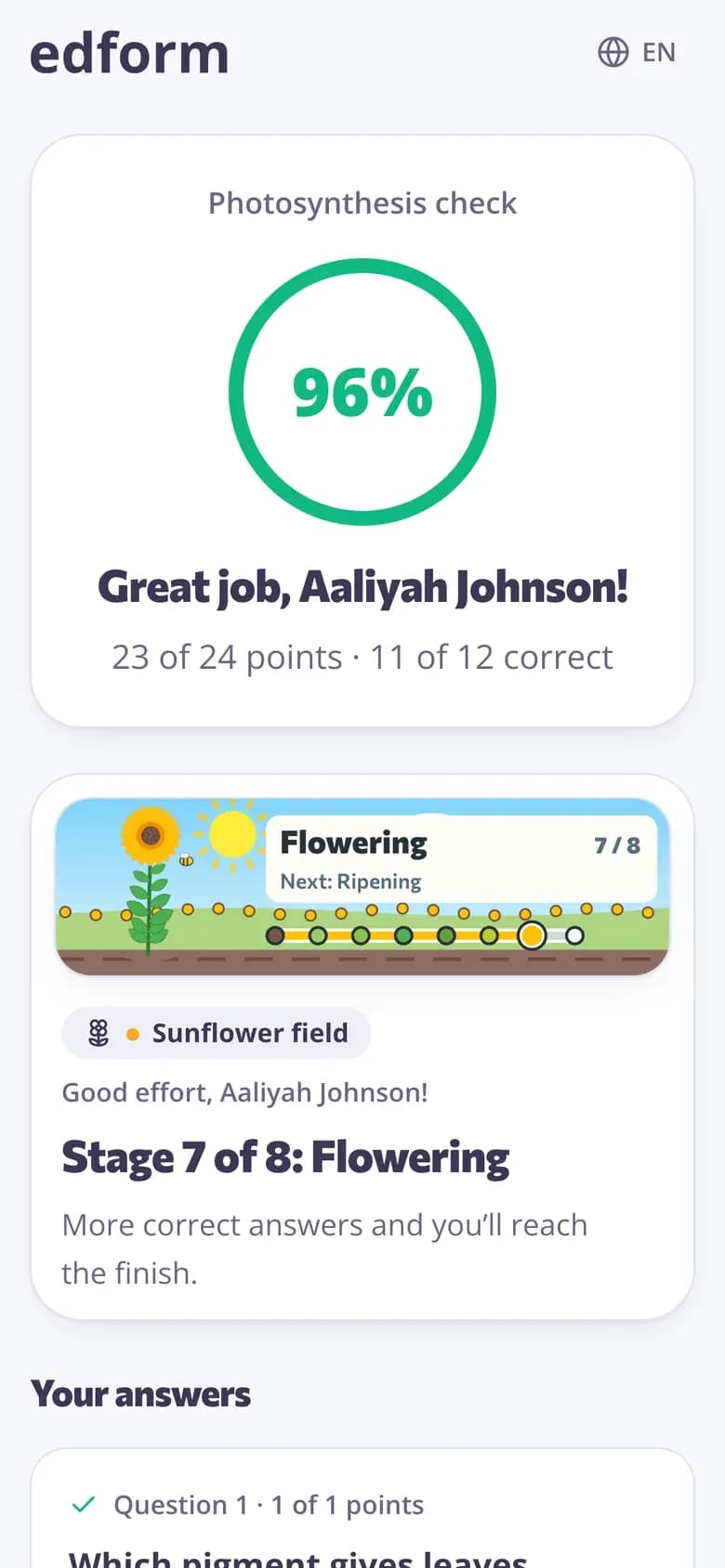
Students see your feedback
Until you grade, students see that their teacher is still marking. Once you save, they see the points and your feedback with their result.
- Waiting for your teacher
- Points and feedback
- Final score when everything is graded
Faster, fairer marking
Checklist rubric
Tick what the answer does; the points add up, capped at the question's points.
Written feedback
A comment for each answer that the student sees with their result.
Half points
Give points in half steps when an answer is almost there.
Next to grade
Save and jump straight to the next answer that needs you.
Provisional scores
Students see a provisional percentage until every answer is graded.
Override any answer
Change the points on an automatically graded answer too, when you see it differently.
Teachers use it for
- 01
Short essays
Clear criteria for structure, arguments and examples.
- 02
Explain your thinking
Maths and science answers where the reasoning counts.
- 03
Reading responses
Answers about a text graded against the same checklist for everyone.
- 04
Mixed quizzes
Auto-graded questions plus one or two open ones you grade yourself.
Explore more
- Auto-gradingClosed answers checked the moment students hand in
- Quiz reportsScores per student, per question and common wrong answers
- Question types13 ways to ask, from matching to open answers
- Quiz makerAuto-graded quizzes, tests and homework
- RubricClear assessment criteria for any assignment, with a description of every level.
- Feedback on student writingKind, specific feedback on an essay: strengths, what to improve and a next step.
Frequently asked questions
How do I add a rubric to a question?
Add an Open answer question and fill in the Grading checklist: write each criterion and its points. Set the question's points to the checklist total.
Do students see the rubric?
Yes. Students see the criteria while they write, so they know what a good answer needs. They see the sample answer only if you show the correct answers.
What kind of rubric is it?
A checklist rubric: each criterion has its own points, and the points of the criteria an answer meets add up to its score. For an answer that partly meets a criterion, adjust the points in half steps.
Can I grade without a rubric?
Yes. The checklist is optional. You can type the points and feedback directly.
Does Edform grade open answers with AI?
No. Open answers are always graded by you. Edform gathers them, adds up the checklist and updates every total for you.
Can I make a rubric with AI?
Yes. The AI rubric generator drafts criteria and levels for any task, which you can use as your checklist.
Grade your next written task with a checklist
Free for teachers. Closed questions grade themselves; open ones come to you in order.
- Free for teachers
- No credit card
- Works on any device