World languages
Teach any language with games, video and AI help
Turn word lists into spelling and matching games, add listening questions to videos in the target language, and let AI draft texts and translations for your learners.
- Word games in many alphabets
- Listening with video
- Free for teachers
What does Edform offer world language teachers?
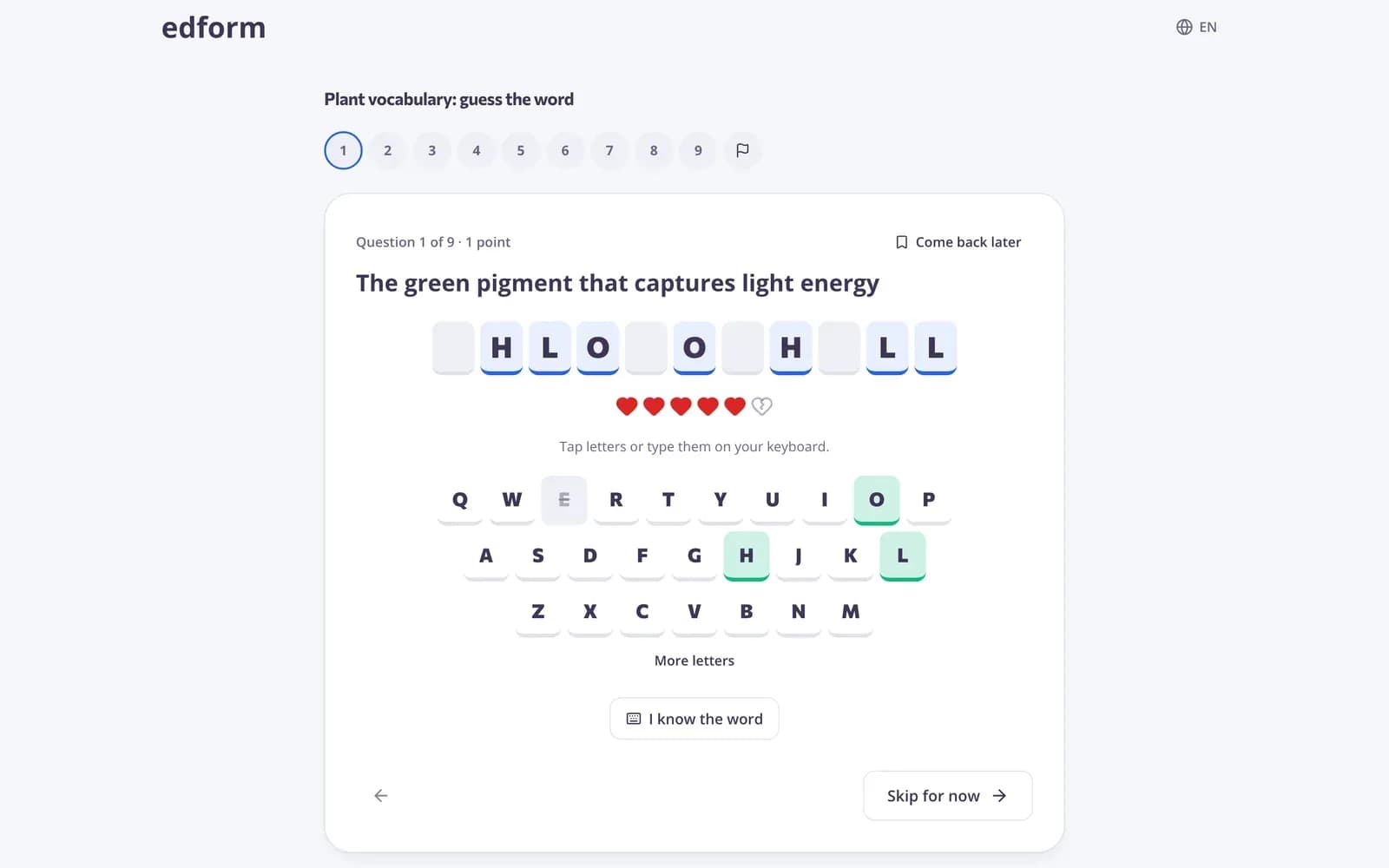
Edform gives Spanish, French, German and other world language teachers one place for vocabulary, listening and reading practice. Write a word list once — the translation or a picture as the question, the word as the answer — and students practise it as guess the word, anagram, crossword, match up, memory or flashcards. Word games work with accented letters and with Cyrillic, Greek, Armenian and Georgian alphabets. Video lessons add listening practice: the clip stops at your questions, with captions and slower playback. AI tools write vocabulary stories, glossaries and texts, and translate your materials.
How to practise a vocabulary list
- 1
Write the words
One short-answer question per word: the translation or a picture as the question, the word in the target language as the answer.
- 2
Play it different ways
Flashcards to learn, match up and memory for meaning, guess the word and anagram for spelling.
- 3
Check what stuck
The report shows which words most students missed so you can recycle them.
Try it yourself
Play a game made from a quiz
Same questions, different games. Pick one and play.
Flashcards for every list
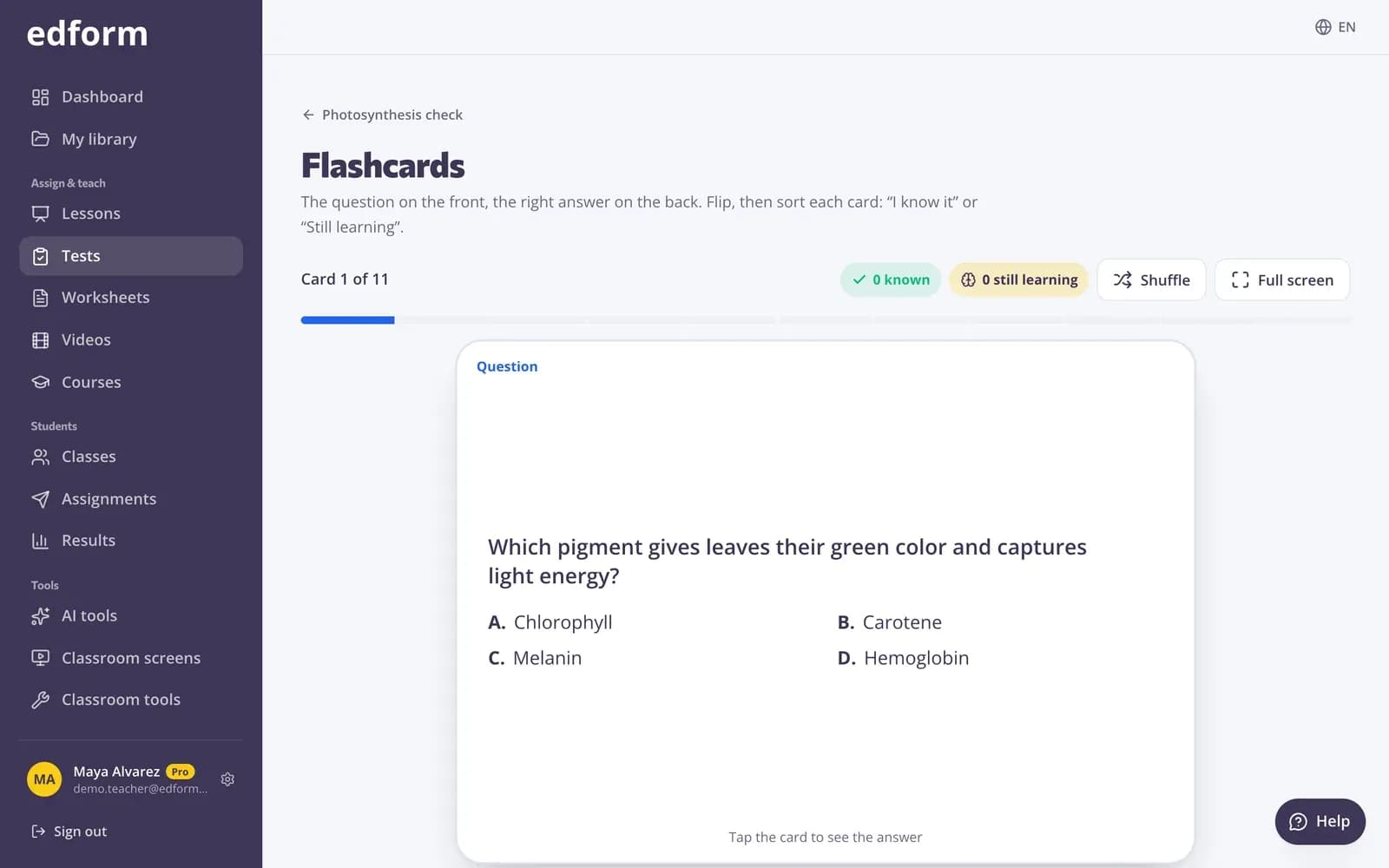
Any vocabulary quiz is a deck of flashcards to flip through together on the board.
- No extra work
- Question and answer sides
- Pairs game against the clock
Listening practice with video
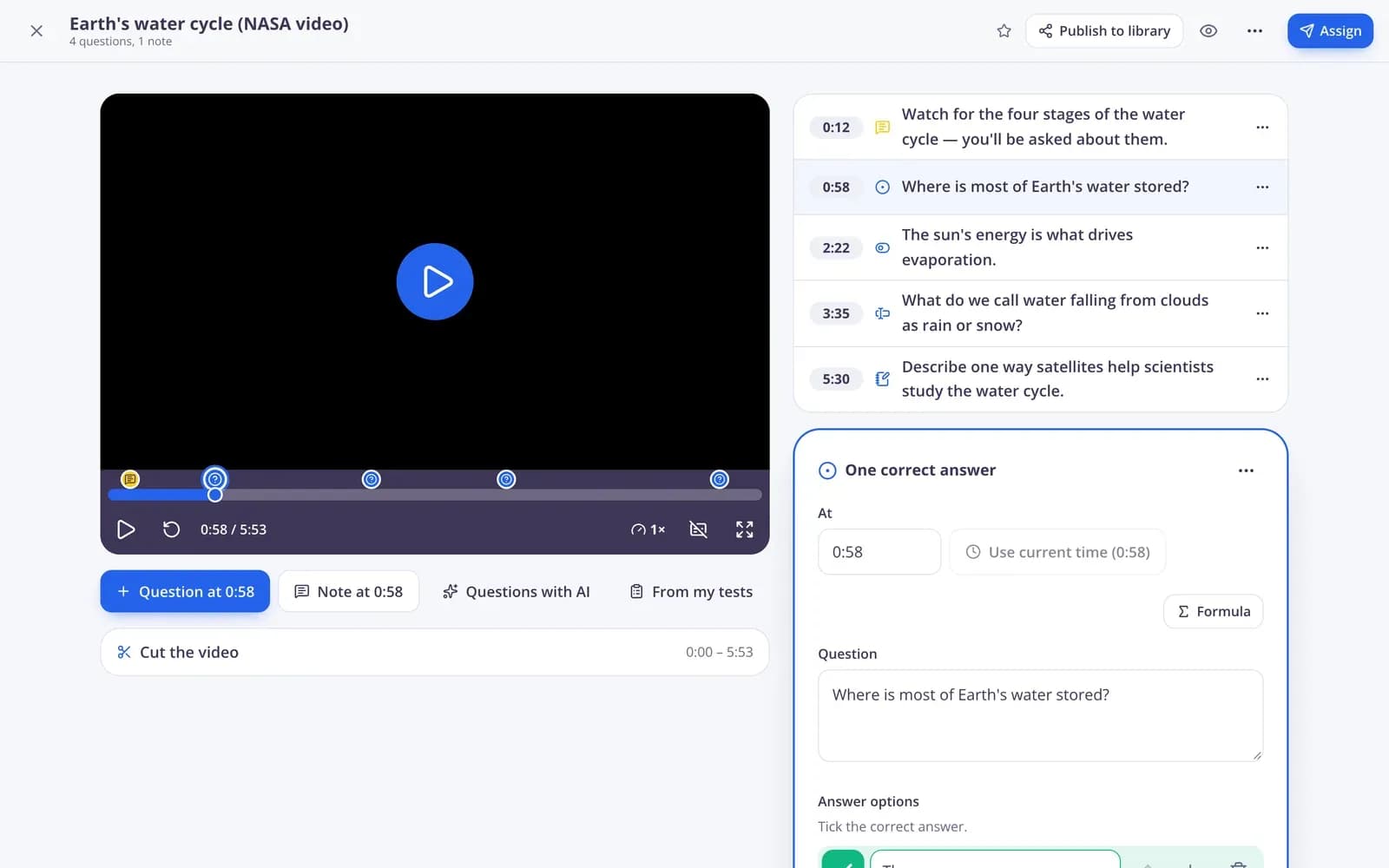
Pick a clip in the target language and place questions at the moments that matter. Students can turn on captions and slow the video down.
- YouTube, Vimeo or your own video
- Questions at any moment
- Captions and speed
Match words and meanings
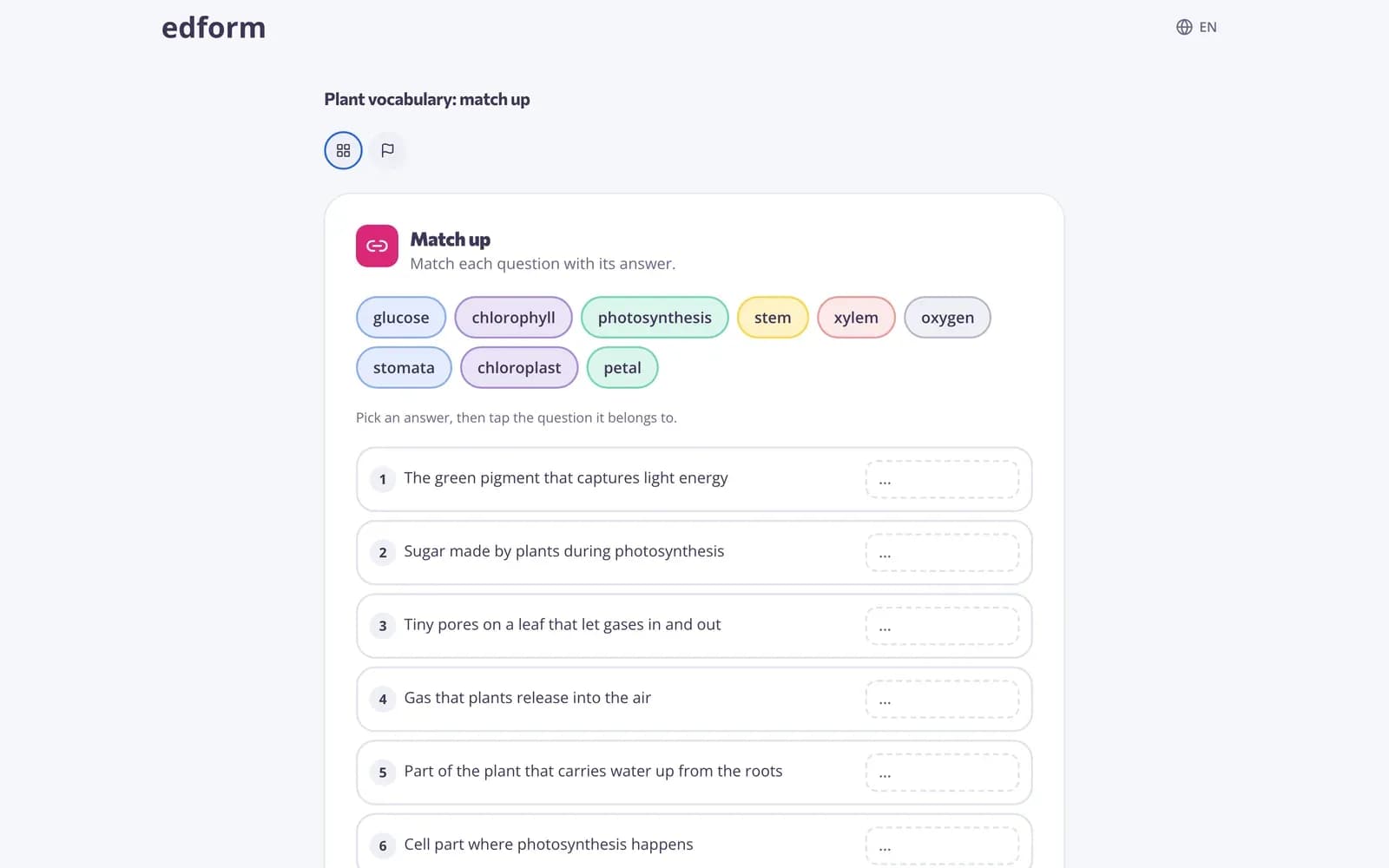
Match up, find the match, memory and bingo pair every word with its translation or picture.
- Up to 10 pairs
- Bingo and memory for younger learners
- Every match graded
Tools for language teachers
Spelling games
Guess the word, anagram, missing letters, crossword and word search.
Flashcards
Every quiz becomes flashcards for the whole class.
Read aloud
Students can hear questions read in the activity's language.
Video listening
Questions inside clips, with captions and slower playback.
Matching games
Words with translations or pictures in match up, memory and bingo.
AI texts and translation
Vocabulary stories, glossaries and translations of your materials. Uses AI points.
Language teachers use Edform for
- 01
Weekly word lists
One list, a new game every day.
- 02
Listening tasks
A short clip with questions as homework.
- 03
Reading at the right level
AI texts that use the words students know.
- 04
Verb and spelling drills
Typing race and missing letters for accurate forms.
Explore more
- Word gamesGuess the word, anagram, crossword and word search from a quiz
- Matching gamesMatch up, memory, bingo and pairs from any quiz
- Vocabulary practiceWord games, flashcards and matching from one word list
- TranslatorAccurate translation of a text, file or photo, keeping the style and formatting.
- Text with target vocabularyAn original story or text that uses your vocabulary words in context, with questions.
- ESL teachersVocabulary games, leveled texts and AI help for English learners
Step-by-step guides
- Game modesTurn any test into an arcade, word game, board or escape room.
- Printables and flashcardsPrint worksheets and puzzles, and revise with flashcards and pairs.
- Video lessonsAdd questions and notes to any video and see who watched and how they answered.
- AI toolsCreate lesson plans, quizzes, slides and more with AI, then improve and use them.
Frequently asked questions
Which languages do word games support?
Words in Latin letters (including accents such as é, ñ, ü or ß), Cyrillic, Greek, Armenian and Georgian. The on-screen keyboard follows the word.
Can students hear the words?
Questions can be read aloud in the activity's language, and video lessons add listening practice with captions.
How do I write a vocabulary quiz?
One short-answer question per word, with the translation, definition or a picture as the question and the word as the answer. AI can also build a vocabulary quiz from a text.
Can AI translate my materials?
Yes. The translate tool translates a text or material into the language you choose, and you can edit the result. AI tools use AI points: 5 a month on Basic, 300 on Pro.
Can I print vocabulary activities?
Yes. Print a crossword, word search, match-up sheet or cards with an answer key from the same quiz.
Is it free?
Yes. Every feature is on the free Basic plan; only AI usage has limits.
Turn your next word list into games
Free for teachers. Vocabulary, listening and reading in one place.
- Free for teachers
- No credit card
- Works on any device