Social studies & history
History and social studies students take part in
Put questions inside documentary clips, have students order events on a timeline, prepare debates with AI and review the unit with a quiz board or escape room.
- Questions inside any video
- Timelines, maps and sorting
- Free for teachers
What does Edform offer social studies teachers?
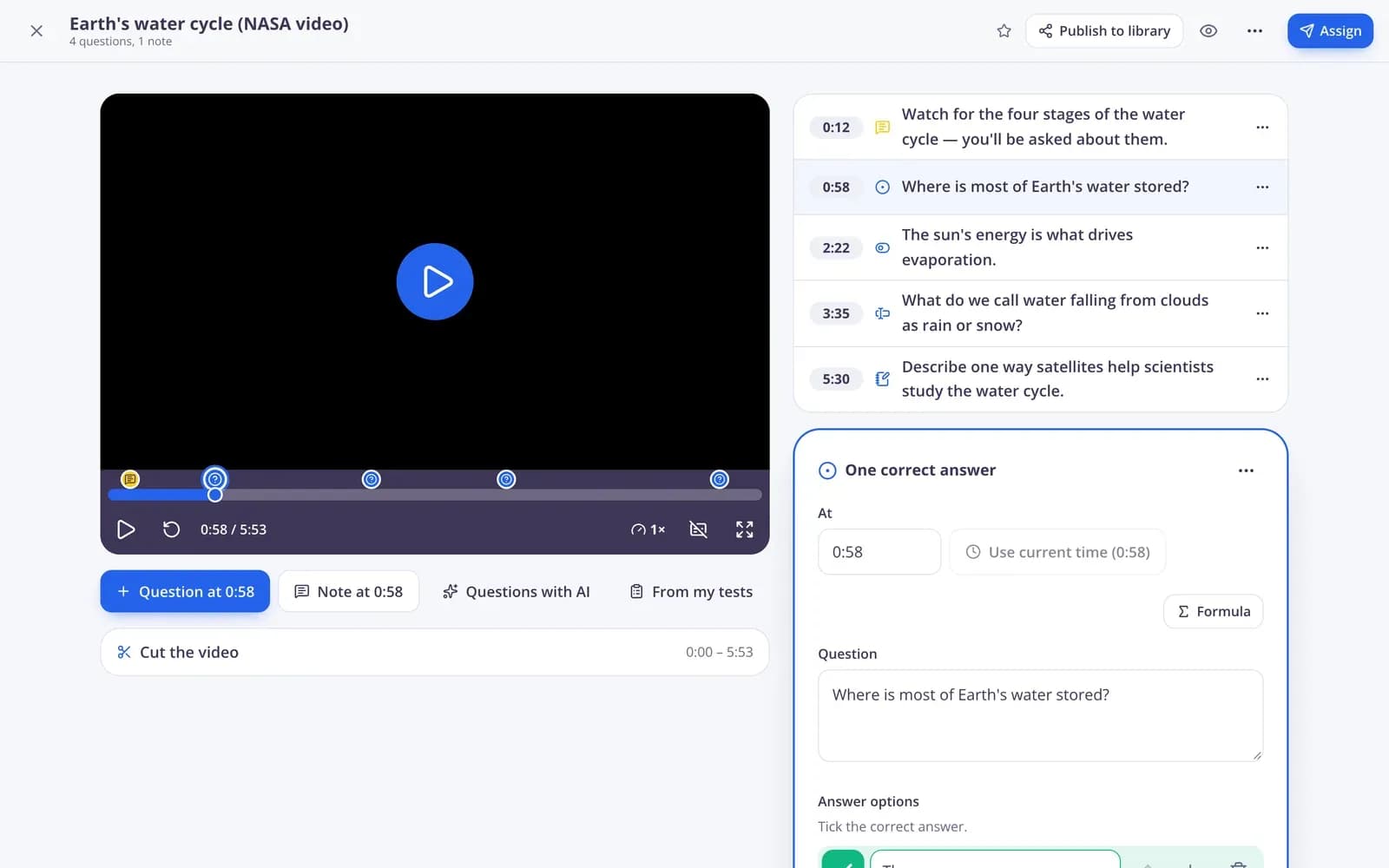
Edform helps social studies and history teachers turn content-heavy topics into active lessons. Add questions to YouTube or Vimeo clips so the video stops and students answer. Use ordering questions for timelines, matching for people and events, sorting for causes and effects, and picture questions for maps and sources. AI tools draft debate prompts, reading texts and DOK questions at different depths. When it's time to review, the same quiz becomes a quiz board, an escape room or a team game, and every answer goes into your reports.
How to build a history lesson with Edform
- 1
Start with a source
Pick a video clip, a reading text or a document and add questions at the moments that matter.
- 2
Make students think
Order events on a timeline, sort causes and effects, and add an open question to explain why.
- 3
Review as a game
Before the test, play the unit's quiz as a quiz board, escape room or team game.
Try it yourself
No sign-up needed — try it as a student
This is the real Edform player. Answer the questions and see how they're checked.
Timelines and sorting
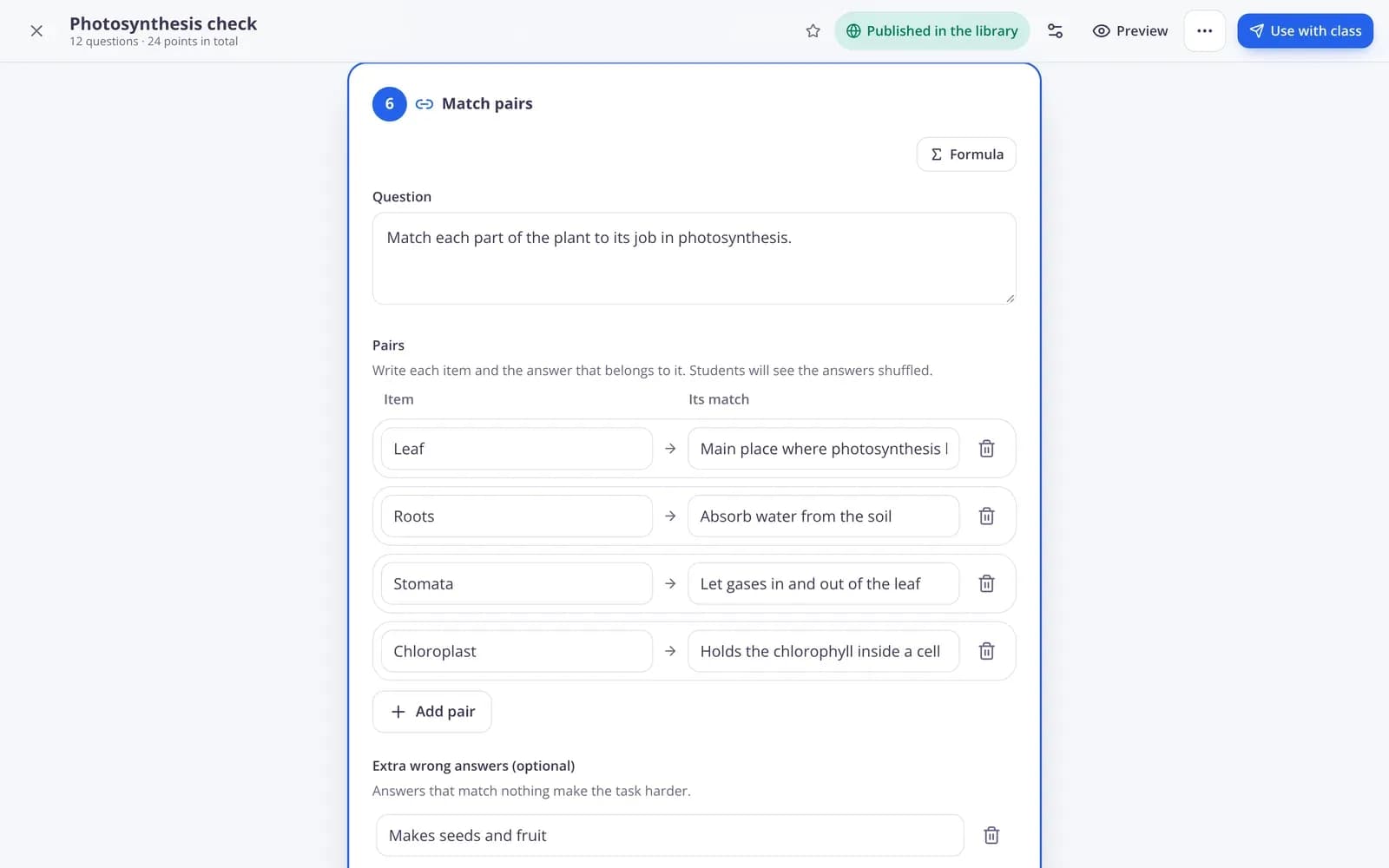
Question types made for social studies: put events in order, match leaders to countries, sort facts into categories.
- Ordering for timelines
- Matching and categorizing
- Pictures for maps and sources
Review games for the whole unit
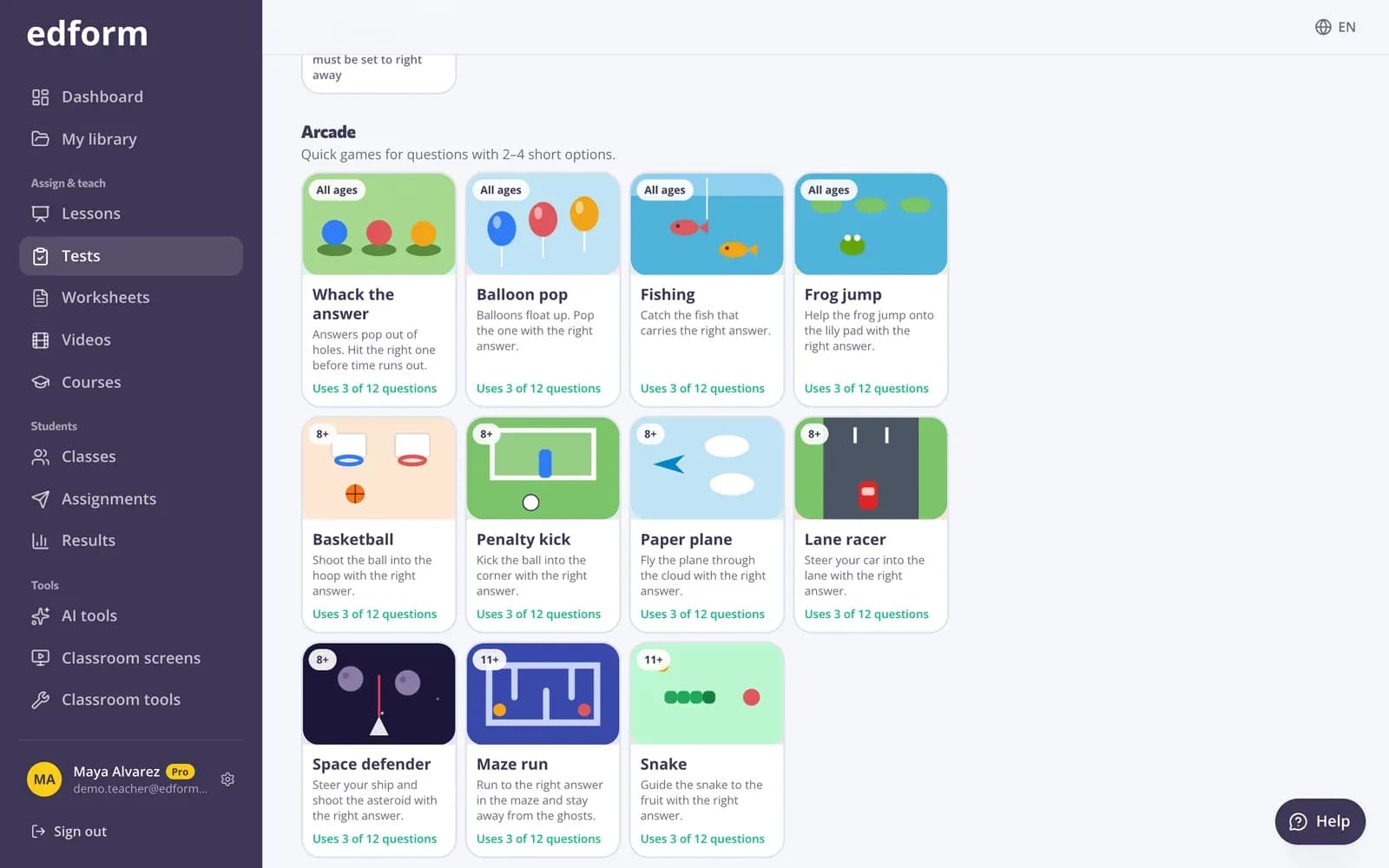
Turn the unit quiz into a quiz board with categories and values, an escape room or a board game.
- Quiz board and escape room
- Team game on one screen
- Every answer graded
AI for debates and deeper questions
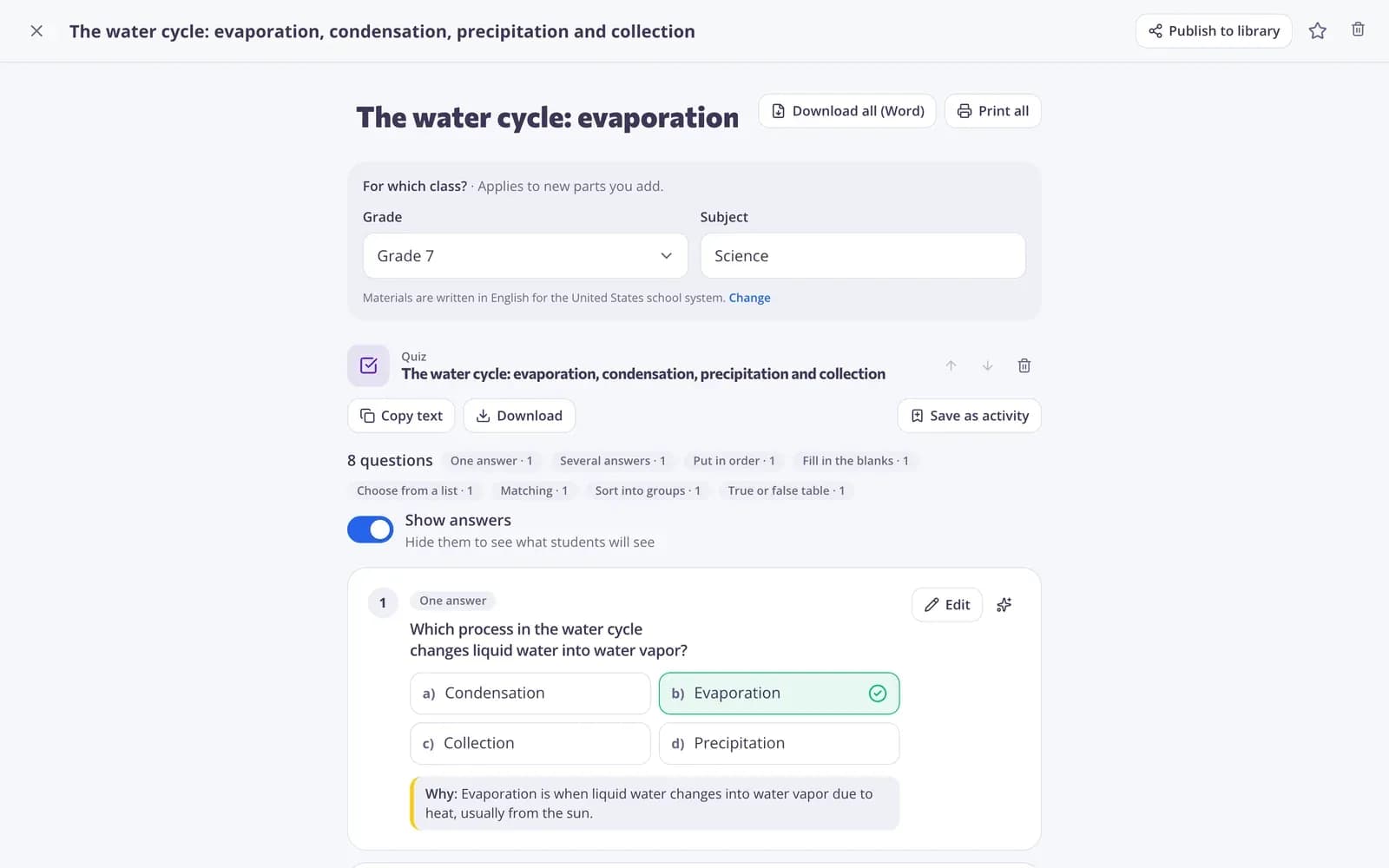
Draft debate topics with arguments for both sides, questions at each depth of knowledge level, or a reading text on any period.
- Debate prompts
- DOK questions
- Reading texts
Tools for social studies
Video lessons
Questions and notes pinned to moments in a clip; the video stops for each one.
Timeline ordering
Students drag events into the right order, graded automatically.
Debates
AI drafts motions and arguments for both sides. Uses AI points.
Review games
Quiz board, escape room, board game and team game from one quiz.
Reading texts
AI writes or levels a text on any period or topic.
Deeper questions
DOK questions from recall to extended thinking.
Social studies teachers use Edform for
- 01
Documentary clips
Students answer as they watch, not after they've forgotten.
- 02
Timelines
Order the events of a war, a revolution or an empire.
- 03
Current events
A poll or word cloud to open the discussion.
- 04
Unit review
A quiz board game the day before the test.
Explore more
- Video lessonsQuestions inside any video
- Quiz board gameA review board of questions and point values
- Escape room makerTurn a quiz into a digital escape room
- DebateDebate motions, arguments for and against, roles, a timetable and grading criteria.
- DOK questionsQuestions and tasks for all four Depth of Knowledge levels, with expected answers.
- Reading passageAn original, age-appropriate informational text for students to read in class.
Step-by-step guides
- Video lessonsAdd questions and notes to any video and see who watched and how they answered.
- Question typesEvery question type in Edform, when to use it and how it is marked.
- Game modesTurn any test into an arcade, word game, board or escape room.
- AI toolsCreate lesson plans, quizzes, slides and more with AI, then improve and use them.
Frequently asked questions
Can I add questions to a YouTube video?
Yes. Paste a YouTube or Vimeo link, cut the start and end, and place questions and notes at any moment. The video stops for each one.
How do I make a timeline activity?
Use an ordering question: list the events, and students drag them into the right order. It's graded automatically.
Can I use maps and historical sources?
Yes. Add pictures to any question, for example a map or a document, and ask about it.
What review games are there?
Any quiz can be played as a quiz board, escape room, board game, word games, arcade games or a team game on one screen.
Can AI help prepare a debate?
Yes. The debate tool drafts a motion, roles and arguments for both sides that you can edit. AI tools use AI points: 5 a month on Basic, 300 on Pro.
Is it free?
Yes. Every feature is on the free Basic plan; only AI usage has limits.
Bring your next history lesson to life
Free for teachers. Videos, timelines and games in one place.
- Free for teachers
- No credit card
- Works on any device