

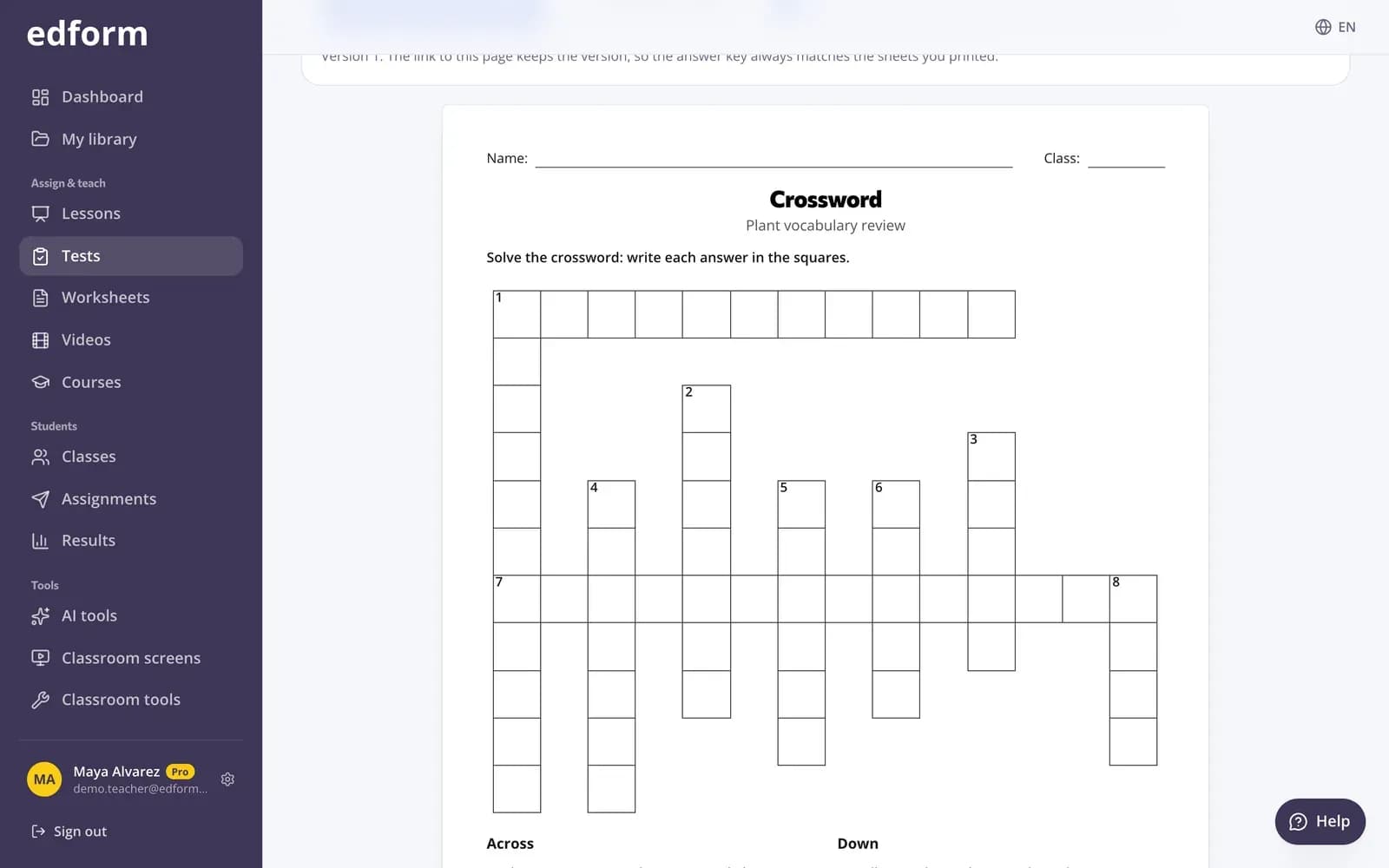
Izdrukājiet testu vai mīklu
1. solis: Atveriet “Drukāt”
Dodieties uz “Testi”, pie testa noklikšķiniet uz “Izmantot ar klasi” un izvēlieties “Drukāt”.
2. solis: Izvēlieties, ko drukāt
Sadaļā “Ko drukāt” izvēlieties “Visu testu”, “Krustvārdu mīklu”, “Vārdu meklēšanu”, “Saskaņošanu” vai “Izgriežamās kartītes”. Ja kādu no iespējām nevar izveidot no jūsu jautājumiem, tiks parādīts, kas tai ir vajadzīgs.
3. solis: Izveidojiet citu versiju
Noklikšķiniet uz “Cits variants”, lai iegūtu jaunu izkārtojumu; visam testam tiek sajauktas atbilžu izvēles. Lapas saite saglabā versiju, tāpēc atbilžu lapa vienmēr atbilst izdrukātajām lapām.
4. solis: Pievienojiet atbilžu lapu
Ieslēdziet “Atbilžu lapa”. Tā tiek izdrukāta atsevišķā lapā — jums, nevis skolēniem.
5. solis: Noklikšķiniet uz “Drukāt vai saglabāt kā PDF”
Atveras jūsu pārlūkprogrammas drukas logs. Izdrukājiet to vai izvēlieties saglabāt kā PDF.
Atkārtojiet ar kartītēm
1. solis: Atveriet “Kartītes”
Testa lapā izvēlieties “Kartītes”. Jautājums ir kartītes priekšpusē, bet pareizā atbilde — aizmugurē.
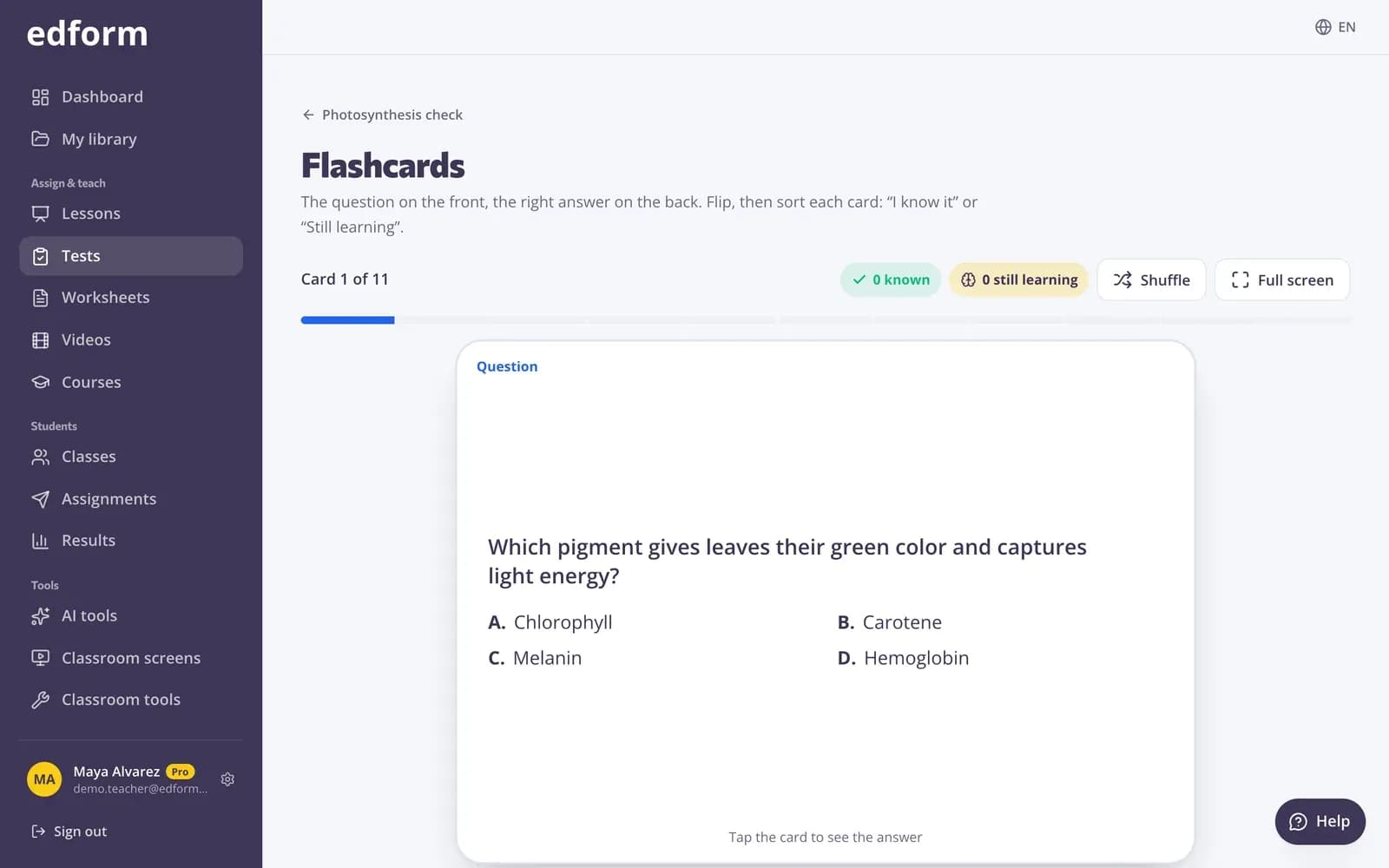
2. solis: Apgrieziet un sašķirojiet katru kartīti
Pieskarieties kartītei (vai nospiediet Space), lai to apgrieztu, pēc tam izvēlieties “Es to zinu” vai “Vēl jāmācās”. Telefonā pavelciet pa labi vai pa kreisi.
3. solis: Trenējieties ar to, kas palicis
Beigās trenējieties tikai ar kartītēm, kas vēl jāapgūst, vai sāciet no jauna ar visām kartītēm. “Sajaukt” sajauc komplektu, bet “Pilnekrāna režīms” aizpilda projektoru.
Spēlējiet pārus
1. solis: Atveriet “Pāri”
Testa lapā izvēlieties “Pāri”.
2. solis: Izvēlieties spēli un pāru skaitu
Izvēlieties “Savienot pārus” (visas kartītes ir ar attēlu uz augšu) vai “Atmiņas spēle” (kartītes ir ar attēlu uz leju), izvēlieties “Pāru skaits” un noklikšķiniet uz “Sākt”.
3. solis: Pārspējiet savu labāko laiku
Tiek skaitīts laiks un gājieni, un tiek parādīts jūsu labākais rezultāts, lai klase varētu mēģināt to pārspēt.
Jautājumi
Kuri jautājumi var kļūt par kartītēm?
Jautājumi ar pareizu atbildi. Aptaujas, vārdu mākoņi un atklātie jautājumi netiek iekļauti.
Kāpēc es nevaru izdrukāt krustvārdu mīklu?
Krustvārdu mīklai vajadzīgi vismaz trīs jautājumi, kuru atbilde ir viens vārds no 3 līdz 14 burtiem. Vārdu meklēšanai vajadzīgas vismaz divas vienvārda atbildes.
Kuri jautājumi darbojas pārī?
Īsās atbildes, skaitļa un vienas atbildes izvēles jautājumi. Nepieciešami vismaz divi šādi jautājumi ar dažādām atbildēm.
Ar ko tas atšķiras no Classroom tools drukājamajiem materiāliem?
Tie tiek veidoti no jūsu testa jautājumiem. Classroom tools drukājamie materiāli tiek veidoti no vārdiem vai nosaukumiem, ko ievadāt jūs.
Saistītie
- Izdrukājamas viktorīnasIzdrukājiet jebkuru viktorīnu ar atbilstošu atbilžu lapu
- Atmiņas kartītesPārveidojiet jebkuru viktorīnu par atmiņas kartītēm klases atkārtošanai
- Klase bez ierīcēmSpēles, stunda un izdrukas ar vienu projektoru
- Klases rīkiIzmantojiet taimeri, vārdu izvēli, trokšņa mērītāju un drukājamus rīkus stundā.
- Komandu spēleSpēlējiet viktorīnu vienā ekrānā ar komandām, spēles laukumu un bez skolēnu ierīcēm.