


Team quiz game
A team quiz game on one screen
No phones, no logins. Split the class into teams, put the board on the projector and let teams take turns answering out loud. You show the answer and give the points.
- 2–6 teams, 5 game boards
- No student devices needed
- Free for teachers
What is the Edform team game?
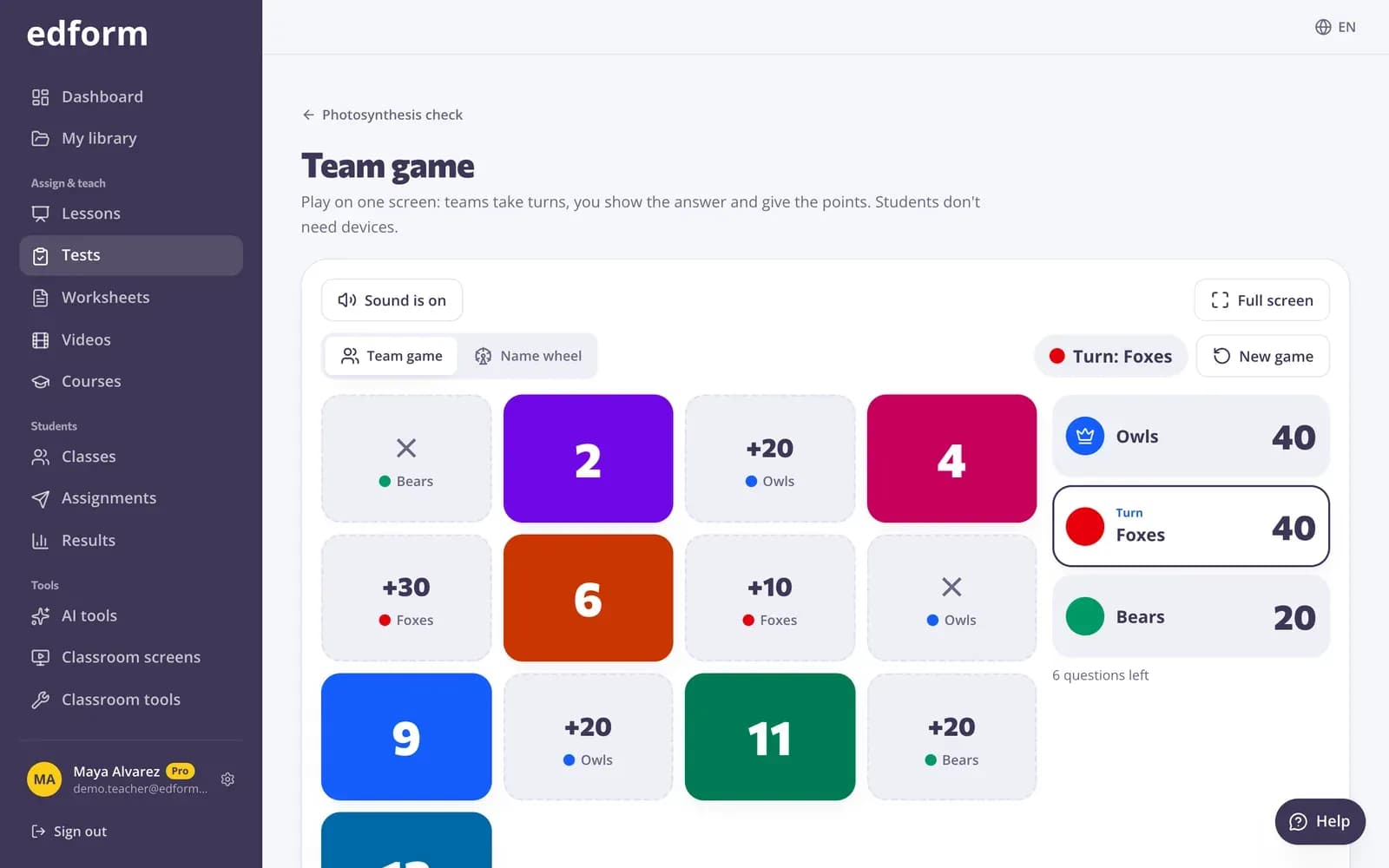
Edform's team game turns any quiz into a whole-class game on one screen. Teams take turns picking a tile, opening a chest, spinning the wheel or winning a square in Connect Four or tic-tac-toe. The question appears on the board, the team answers out loud, and you show the answer and mark it right or wrong. Surprises like double points, steal and swap scores keep teams that are behind in the game, and an optional timer keeps it moving. Students need no devices or accounts — only your projector and your quiz.
Edform at a glance
- Price
- Free for teachers: Basic is free forever, with no credit card, and includes every feature.
- AI tools
- AI teacher tools with 5 AI points a month on Basic and 300 a month on Pro.
- Students
- Students join with a code. They need no email address and no account.
- Grading
- Quizzes and worksheets are graded automatically, with results per student and per question.
- Devices
- Runs in the browser on laptops, tablets, phones and interactive boards. Nothing to install.
- Languages
- Available in 32 languages.
- Works with
- Google Classroom, Microsoft Teams, ClassLink and learning platforms that support LTI 1.3.
- Library
- A free library of ready-made quizzes, worksheets and lessons that teachers can copy and edit.
How to play the team game
- 1
Open the team game
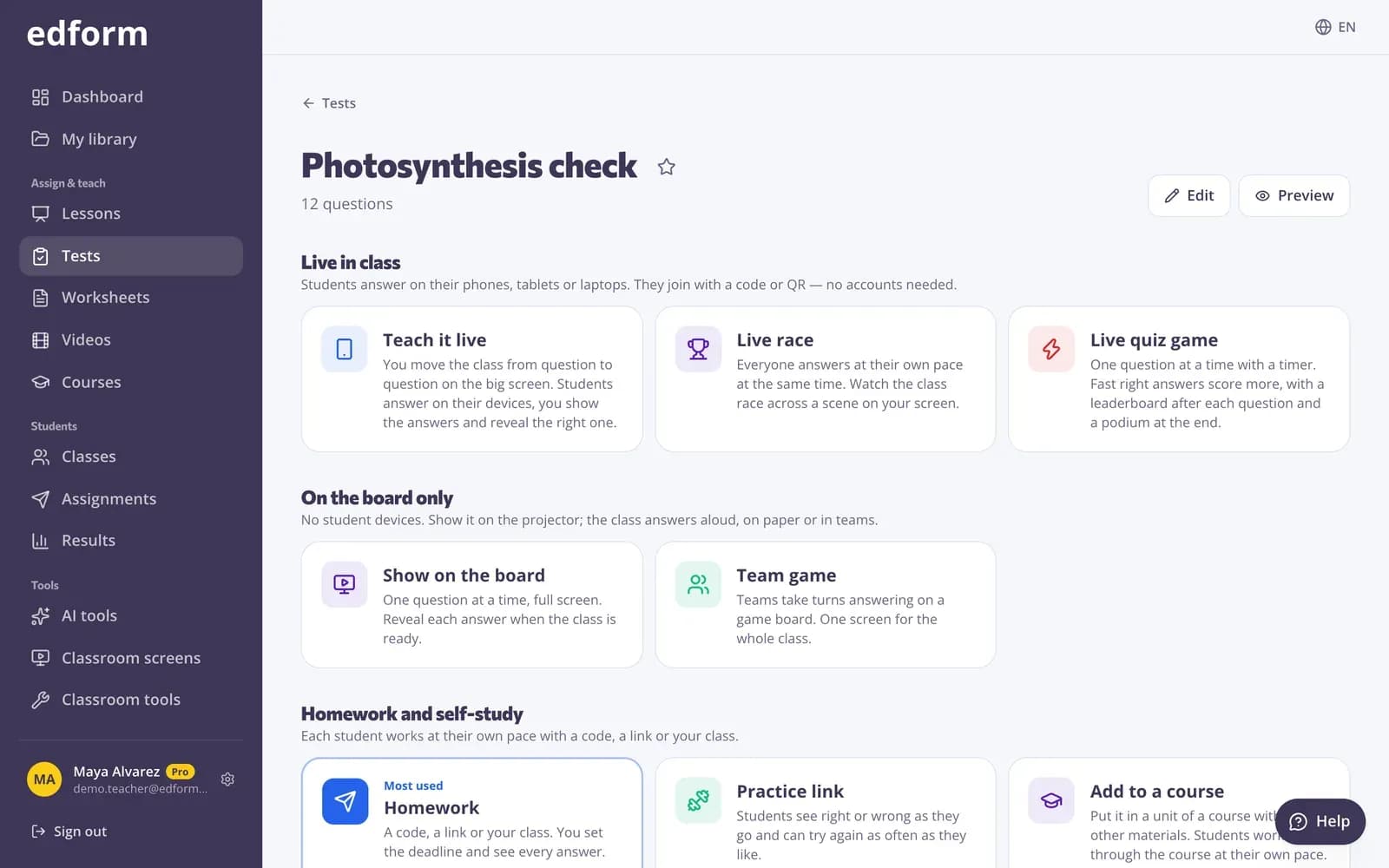
On a quiz's Use with class page choose Team game.
- 2
Set up the teams
Pick a board, the number of teams, their names and colours, a time per question and whether to use surprises. Then press Start the game.
- 3
Play in turns
The team whose turn it is picks a tile. Show the answer, mark it right or wrong, and the next team plays.
Try it yourself
Play a game made from a quiz
Same questions, different games. Pick one and play.
Ready from any quiz
The team game sits on the same page as homework and the live game. There's nothing to build: pick a board and the questions come from your quiz.
- Tiles, chests and a wheel
- Connect Four and tic-tac-toe for two teams
- Show or hide the answer options
Pick who answers with the name wheel
Switch to the name wheel to choose who speaks for the team. It uses your class list and leaves out students marked absent today.
- Uses your class roster
- Absent students left out
- No repeats if you like
Built for the front of the room
Five boards
Numbered tiles with points, treasure chests, a spinning wheel, Connect Four and tic-tac-toe.
Surprises
Double points, steal, swap scores, a bonus or minus ten: teams that are behind can still catch up.
Time per question
Pick a time limit for each answer, or play without a timer.
Answers in their own words
Hide the answer options so teams have to answer from memory.
Keyboard shortcuts
Space shows the answer, 1 marks it right and 2 marks it wrong — no hunting for buttons.
Rounds and winners
Play another round with the same teams; two-team boards keep count of rounds won.
Teachers use it for
- 01
Classrooms without devices
A full game with just a projector or an interactive whiteboard.
- 02
Review before a test
Teams talk through each answer, so everyone hears the reasoning.
- 03
Substitute lessons
An easy, engaging plan that runs from any quiz.
- 04
End of term
A friendly competition that still reviews the year's topics.
Explore more
- Classroom gamesLive quiz, race, team and arcade review games
- Live quiz gameA timed quiz show with points, a leaderboard and a podium
- Quiz board gameA review board of questions and point values
- No-device classroomGames, lessons and printables with one projector
- Random name pickerFairly picks who answers next from your class list — skips absent students and repeats.
- ScoreboardA big team scoreboard for quizzes and classroom games — up to eight teams.
Frequently asked questions
Do students need devices?
No. Everything happens on your screen. Teams answer out loud and you mark each answer right or wrong.
How many teams can play?
Two to six on tiles, chests and the wheel. Connect Four and tic-tac-toe are for two teams.
Which questions can I use?
Any question with a right answer from your quiz. Polls and word clouds are left out.
Are the scores saved in my reports?
No. The team game is for playing together in the room, so nobody is graded individually. For graded results, use homework or a live game.
Can teams play on their own devices instead?
Yes, in the live game: choose In teams and each student's progress counts for their team on your screen.
Play your first team game
Free for teachers. All you need is a quiz and a projector.
- Free for teachers
- No credit card
- Works on any device