


For teachers
Every teaching tool you use, in one free place
Write questions once and use them as homework, a live game, a lesson or a printout. Plan with AI, run your class from a classroom screen and see who needs help, without juggling five different websites.
- Quizzes, games, lessons and AI in one account
- Students join with a code, no email needed
- Free for teachers
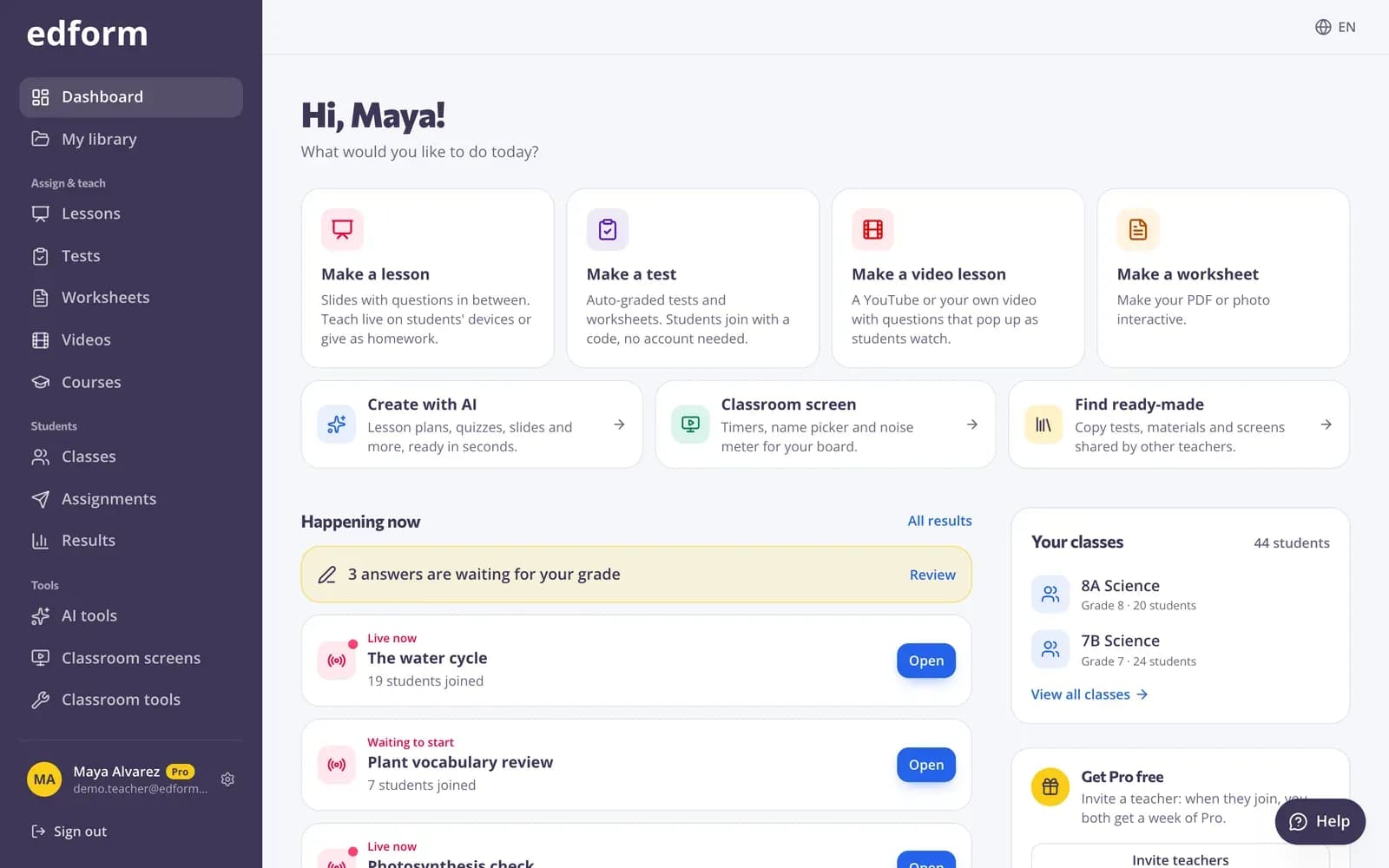
What is Edform for teachers?
Edform is a free, all-in-one set of online teaching tools for teachers. It brings together what you reach for every week: a quiz maker with automatic grading, interactive worksheets made from your PDFs, classroom games, slide lessons with questions, interactive video, AI tools for planning and writing, and a classroom screen with timers and name pickers. Everything shares one set of questions and one set of reports, so a quiz you write on Monday can become homework, a team game and a printed review sheet without copying anything.
Edform at a glance
- Price
- Free for teachers: Basic is free forever, with no credit card, and includes every feature.
- AI tools
- AI teacher tools with 5 AI points a month on Basic and 300 a month on Pro.
- Students
- Students join with a code. They need no email address and no account.
- Grading
- Quizzes and worksheets are graded automatically, with results per student and per question.
- Devices
- Runs in the browser on laptops, tablets, phones and interactive boards. Nothing to install.
- Languages
- Available in 32 languages.
- Works with
- Google Classroom, Microsoft Teams, ClassLink and learning platforms that support LTI 1.3.
- Library
- A free library of ready-made quizzes, worksheets and lessons that teachers can copy and edit.
How to get started with Edform
- 1
Sign up and tell us what you teach
Choose your language and school system once. AI tools and templates use them from then on, and you can change them in Settings.
- 2
Make your first activity
Write a quiz, upload a worksheet, build a lesson or ask an AI tool for a first draft. The dashboard shows you where to start.
- 3
Share it and watch the results arrive
Students join with a code, a link or a QR code. Your dashboard shows what's running now, who has handed in and what needs grading.
Try it yourself
No sign-up needed — try it as a student
This is the real Edform player. Answer the questions and see how they're checked.
One set of questions, every way to teach
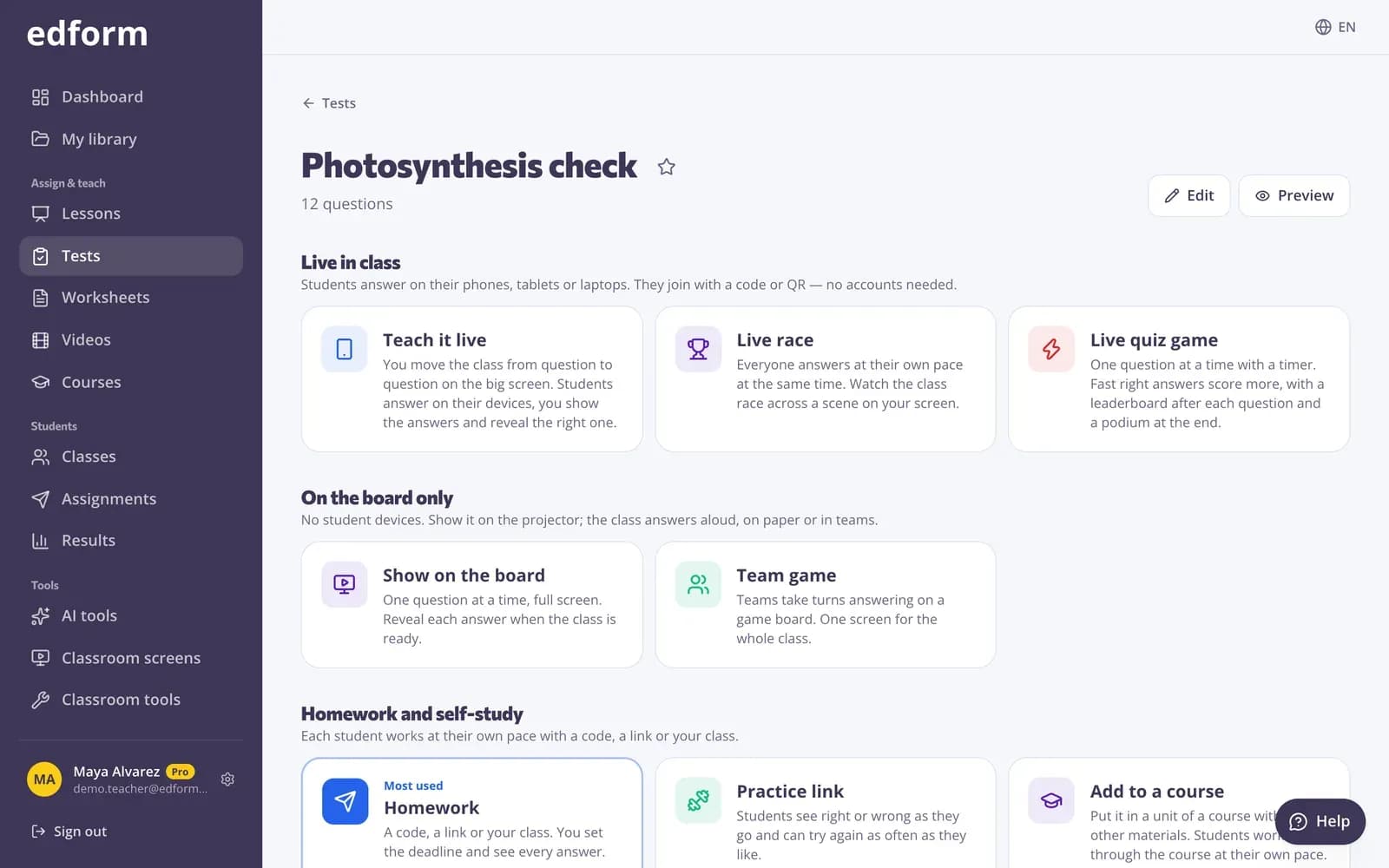
Open any quiz and choose how to use it: homework with a deadline, a live game, a team game on one screen, one of 27 game modes, flashcards or a printout with an answer key. You never type the questions twice.
- Homework, live game or team game
- 27 game modes from the same questions
- Printables and flashcards
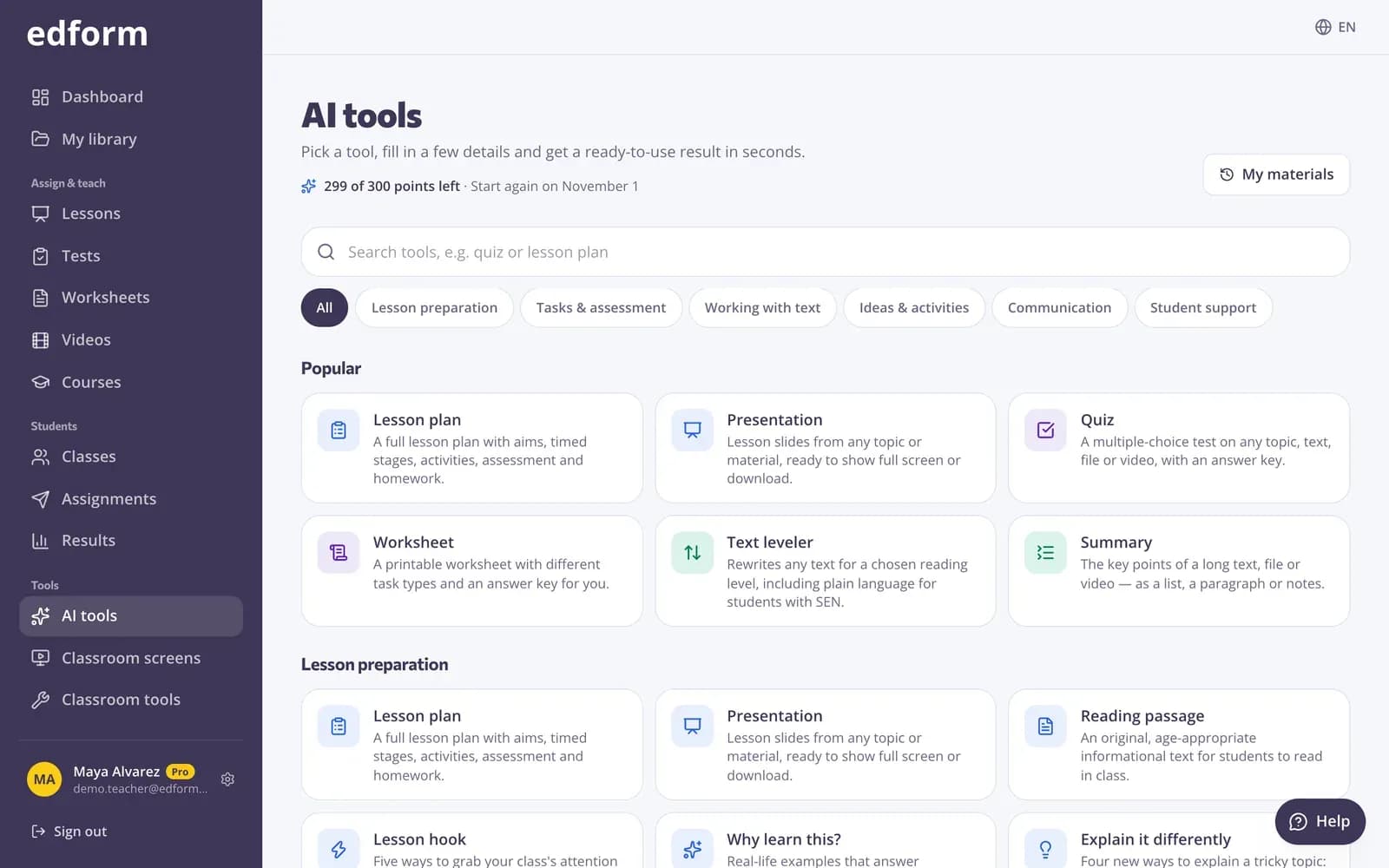
AI that drafts, while you decide
Dozens of AI tools write lesson plans, quizzes, rubrics, parent letters and more in your language and for your school system. Edit the result, refine it with one click, export it to Word or turn an AI quiz into a graded activity.
- Lesson plans, quizzes, rubrics and letters
- Start from a topic, text, file, photo or YouTube video
- Save AI quizzes as graded activities
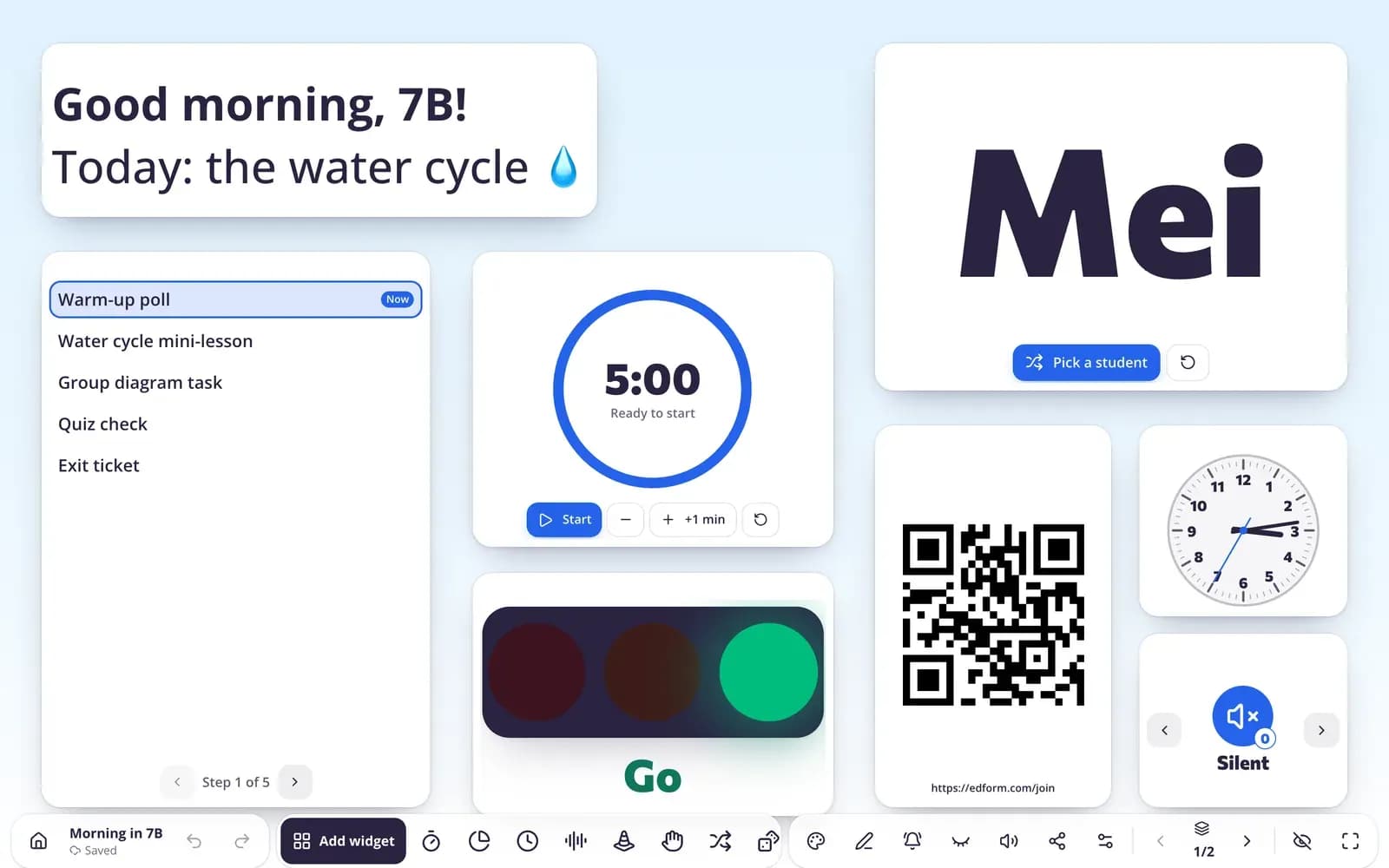
A classroom screen for your projector
Put a timer, a name picker, a noise meter, instructions and a poll on one screen. Save screens in sets for each lesson, or start from 195 ready-made templates for every age group.
- More than 30 widgets
- Templates from Pre-K to grade 12
- Students can answer polls on their devices
What you get with Edform
Quizzes that grade themselves
13 question types graded instantly, with partial credit. Open answers wait for you with a rubric.
Classroom games
Live games, a team game on one screen and 27 game modes, all played with the questions you already wrote.
Interactive lessons
Slides with questions students answer on their devices while you teach, or at home at their own pace.
AI teacher tools
Lesson plans, worksheets, rubrics, sub plans and parent letters in seconds, ready to edit.
Classroom screen
Timers, name pickers, a noise meter and polls for your projector, with templates for every age group.
Clear reports
Scores per student and per question, the most common wrong answers and a CSV export for your gradebook.
Teachers use Edform for
- 01
Homework that grades itself
Set it once with a deadline and spend the evening on feedback instead of marking.
- 02
Friday review games
Turn this week's quiz into a live race or a team game without extra preparation.
- 03
Lesson planning
Draft a lesson plan, slides and an exit ticket with AI, then adjust them to your class.
- 04
Starting class on time
A start-of-class screen with the agenda, a timer and a warm-up question ready when students walk in.
Explore more
- Google ClassroomImport classes and share homework to Classroom
- Quiz makerAuto-graded quizzes, tests and homework
- Classroom gamesLive quiz, race, team and arcade review games
- Interactive lessonsSlides with live questions and polls
- AI toolsLesson plans, quizzes and more in seconds
- Classroom screenTimers, name pickers and more on the board
- For schoolsTeacher seats, student sign-in and flyers for families
Step-by-step guides
- Getting startedCreate your free teacher account and find your way around Edform.
- Create a classMake a class, share the class code and add students from a list.
- Create a quizMake a test with any mix of question types, preview it and use it with your class.
- AI toolsCreate lesson plans, quizzes, slides and more with AI, then improve and use them.
Frequently asked questions
Is Edform really free for teachers?
Yes. Every feature is free for teachers today: quizzes, worksheets, games, lessons, video, AI tools and classroom screens. A Pro plan exists for teachers who want to support Edform, but it doesn't unlock anything extra right now.
Do my students need accounts?
No. Students can join with a code and type their name. If you want results saved to student accounts, create usernames and passwords for your class. No email address is needed.
Can I check understanding during a lesson?
Yes. Ask questions inside a live lesson and watch the answers arrive, run a poll or word cloud on the classroom screen, or end class with an exit ticket. Reports show the percentage correct for each question and the most common wrong answers, so you know what to revisit.
How does Edform support students who need extra help?
Turn on read-aloud so a speaker button reads each question and its answers. From the results, give one student extra time, a later deadline or another attempt without changing the class settings. AI tools can also rewrite a text for a lower reading level.
How do I keep classes and homework organized?
Create a class, then give it homework with a deadline. Your dashboard shows what's running now, who has handed in and what still needs grading, and Results keeps every class's scores in one gradebook.
Can my students sign in with Google?
Yes. Teachers and students can sign in with their Google accounts. Students without email get a username and password from their teacher.
Which devices does it work on?
Any device with a modern browser: phones, tablets, Chromebooks and laptops. There's nothing to install, and you can add Edform to your home screen like an app.
Can I use materials other teachers made?
Yes. The community library has quizzes, worksheets, lessons, video lessons, lesson plans and classroom screens published by teachers. Search by topic — it understands what you mean, even across languages — filter by subject, grade and language, press “Use this” to copy one into your account and change anything you like.
Does Edform work with Google Classroom?
Yes. Import your Google Classroom classes with all their students, sync new students with one click, and share any homework to Classroom: press Share to Classroom: Google Classroom's share window opens with the title, the link and the join code filled in, so you pick the class and post. Edform never changes anything in Classroom.
Google Classroom is a trademark of Google LLC. Microsoft and Microsoft Teams are trademarks of the Microsoft group of companies.
Bring your teaching tools together
Free for teachers. Set up in a minute, and your students join with a code.
- Free for teachers
- No credit card
- Works on any device