 Google Classroom integration
Edform works with Google Classroom
Bring your Google Classroom classes into Edform with all their students, keep them in sync, and post any homework back to Classroom as a ready-made assignment.
- Import a whole class in one click
- Sync new students anytime
- Share to Classroom from every homework
How does Edform work with Google Classroom?
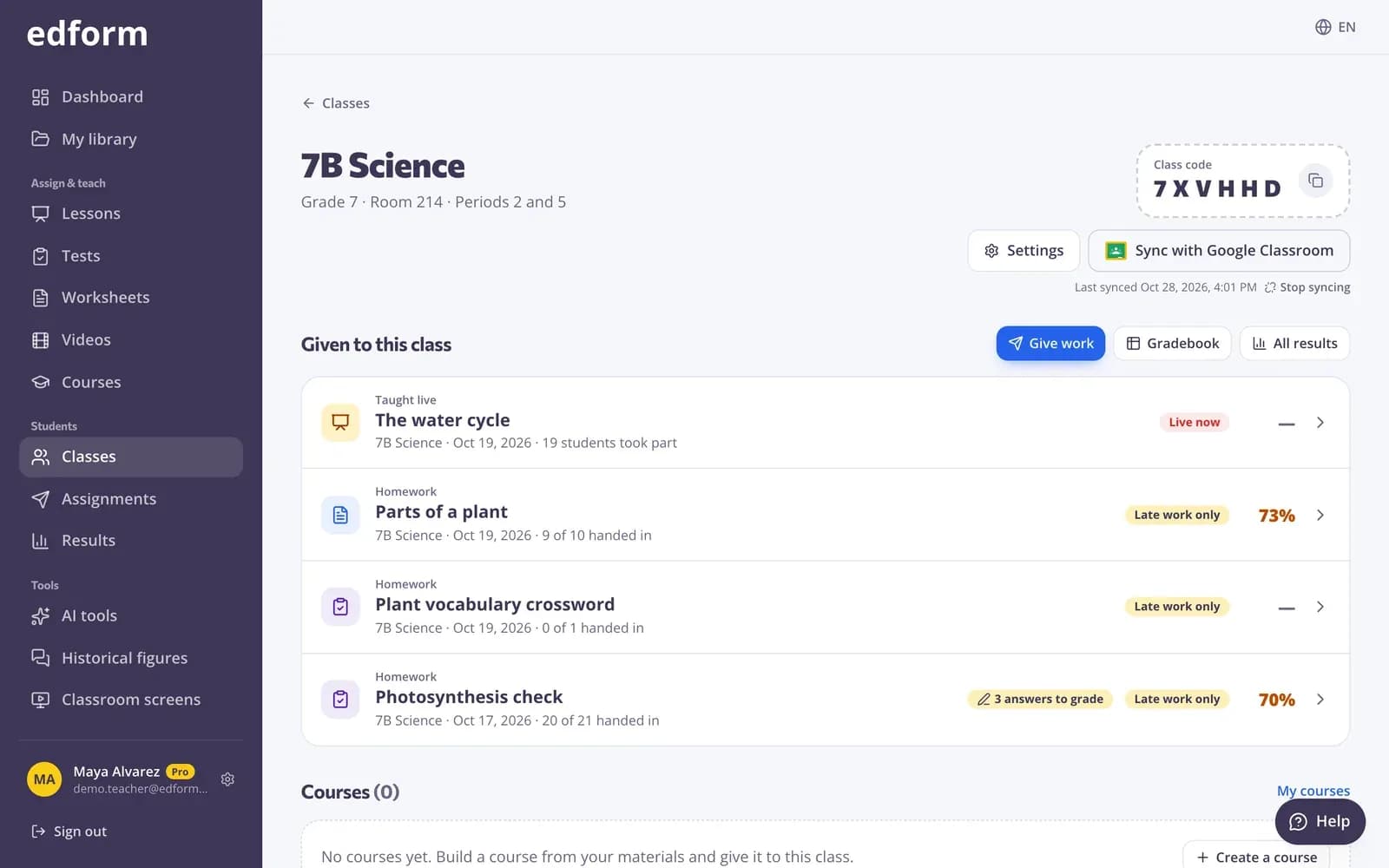
Edform connects to Google Classroom in two directions. Rosters come in: press Import from Google Classroom, sign in with your school Google account and pick a class. Edform creates the class with every student, and Sync with Google Classroom brings in students who join later or change their name, without adding anyone twice. Work goes out: every homework you give — a quiz, game, worksheet, lesson or video — and every course has a Share to Classroom button. It opens Classroom's own share window with the title, the link and the join code filled in, so you only pick the class and post. Edform only reads your classes and your students' names and emails. It never changes anything in Classroom, and scores stay in Edform's reports and gradebook.
How to use Edform with Google Classroom
- 1
Import your class
On Classes, press Import from Google Classroom, allow Edform to read your classes, choose a grade level and pick a class. Its students are added at once.
- 2
Invite your students
Press Email invitations. Each student gets an email and joins by signing in to Edform with their school Google account.
- 3
Share to Classroom
Give homework, press Share to Classroom, pick the class and post. Students open it from their Classroom stream.
Try it yourself
No sign-up needed — try it as a student
This is the real Edform player. Answer the questions and see how they're checked.
Your Classroom classes, in Edform
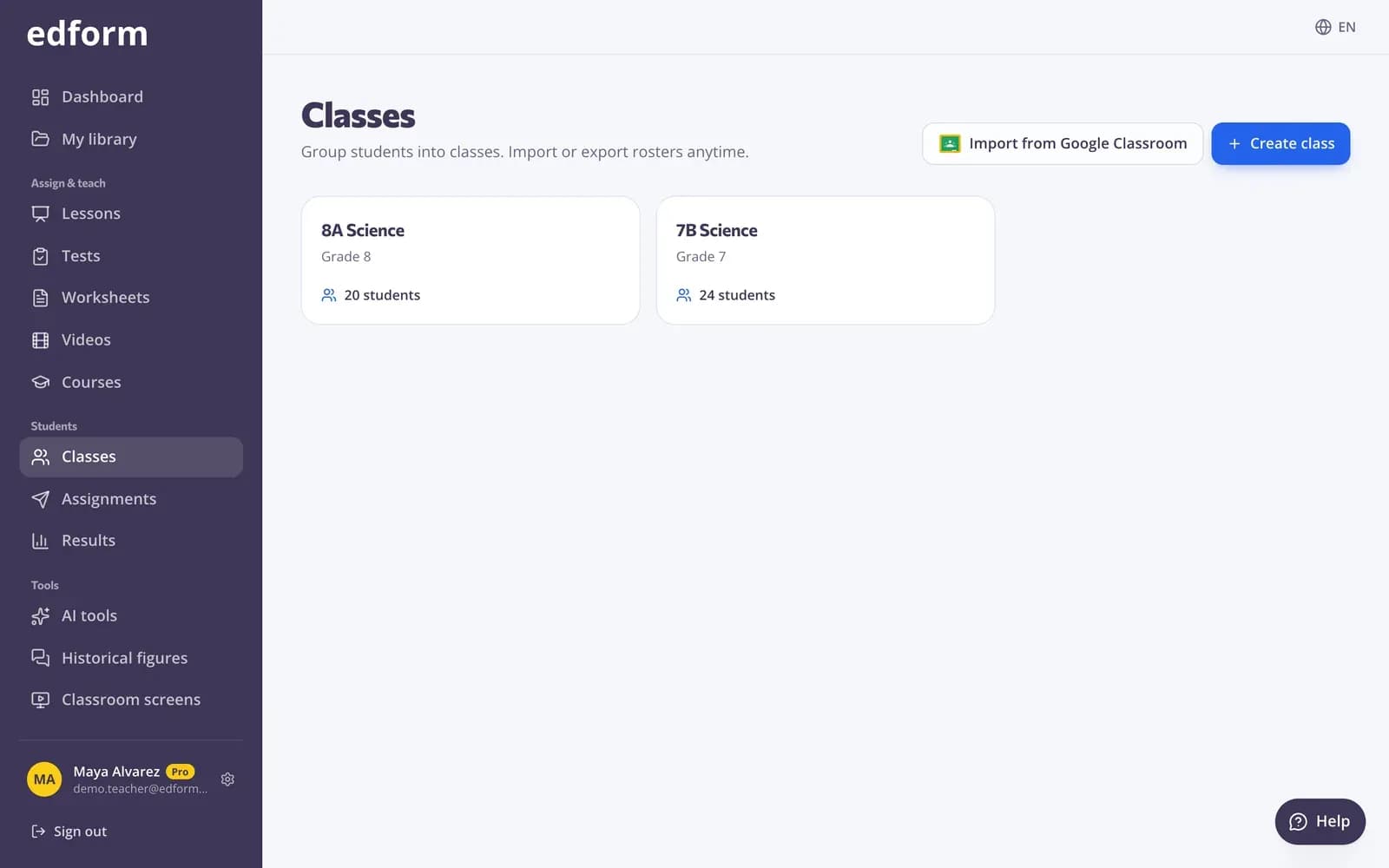
One button lists the active classes you teach in Google Classroom. Pick one and Edform creates the class with all its students. A class you imported before opens instead of being made twice.
- Every active class you teach
- A whole class in one click
- No duplicate classes
Students join with their school account
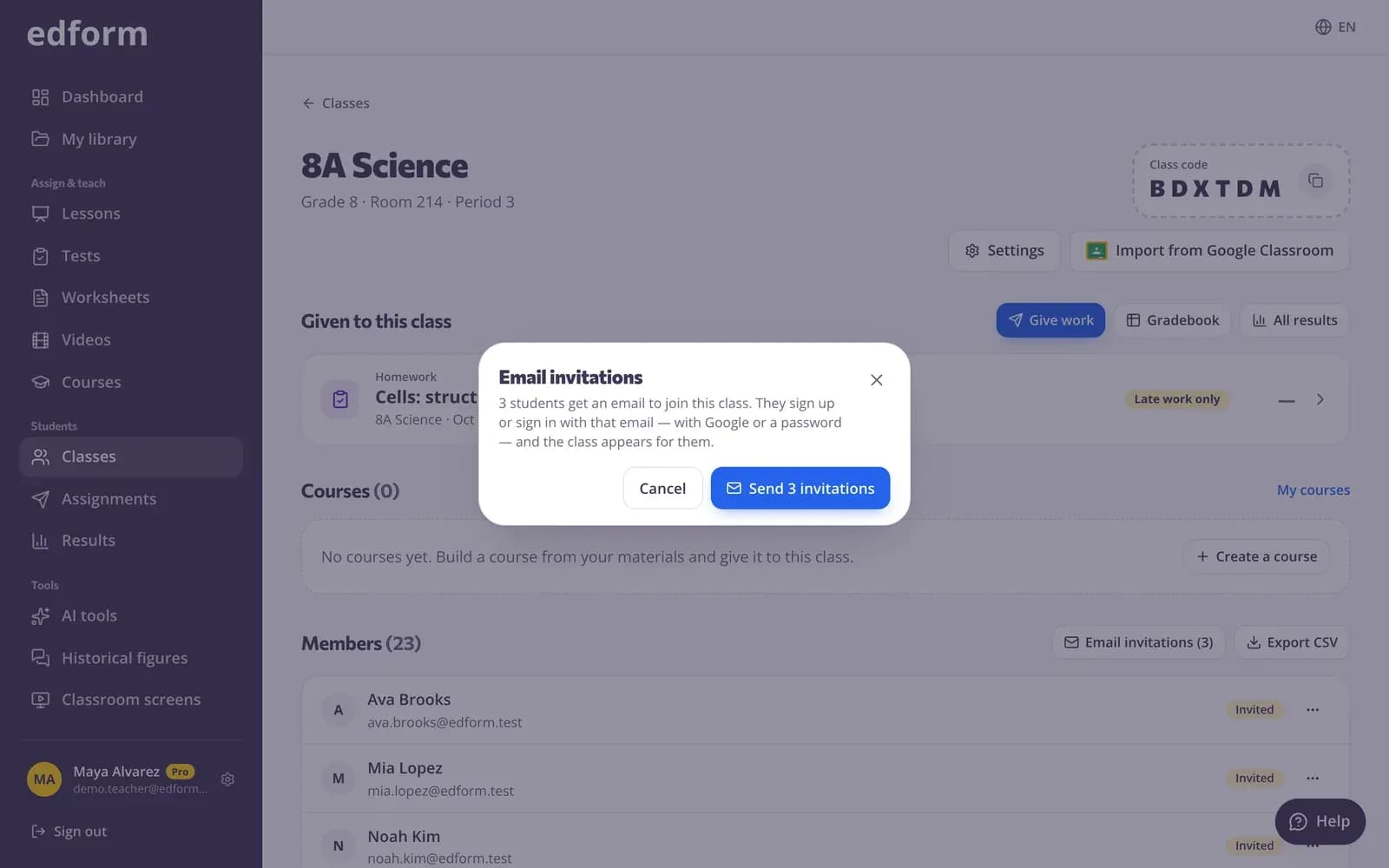
Imported students get a place under their school email. Email invitations tell them to sign in with that address — with Google in one click — and the class is theirs. Sync with Google Classroom adds new students later; students already in the class are matched by email, so nobody appears twice.
- Invitation email in one click
- Sign in with Google
- Nobody added twice
Share any homework to Classroom
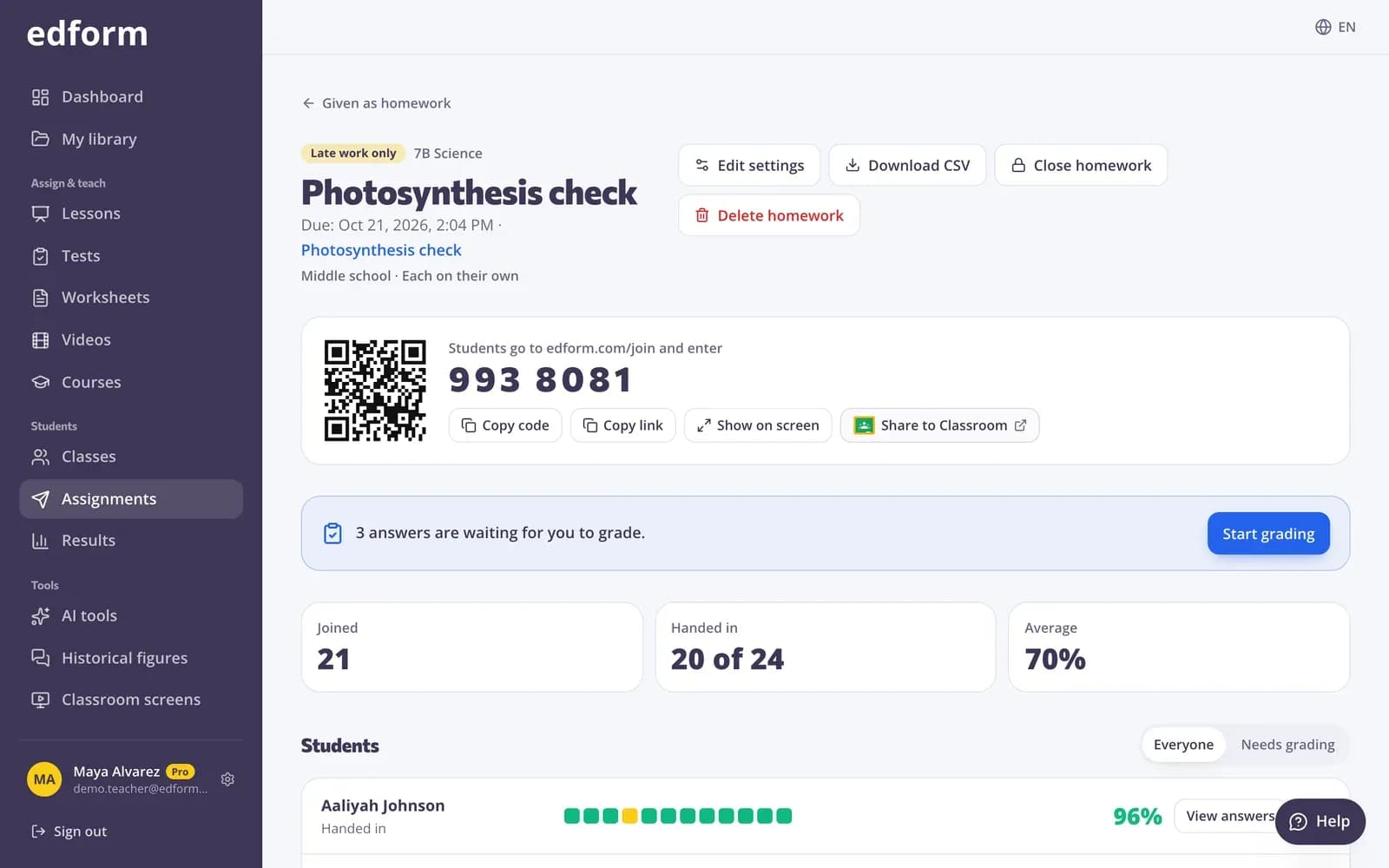
Share to Classroom opens Google Classroom's share window with an assignment ready: the title, the link and the join code. Pick the class, add a due date in Classroom if you like, and post.
- Title, link and code filled in
- Every kind of homework and courses
- Students open it from Classroom
Everything you need to use both
One-click class import
Pick a Google Classroom class and Edform creates it with every student's name and school email.
Sync anytime
Sync with Google Classroom adds new students and updates changed names and emails. Nobody is removed without you.
No duplicates
Students already in the class — from a list, a CSV or the class code — are matched by email and never added twice.
Email invitations
Students who haven't joined yet get an email telling them to sign in with their school address.
Share to Classroom
Every homework and course link has the official Share to Classroom button, with the title, link and code filled in.
Read-only and private
Edform only reads class names, student names and emails. It never changes anything in Classroom; posting is always your own click.
Teachers use it to
- 01
Start the school year fast
Import every class you teach in minutes instead of typing names.
- 02
Keep one roster
Classroom stays the list of who is in the class; Edform follows it with one click.
- 03
Post homework where students look
Quizzes, games and worksheets appear in the Classroom stream students already check.
- 04
Schools on Google Workspace
Students sign in with the same school Google account they use for Classroom.
Explore more
- Join with a codeStudents type a code — no account needed
- Online homeworkGive homework with a code and a deadline
- Student logins without emailUsernames and passwords for students without email
- Quiz makerAuto-graded quizzes, tests and homework
- Interactive worksheetsTurn any PDF into an online worksheet
- Distance learningHomework, video and live lessons for students learning from home
Frequently asked questions
Is the Google Classroom integration free?
Yes. Importing classes, syncing rosters, email invitations and Share to Classroom are free for teachers, like every Edform feature.
What does Edform see in my Google Classroom?
The active classes you teach (name, section and room) and their students' names and email addresses. Edform asks only for read-only access and never changes anything in Classroom. You can remove its access anytime in your Google account settings.
Do students need an Edform account?
To save results to the class, yes — and it takes one click: they sign in with Google using the school email the class was imported with, and the place is theirs. Homework you share to Classroom can also be opened with just the link and a name, unless you limit it to your class.
What happens when students join or leave the Classroom class?
Press Sync with Google Classroom: new students are added and changed names or emails are updated. Students who left Classroom stay in Edform with their results, so you decide whether to remove them.
Do scores go back to Google Classroom?
No, scores stay in Edform: every homework has a report and every class a gradebook, and you can export results as a CSV file.
Can I share live games to Classroom?
Share to Classroom is on homework and courses — links students open on their own time. Live games run during the lesson with a PIN and a QR code on your screen.
Google says my school blocks this app. What can I do?
Some schools allow only approved apps to read Google Classroom. Ask your Google Workspace administrator to allow Edform, or use another Google account that teaches the class.
Google Classroom is a trademark of Google LLC.
Bring your Google Classroom classes to Edform
Free for teachers. Import a class, invite your students and share your first homework in minutes.
- Free for teachers
- No credit card
- Works on any device