Summer learning
Keep learning going over the summer
Put review videos, practice quizzes and games in one course and share a single link. Students work through it at home, and you can see who kept going.
- One link for the whole summer
- Games students want to play
- Free for teachers
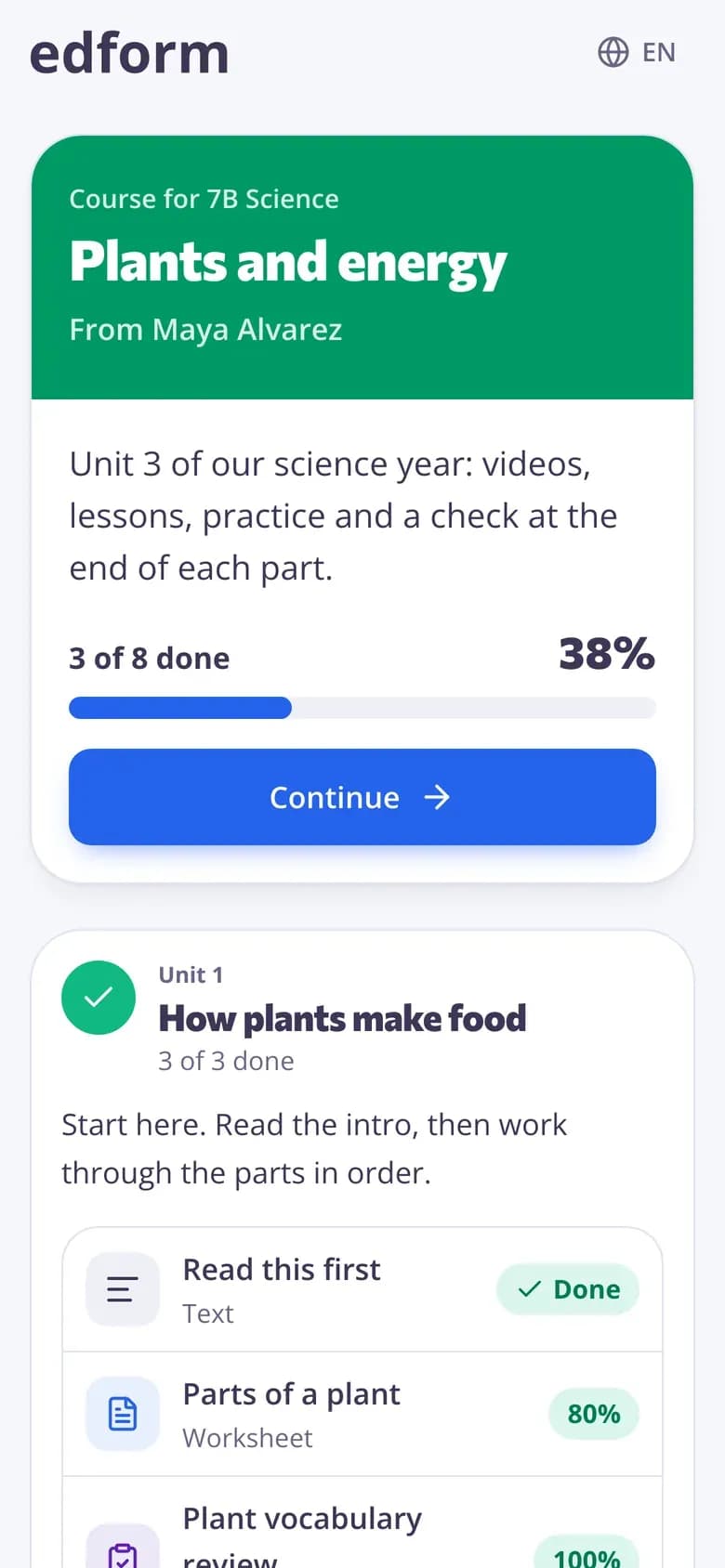
How do you set up summer learning with Edform?
Summer learning works best when it's simple for families: one link, short activities and something that feels like play. In Edform you build an online course with a unit per week, add your quizzes, worksheets, lessons and video lessons — or copy free activities from the community library — and turn on an open link. Students join with a code or QR code and type a name, no account needed, and one Continue button takes them to the next activity. Quizzes are graded automatically and can be played as games, and the progress table shows who is keeping up.
How to set up a summer course
- 1
Plan the weeks
Make a course with one unit per week of the break, each with two or three short activities.
- 2
Fill it
Add your own materials or copy free activities from the community library, then add a welcome note.
- 3
Share one link
Turn on the open link and send families the link, code or QR code before school ends.
Try it yourself
No sign-up needed — try it as a student
This is the real Edform player. Answer the questions and see how they're checked.
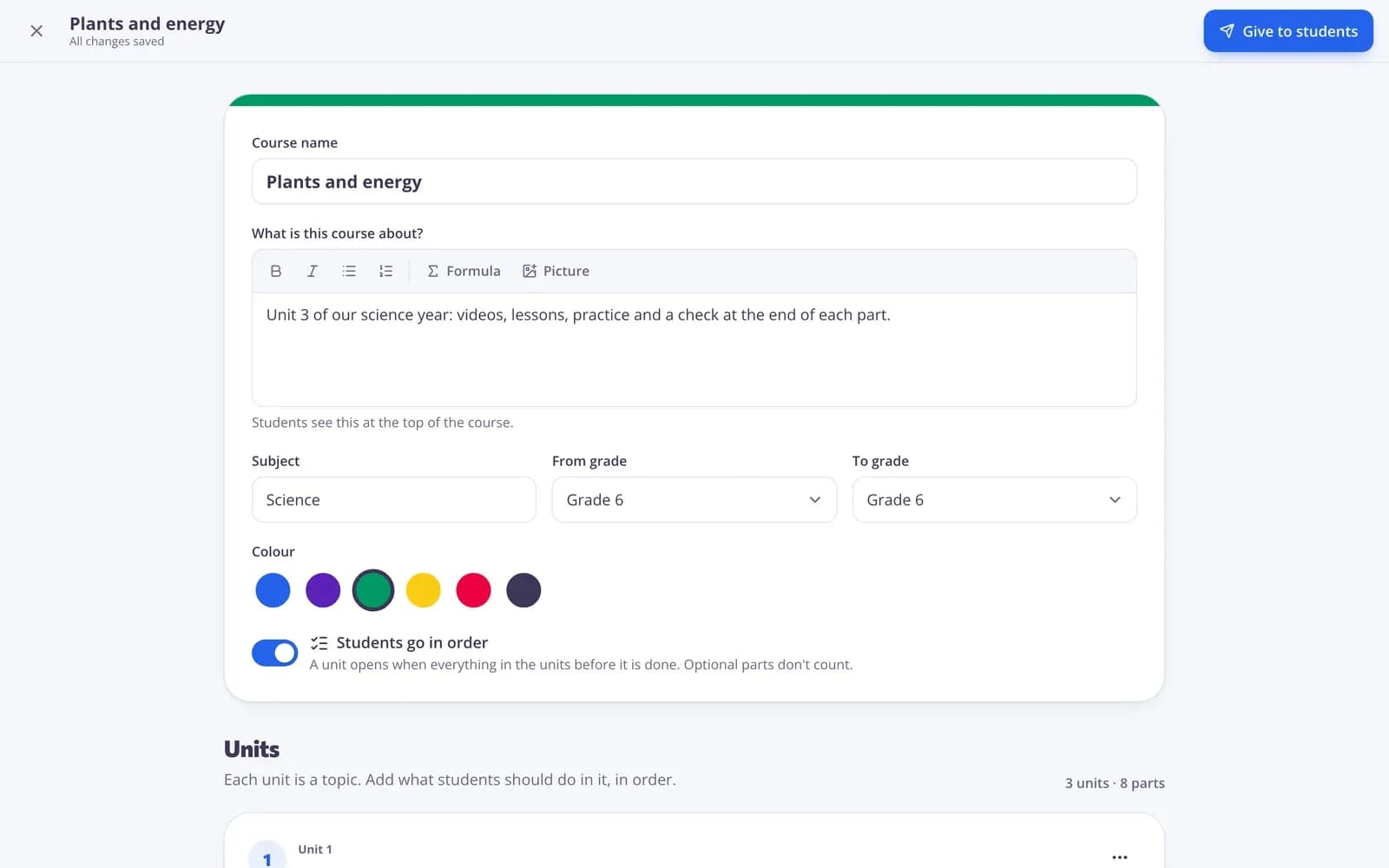
A week-by-week plan
Units for each week, with readings, links, files and your materials in order. Mark extras as optional for keen students.
- Units by week
- Optional extras
- Notes for families
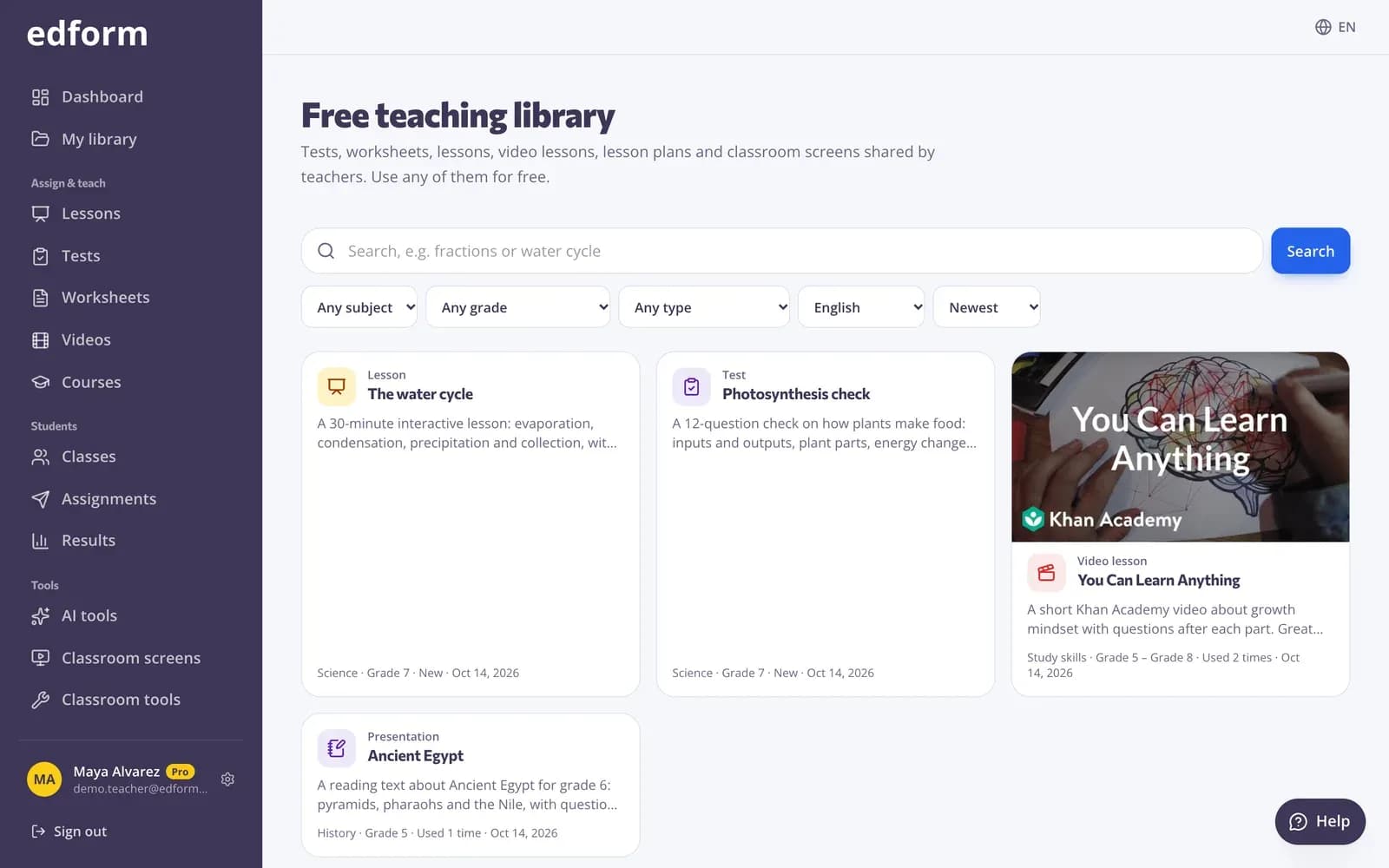
Free activities to start from
The community library has quizzes, worksheets and lessons shared by teachers. Copy one and edit it for your class.
- Search by subject and grade
- Use this copies it to your account
- Edit before you share
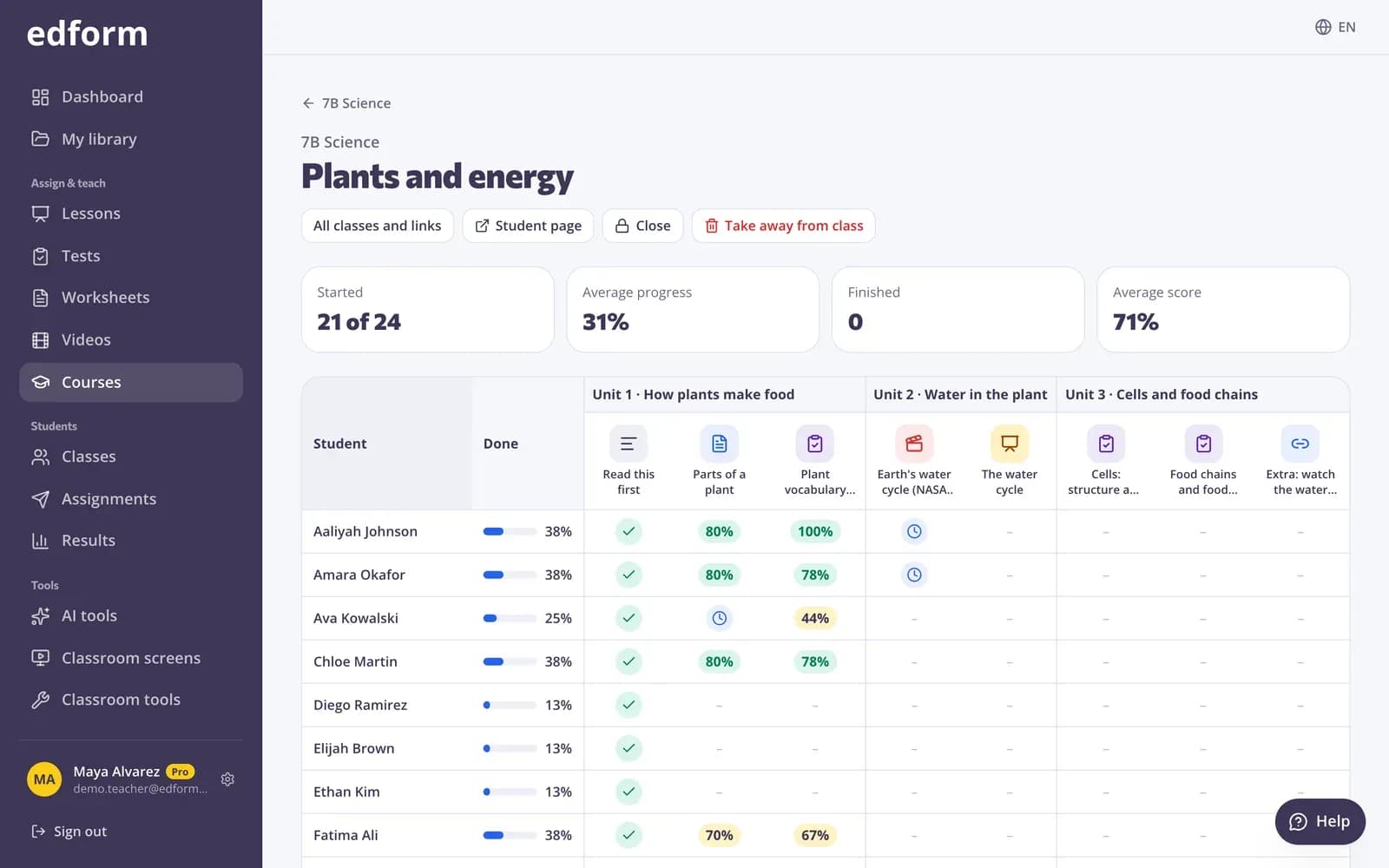
See who kept going
Check progress any time: who started, how far each student got and their best scores.
- Started and finished
- Progress per student
- Scores per quiz
Everything for summer learning
Online courses
Units of activities with one Continue button.
Open link and code
Students type a name and start, no account needed.
Game modes
Practice quizzes played as word games, arcade games or board games.
Community library
Free activities from other teachers, ready to copy.
Unlimited retries
Course quizzes allow as many attempts as students like.
Progress
Started, average progress and scores at a glance.
Teachers use it for
- 01
Summer review
Keep this year's key skills fresh for next year.
- 02
Getting ready
A head start on next year's first topic.
- 03
Summer school
A structured course for students who need to catch up.
- 04
Holiday breaks
A short course for winter or spring break.
Explore more
- Online coursesUnits of your materials, given to a class or by one link
- Self-paced learningCourses and homework students work through at their own speed
- Community libraryFree activities made by teachers
- Game modes27 ways to play the same questions
- Retrieval practiceLow-stakes recall with quizzes, flashcards and games
- HomeschoolCourses, games and auto-graded practice for learning at home
Step-by-step guides
- Assign homeworkGive a test as homework with a code, link or QR code and set the deadline.
- Publish to the libraryShare your tests, worksheets, lessons, videos, materials and screens in the free library, and use other teachers' work.
- Homework reportsSee every student's score, each answer and how the class did on each question.
Frequently asked questions
Do students need accounts over the summer?
No. With an open link set to anyone, students type a name and start. You can also require an account.
How do families get the course?
Share the link, the 8-digit code or the QR code. Students can type the code in the join box on Edform.
Can I see who did the work?
Yes. The course's progress page shows every learner, how far they got and their best quiz scores.
Where do I get activities?
Use your own materials, draft new ones with AI, or copy free activities from the community library.
Can I close the course when school starts?
Yes. Close the link and students can still look but not continue. Results stay in Results.
Is it free?
Yes. Courses, games and the library are on the free Basic plan.
Build your summer course
Free for teachers. One link for the whole break.
- Free for teachers
- No credit card
- Works on any device