Self-paced learning
Let every student work at their own pace
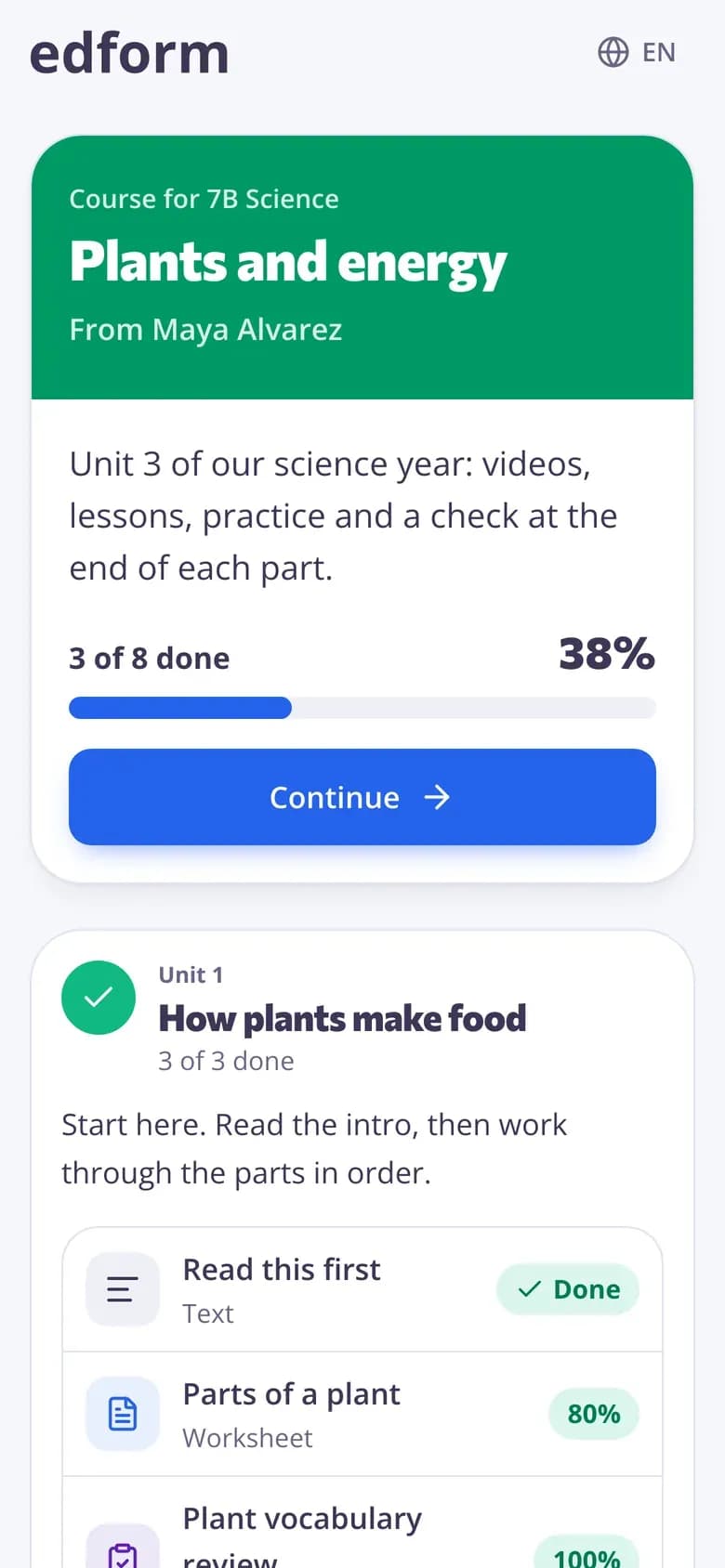
Put the videos, lessons and practice for a topic in one course. Students move through it at their own speed while auto-grading and the progress table tell you who needs you.
- Courses with units in order
- Auto-graded as they go
- Free for teachers
What is self-paced learning?
In self-paced learning every student moves through the same material at their own speed instead of the whole class moving together. The teacher's job shifts from presenting to helping: you spend class time with the students who are stuck while others go ahead. Edform supports it with online courses — units of your video lessons, lessons, worksheets and quizzes with one Continue button — and with self-paced homework: videos that stop at each question, lessons students click through alone, practice links with unlimited tries. Every answer is graded as it comes in, so you always know who needs help.
How to set up a self-paced unit
- 1
Build the path
Make a course with one unit per topic: a video lesson to explain, a worksheet to practise and a short quiz to check.
- 2
Decide the rules
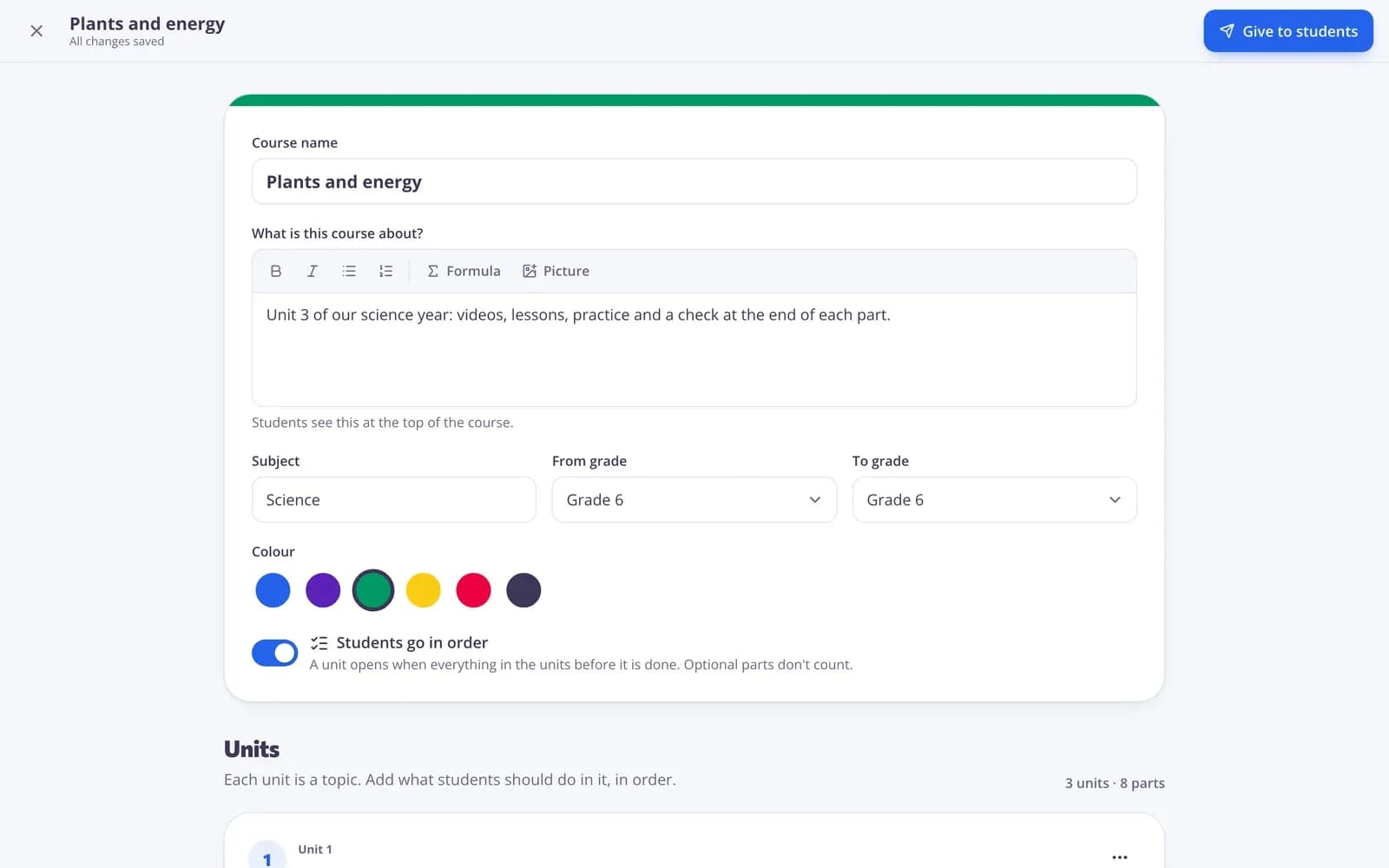
Turn on Students go in order if a unit should open only when the one before is done, and mark extra parts as optional.
- 3
Coach, don't present
Give the course to a class and watch the progress table. Help the students who are stuck or waiting for grading.
Try it yourself
No sign-up needed — try it as a student
This is the real Edform player. Answer the questions and see how they're checked.
Built from what you have
Add your existing tests, worksheets, lessons and videos to a course, several at a time, plus notes, links and files.
- Units by topic or week
- Optional parts for fast finishers
- Nothing copied
Retries that teach
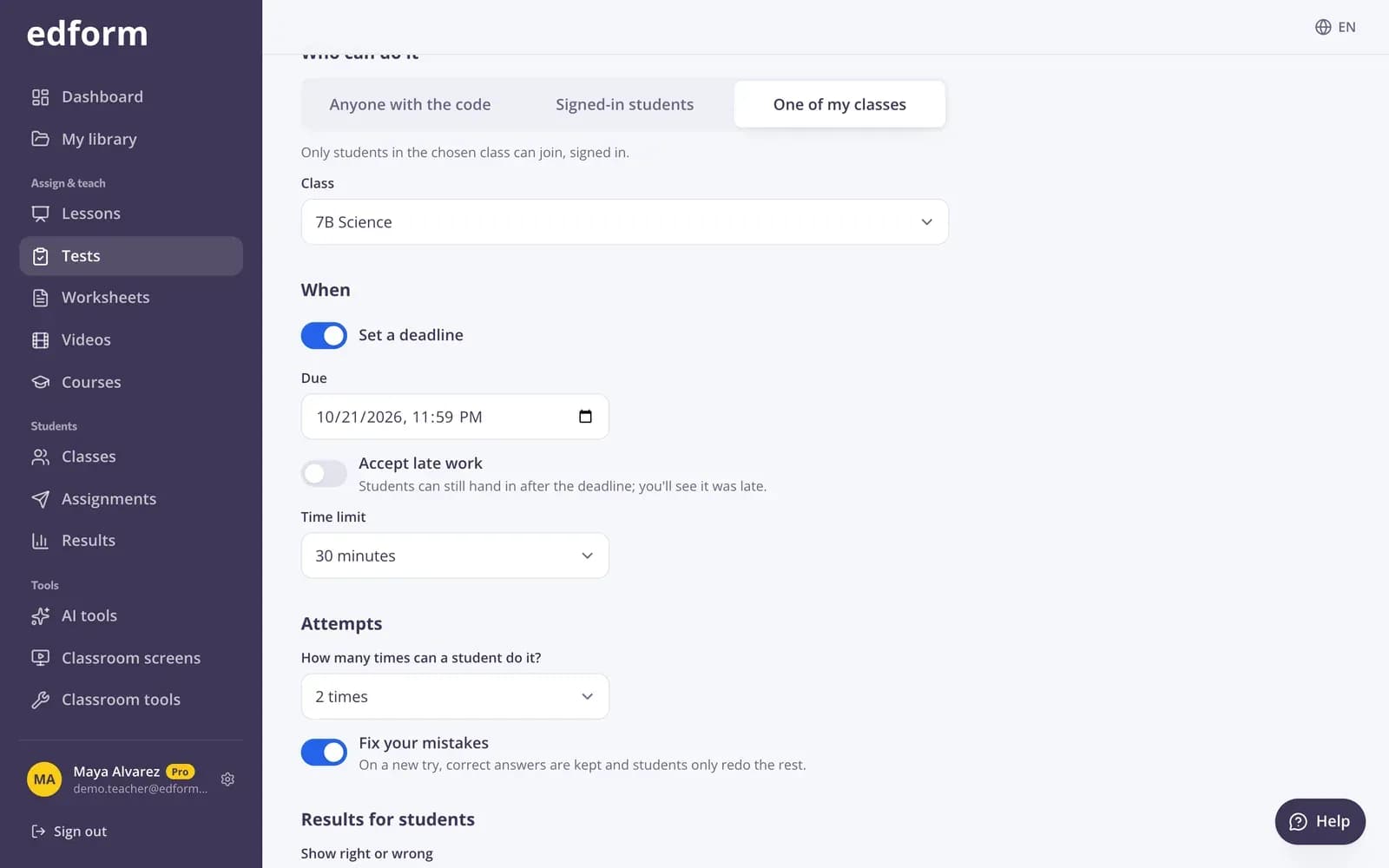
Course quizzes allow unlimited attempts by default. Give homework with Fix your mistakes so students redo only what they got wrong.
- Attempts you choose
- Fix your mistakes
- Answers shown after hand-in
Know who needs you
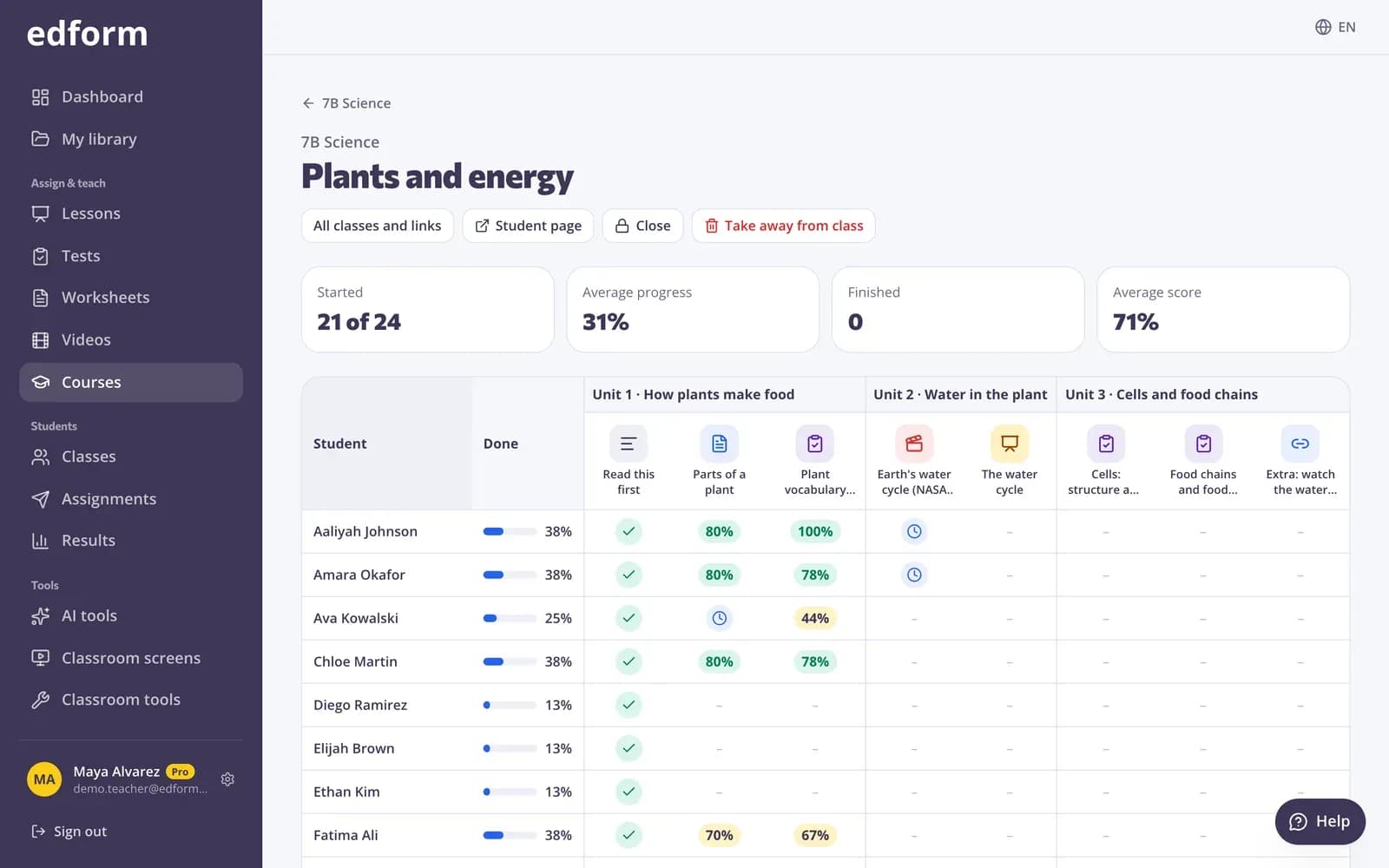
The progress table shows each student against each part: done, best score, started or waiting for your grading.
- Percent done per student
- Average progress and score
- Open any report
Tools for self-paced learning
Online courses
Units of your materials with a progress bar and one Continue button.
Students go in order
Units unlock when the ones before are done.
Retries
Unlimited attempts in courses and practice links, or the number you choose.
Video lessons
The video stops at each question; skipping ahead can be turned off.
One link for everyone
Share a course by link, code or QR — no account needed if you allow it.
Progress at a glance
Started, finished and average score for the course and every student.
Teachers use self-paced learning for
- 01
Mixed-ability classes
Fast finishers go on to optional parts while you help others.
- 02
Catching up
Students who missed lessons work through what they missed.
- 03
Station rotation
One station works through the course while you teach a small group.
- 04
Independent study
Older students take a whole unit on their own.
Explore more
- Online coursesUnits of your materials, given to a class or by one link
- Online homeworkGive homework with a code and a deadline
- Video lessonsQuestions inside any video
- Flipped classroomVideo and lessons at home, practice and games in class
- Distance learningHomework, video and live lessons for students learning from home
- HomeschoolCourses, games and auto-graded practice for learning at home
Frequently asked questions
How do students know what to do next?
The course page shows a progress bar and one Start or Continue button that opens the next part. Quizzes count as done when handed in; readings and links when the student presses Done.
Can I stop students from skipping ahead?
Yes. Turn on Students go in order and each unit opens only when every required part of the units before it is done.
How do I see where everyone is?
Open the course's progress page for every student and part, or the class gradebook for all scores.
Can students retry quizzes?
Course quizzes allow unlimited attempts by default, and you can change that on the homework report like any homework.
Do students need accounts?
Give the course to a class for signed-in students, or share an open link where students just type a name.
Is it free?
Yes. Courses, homework and reports are on the free Basic plan.
Set up your first self-paced unit
Free for teachers. Build it once from the materials you have.
- Free for teachers
- No credit card
- Works on any device