


Distance learning
Distance learning where you see everyone's work
Students learning from home join with a code on any device. Give homework with deadlines, video lessons with questions and live lessons, and see every answer in one report.
- Join with a code on any device
- Answers save automatically
- Free for teachers
What is distance learning with Edform?
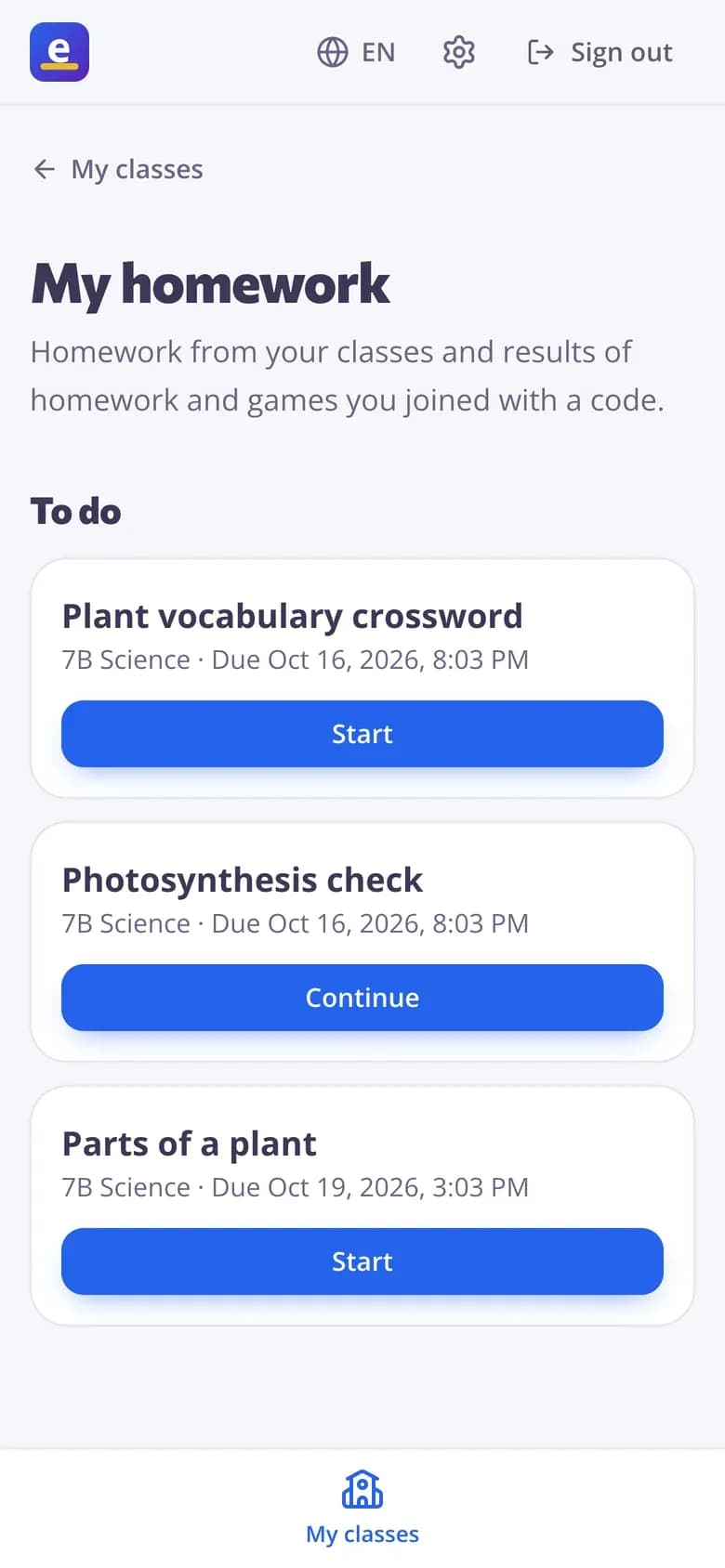
Distance learning is teaching students who aren't in the same room, either live at the same time or at their own pace, and Edform's distance learning tools cover both. Run a live lesson or game that students join from home with a code while you talk on your usual video call, or give self-paced work with deadlines: quizzes, interactive worksheets, video lessons with questions and slide lessons. Answers save as students go, so a dropped connection loses nothing. Signed-in students see all their homework in one list, and you grade and give feedback online.
Edform at a glance
- Price
- Free for teachers: Basic is free forever, with no credit card, and includes every feature.
- AI tools
- AI teacher tools with 5 AI points a month on Basic and 300 a month on Pro.
- Students
- Students join with a code. They need no email address and no account.
- Grading
- Quizzes and worksheets are graded automatically, with results per student and per question.
- Devices
- Runs in the browser on laptops, tablets, phones and interactive boards. Nothing to install.
- Languages
- Available in 32 languages.
- Works with
- Google Classroom, Microsoft Teams, ClassLink and learning platforms that support LTI 1.3.
- Library
- A free library of ready-made quizzes, worksheets and lessons that teachers can copy and edit.
How to teach at a distance with Edform
- 1
Choose live or self-paced
Plan a live lesson for your video call, or homework students do when they can.
- 2
Share the code
Post the code or link in your class chat or learning platform.
- 3
Follow up online
See who hasn't started, grade open answers and write feedback students see in their results.
Try it yourself
No sign-up needed — try it as a student
This is the real Edform player. Answer the questions and see how they're checked.
Video lessons students can't skip
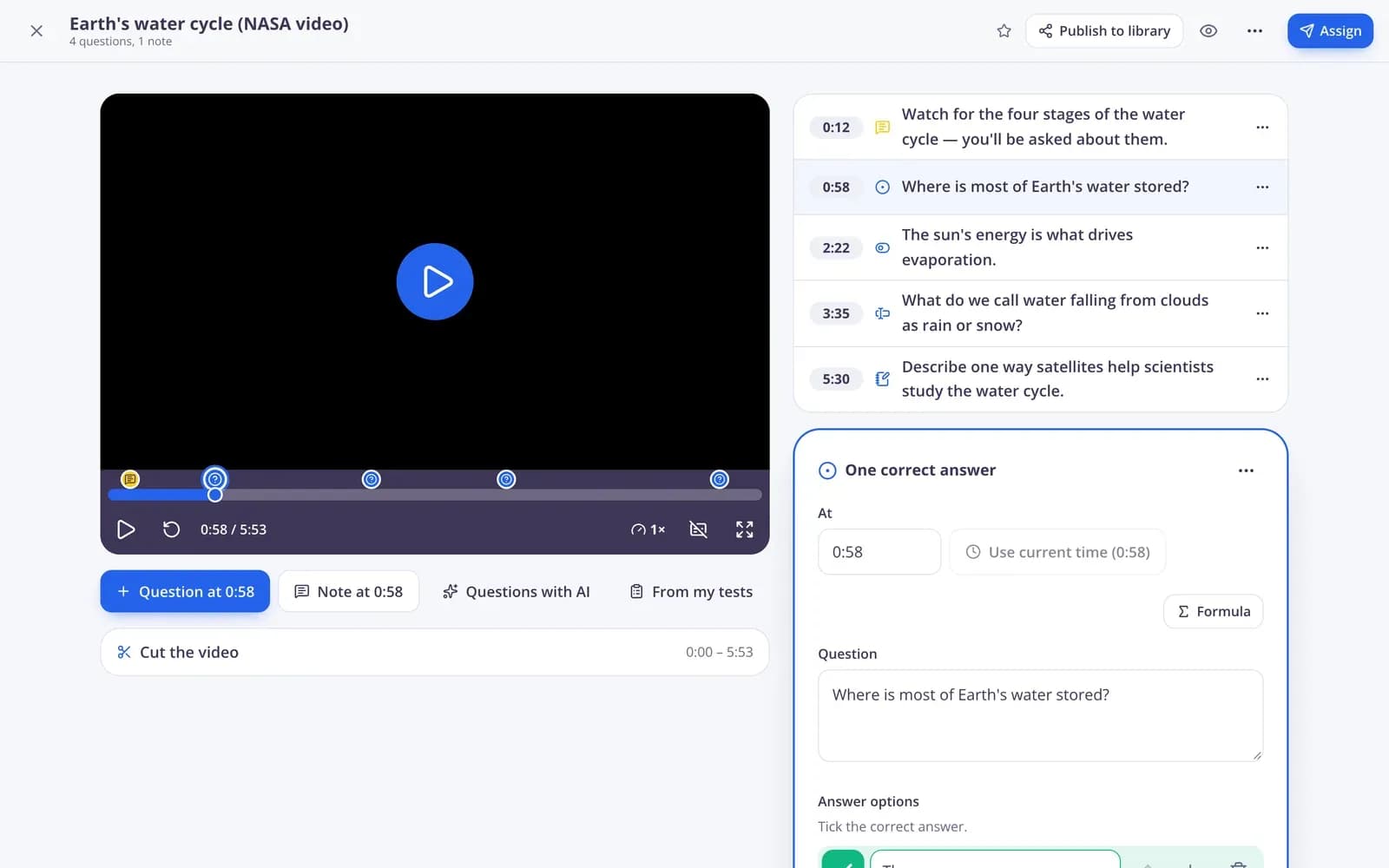
Pin questions and notes to moments in a video. The video stops at each one, and the report shows how much every student watched.
- YouTube, Vimeo or your own recording
- No skipping ahead
- Watched % in the report
Live lessons from home
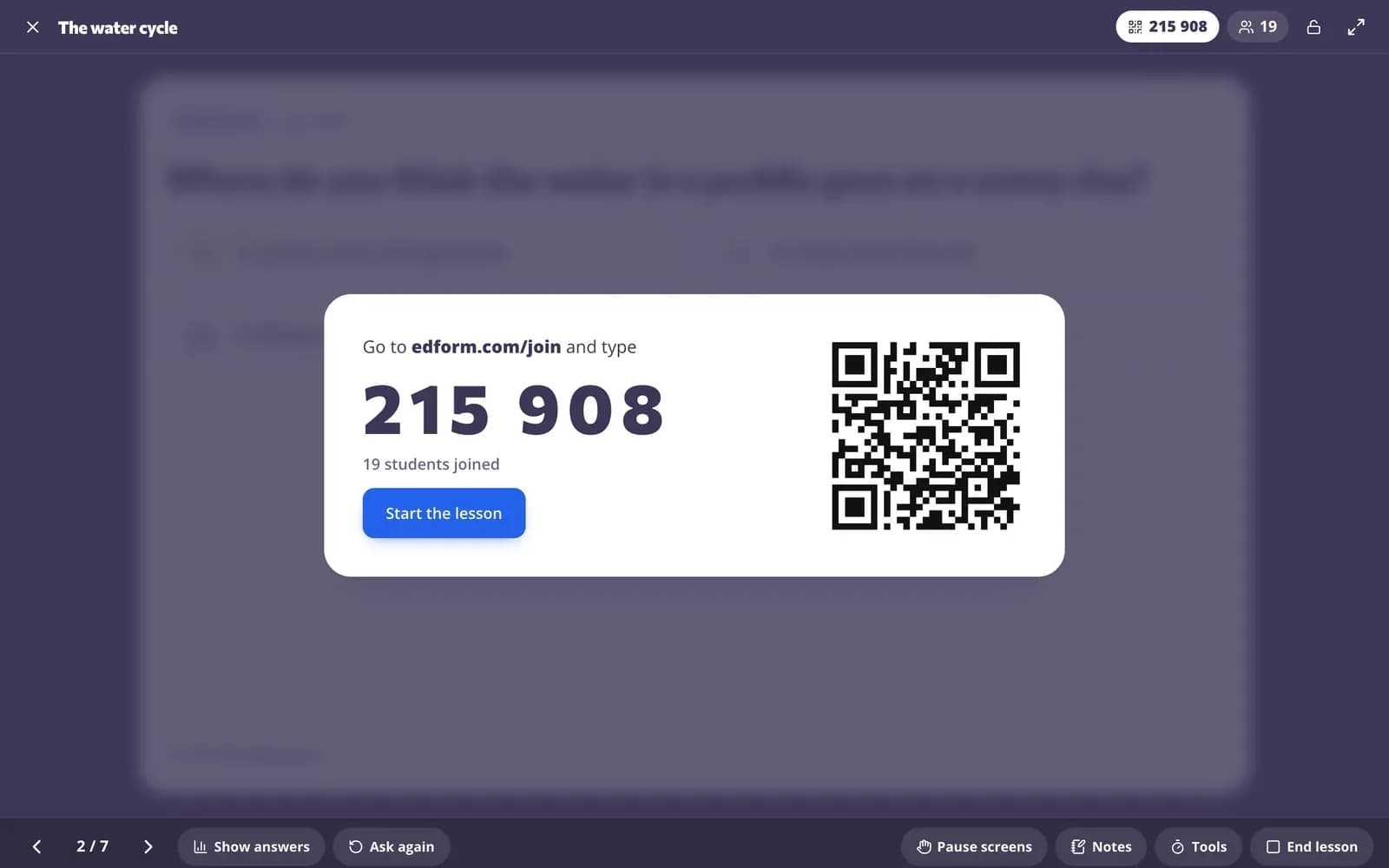
Share your screen on your video call, move the slides, and students answer on their own devices. You see the answers come in and reveal them together.
- Students join with a code
- Show responses and reveal answers
- Pause screens or remove a student
Everything in one report
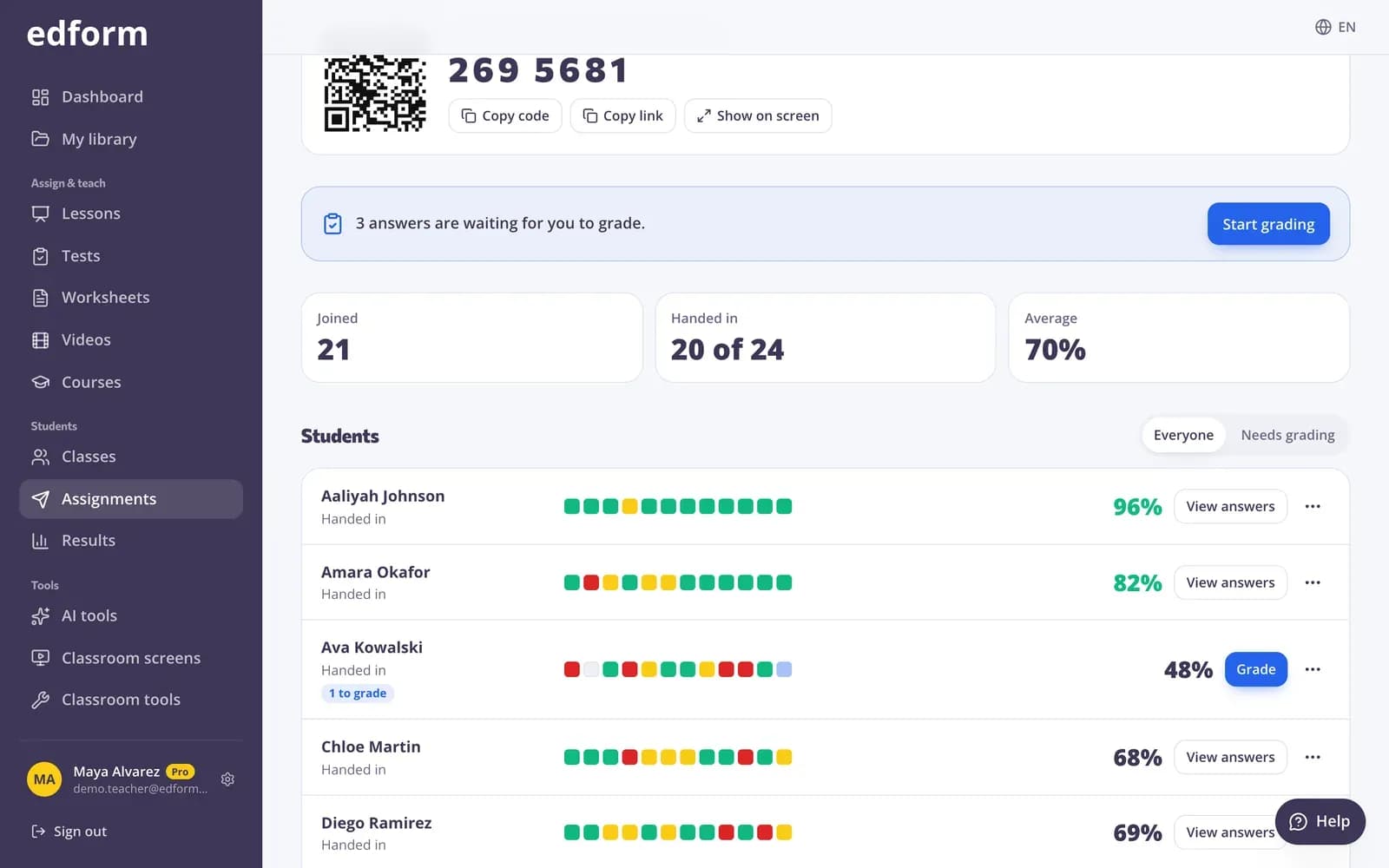
Scores, answers, watch progress and who hasn't started, with feedback on open answers.
- Who hasn't started
- Grading and written feedback
- CSV export
What you need to teach remotely
Homework with deadlines
Due dates, late work, attempts and when students see the answers.
Video lessons
Questions and voice notes at key moments, with watch tracking.
Live lessons from home
Students follow your slides and answer on their own devices.
Online grading and feedback
Rubrics, points and written feedback for open answers.
Answers save as they go
A dropped connection or flat battery doesn't lose any work.
Google sign-in
Students sign in with their Google accounts, or with a username from their teacher.
Teachers use Edform for
- 01
Home learning days
A video lesson and a short quiz with a deadline at the end of the day.
- 02
Absent students
The same lesson and questions the class did, at their own pace.
- 03
Hybrid classes
Students in the room and at home join the same live lesson with one code.
- 04
School closures
Switch to online work in minutes with activities you already have.
Explore more
- Google ClassroomImport classes and share homework to Classroom
- Online homeworkGive homework with a code and a deadline
- Video lessonsQuestions inside any video
- Interactive lessonsSlides with live questions and polls
- Join with a codeStudents type a code — no account needed
- Flipped classroomVideo and lessons at home, practice and games in class
Frequently asked questions
Can students join a live lesson from home?
Yes. Students open the join page on any device and type the code. You move the slides and see their answers, wherever they are.
Does Edform include video calls?
No. Use Edform alongside the video call tool your school already uses: share your screen for the slides, and students answer in Edform on their own devices.
What if a student's internet drops?
Answers save as students go. When they come back, they continue where they stopped, and videos resume from the same moment.
How do students find their work?
With the code or link you share, or, when signed in, in their “My homework” list with what's due and when.
Can I give feedback online?
Yes. Grade open answers with a rubric, give points and write feedback; students see it once you're done.
What should I look for in distance learning tools?
Students should join on any device without a complicated sign-up, work should save automatically, and you should see who has started, how they answered and how much of a video they watched. Edform does this and works next to the video call tool your school already uses: import your class rosters from Google Classroom and share homework back to Classroom.
How do I keep students engaged online?
Mix short formats: a live game students join from home, polls and word clouds inside a live lesson, and video lessons that stop for a question every few minutes. Calling on students with the name picker keeps everyone ready to answer.
Is it free?
Yes. Every feature is free for teachers.
Can I use Edform with Google Classroom for remote learning?
Yes. Import your Classroom classes into Edform, give a quiz, worksheet or video lesson as homework and press Share to Classroom: Google Classroom's share window opens with the title, the link and the join code filled in, so you pick the class and post. Students open it from home and you see their progress in Edform.
Google Classroom is a trademark of Google LLC. Microsoft and Microsoft Teams are trademarks of the Microsoft group of companies.
Get your class learning from anywhere
Free for teachers. Students join with a code on any device.
- Free for teachers
- No credit card
- Works on any device