


For tutors
Tutoring tools that work between sessions
Send each student practice with a link, see exactly what they got wrong before the next session, and reuse your own PDFs and videos instead of starting from scratch.
- Share any activity with a link or code
- Turn your PDFs into self-checking worksheets
- Free, no school needed
What is Edform for tutors?
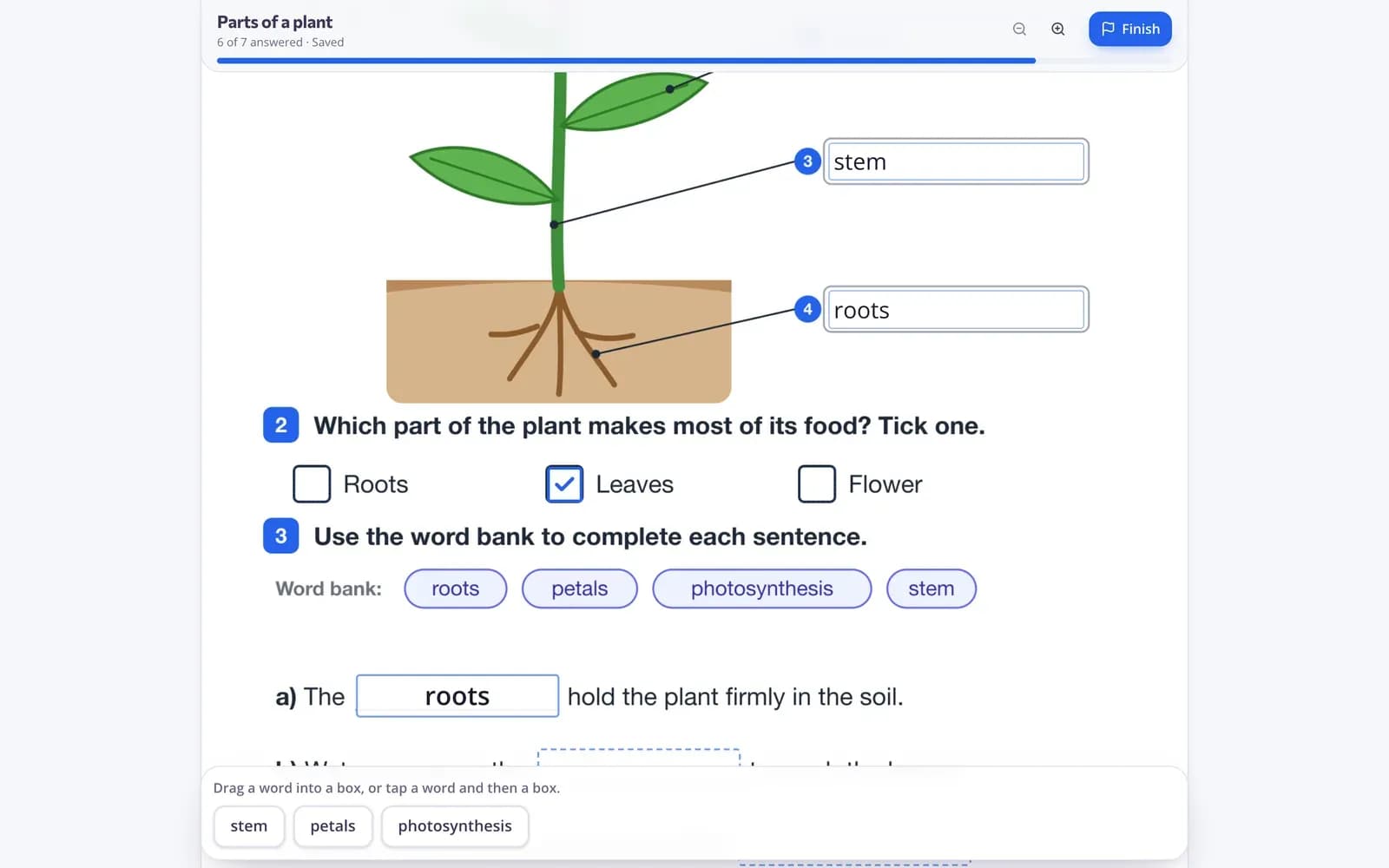
Edform is a free set of online tutoring tools for the time between sessions. Upload the PDF worksheets you already use and add answer boxes, write quizzes that grade themselves, or put questions into a YouTube video. Share each one with a student by link or code, with no school account, class or student email needed. Before the next lesson, open the report to see every answer, which questions went wrong and how much of the video they watched, so the session starts where help is needed.
Edform at a glance
- Price
- Free for teachers: Basic is free forever, with no credit card, and includes every feature.
- AI tools
- AI teacher tools with 5 AI points a month on Basic and 300 a month on Pro.
- Students
- Students join with a code. They need no email address and no account.
- Grading
- Quizzes and worksheets are graded automatically, with results per student and per question.
- Devices
- Runs in the browser on laptops, tablets, phones and interactive boards. Nothing to install.
- Languages
- Available in 32 languages.
- Works with
- Google Classroom, Microsoft Teams, ClassLink and learning platforms that support LTI 1.3.
- Library
- A free library of ready-made quizzes, worksheets and lessons that teachers can copy and edit.
How tutors use Edform
- 1
Prepare the practice
Upload a worksheet, write a quiz, add questions to a video or ask AI for a first draft on the topic.
- 2
Send it to your student
Copy the link or code and send it in your usual chat. Set a deadline and how many tries they get.
- 3
Check before the next session
See each answer and the score, and plan the session around the questions that went wrong.
Try it yourself
Join a live lesson
You're a student in a live lesson. Answer the question and see what the class said.
Practice your student can do anywhere
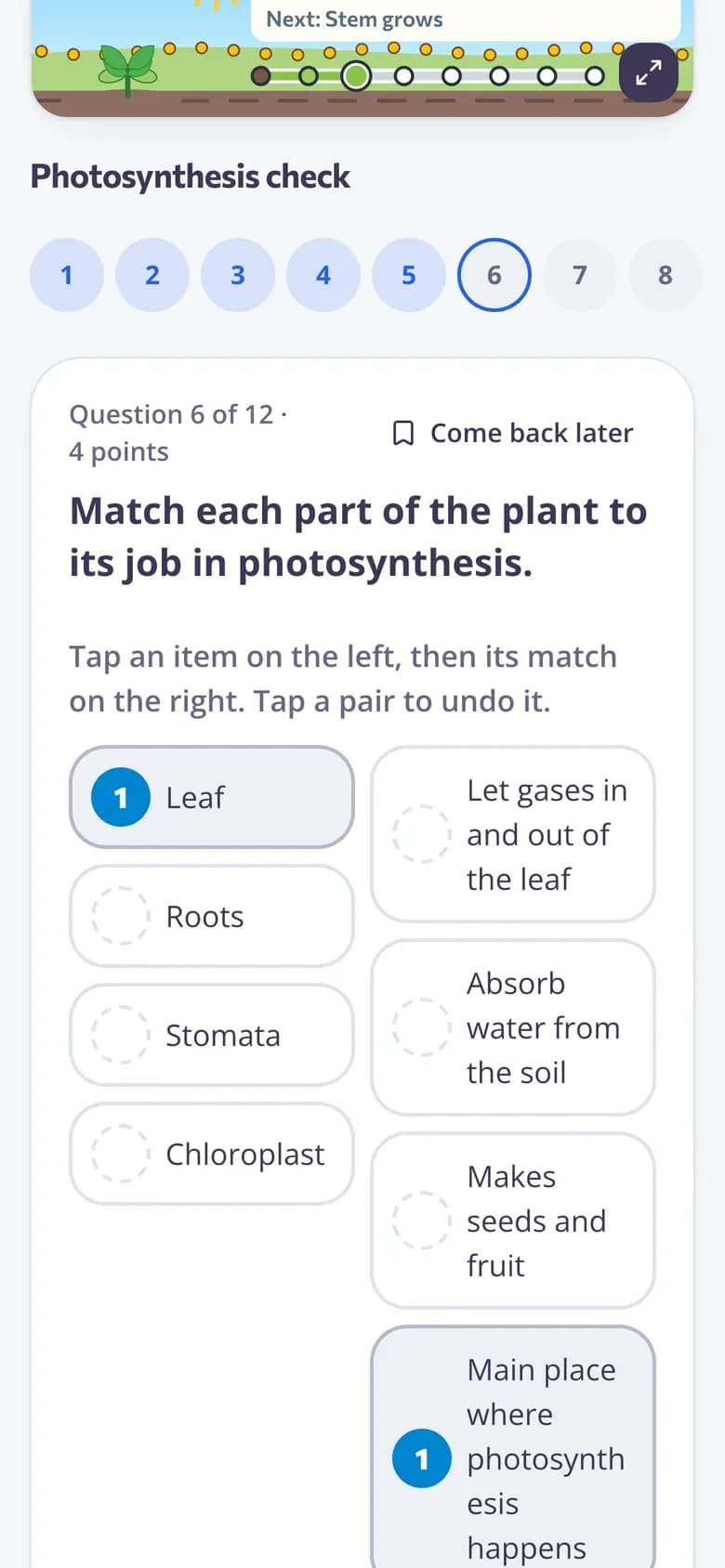
Students answer on a phone, tablet or laptop, one question at a time. Answers save as they go, and you decide whether they see hints, right or wrong, and the correct answers.
- Works on any device
- Hints and explanations if you allow them
- Retakes that keep the right answers
Questions inside any video
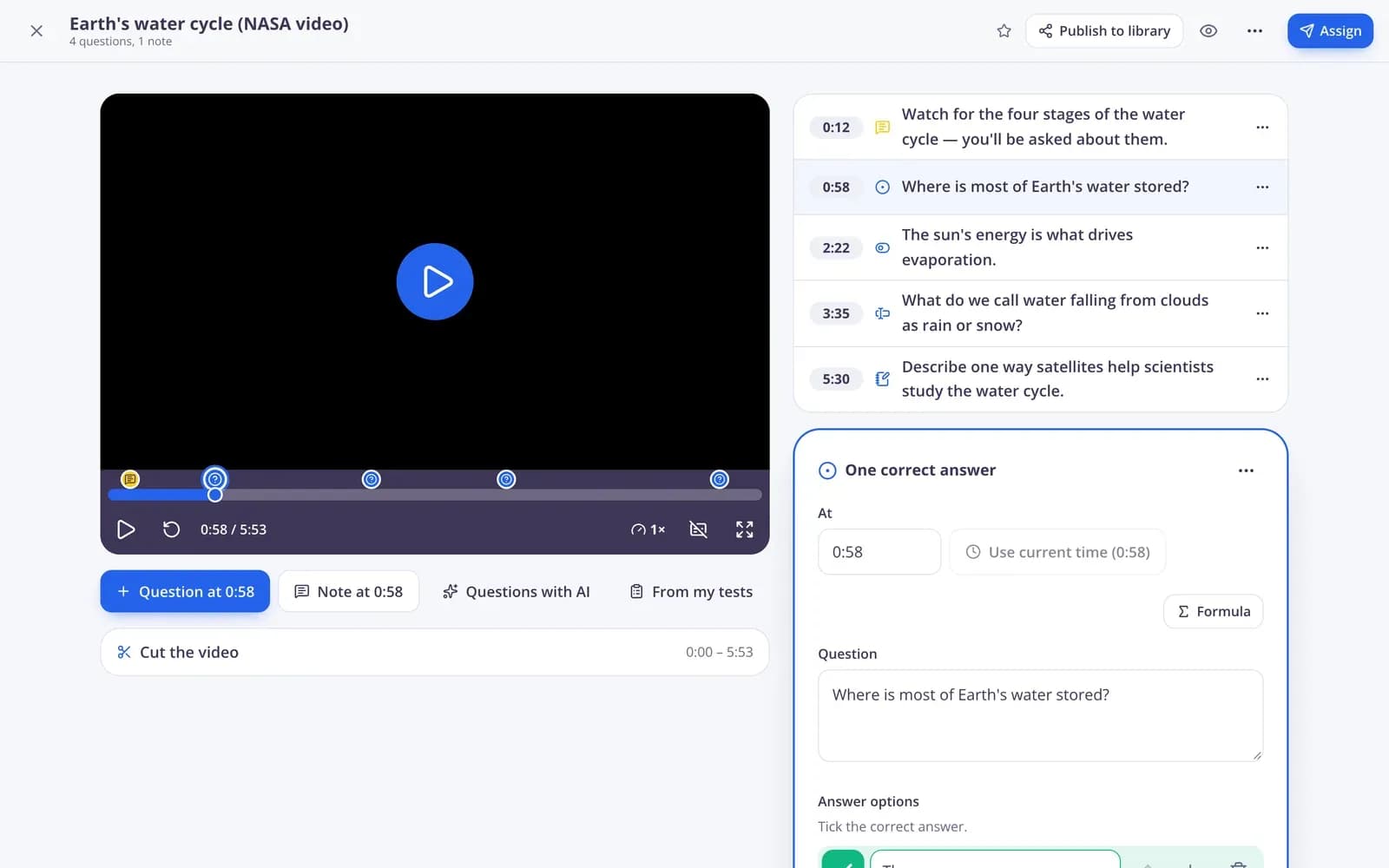
Pick a YouTube video, cut it to the part you need and pin questions to the right moments. The video stops at each question, and students can't skip ahead.
- YouTube, Vimeo or your own upload
- Record your screen to explain a topic
- See how much of the video was watched
Know what to teach next
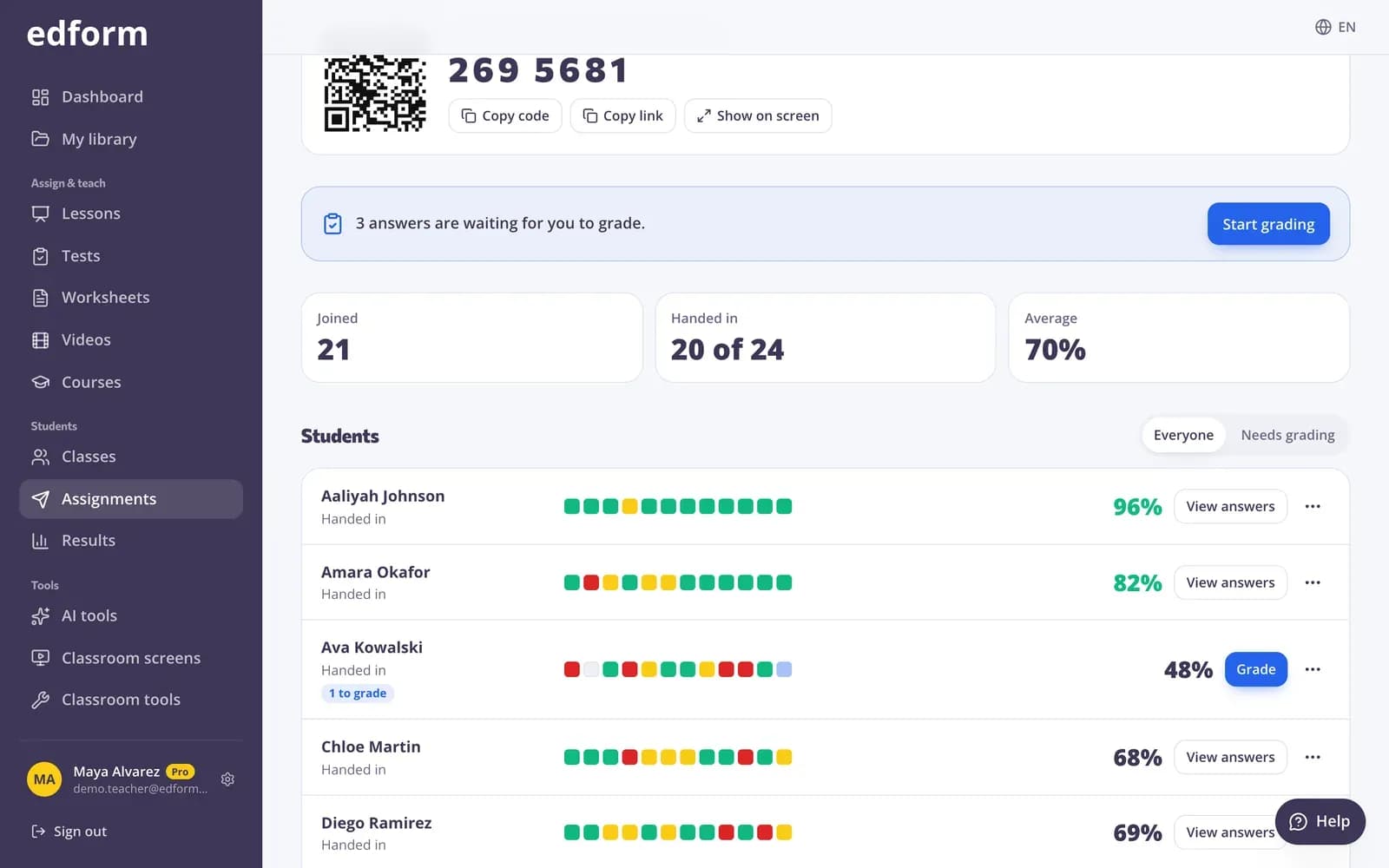
The report shows every answer next to the correct one and the questions that went wrong, so you don't spend the session guessing.
- Each answer beside the correct one
- Results for every question
- CSV export
What tutors get
Share with a link
Every activity has a code, a link and a QR code. Students type their name or sign in.
Your PDFs, made interactive
Add answer boxes, tick boxes, drag-and-drop words and matching lines on top of any page.
Video homework
Questions and voice notes pinned to moments in a video, with no skipping ahead.
AI first drafts
Quizzes, reading texts, word problems and new explanations at the right level in seconds.
Flashcards and games
Turn any quiz into flashcards, a pairs race or one of 27 game modes for extra practice.
Answer-by-answer reports
See what each student answered and where they got stuck.
Tutors use Edform for
- 01
Practice between sessions
A short quiz or worksheet after each lesson keeps the topic fresh.
- 02
Exam preparation
Timed practice tests with results shown after handing in or after the deadline.
- 03
Online sessions
Run a lesson on your student's screen while you talk them through it on your video call.
- 04
Small groups
Give a small group one code and compare their answers question by question.
Explore more
- Interactive worksheetsTurn any PDF into an online worksheet
- Video lessonsQuestions inside any video
- Online homeworkGive homework with a code and a deadline
- FlashcardsTurn any quiz into flashcards for class review
- WorksheetA printable worksheet with different task types and an answer key for you.
- Distance learningHomework, video and live lessons for students learning from home
Step-by-step guides
- Assign homeworkGive a test as homework with a code, link or QR code and set the deadline.
- Interactive worksheetsUpload a PDF or photo, add answer boxes and let the worksheet mark itself.
- Video lessonsAdd questions and notes to any video and see who watched and how they answered.
- Homework reportsSee every student's score, each answer and how the class did on each question.
Frequently asked questions
Can I use Edform without a school?
Yes. Sign up as a teacher with any email address. You don't need a school, a class or a school account.
Do my students need an account?
No. They open your link and type their name. If you work with a student for a long time, you can create a username for them so all their homework is in one list.
Can I use my own worksheets?
Yes. Upload a PDF or photos of the pages and draw answer boxes, tick boxes and drag-and-drop zones where the answers go. Edform checks them for you.
Can students practise until they get it right?
Yes. Allow several attempts with “Fix your mistakes”, so correct answers are kept and students only redo the rest, or share a worksheet practice link that shows right and wrong as they go.
Can I use Edform during a live online session?
Yes, next to your usual video call app; Edform doesn't make the call itself. Start a live lesson and your student answers each question on their own device while you watch the answer arrive, or share a classroom screen with a drawing board and a timer.
Can I follow one student's progress over time?
Yes. Create a username for the student or put them in a class, and their results page lists every activity they've done with the score. A course can also set out units of practice in order, with a progress table.
How do I share materials with a student?
Every activity has a link, a code and a QR code. To keep everything in one place, put activities, texts, links and files into a course that your student opens with one code.
Can I print materials for in-person sessions?
Yes. Print any quiz as a worksheet with an answer key, or as a crossword, word search or cards.
Is it free?
Yes. Every feature is free for teachers and tutors.
Make your next homework link in five minutes
Free for tutors. Your students open it with a link, with no accounts or installs.
- Free for teachers
- No credit card
- Works on any device