


Auto-grading
Quizzes that grade themselves
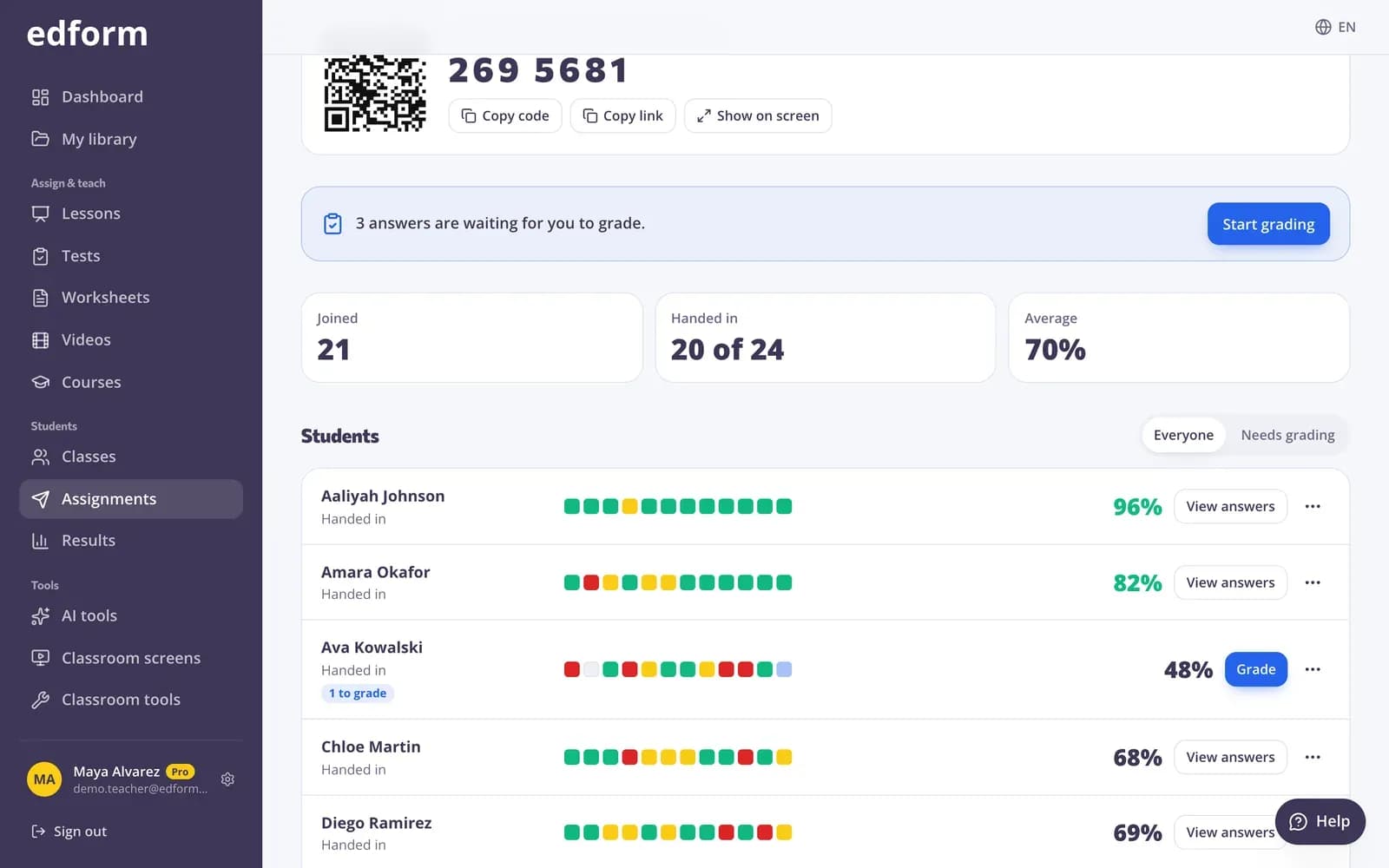
Students hand in, and every closed answer is already checked — with partial credit, accepted spellings and an allowed difference for numbers. You only read the answers that need a teacher.
- 10 question types graded automatically
- Partial credit built in
- Free for teachers
What is auto-grading in Edform?
Auto-grading in Edform means every answer with a right answer is checked for you as students answer. It works for ten question types — one or several correct answers, short answers, numbers, gaps, lists inside the text, true or false tables, ordering, matching and sorting — in quizzes, worksheets, live games and every game mode. Partial credit is given per gap, pair, row or item. Small differences like capital letters, extra spaces, a decimal comma or a full stop at the end don't cost points. Open answers wait for you, and totals update when you grade them.
Edform at a glance
- Price
- Free for teachers: Basic is free forever, with no credit card, and includes every feature.
- AI tools
- AI teacher tools with 5 AI points a month on Basic and 300 a month on Pro.
- Students
- Students join with a code. They need no email address and no account.
- Grading
- Quizzes and worksheets are graded automatically, with results per student and per question.
- Devices
- Runs in the browser on laptops, tablets, phones and interactive boards. Nothing to install.
- Languages
- Available in 32 languages.
- Works with
- Google Classroom, Microsoft Teams, ClassLink and learning platforms that support LTI 1.3.
- Library
- A free library of ready-made quizzes, worksheets and lessons that teachers can copy and edit.
How auto-grading works
- 1
Mark the right answers once
When you write a question, tick the right option or type the accepted answers. Add other spellings or an allowed difference for numbers.
- 2
Students answer
Homework, worksheets and games are graded on Edform's servers as answers come in, so the result is the same on every device.
- 3
Open the results
Scores, percentages and every answer are ready. Only open answers are marked Needs grading.
Try it yourself
No sign-up needed — try it as a student
This is the real Edform player. Answer the questions and see how they're checked.
Feedback when you want it
Choose when students see right or wrong and the correct answers: right after each question, after handing in, after the deadline or never.
- Right after each question
- After handing in or after the deadline
- Explanations shown with the answer
You decide what counts as right
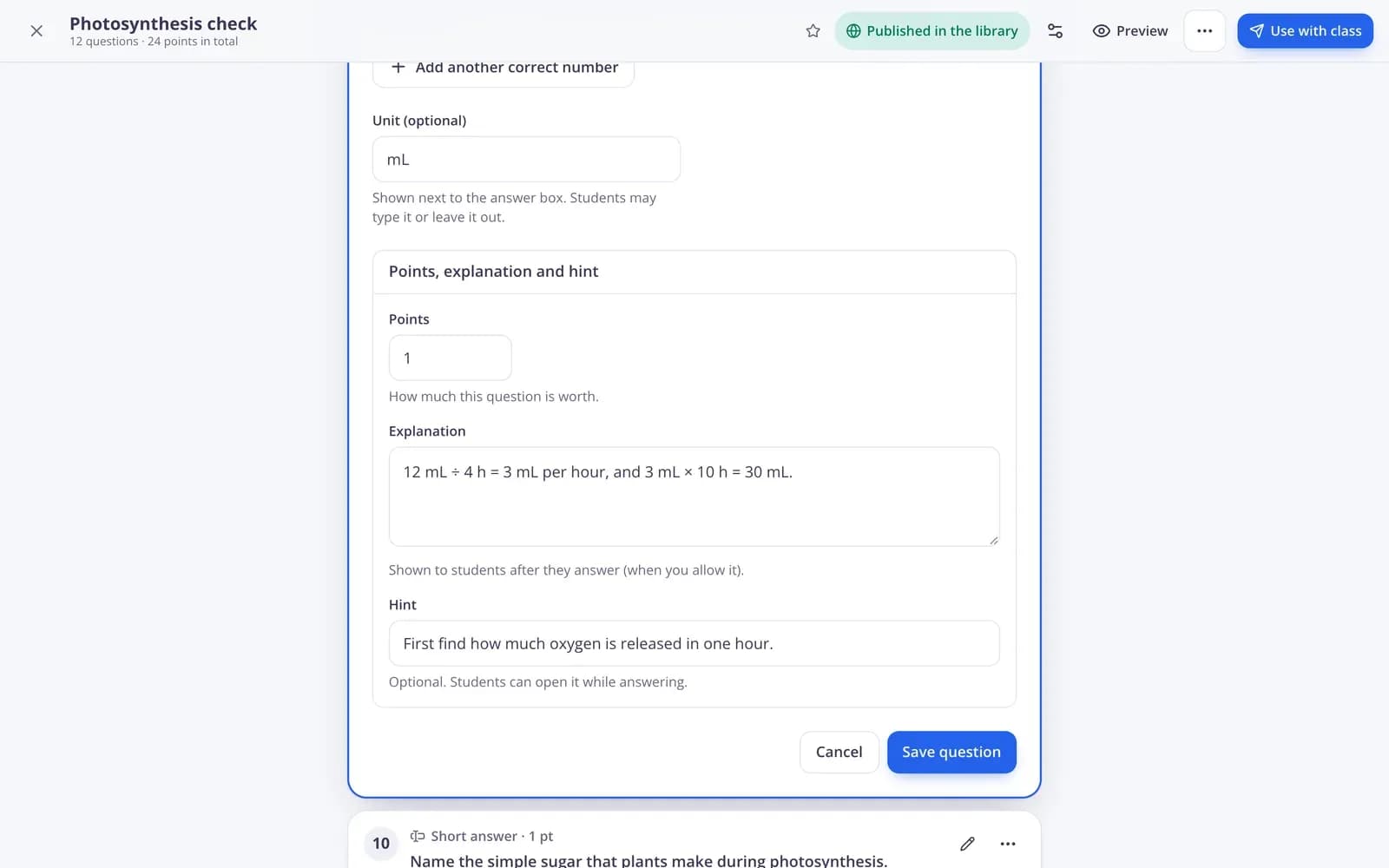
List every spelling that should count, decide whether capital letters matter, and choose partial points or all or nothing for multiple answers and ordering.
- Several accepted answers
- Capital letters only if you want
- Partial points or all or nothing
Students see their result straight away
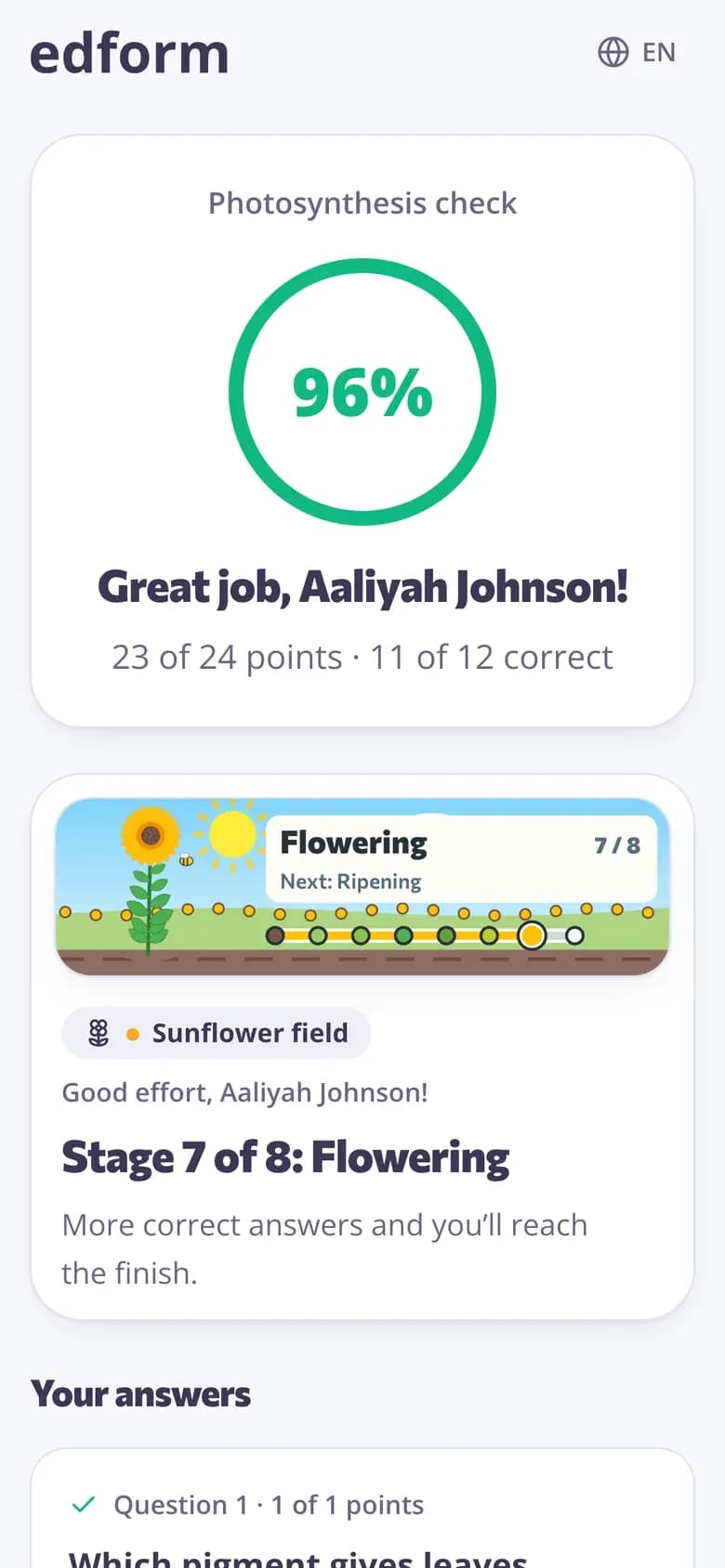
If you show results, students see their score and their answers next to the right ones as soon as they hand in.
- Score and points
- Their answers with the right ones
- Open answers marked as waiting for the teacher
Grading that's fair to students
Partial credit
Two gaps right out of three earns two thirds. Ticking every box in a several-answers question earns nothing.
Forgiving text checks
Capital letters, extra spaces, apostrophe styles and a full stop at the end are ignored. Accents still count.
Numbers done right
2.5, 2,5 and 5/2 are all understood. Set an allowed difference and an optional unit.
Ordering scored fairly
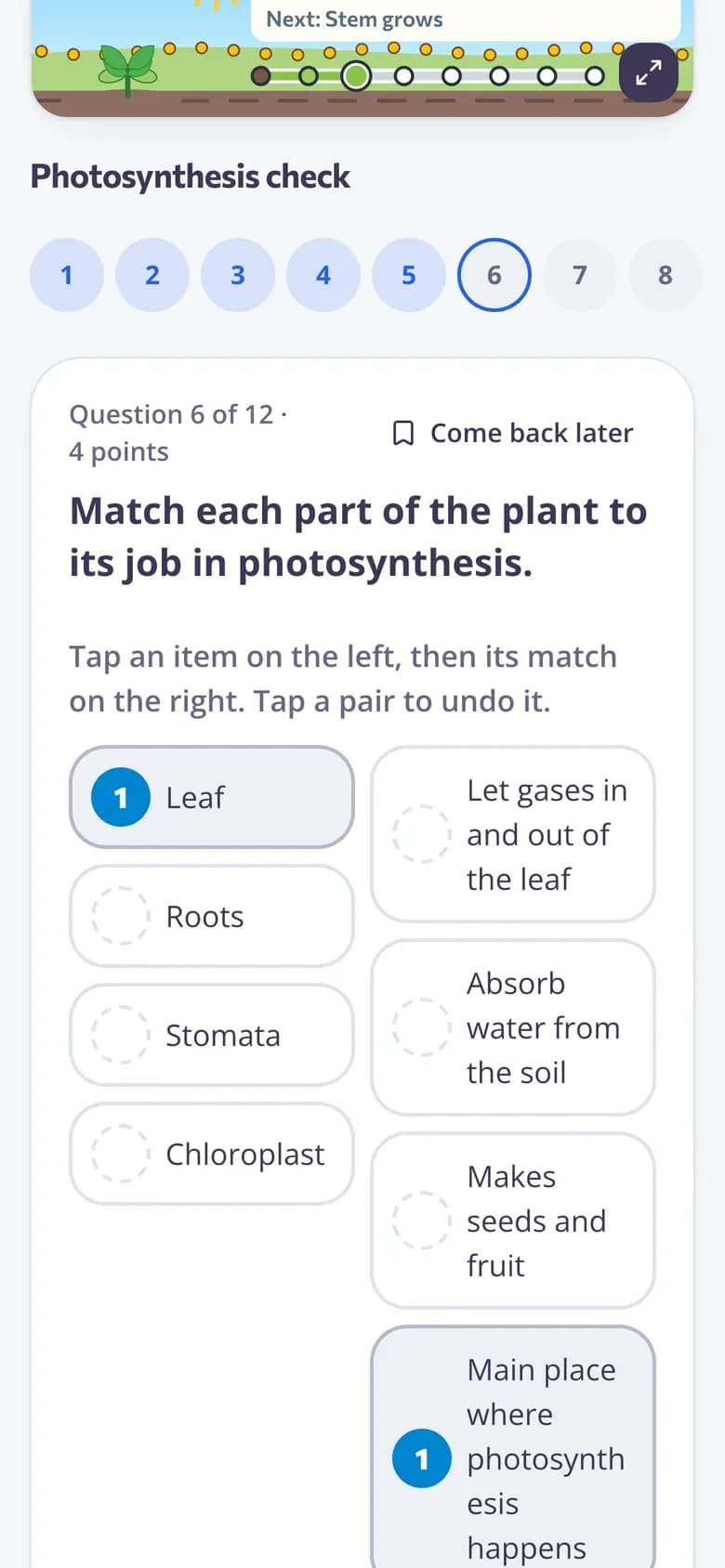
One item in the wrong place costs a little, not the whole answer — or pick exact places or all or nothing.
Fix your mistakes
On a new attempt, correct answers are kept and students redo only the rest.
You have the last word
Change the points for any answer and add feedback; totals update straight away.
Teachers use it for
- 01
Weekly homework
Set it once and spend your evening on feedback instead of marking.
- 02
Spelling and vocabulary
Exact spellings checked, with every accepted variant you list.
- 03
Maths practice
Number answers with fractions, decimals and an allowed difference.
- 04
Large classes
A hundred papers graded the moment the last student hands in.
Explore more
- Quiz makerAuto-graded quizzes, tests and homework
- Question types13 ways to ask, from matching to open answers
- Rubric gradingGrade open answers with a checklist and feedback
- Quiz reportsScores per student, per question and common wrong answers
- Online homeworkGive homework with a code and a deadline
- Formative assessmentCheck understanding during the lesson, not after the test
Frequently asked questions
Which question types are graded automatically?
One correct answer, true or false, several correct answers, short answer, number answer, fill in the gaps, choose from a list in the text, true or false table, put in order, match pairs and sort into groups. You grade open answers; polls and word clouds have no score.
Does auto-grading accept misspellings?
Only the spellings you list. Edform ignores capital letters, extra spaces and punctuation at the end, but it doesn't guess at typos — add every other spelling that should count.
Can I change a grade Edform gave?
Yes. Open the student's answers and give different points or feedback. The student's total and the class results update at once.
Who grades open answers?
You do, with an optional grading checklist. Edform collects them under Needs grading and takes you to the next one when you save.
Does auto-grading use AI?
No. Edform checks each answer against the right answers you set — accepted spellings, an allowed difference for numbers, the correct order or pairs — so every grade is predictable and you can see why it was given. Open answers are graded by you.
Does it work for worksheets and games?
Yes. Interactive worksheets, live games and all game modes use the same grading, so every result is comparable.
Can students see their grade straight away?
If you want. You choose when students see right or wrong and the correct answers: right away, after handing in, after the deadline or never.
Stop marking quizzes by hand
Free for teachers. Write the questions once and let Edform do the grading.
- Free for teachers
- No credit card
- Works on any device