


No student devices
Interactive lessons without student devices
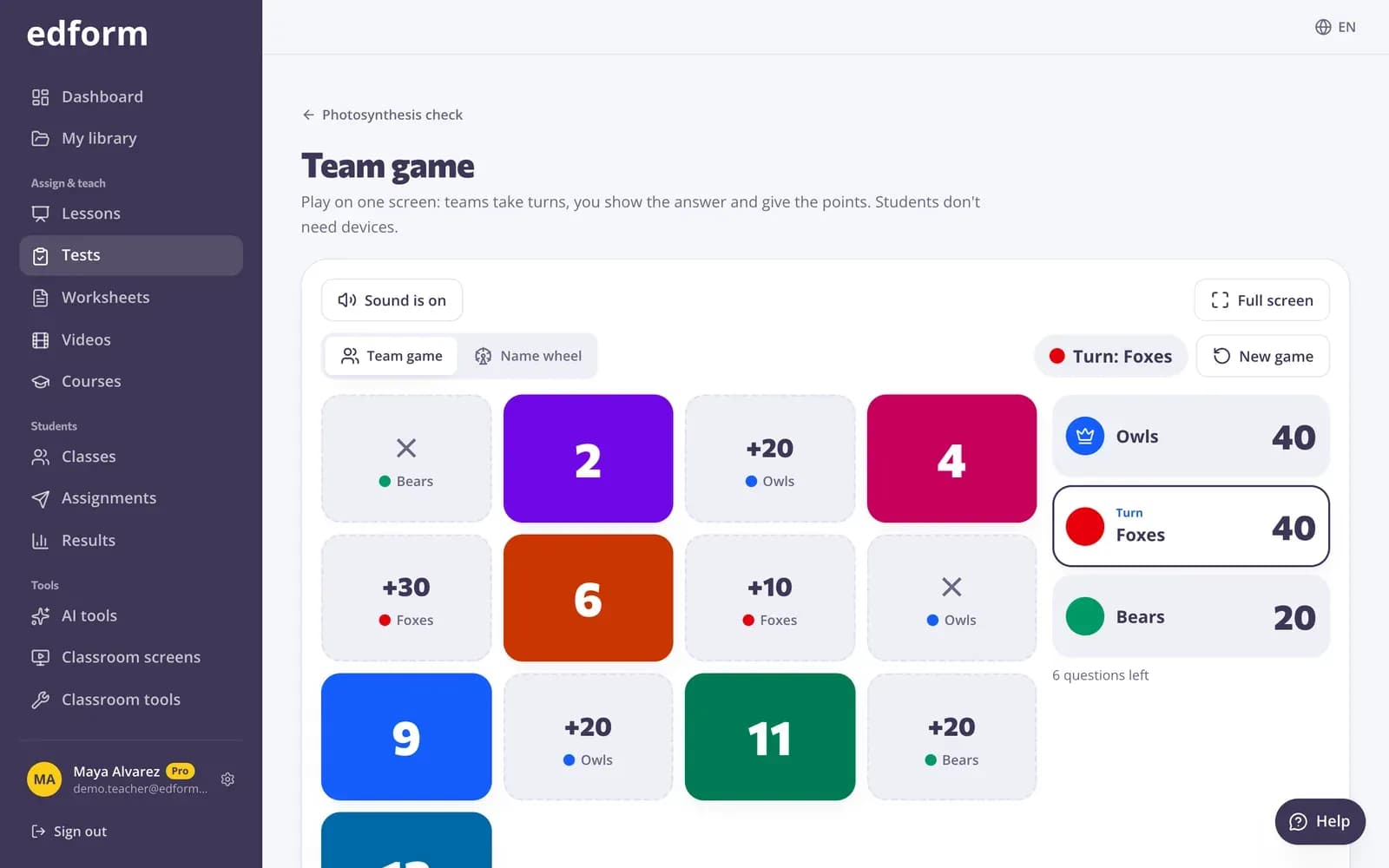
Your projector or board is enough: play team games, show questions and reveal the answers together, let groups share one device and print the same questions for paper practice.
- Team game on one screen
- Print any quiz with an answer key
- Free for teachers
What is a no-device classroom?
A no-device classroom has one teacher computer and a projector or board, but no laptops, tablets or phones for students. Edform has several ways to keep that classroom interactive. The team game splits the class into 2 to 6 teams that take turns on one screen with tiles, chests, a wheel or Connect Four. Lessons can be shown on the board with the answers revealed together, and polls can count raised hands in the room. With a few devices, groups share one, and any quiz prints as a worksheet, crossword or cards with an answer key.
Edform at a glance
- Price
- Free for teachers: Basic is free forever, with no credit card, and includes every feature.
- AI tools
- AI teacher tools with 5 AI points a month on Basic and 300 a month on Pro.
- Students
- Students join with a code. They need no email address and no account.
- Grading
- Quizzes and worksheets are graded automatically, with results per student and per question.
- Devices
- Runs in the browser on laptops, tablets, phones and interactive boards. Nothing to install.
- Languages
- Available in 32 languages.
- Works with
- Google Classroom, Microsoft Teams, ClassLink and learning platforms that support LTI 1.3.
- Library
- A free library of ready-made quizzes, worksheets and lessons that teachers can copy and edit.
How to teach interactively without student devices
- 1
Write your questions once
Make a quiz, or ask AI to draft one for your topic.
- 2
Pick a one-screen activity
Choose the team game, show a lesson on the board or print the questions.
- 3
Play together
Teams answer out loud or on mini whiteboards, and you award the points on the board.
Try it yourself
Play a game made from a quiz
Same questions, different games. Pick one and play.
Lessons shown on the board
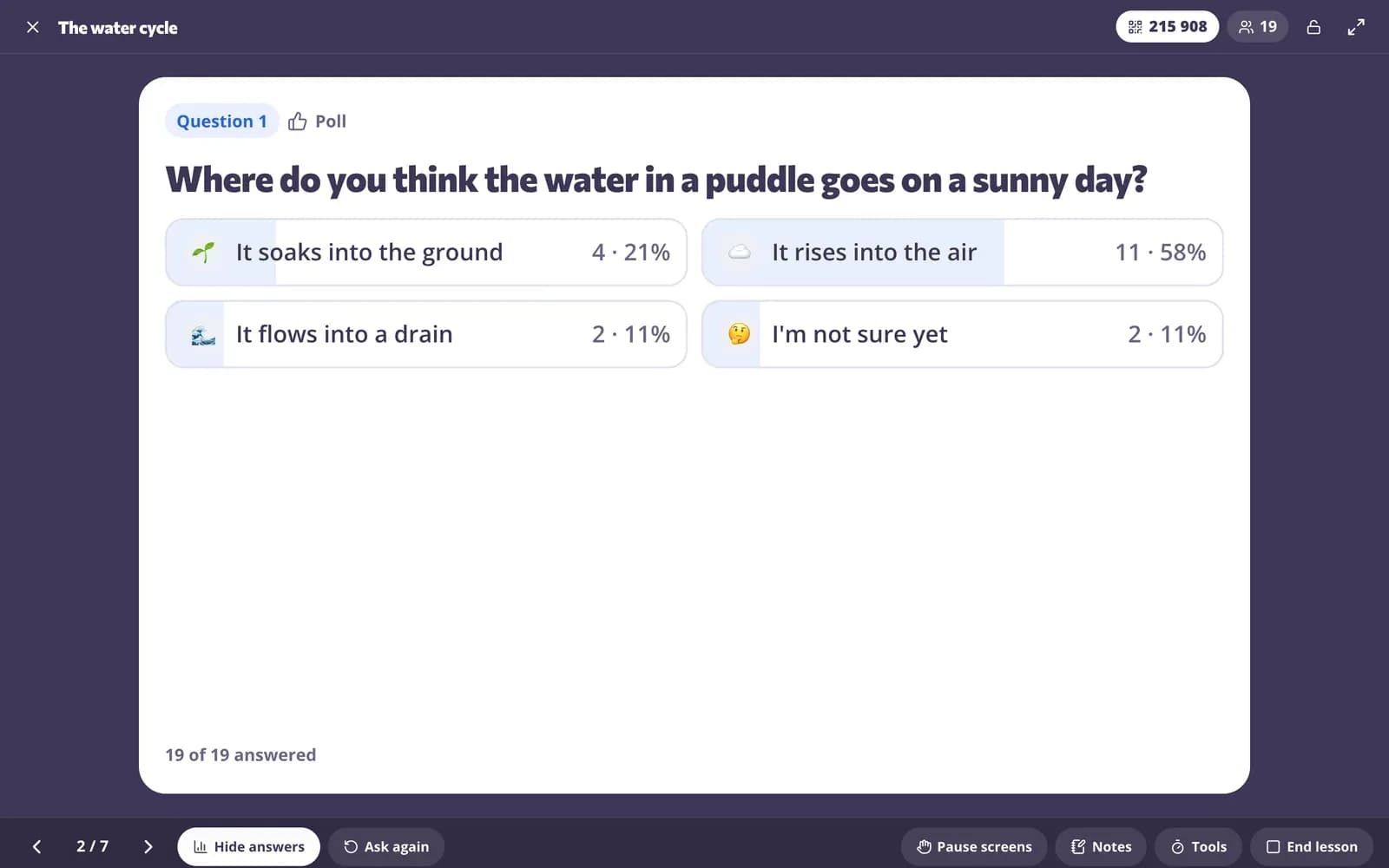
Present slides and questions full screen, let the class answer out loud or by show of hands, then reveal the answer together.
- Full-screen slides and questions
- Reveal answers together
- Print slides with an answer key
Paper when you need it
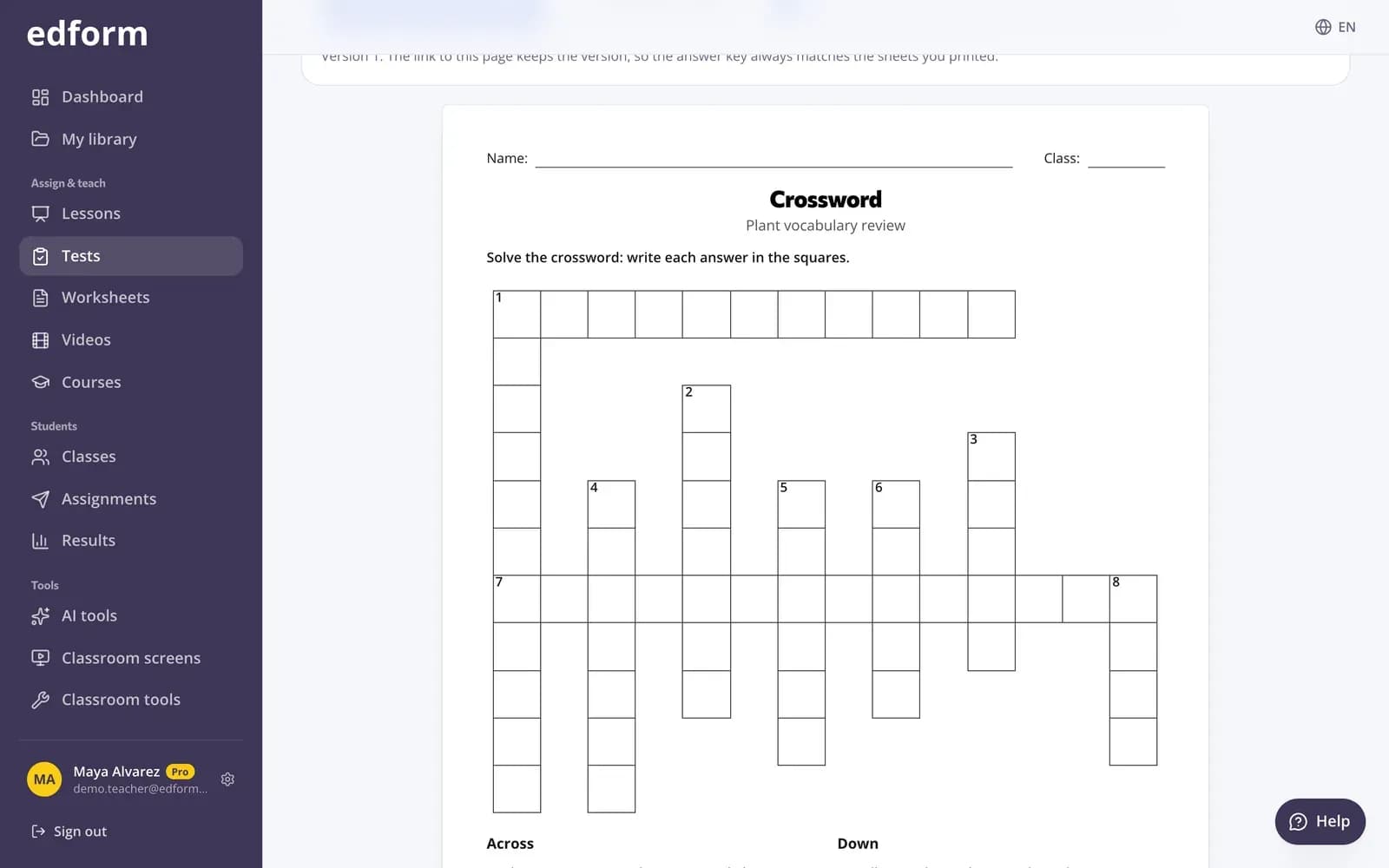
Print any quiz as a worksheet with an answer key, or as a crossword, word search, match-up sheet or cards.
- Worksheet and answer key
- Crossword and word search
- Cards for group games
Polls without devices
Put a poll or exit ticket on the classroom screen and count raised hands in the room. The result appears on the board for everyone.
- Count hands in the room
- Results on the board
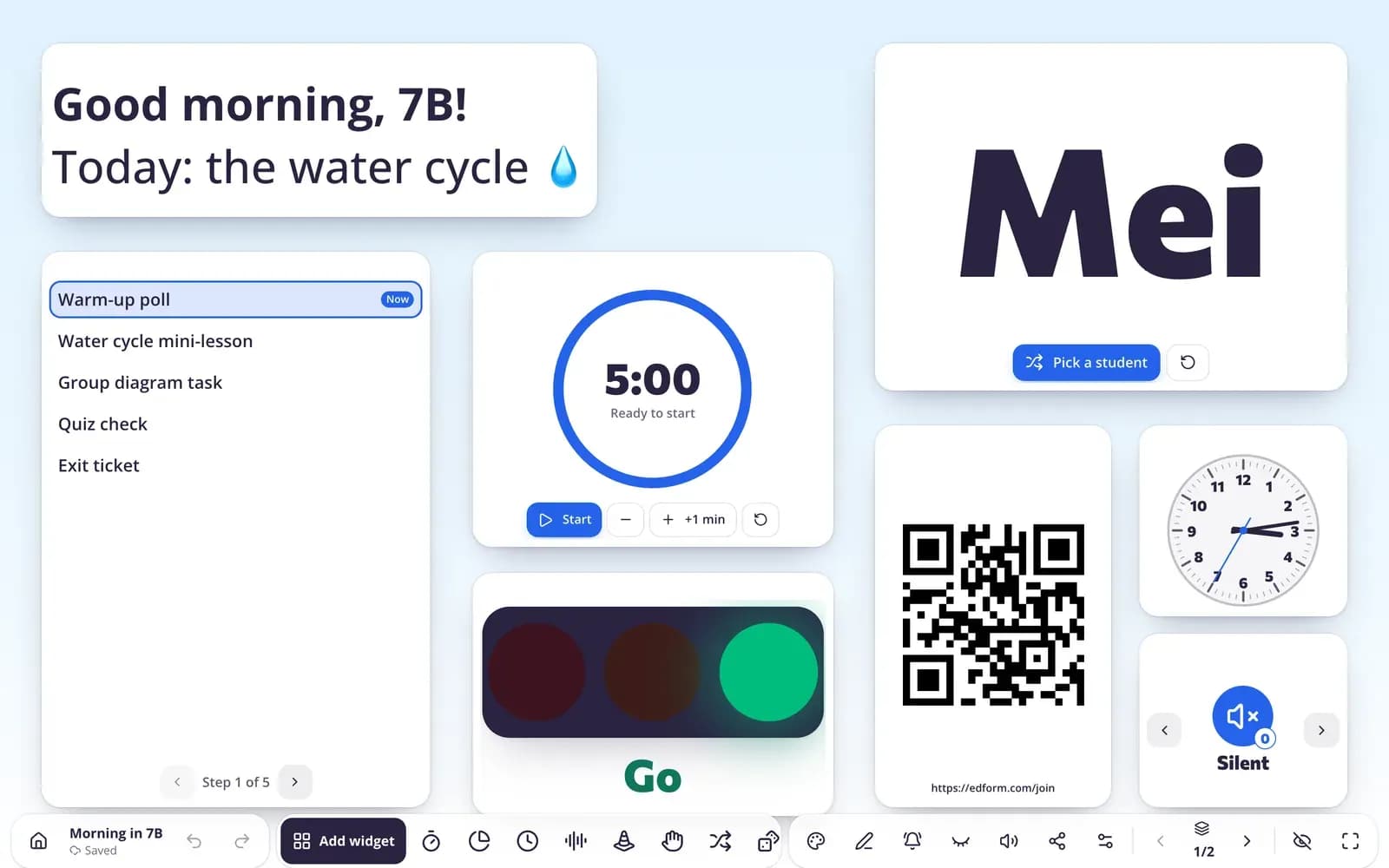
- Timer and name picker next to it
Interactive teaching with one screen
Team game
2–6 teams take turns on a game board with points and surprises.
Show on the board
Present lessons full screen and reveal the answers together.
Printables
Worksheets, crosswords, word searches and cards with answer keys.
One device per group
With a few tablets, each group answers together and shares one result.
Polls in the room
Count raised hands for polls and exit tickets on the board.
Classroom tools
Spinner wheel, dice, name picker and scoreboard for any activity.
Teachers without student devices use Edform for
- 01
Review games
A team game with the week's questions on the projector.
- 02
Whole-class discussion
A question on the board, think-pair-share, then reveal.
- 03
Stations with one tablet
Groups take turns at a station and answer together.
- 04
Paper practice
Print the same questions for homework or quiet work.
Explore more
- Team quiz gameOne screen, no student devices, 2–6 teams
- Printable quizzesPrint any quiz with a matching answer key
- Bingo card generatorDifferent bingo cards from your words or terms for the whole class.
- Spinner wheelSpin a colorful wheel of names, questions or topics — great for games and turns.
- Classroom screenTimers, name pickers and more on the board
- Elementary schoolBig buttons, read-aloud and team games for young learners
Step-by-step guides
- Team gamePlay a quiz on one screen with teams, a game board and no student devices.
- Printables and flashcardsPrint worksheets and puzzles, and revise with flashcards and pairs.
- Interactive lessonsBuild slides with questions in between and teach them live on students' devices.
- Classroom screensBuild projector screens with timers, name pickers, instructions and polls.
Frequently asked questions
Can I use Edform if my students have no devices?
Yes. You only need one computer connected to a projector or board. Play the team game, show lessons on the board, use polls in the room and print any quiz.
How does the team game work?
Choose 2–6 teams and a board such as tiles, chests, a wheel, Connect Four or tic-tac-toe. Teams take turns answering a question, and right answers win points or surprises.
What if I have a few tablets?
Choose “Groups on one device”. Each group types a group name and their names, answers together, and the result belongs to the whole group.
What can I print?
Any quiz as a worksheet with an answer key, a crossword, a word search, a match-up sheet or cards. The free classroom tools also make bingo cards and math worksheets.
How can I check understanding without student devices?
Show a question on the board, let students answer on mini whiteboards or by raising hands, then reveal the answer together. Polls and exit tickets on the classroom screen count raised hands for you, and a printed quiz with an answer key gives you each student's work on paper.
Can students work together without devices?
Yes. In the team game, teams talk each question through before answering, and the group maker makes random teams. With a few tablets, “Groups on one device” lets each group answer together.
Is it free?
Yes. Every feature is free for teachers.
Make your one screen interactive
Free for teachers. All you need is a computer and a projector.
- Free for teachers
- No credit card
- Works on any device