


Elementary school
Made for little hands and busy classrooms
Young learners get big buttons, questions read aloud and progress they can see. You get team games on one screen, class logins without email and a classroom screen that keeps the day on track.
- Young-learner mode with read-aloud
- Logins without email addresses
- Free for teachers
What is Edform for elementary teachers?
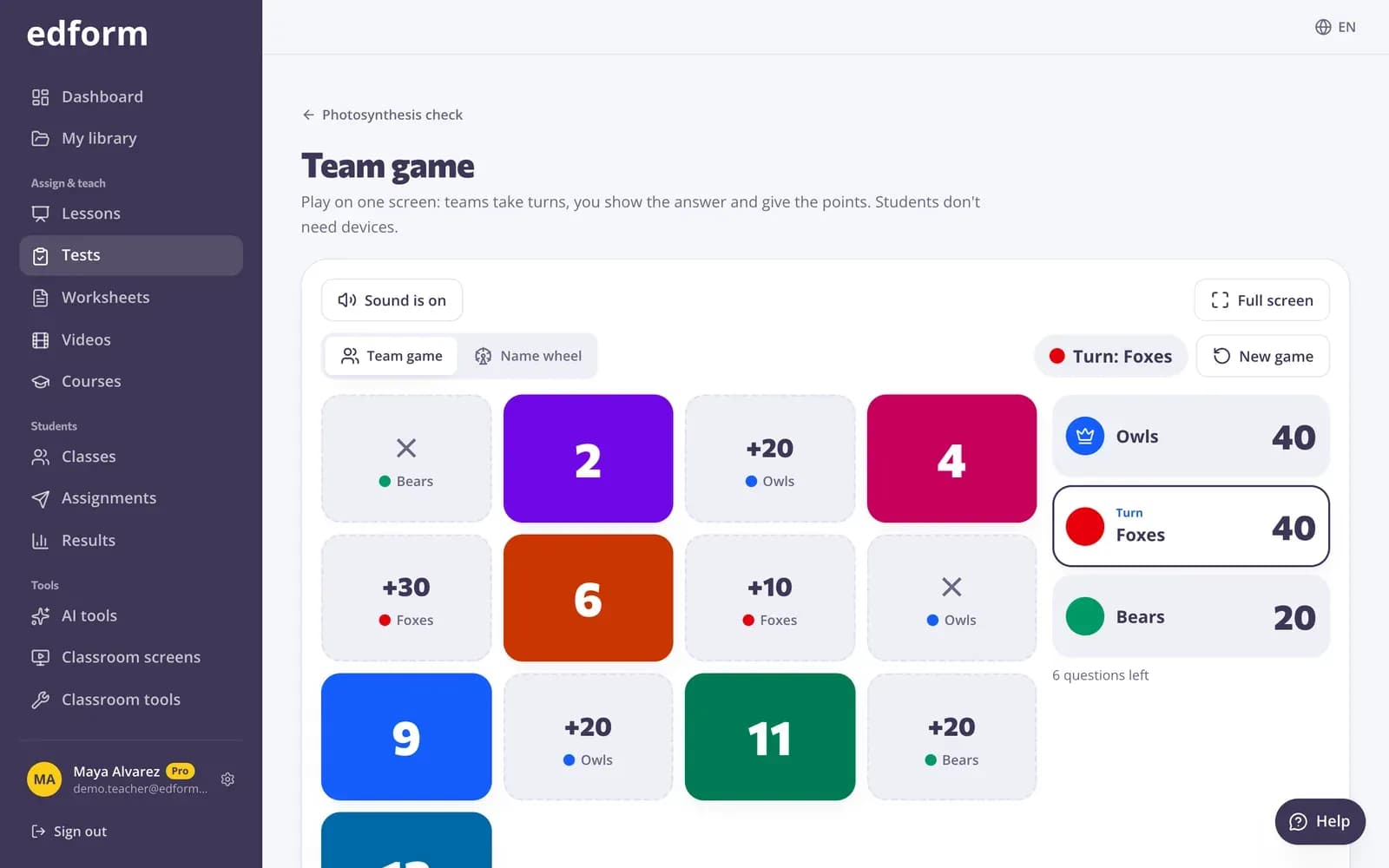
Edform brings elementary teacher resources into one free platform, with a mode built for young learners, about ages 5 to 8. Choose it and questions appear with big, friendly buttons, a speaker button reads each question and its answers aloud, there's no timer, and a picture scene shows progress with every right answer. Children join with a code and their first name, or with a username and password you print for them. With one projector, play a team game on one screen, and run daily routines with a classroom screen of timers and work symbols.
Edform at a glance
- Price
- Free for teachers: Basic is free forever, with no credit card, and includes every feature.
- AI tools
- AI teacher tools with 5 AI points a month on Basic and 300 a month on Pro.
- Students
- Students join with a code. They need no email address and no account.
- Grading
- Quizzes and worksheets are graded automatically, with results per student and per question.
- Devices
- Runs in the browser on laptops, tablets, phones and interactive boards. Nothing to install.
- Languages
- Available in 32 languages.
- Works with
- Google Classroom, Microsoft Teams, ClassLink and learning platforms that support LTI 1.3.
- Library
- A free library of ready-made quizzes, worksheets and lessons that teachers can copy and edit.
How to use Edform with young learners
- 1
Make or pick an activity
Write a few questions, copy an activity from the community library or ask AI for a first draft.
- 2
Choose “Young learners”
Under “Who is it for?”, pick Young learners: big buttons, read-aloud, friendly feedback and no timer.
- 3
Play together or one by one
Play a team game on your board, or let children answer on tablets with a code.
Try it yourself
Play a game made from a quiz
Same questions, different games. Pick one and play.
A player children can use on their own
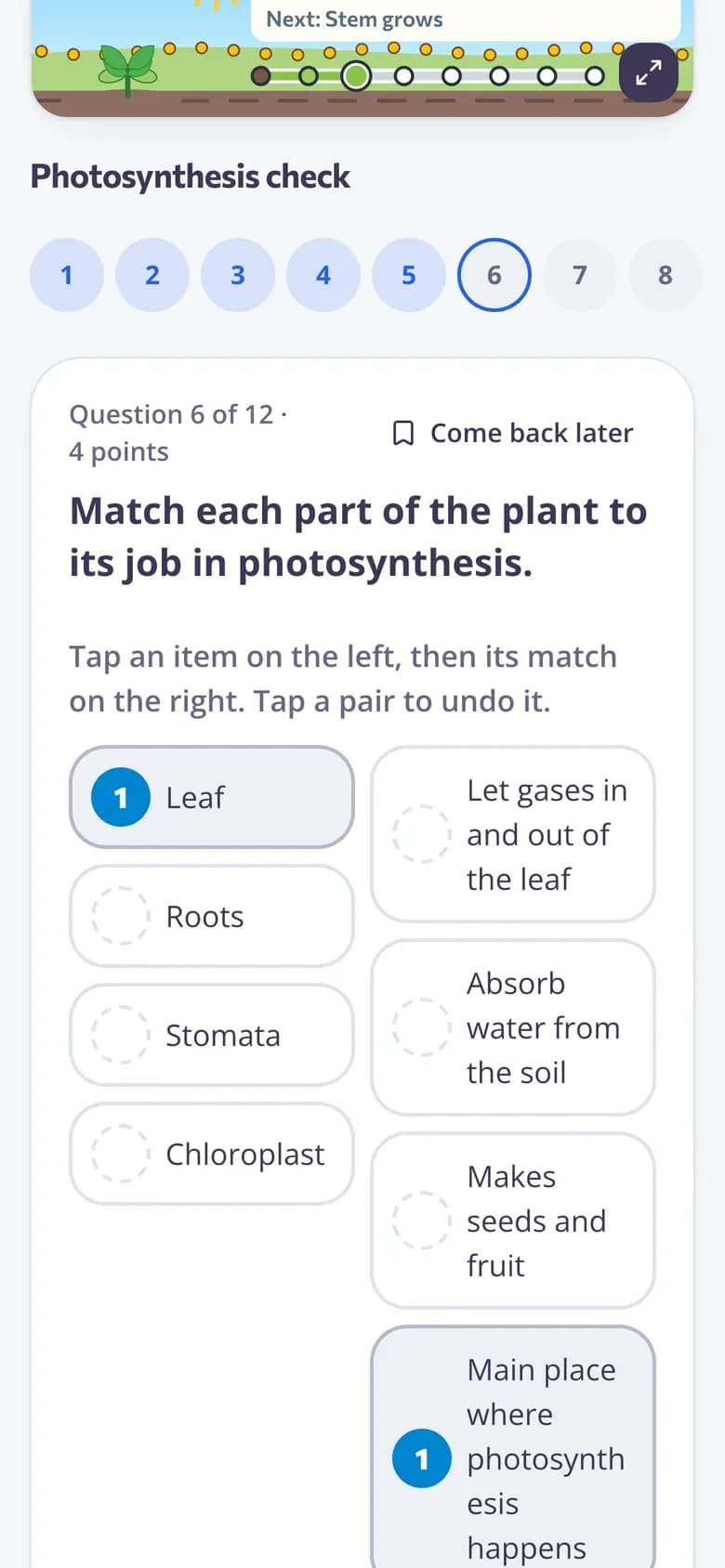
One question at a time with big buttons. A speaker button reads the question and the answers aloud, and feedback is short and kind.
- Read-aloud of questions and answers
- No timer pressure
- Picture scenes like a mountain climb or a Moon mission
Logins without email
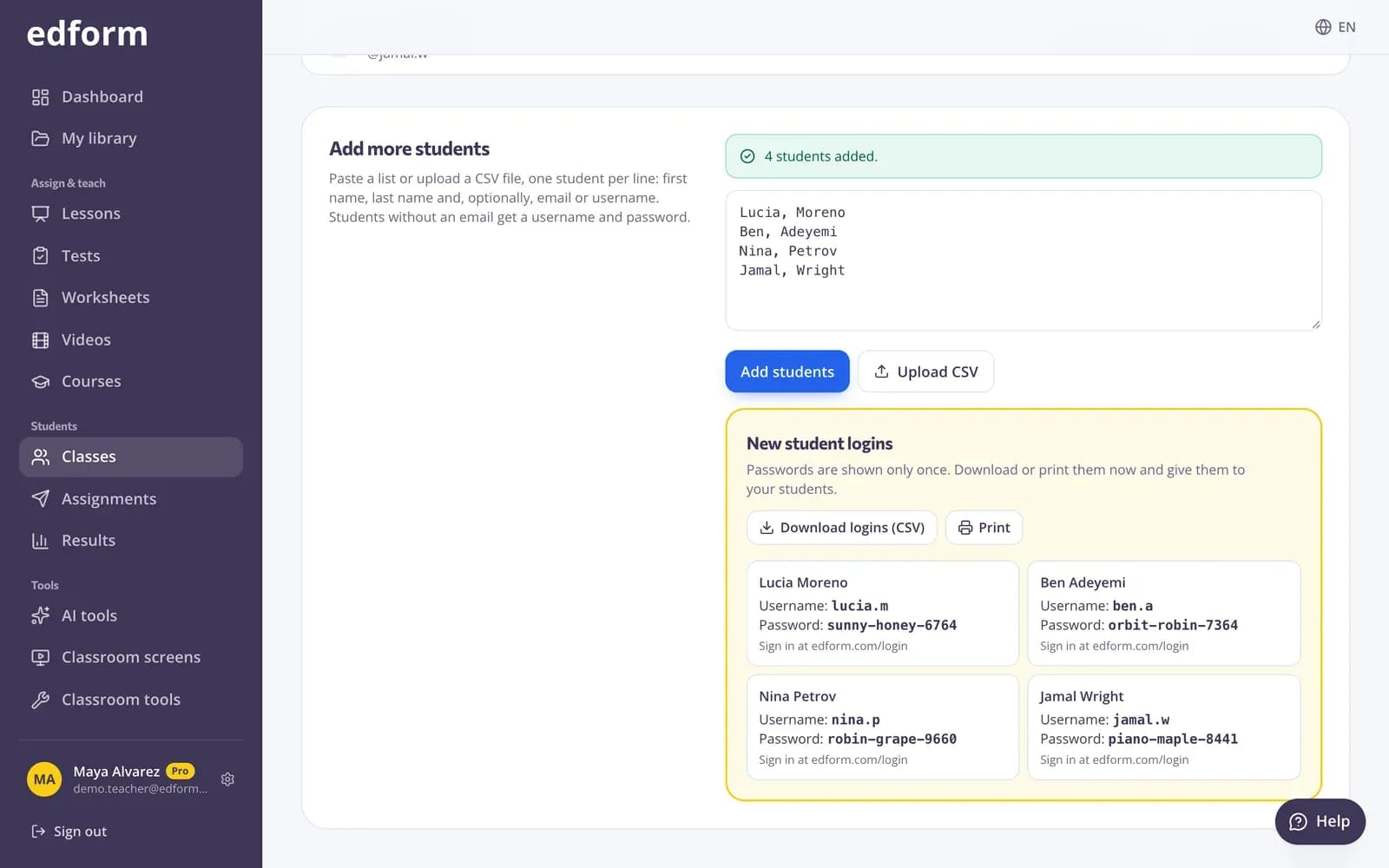
Paste your class list and Edform creates a username and password for every child. Print the logins and hand them out, or let children join with just their first name.
- Usernames and passwords in one step
- Print or download the logins
- Reset a forgotten password yourself
Classroom screens for the whole day
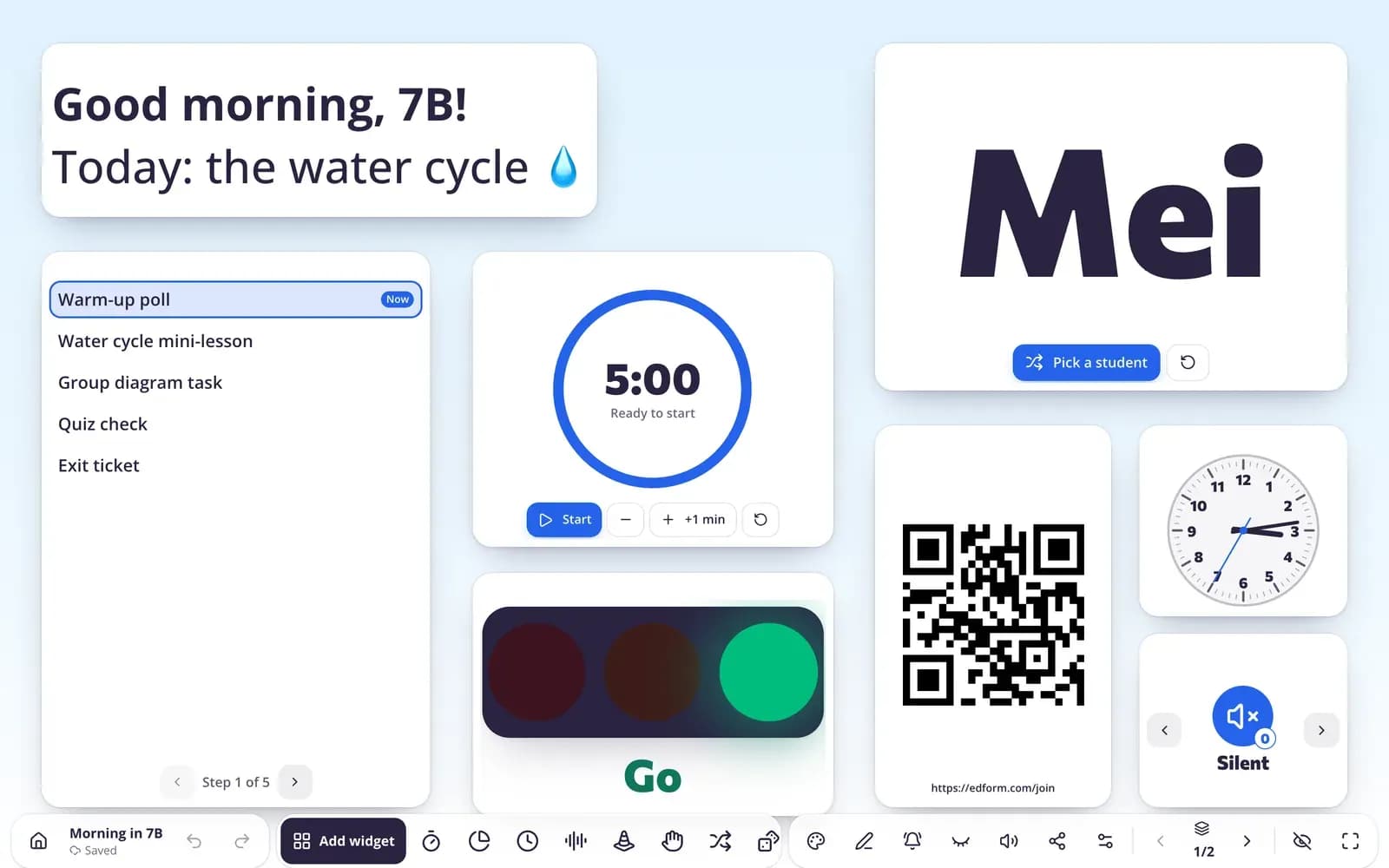
Visual timers, analog clocks, work symbols and emoji exit tickets on the projector. Start from templates made for Pre-K, K–2 and grades 3–5.
- Templates for each age group
- Visual timer and traffic light
- Name picker with your class list
Made for the early grades
Read-aloud
A speaker button reads each question and its answers in the language of the activity.
Logins without email
Usernames and passwords you can print, or join with a code and a first name.
Team game on one screen
2–6 teams take turns on your board with tiles, chests, a wheel and surprises. No student devices needed.
Classroom screen
Timers, name picker, noise meter and work symbols on the projector all day.
Progress scenes
17 picture scenes where every right answer moves the child forward. Scores never change.
AI for the early years
Decodable texts, social stories and morning meeting plans in your language.
Elementary teachers use Edform for
- 01
Spelling and phonics practice
Guess the word, missing letters and anagram games from your weekly word list.
- 02
Morning meeting
A start-of-day screen with the date, the day plan and a feelings check-in.
- 03
Math facts
Printable math drills and quick quizzes with number answers.
- 04
Centers and stations
A timer and a group maker on the board while groups rotate.
Explore more
- Team quiz gameOne screen, no student devices, 2–6 teams
- Student logins without emailUsernames and passwords for students without email
- Classroom screens for K–2Templates for the youngest classes
- Random name pickerFairly picks who answers next from your class list — skips absent students and repeats.
- Decodable textA short reader for early readers that practices one phonics pattern.
- No-device classroomGames, lessons and printables with one projector
Frequently asked questions
Can children who are still learning to read use Edform?
Turn on read-aloud so a speaker button reads each question and its answers. Children still pick the answer on screen, so short words, numbers and simple choices work best.
Do young students need an email address?
No. They can join with a code and their first name, or sign in with a username and password you create for them. You can print the logins for your whole class.
Can I use Edform with one computer and a projector?
Yes. The team game runs on one screen: split the class into 2–6 teams, show a question and award the points. Lessons can also be shown on the board with the answers revealed together.
Are there timers made for young children?
Yes. The classroom screen has a visual timer (pie, bar or hourglass), an analog clock and work symbols, and the templates for Pre-K and K–2 use them.
What does “Young learners” change?
Big buttons, read-aloud, friendly feedback and no timer, and the game modes that suit young children are shown first.
Is there help with reading and phonics?
Yes. AI tools write decodable texts for one phonics pattern and short reading passages with questions. Weekly spelling words become guess the word, missing letters and anagram games, and read-aloud lets children hear each question.
Can I use Edform for social-emotional learning?
Yes. The classroom screen has a feelings check-in for morning meeting, and AI tools draft SEL lessons, student check-ins, social stories and morning meeting plans you can edit.
Are there ready-made worksheets and lesson plans?
Yes. Copy activities other teachers published in the community library, print any quiz as a worksheet with an answer key, print math drills, or let AI draft a lesson plan or worksheet for your grade.
Is it free?
Yes. Every feature is free for teachers.
Try it with your class this week
Free for teachers. Children join with a code or a printed login.
- Free for teachers
- No credit card
- Works on any device