


See all results
Step 1: Open “Results”
Click “Results” in the sidebar. “All results” lists every homework and live session with how many students took part or handed in, and the average.
Step 2: Find what you need
Search by title, choose a class, or show only work with answers “To grade”. Click any line to open its full report.
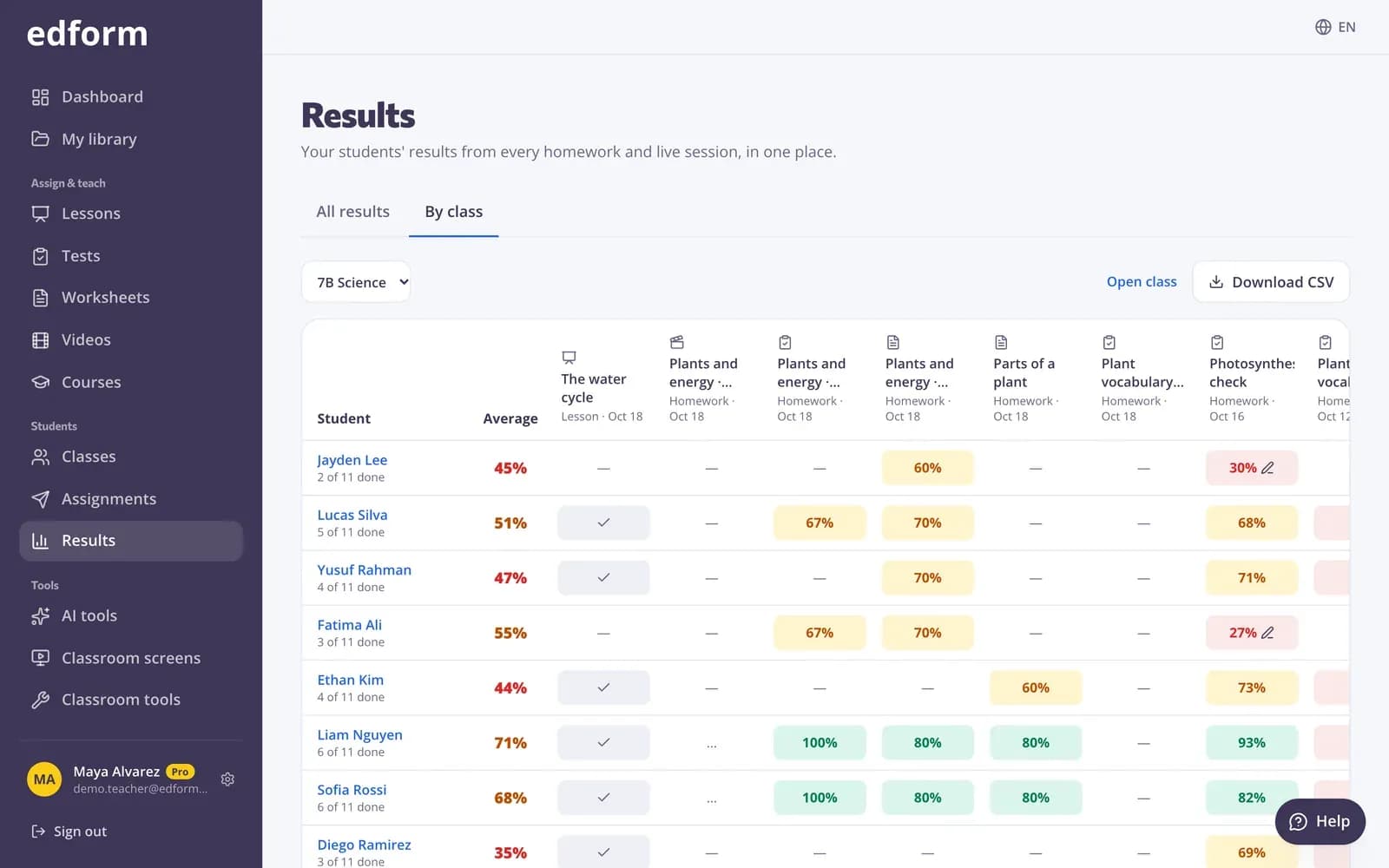
Use the class gradebook
Step 1: Switch to “By class”
Choose a class to see each student next to every homework and live session given to that class, with their best score in %.
Step 2: Read the cells
A cell shows the best score, or “Started”, “Not started” or “Waiting for your grading”. Each student's row shows how many are done.
Step 3: Press “Download CSV”
You get the gradebook with every score, the average and what is done, ready for a spreadsheet or your school's grading system.
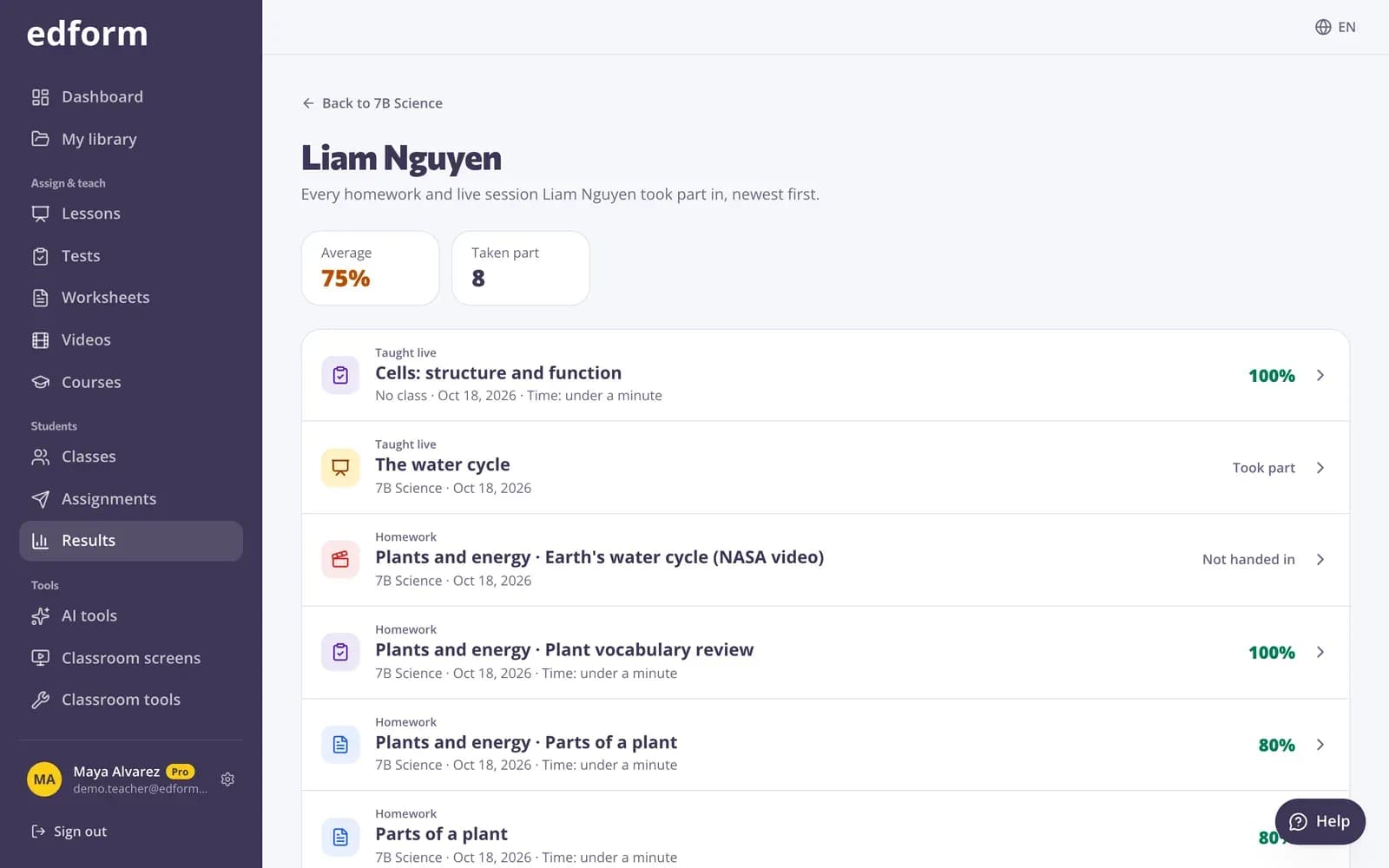
See one student
Step 1: Click a student's name
Their page lists every homework and live session they took part in, newest first, with their average, attempts, time and answers to grade.
Questions
Why is a homework missing from the class gradebook?
It was given by link without choosing the class. It is still in “All results”. Next time, choose the class when you give it.
Are live games in the gradebook?
Yes. Live races, live quiz games and lessons taught live show next to homework, with each student's best score.
Related
- Online gradebookEvery student next to every homework and live session
- Quiz reportsScores per student, per question and common wrong answers
- Homework reportsSee every student's score, each answer and how the class did on each question.
- Grade open answersGrade written answers with points, a checklist and feedback, or change an automatic score.